
Set up texting with Sales Surge
In a demo we show the SMS settings, a cadence with a text step and an automation. Then we talk through your Twilio account, your consents and your first campaign.
Lumo sends texts through your own Twilio account, to the same people you email and call. It checks consent at send time, handles STOP within seconds and only sends between 8 a.m. and 8 p.m. in the recipient's time zone.
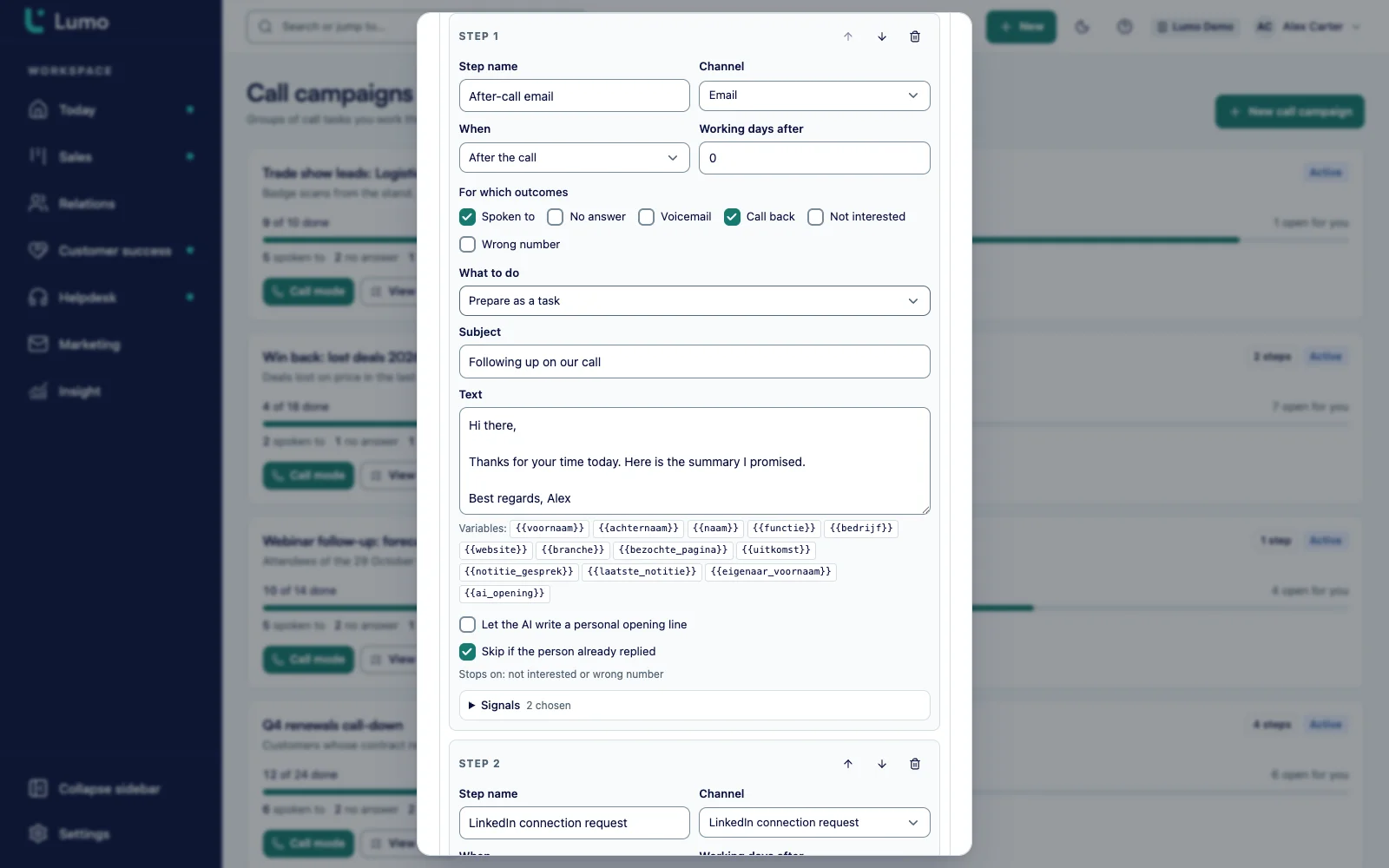
You connect your own Twilio account under Mail and SMS channels. SMS is then a step in a cadence and an action in an automation, right in the app. A text campaign to a whole segment runs through the API, the MCP server or the AI assistant today. There is no screen yet to build one, so Sales Surge sets those up with you. SMS is off by default and Sales Surge switches it on per workspace.
It is the last night of your year end campaign. A matching gift runs until midnight and you want your loyal donors to know. A text almost always gets read, usually within minutes. That is what makes SMS so useful for fundraising, and also why it goes wrong so quickly.
It goes wrong when the list comes from an export that still includes people who replied STOP last week. It goes wrong when a message lands at 7 a.m. on the West Coast because the send time was set in Eastern time. It goes wrong when one emoji turns a single segment into three, and the bill triples with it. A standalone texting tool has no idea who withdrew consent in your CRM this afternoon.
In Lumo, SMS hangs on the same person as their gifts, emails and call history. Consent lives on the person. At send time Lumo checks again: does this person have consent, did they opt out, is the number in a country you text, and is it inside the sending window in their time zone? When someone replies STOP, Lumo processes it within seconds. When Twilio returns an error code for an invalid number, the number goes on the suppression list and Lumo does not try it again.
You send through your own Twilio account. Twilio bills the messages to that account, and your numbers and your carrier registration stay yours. Lumo stores the credentials encrypted on the server.
A word on TCPA compliant SMS consent: Lumo enforces consent, STOP and quiet hours, but software alone does not make a program compliant. Your organization decides how it collects consent and stays responsible for what it sends. For the wider nonprofit setup, see Lumo for nonprofits.
The setting is called Twilio for SMS and sits under Mail and SMS channels. Only an owner or admin can view and change it.
Enter the Account SID and the auth token. You find both in the Twilio Console on the account home page. After Save credentials the token is stored encrypted on the server and never shown again.
Enter a Messaging SID or a From number in international format. Then choose the consent rule, the window with Send from and Send until, the countries this workspace texts and the number of texts per minute, from 1 to 6,000.
Under More Twilio accounts you add a second or third account, each with its own numbers and webhook addresses. The sender number of a campaign or cadence step decides which account sends. Consent, window and shadow apply to all accounts.
Send mode starts on Shadow, send nothing. Lumo does everything except actually sending. With Test text you send one message to a number you type yourself, up to 1,600 characters, and see how many segments it used.
When everything checks out, switch SMS to Live, real sending. Lumo asks you to confirm first. You can always switch back to shadow.
Each workspace picks one of two rules. Only with explicit consent is the default: Lumo texts only people with recorded SMS consent. Everyone, except those who opted out texts everyone with a mobile number, except people who replied STOP or opted out another way. Which rule fits depends on how you collected the numbers and on the rules where your recipients live.
When someone replies STOP, Lumo processes it within seconds, Spanish replies included. From then on they get no texts from this workspace. If they later reply START, they are opted back in. A number for which Twilio returns an invalid number error code goes on the suppression list.
Consent comes in several ways. Through a web form with a consent field and the stored consent text. Through CiviClick, where an advocate can give SMS opt-in that shows on their record, see advocacy. And when you move to Lumo, through a bulk import of consents and suppressions that Sales Surge runs for you.
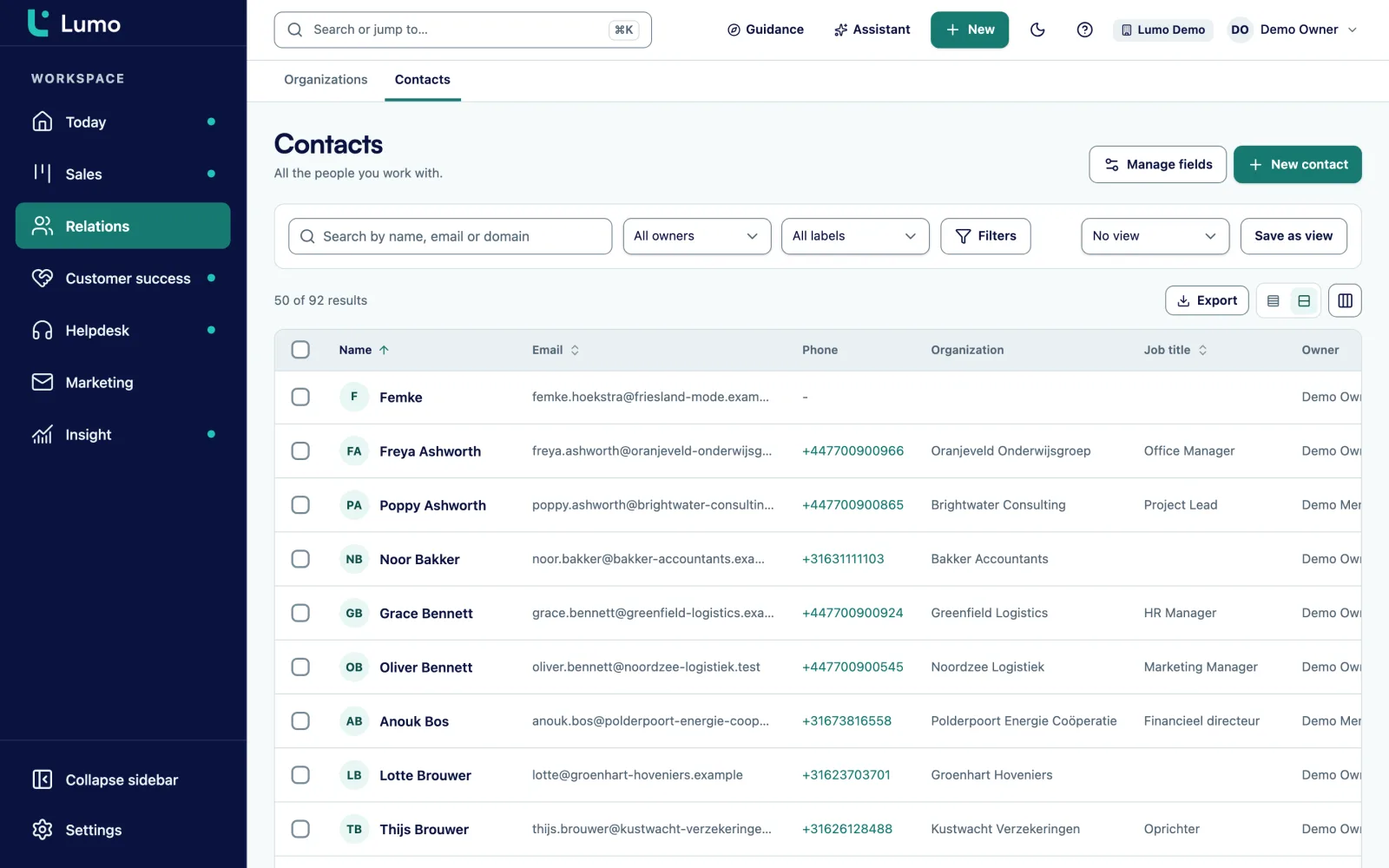
In a cadence, SMS is a step, just like calling, email, LinkedIn, WhatsApp as a task and a plain task. A common fundraising sequence: a phone call first, a retry on Voicemail or No answer, and then a short text with a link to your donation page. Or the other way around: a text saying you will call, and the call the next day.
The SMS step follows the same rules as every other text. At send time Lumo checks consent, opt out, country and the window in the recipient's time zone. Someone who replied STOP between the call and the text does not get the text. Per step you pick the sender number, and with it the Twilio account.
A giving segment opens straight into a new cadence. In donor management you build the LYBUNT segment, for example, and choose Use in a cadence. The staff member making calls sees the giving history and the last note next to the number in call mode.
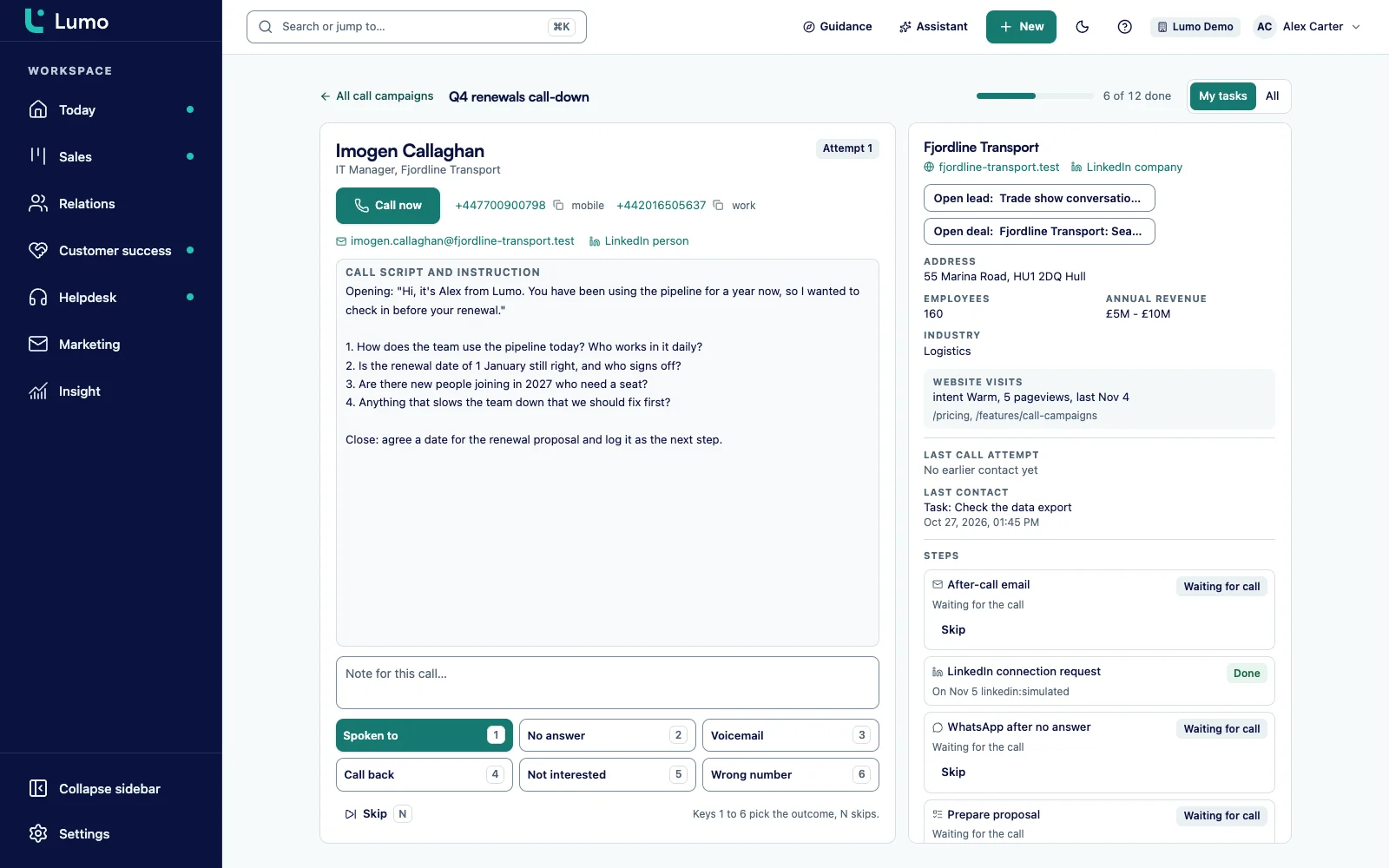
In automations, Send a text message is an action. You set the text and the sender number, or use the default sender. A few that work well: a thank you text when a first gift comes in, a reminder the day before an event, or a message when a recurring payment fails, with a link to update payment details.
An automation skips the step when something is off, and tells you why. The reasons you see in the run log: SMS is switched off in this workspace, there is no person on the record, the person has no mobile number, the person has no SMS consent or opted out, the number is in a country this workspace does not text, or the text is empty or longer than 10 segments.
So afterwards you can see exactly why someone did not get a message. That saves an afternoon of digging when a donor calls to say they never got a thank you. If you want an automation built from plain words, the AI assistant builds it and runs a test before it goes on.
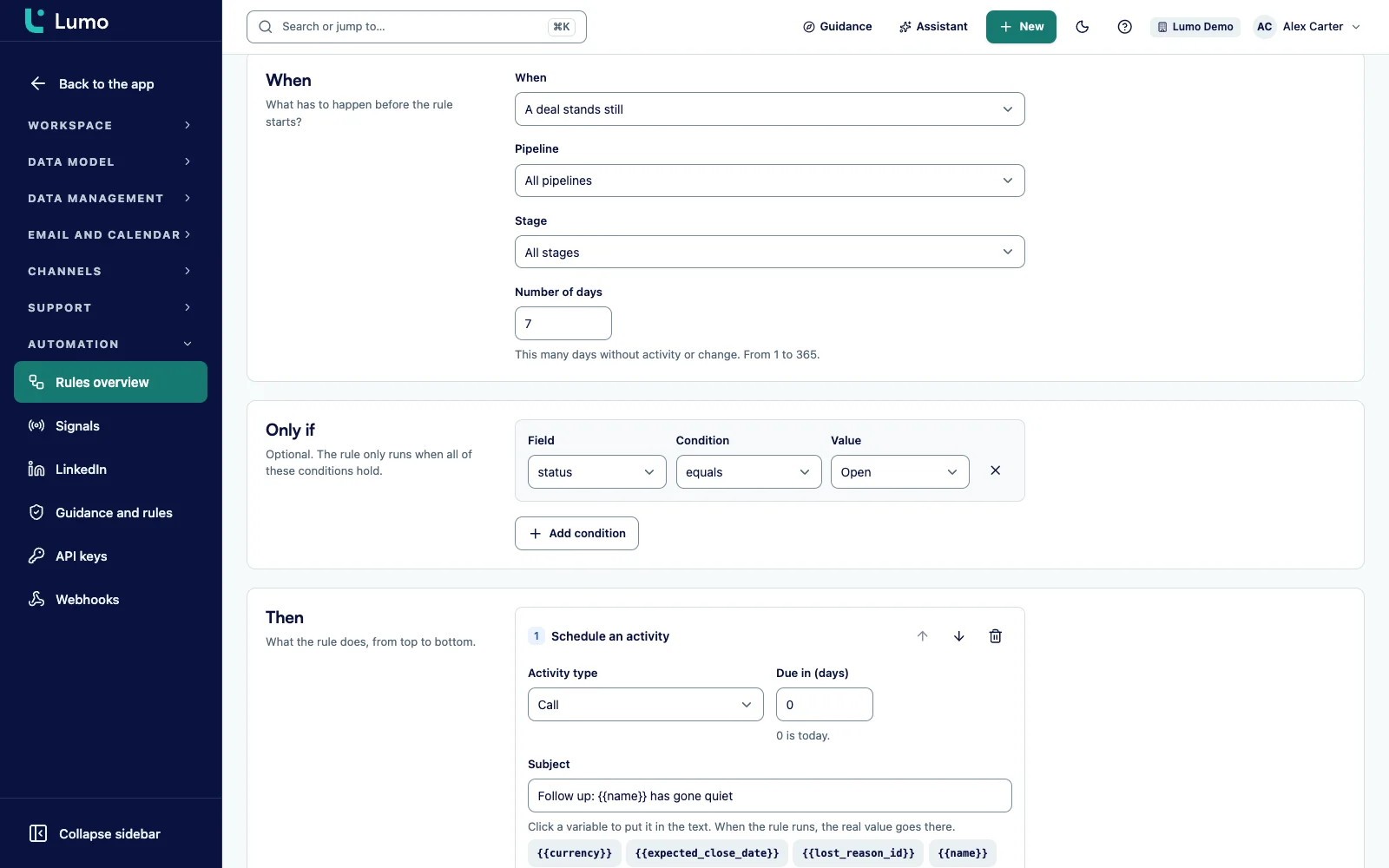
A text to thousands of donors at once, on Giving Tuesday or on December 31, does not run from its own screen today. You create those campaigns through the public API, the MCP server or the AI assistant. You pick a segment, the text and the sender number, check a preview and start the campaign. Pausing and canceling go the same way.
Every rule still applies. For each recipient Lumo checks consent and opt out, skips numbers from countries you have not allowed and counts them as country not allowed, and only sends inside the window in the recipient's time zone. The pace follows the texts per minute you set.
Because there is no screen yet, Sales Surge sets up your first campaigns with you and shows your team how to run them through the assistant or the API. How a text campaign fits next to email and calls in a year end push is on year end and Giving Tuesday campaigns. For the technical side, see API and integrations.
What Lumo enforces on every text, with the numbers as they stand today.
By default texts go out between 8 a.m. and 8 p.m. in the recipient's time zone. In the US per state and area code, elsewhere per time zone. You set the window in whole hours.
US, Canada, the Netherlands, Belgium, the United Kingdom, Germany and Australia. You choose which ones are on per workspace. Other numbers are skipped.
Only with explicit consent, or everyone except those who opted out. The rule applies to all Twilio accounts in the workspace.
Handled within seconds, Spanish included. Anyone who replies STOP gets no more texts from this workspace.
Twilio error codes for invalid numbers put the number on the suppression list.
From 1 to 6,000 texts per minute, set per workspace.
At most 10 segments per message. A test text can be 1,600 characters and shows how many segments it used.
More Twilio accounts with their own numbers. The sender number decides which account sends.
This is a made up example. Say a US nonprofit with four people in development and a little over ten thousand donors with a mobile number. On December 31 a matching gift runs until midnight.
In October, Sales Surge connects the Twilio account. The nonprofit had already registered its brand and campaign for 10DLC with Twilio. Consent is set to Only with explicit consent, the window to 9 a.m. to 8 p.m., the countries to the US and Canada. For a week SMS runs in shadow. The team sends test texts to their own phones and notices that one message with an emoji counts as three segments. The emoji goes.
On December 31 at 10 a.m. Eastern, the assistant starts the campaign to the segment of donors who gave last year but not yet this year. Lumo applies the window per recipient. Nobody in California gets the text before 9 a.m. their time. About two hundred numbers drop out: no consent, an earlier STOP or a country that is not on. Twilio reports a few dozen invalid numbers, and those go on the suppression list.
Meanwhile a cadence runs for the largest donors: a call from a staff member first, and on Voicemail a text in the afternoon. An automation sends everyone who gives that day a thank you text within a minute. When someone replies STOP to the campaign, it is on their record within seconds, and they don't get the thank you text that evening either if they give after all.
The order we follow in a new workspace.
SMS is one channel next to the others. You use the same segments for email campaigns, for call campaigns in a cadence and for texts. An email unsubscribe is not an SMS opt out and the other way around, but both sit on the same person, so you see them side by side.
Legislators who come in through CiviClick are excluded from SMS automatically, just like from email and calling. If you use that part, read advocacy CRM. To decide which roles can see the SMS settings, read roles and permissions.
There is no screen yet to build a text campaign. Campaigns to a segment run through the API, the MCP server or the AI assistant, and Sales Surge sets them up with you. SMS as a cadence step and as an automation action is in the app today.
There is no SMS dashboard. You check a campaign's status the same way you started it.
You register 10DLC with Twilio yourself. In the US your organization registers its brand and campaign for A2P 10DLC with Twilio. That is a Twilio and carrier process, and Lumo has no feature for it. Lumo enforces consent, STOP and quiet hours. Whether your program meets the TCPA, state rules and carrier requirements stays the responsibility of your organization. This page is not legal advice.
SMS is off by default. Sales Surge switches it on per workspace. Off means the workspace sends nothing, not even a test.
Twilio, through your own Twilio account. You can connect several accounts, and the sender number decides which one sends.
Yes, but today through the API, the MCP server or the AI assistant, not from its own screen. Sales Surge sets up your first campaigns with you.
Lumo processes it within seconds, Spanish included, and that person gets no more texts from the workspace. A START reply opts them back in.
By default 8 a.m. to 8 p.m. in the recipient's time zone. In the US, Lumo works that out per state and area code. You can change the window per workspace.
The US, Canada, the Netherlands, Belgium, the United Kingdom, Germany and Australia. You choose which are on, and other numbers are skipped.
No. You register your brand and campaign with Twilio yourself. Lumo sends through your own account and respects consent and STOP.
No tool does that on its own. Lumo enforces consent, STOP and quiet hours, and your organization stays responsible for TCPA and carrier rules.
Yes. In shadow mode Lumo does everything except send, and a test text goes to one number you type in yourself.
At most 10 segments. A plain segment holds 160 characters, and emoji or special characters make it shorter. The test text shows how many segments a message uses.
In a demo we show the SMS settings, a cadence with a text step and an automation. Then we talk through your Twilio account, your consents and your first campaign.