See a campaign from segment to results
In the demo we build a segment on sample data, look at who drops out and why, and set up a campaign with a follow-up.
You send campaigns to segments built on your own contacts in Lumo. Lumo does the sending itself, from your own verified domain, and checks consent and unsubscribes again for every single email. Opens, clicks and unsubscribes come back to the same people.
It usually goes like this. Marketing wants to invite every customer in construction to a webinar. Someone exports a list from the CRM, cleans it in a spreadsheet and imports it into the email tool. That tool still holds a list from last year, including people who unsubscribed back then. The lists get merged. And an account manager who just had a tough call with a customer finds out later that the customer received a cheerful invitation in the middle of it.
Three things go wrong. The recipients are off, because yesterday's export does not know what changed in the CRM today. Consent is off, because an unsubscribe in the email tool never reaches the CRM, and the other way round. And nobody in sales sees what was sent, because opens and clicks live in another system.
Under GDPR this matters. You need to be able to show why someone received a marketing email, and someone who unsubscribes should not hear from you again. Not through a second list in another tool either. The legal side is covered in the guide B2B email marketing and GDPR.
In Lumo the recipients, consent and results sit on the same people as your deals and tickets. A segment is a filter on your contacts, so it is current at the moment of sending. An unsubscribe applies to the whole workspace. Addresses that bounced or complained are never emailed again. And Lumo applies those rules again as each email goes out, so someone who unsubscribes after the campaign started gets nothing more.
Lumo does the sending. You do not need a separate email tool, and your email client does not matter either: Gmail, Outlook or anything else, campaigns run on their own.
The wizard has four steps. Nothing is sent until you choose to in the last one.
Name the campaign and pick the sender address. Only addresses on a verified domain are available, with a sender name and an optional reply-to address.
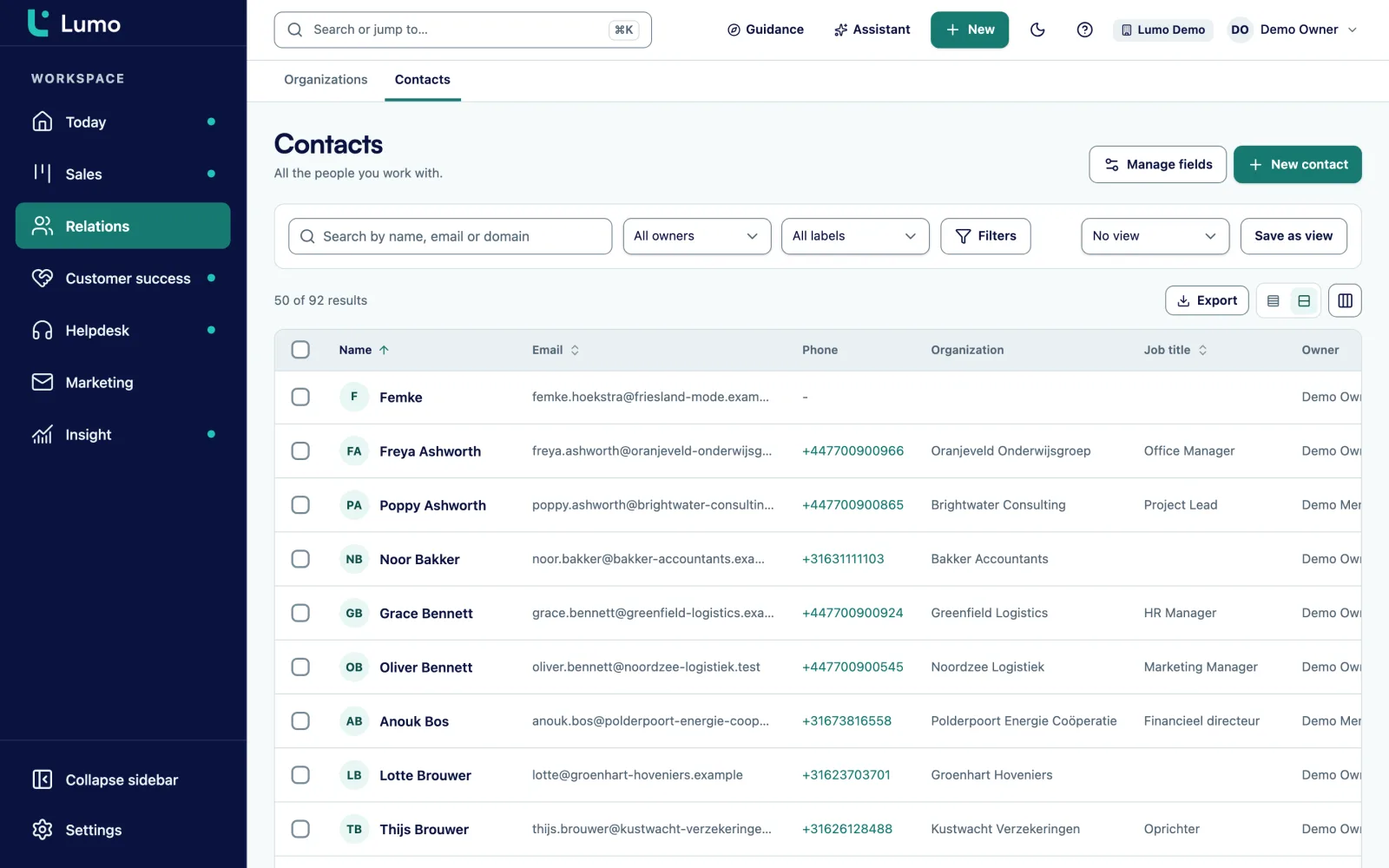
Pick a saved filter or build a new one on your contacts. You see right away how many people get the email and who drops out, with the reason.
Choose the template, check the preview and send a test to yourself or a colleague. Tests only go to members of your workspace.
Save as draft, send now or schedule a time. The campaign then shows as Draft, Sending or Scheduled.
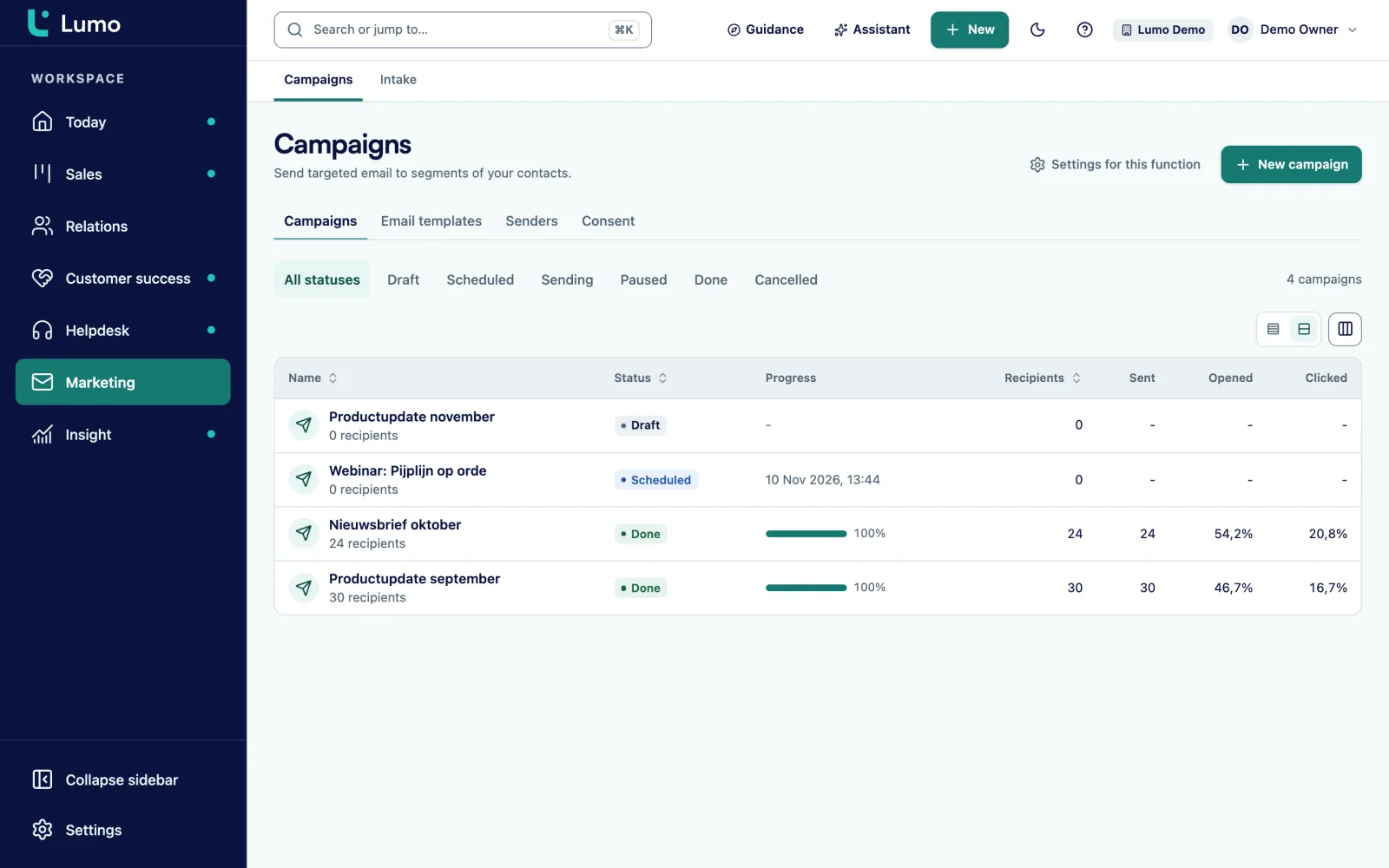
Track sent, delivered, opened, clicked, bounced, complaints, unsubscribes and failed. Pause, resume or cancel while the campaign runs.
Set up a follow-up campaign for people who did not open or click after a number of days. It picks its own recipients by that rule.
A segment in Lumo is a filter on your contacts. Use a filter you saved before or build a new one inside the wizard. For example: people whose job title contains procurement, at organizations in the customer lifecycle stage, with the label Trade show 2026. Because the segment is a filter and not a frozen list, Lumo evaluates it at send time. Someone who became a customer yesterday is in. Someone who unsubscribed today is out.
While you build it you see the number of recipients, and a panel shows who will not be emailed and why. There are five reasons: unsubscribed, address does not work, complaint, manually excluded and no consent recorded. You never have to guess why the count is lower than expected.
The setting to require explicit consent is on by default. Only people with recorded marketing consent then get the email. Only an owner or admin can change it. Some rules always apply, even when that setting is off: people who unsubscribe never get marketing email again, and addresses that bounced or complained are never emailed again.
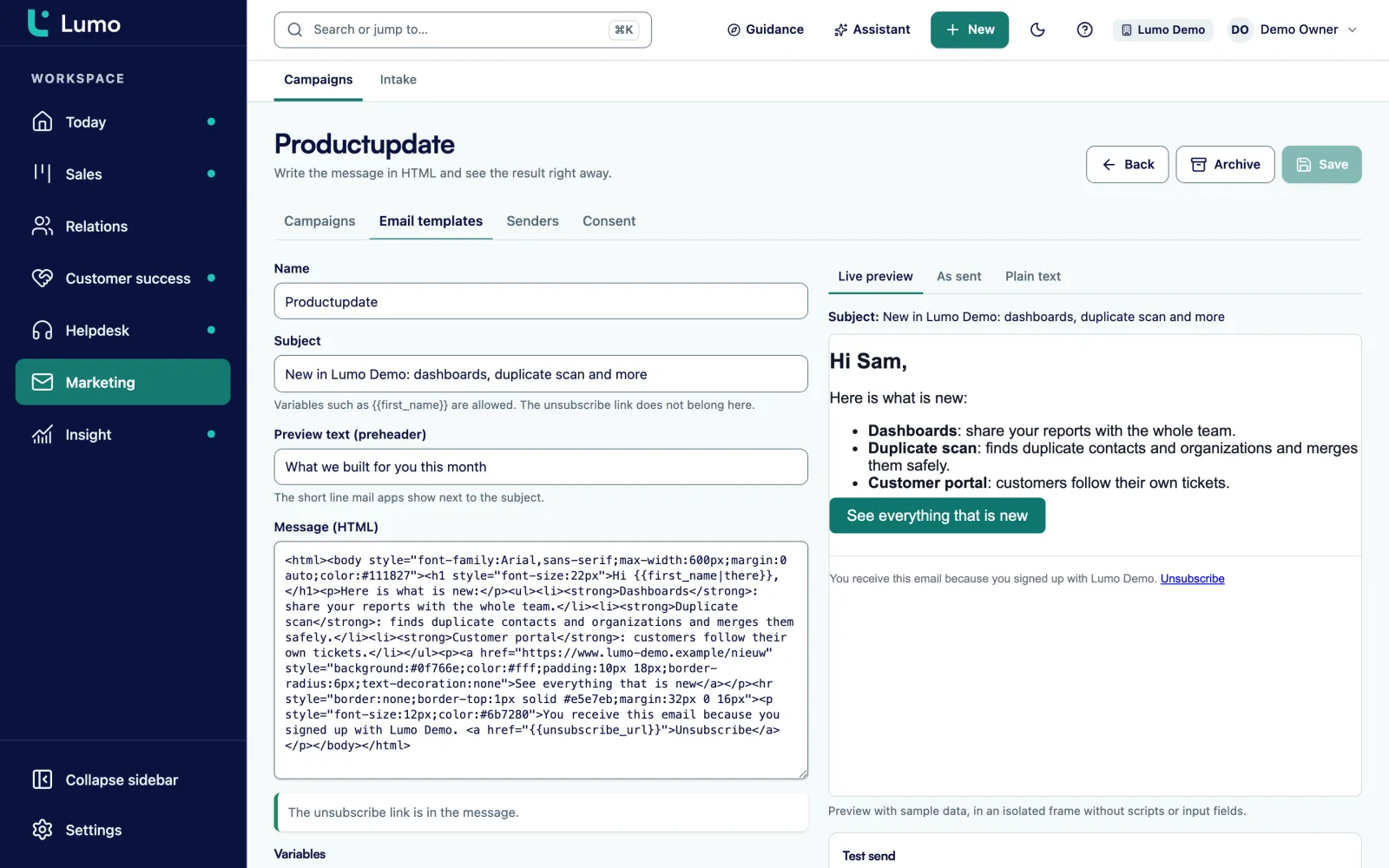
You write templates in HTML and see the result straight away. A template has a name, a subject, a preheader (the short line email clients show next to the subject), the HTML body and a plain-text version. Leave the plain text empty and Lumo generates it from the HTML.
Variables go in double curly braces, such as {{first_name}}. A vertical bar adds a default, for example first_name|there, for people without a first name on record. The unsubscribe link is required: without {{unsubscribe_url}} in the body the campaign cannot be sent, and Lumo tells you when it is missing.
The preview has three tabs: live, as sent, and plain text. It runs in a sandboxed frame without scripts or forms. Per template you switch open and click tracking on or off. Archive templates you no longer use. A template can also be the starting point for a one-to-one email from Gmail, and Lumo then strips the tracking and the unsubscribe line.
You can only send from a domain you own. Under domains you add it and Lumo gives you a DNS record with type, name and value. You add that at your domain host and choose verify. The domain moves from awaiting verification to verified. Under sender addresses you create the addresses and names recipients see, with an optional reply-to. If you release a domain, Lumo pauses running campaigns that use it.
After sending you see the results per campaign and a list of the most clicked links. Lumo counts unique openers and unique clickers. Opened is an upper bound, because some email clients open messages in advance. Lumo says so next to the number, so nobody overestimates their reach.
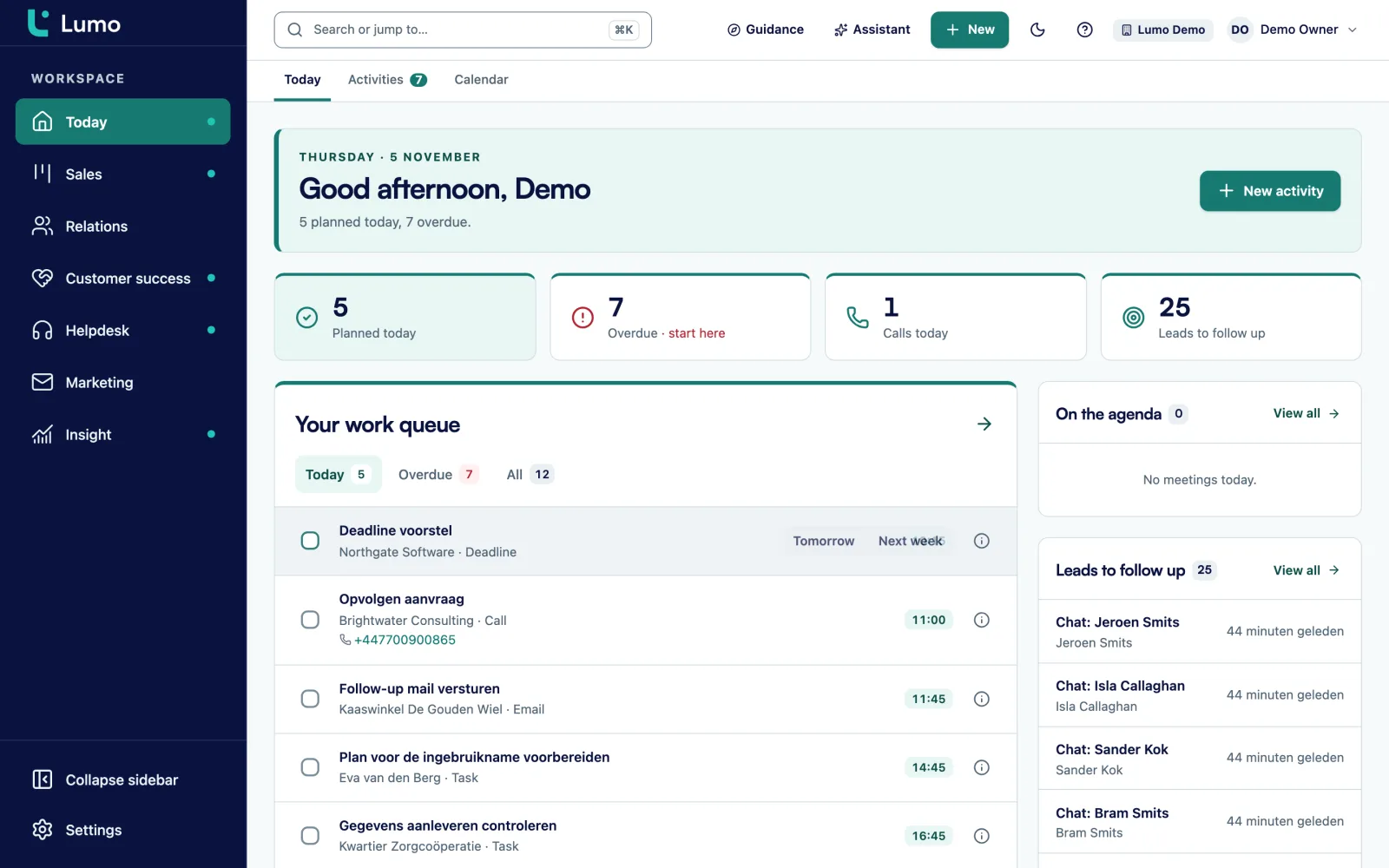
A follow-up campaign goes to people who did not open or did not click after a number of days. You write its own template and Lumo picks the recipients by the rule. A cancelled campaign gets no follow-up. Campaigns running today also appear on your team's Today screen.
A saved or new filter on your contacts, evaluated at the moment of sending.
Explicit consent is required by default and checked again for every email.
A required unsubscribe link in every template plus the one-click unsubscribe header. One unsubscribe applies everywhere.
Addresses that bounced or complained are never emailed again. That cannot be lifted.
Sending is only possible from a domain you verified with a DNS record.
Sent, delivered, opened, clicked, bounced, complaints, unsubscribes and failed.
A campaign that is sending can be paused, resumed or cancelled.
The AI assistant can build segments and write templates. Sending only happens after you approve.
This is a made-up example to show the flow, not a customer case.
Say a B2B software company with a team of fifteen runs a user event in spring. Marketer Priya wants to invite every admin and team lead at customer organizations, plus prospects who had a demo in the last six months.
She opens the wizard. Under name and sender she picks events@ on the domain verified last month, with the company name as sender name and a shared inbox as reply-to. Under recipients she builds a filter: job title contains admin or team lead, organization in the customer lifecycle stage. Lumo shows 620 people. The exclusion panel lists 54: 21 unsubscribed, 9 addresses that no longer work, 24 without recorded consent. She notices those 24 mostly came from a partner webinar. She takes that to the webinar sign-up form, so it gets a consent field from now on.
Under template she picks the invitation with {{first_name|there}} in the greeting and sends a test to two colleagues. One spots a wrong date. She fixes the template and tests again. Under timing she schedules the campaign for Tuesday at nine.
A week later she sets up a follow-up for everyone who did not click after five days, with a shorter message. Customer success managers see on each contact who opened the invite and reach out to the largest accounts that did not respond. All numbers in this example are made up.
A few things you set up once. After that a campaign takes minutes.
Campaigns work on the same people as the rest of Lumo. Recipients come from contact management and consent sits on the person. That consent often arrives through a web form with a consent field and double opt-in. An unsubscribe from a campaign applies to the whole workspace.
For a personal email to one customer you do not use a campaign but your own Gmail. A campaign template can serve as the starting point, without tracking or unsubscribe line. If you want a segment or template drafted for you, the AI assistant can do it, and sending waits for your approval. Working in marketing? Lumo for marketing shows how forms, campaigns and leads form one route.
Templates are written in HTML. There is no drag-and-drop editor, so start with one base template in your branding and reuse it. There are no multi-step sequences, but there is a follow-up campaign after a number of days. Need a longer sequence? Schedule a few follow-up campaigns in a row.
Lumo counts unique openers and unique clickers, not total clicks. There is no daily send limit and no approval step before sending, so agree within the team who may send or schedule a campaign. SMS is not included. Reports that combine campaign numbers with deals are on the roadmap. The numbers per campaign are available in the campaign itself.
No. Lumo sends campaigns itself, from your own verified domain. You do not export or import lists.
Explicit consent is required by default, so only people with recorded consent get the email. Unsubscribes apply to the whole workspace and Lumo checks them again for every email. More in the guide email marketing and GDPR.
Yes. Campaigns do not go through your email client but through Lumo itself, from your verified domain. Whether your team works in Outlook or Gmail makes no difference here.
Yes. A follow-up campaign goes out after a number of days to people who did not open or did not click. Lumo picks the recipients by that rule.
No, templates are HTML with a live preview. With a good base template you only change the text per campaign.
Opened is an upper bound, because some email clients open messages in advance. Lumo notes that next to the number. Clicks are a better signal.
No. Test sends only go to members of your workspace, never to customers or other contacts.
It is never emailed again, just like an address that complained. That suppression cannot be lifted.
No, Lumo only sends email.
In the demo we build a segment on sample data, look at who drops out and why, and set up a campaign with a follow-up.