Show us your spreadsheets
Do not send them, show them in the demo. Then we go through which columns land where and what is better left behind.
The customer list in Excel, the pipeline in a shared sheet, quotes in a folder and meetings in somebody's calendar. That is how almost every company starts. This page explains how to move those lists into Lumo, what Sales Surge does for you along the way and what to watch out for.
A spreadsheet is a good tool. It is quick, everyone can use it and it costs nothing extra. That is why many teams keep going with it for longer than is good for them.
You usually only spot the moment it went wrong afterwards. An account manager goes on holiday and his colleague cannot tell which quotes are still open, because they live in a tab on his laptop. Two reps call the same prospect in one week, because the company is listed under its legal name in one sheet and its trading name in the other. The managing director asks what will close this quarter and gets three different answers. And nobody dares to clean up the "status" column, because it means something different to everyone.
The problem is not the spreadsheet. The problem is that a spreadsheet has no memory. Who called when, what was agreed, which email it was about and where the deal stands now: that lives in heads and inboxes, not in the sheet. A CRM records that history on the person, the organization and the deal. What a CRM is exactly, you can read in what is a CRM.
The move itself is less work than you think, if you do it in the right order. First decide what each column means. Then clean up. Then load. Only then move the team. Reverse that order and after a month you have a CRM full of the same mess as the spreadsheet, just more expensive.
Lumo has no CSV import today. It is on the roadmap. Until then Sales Surge loads your lists by hand, or your own developer loads them through the API. How that works is below.
All files in one place: customer lists, pipeline sheets, call lists, quote overviews. Including the little lists on somebody's laptop.
For each column you decide what it is: a field on the person, the organization or the deal, a label, a stage, or something that stays behind.
One spelling for countries and cities, phone numbers with a country code, one meaning per status. Duplicates can wait for duplicate management after loading.
Sales Surge loads the lists into a trial workspace. You check that organizations, people and deals hang together correctly.
After your sign off we load into your real workspace. From that moment nobody edits the spreadsheets any more.
The team works from the Today screen. Whatever is missing or looks odd, we fix together.
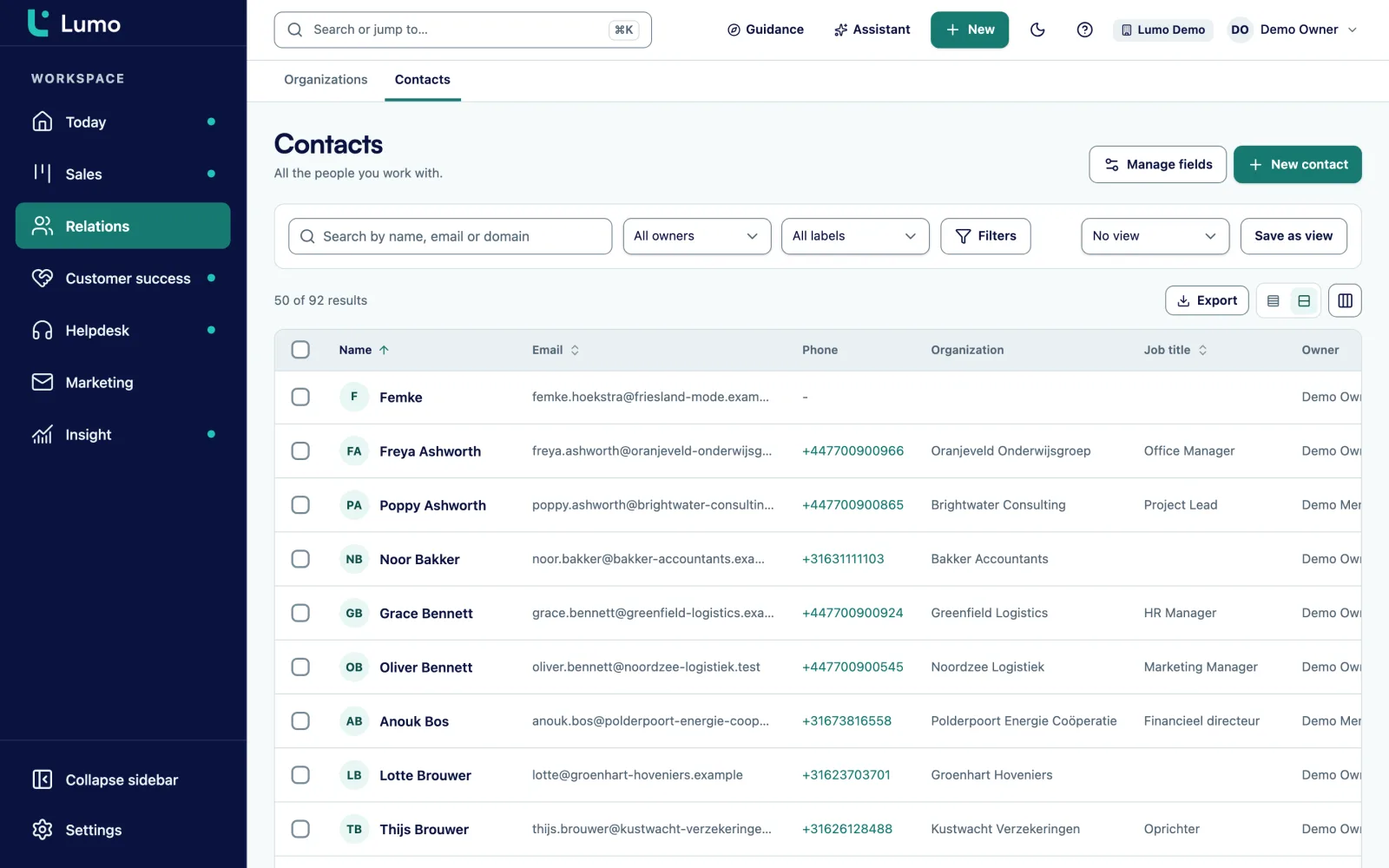
A spreadsheet has one row per line. A CRM has records that point to each other. So the key step is deciding which columns belong to the organization, which to the person and which to the deal.
Company name, website, address and industry belong to the organization. An organization can have a parent organization, so a group with several branches is modelled properly. Name, job title, email and phone belong to the person. A person can have several email addresses and phone numbers and belong to several organizations, with one marked primary. Value, stage, expected close date and owner belong to the deal.
Every other column becomes a custom field. Lumo supports text, long text, number, monetary, date, yes or no, select, multi select, URL, email, phone and user. A column with fixed values like "Tier 1, Tier 2, Tier 3" becomes a select field, not a text field. A column that must always be filled in, you make required.
Columns like "comments" or "last contact" do not become fields. They belong on the timeline as a note or an activity, with a date.
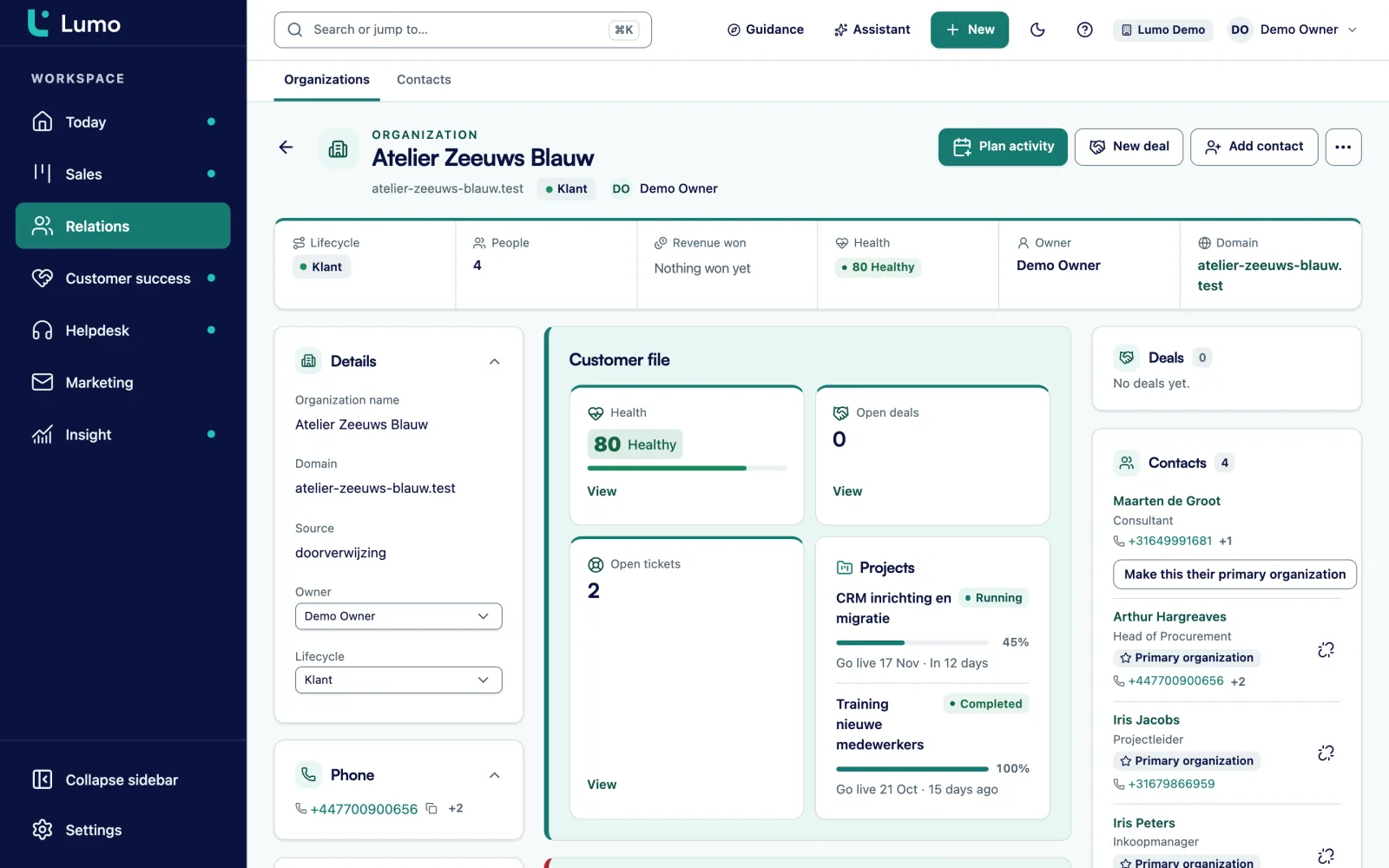
Almost every pipeline sheet has a "status" column with values like "quote sent", "waiting for customer", "nearly there" and "dead". Those values become stages on the deal board. Two things then work differently from a spreadsheet.
First, each stage has a win probability. So per stage you see the number of deals, the value and the weighted value, plus a table with totals per stage. Second, per stage you set after how many days a deal counts as stalled. A deal that sits too long in a stage gets a warning. That is exactly what a spreadsheet lacks: a list does not know how long something has been sitting there.
"Dead" does not become a stage. A deal is won or lost, and when it is lost you pick a reason from a fixed list. Later you can see why deals are lost, instead of a row someone coloured grey.
Move a deal by dragging it or with Move to. Every stage change is stored with its duration, so later you know how long deals usually stay in a stage. More on this under pipeline management.
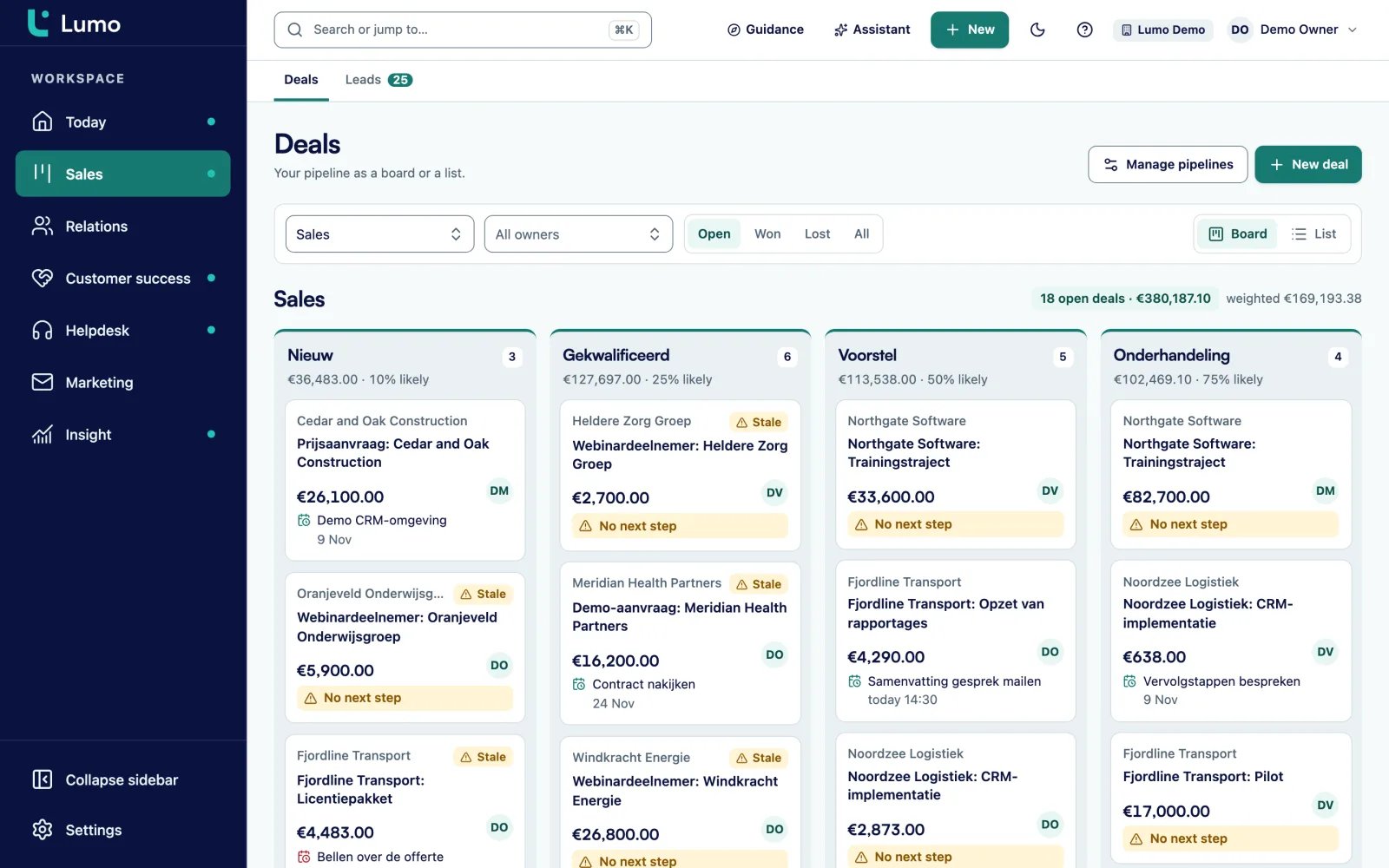
In a spreadsheet you know what to do today by sorting on a date column and hoping everyone keeps it up to date. In Lumo it is a screen.
The Today screen shows your tasks for today, leads to follow up, stalled deals, tickets close to breaching their target and today's campaigns. An activity is a call, meeting, task, email, deadline or other, and hangs on a person, organization, deal or lead.
Connect Google Calendar and meetings with known contacts become activities in Lumo by themselves, linked to the person, the organization and the most recently updated deal. Your own meetings and calls from Lumo go to a Google calendar you choose. On Outlook you plan activities in Lumo itself. The Outlook and Microsoft 365 connection is on the roadmap.
The last column of the call list, "next action", becomes an activity with a date. Anyone who lets it slide stands out. Read more under activities and calendar.
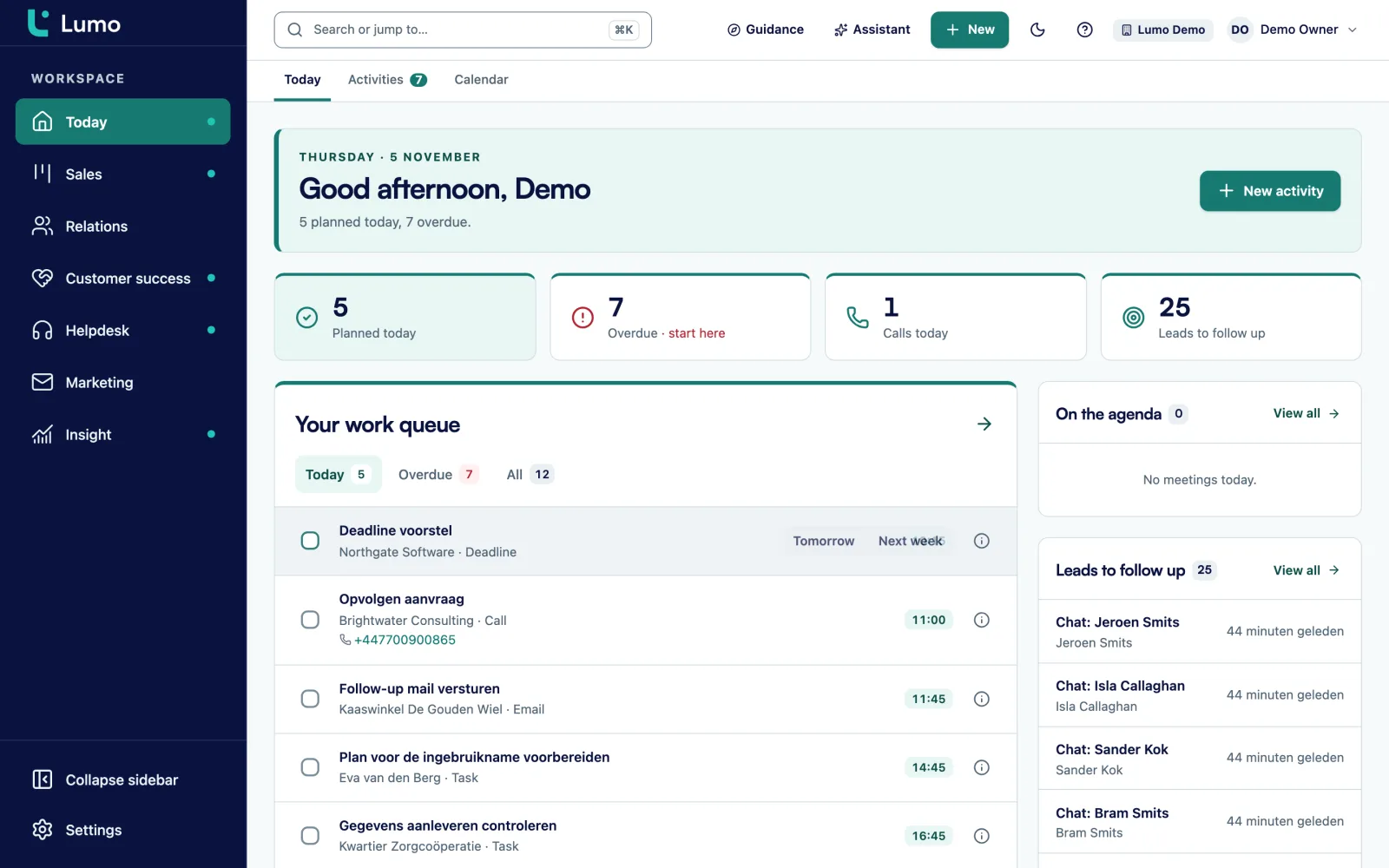
Sort, filter and choose columns like in a spreadsheet, and save the view for yourself or your team.
Export any list to CSV. Your data is never locked in.
Scored pairs, compare field by field and merge, with a log and undo.
A rule with the severity tip, warn or block. Block really refuses to save an incomplete record.
Owner, admin, member and viewer. A viewer can look but not change anything, unlike a shared sheet.
A timeline with notes, activities, email and stage changes. Notes can be pinned.
An append only log under Privacy and log, with filters and export.
Take this as an example: an IT services company with 5 account managers and a sales assistant. There are four files. A customer list with 2,300 rows, a pipeline sheet with 90 open opportunities, a call list per account manager and an overview of support contracts.
In the first session it turns out the customer list has one row per contact, so large customers appear four or five times with the same company name and address. Those rows become one organization with four or five people on it. The "segment" column with the values SMB, mid market and enterprise becomes a select field on the organization.
The pipeline sheet has a "stage" column with eight different values, three of which mean the same thing. The team picks five stages: Discovery, Demo done, Proposal sent, Negotiation and Verbal yes. The value "went cold" becomes lost, with the reason that sat in the comments column.
The trial load puts 61 pairs in duplicate management. The sales assistant works through them in an afternoon. The call lists become activities with a date, owned by the right account manager.
On Monday everyone works in Lumo. The spreadsheets are locked and kept for a month for reference. This is an illustration, not a customer case. Your lists will look different.
After the move your relationships live in contact management, your deals in pipeline management and your planning in activities and calendar. How to keep the data clean is covered in CRM data quality. If you want Sales Surge to do the whole move, see CRM migration service.
Lumo has no CSV import today, it is on the roadmap. Until then Sales Surge loads your lists by hand. If you have your own developer, they can also load through the API, which can create people, organizations, deals, leads and activities. Export to CSV does work, from any list. Small lists of a few hundred rows you can also enter yourself.
As soon as more than one person serves the same customers, or you can no longer see quickly what is open. In practice that is often the moment a colleague goes on holiday and nobody understands their list.
Not yet. A CSV import is on the roadmap. Until then Sales Surge loads your lists, or your developer loads them through the API.
Yes. Every list in Lumo exports to CSV, which you can open in Excel.
After loading, duplicate people and organizations show up as scored pairs in duplicate management. You compare field by field and merge, with a log and undo.
Custom fields work on people, organizations, deals, leads, tickets and activities. Only bring what your team actually uses. A field nobody fills in just makes the CRM fuller.
The Outlook and Microsoft 365 connection is on the roadmap. Today you put your personal BCC address in Bcc or forward a message, and it lands on the right person, organization and deal. Gmail and Google Calendar already sync.
No, Lumo is a web app you use in the browser.
It depends on the number of lists and how messy they are. After a first look at your files we give you a plan.
Do not send them, show them in the demo. Then we go through which columns land where and what is better left behind.