See the platform next to your own process
In the demo we choose together which modules you need first and show how they work on your data.
Lumo is fourteen modules running on the same database. A person, an organization and a deal exist once, and everything your team does with that customer hangs off them. Switch on what you need per workspace.
Ask a B2B team how many systems they use to work with customers and the answer is rarely one. There is a CRM for the reps. There is a helpdesk that support once picked themselves. Marketing has an email tool with its own list. Quotes are written in Word and mailed as a PDF. And on Friday someone builds the numbers for the weekly meeting in a spreadsheet.
Each of those tools does its own job well. The problem is in between. A customer who unsubscribes from the newsletter still shows as opted in on the CRM. A rep who pitches an upsell does not know two complaints are open. A sales manager who wants to know how many quotes were signed this month asks three people and gets three numbers. So time goes into building integrations, syncing lists and retyping data.
We see it in almost every project. Sales Surge has done more than 150 CRM implementations, and much of the work was always the glue between systems. Integrations that break when a field is renamed. Lists that are almost the same. Nobody sure which tool holds the truth.
Lumo removes that glue by putting everything on one database. There is one person record. Attached to it are the mail from Gmail, the activities from the calendar, the lead from the form, the deal with its products, the quote with its signature, the ticket from the portal and the campaign they received. An unsubscribe applies everywhere at once. A report counts what is really there. That is the whole idea of the platform, and the rest of this page shows how the modules connect.
Every step uses the record from the step before. Nothing is copied between systems.
A form, a chat or a Facebook lead ad creates a person and a lead in the Inbox, with status New and a source. You can also create a lead yourself. Forms
The lead moves to Working, Nurturing or Qualified, or you choose Disqualify with a reason. Gmail mail and activities already land on the lead and the person. Lead management
Convert to deal puts the lead in a pipeline as a deal. You add products, plan the next step and move the deal through the stages on the board. Pipeline management
The quote comes from the product lines, goes to the customer through your Gmail and is signed with an email code. A note lands on the deal. Quotes
After Won, the customer continues in the helpdesk, the customer portal and customer success projects. Tickets and health show on the organization. Helpdesk
Reports and dashboards count across deals, leads, activities and contacts, with drill-down to the records behind them. Reports
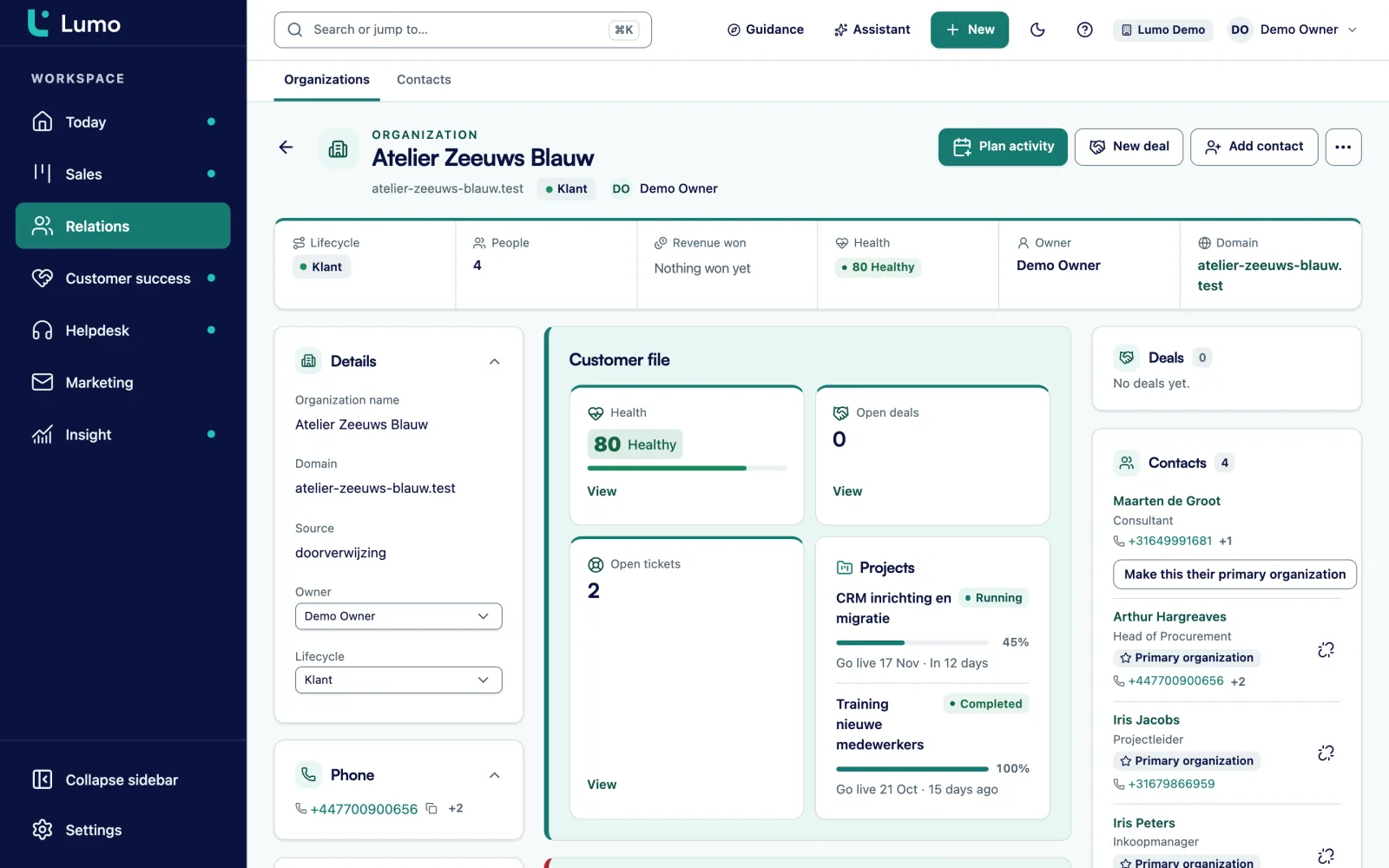
The heart of the platform is the record of a person or organization. At the top are the details: name, domain, owner, labels, lifecycle stage and your custom fields. Below are tabs for Overview, Activities, Notes, Email, Deals, Tickets, Conversations, Forms, Campaigns, Files and History. Pin an important note to the top of the timeline.
A person can belong to several organizations, with one marked primary. An organization can have a parent, so you record a group with its subsidiaries as it really is. The organization also carries a customer health score from 0 to 100, based on the tickets of the last 90 days.
Because every module writes to this record, you do not have to search. Last week's chat, the form someone signed up with, the campaign they opened and the quote they signed sit in the same place. More on contact management.
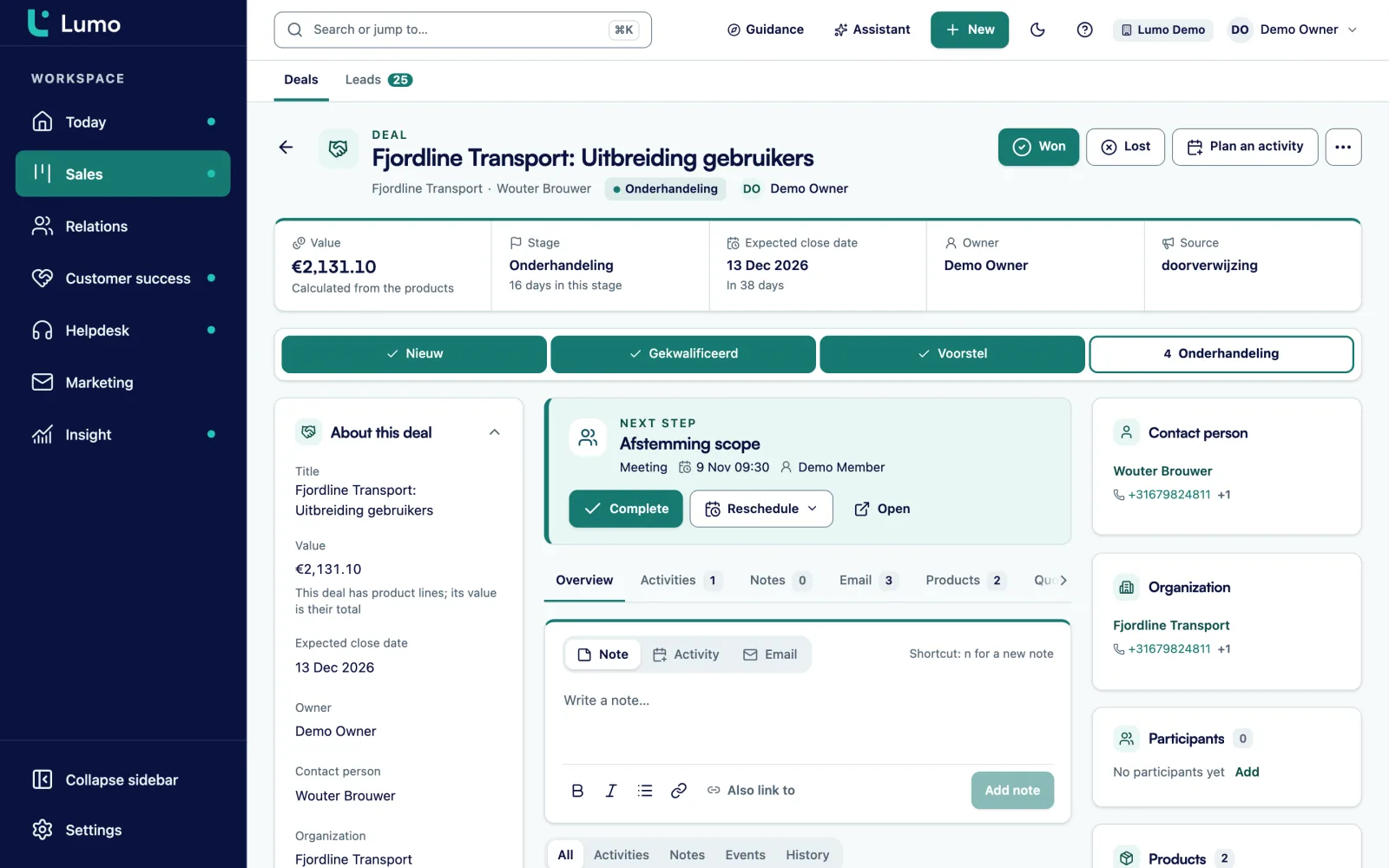
Open a deal and you see the progress through the stages and the next step at the top. If there is no next step, you see that too, and that is usually the moment to plan one with Plan an activity. On the left are the details: value, currency, owner, contact person, organization and expected close date. Add participants when more people at the customer have a say.
The tabs on the deal show products, timeline, email, quotes and stage history. On the right is a card with the customer's tickets. So before you call, you know whether something is open with support. The deal value comes from the product lines as soon as you add them, each with its own discount and billing period.
When the deal is won or lost, click Won or Lost. Lost asks for a reason. You can always reopen. More on pipeline management.
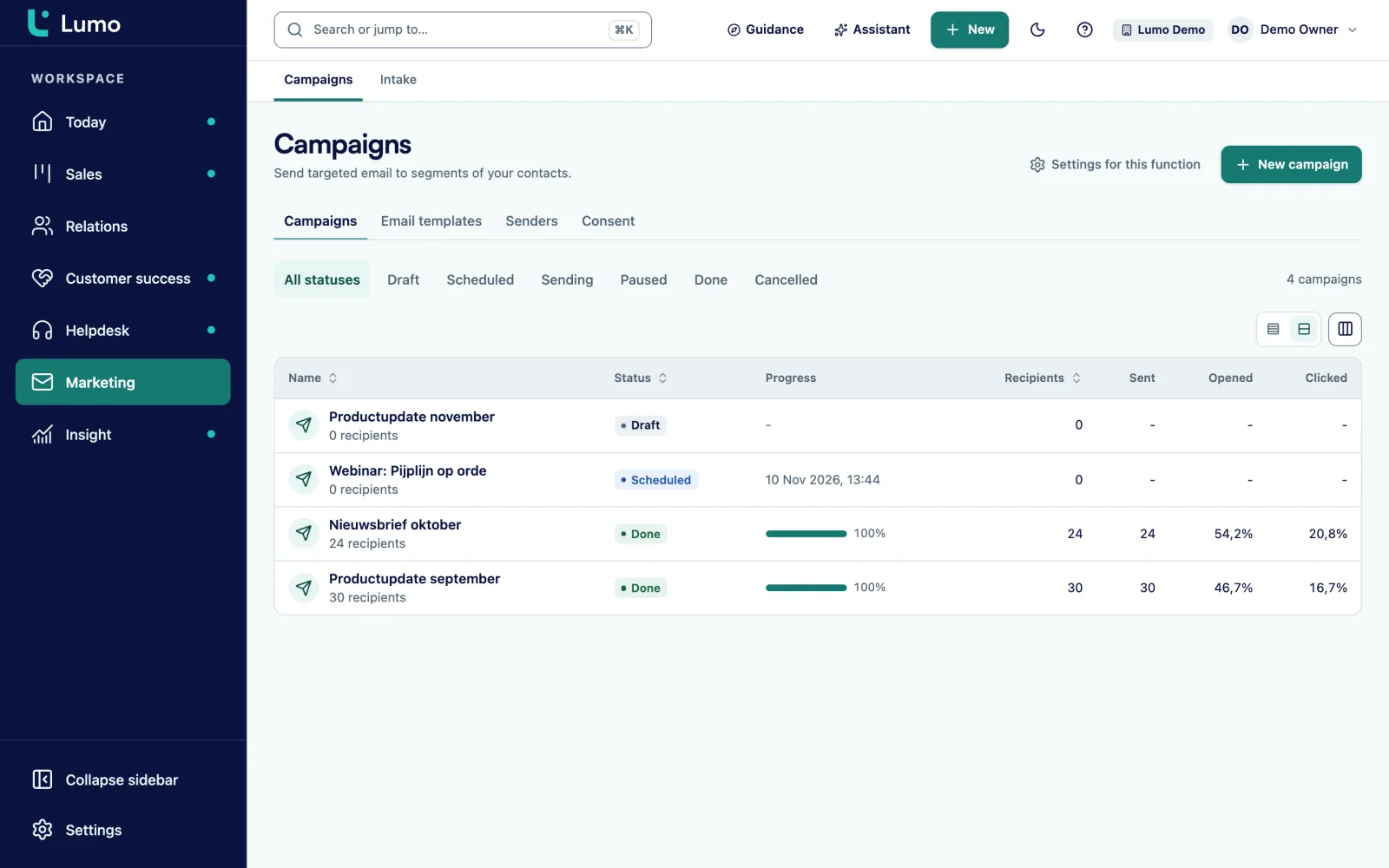
You build a campaign in a four-step wizard: name and sender, recipients, template and timing. Recipients are a segment of your own contacts, made with the same filters as your lists. You see live who is excluded and why, for example because they have no consent or have unsubscribed.
Consent sits on the person. "Require explicit consent" is on by default, and Lumo checks it again at the moment of sending. Every template has a mandatory unsubscribe link, and an unsubscribe applies to the whole workspace. Bounces and complaints are suppressed for good.
After sending you see sent, delivered, opened, clicked, bounced, complaints and unsubscribes. A follow-up campaign to people who did not open or click after a number of days is a single rule. Delivery runs through onze verzendservice. More on email campaigns.
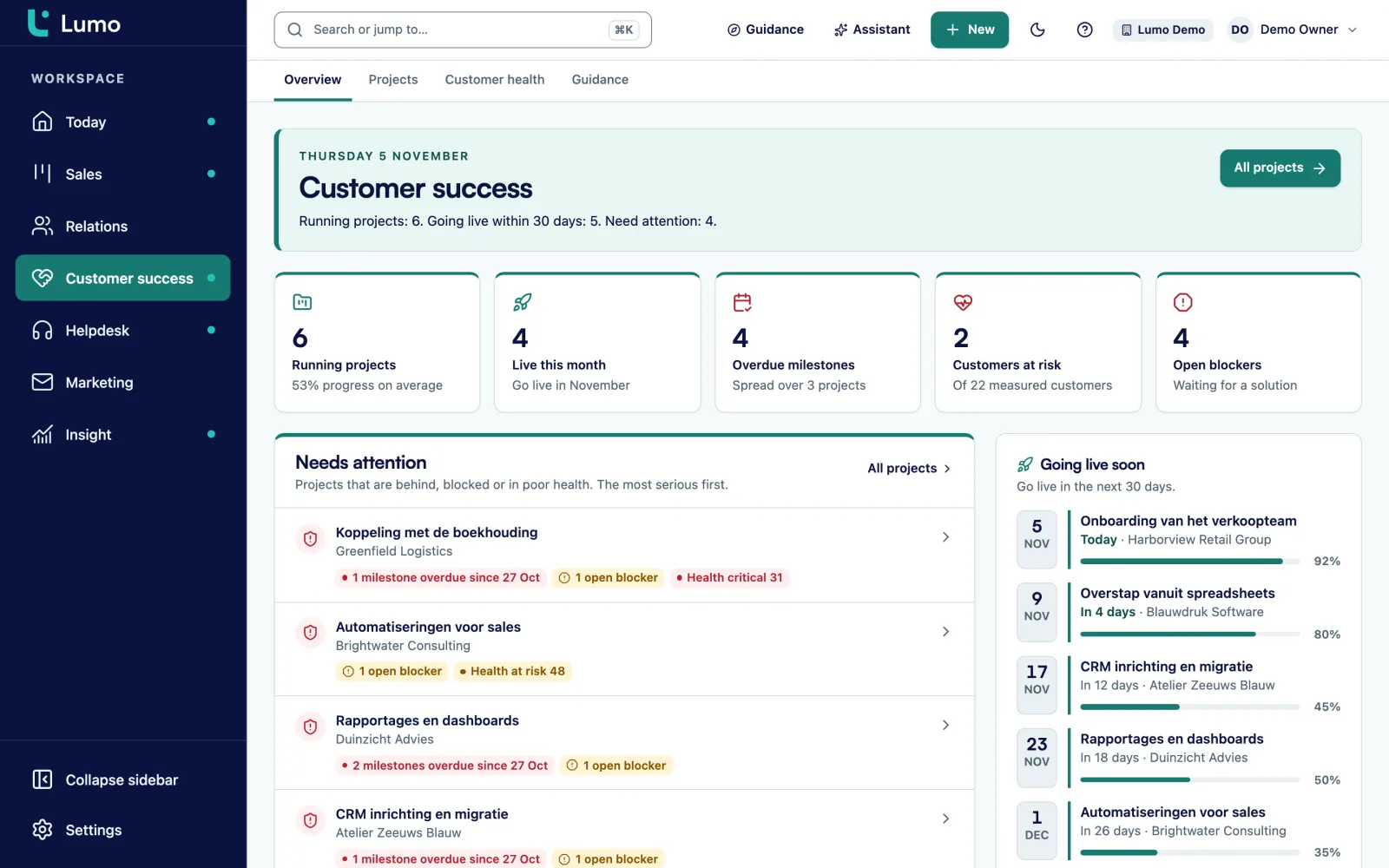
The Success overview shows what needs attention: customers going live soon, customer health, projects per phase and open blockers. A delivery project has a phase, progress, a go-live date, milestones, a next step, internal notes, files, blockers and tickets.
The helpdesk works with tickets from a mailbox, the customer portal or a chat. Per priority you set a first-response and a resolution target, with business hours and holidays, and at 75 percent you get a warning. The customer portal uses a passwordless magic link, and the knowledge base runs in Dutch and English.
What you should know: you do not create delivery projects in the app yourself today. They come from an import. Read more on customer success and helpdesk and ticketing.
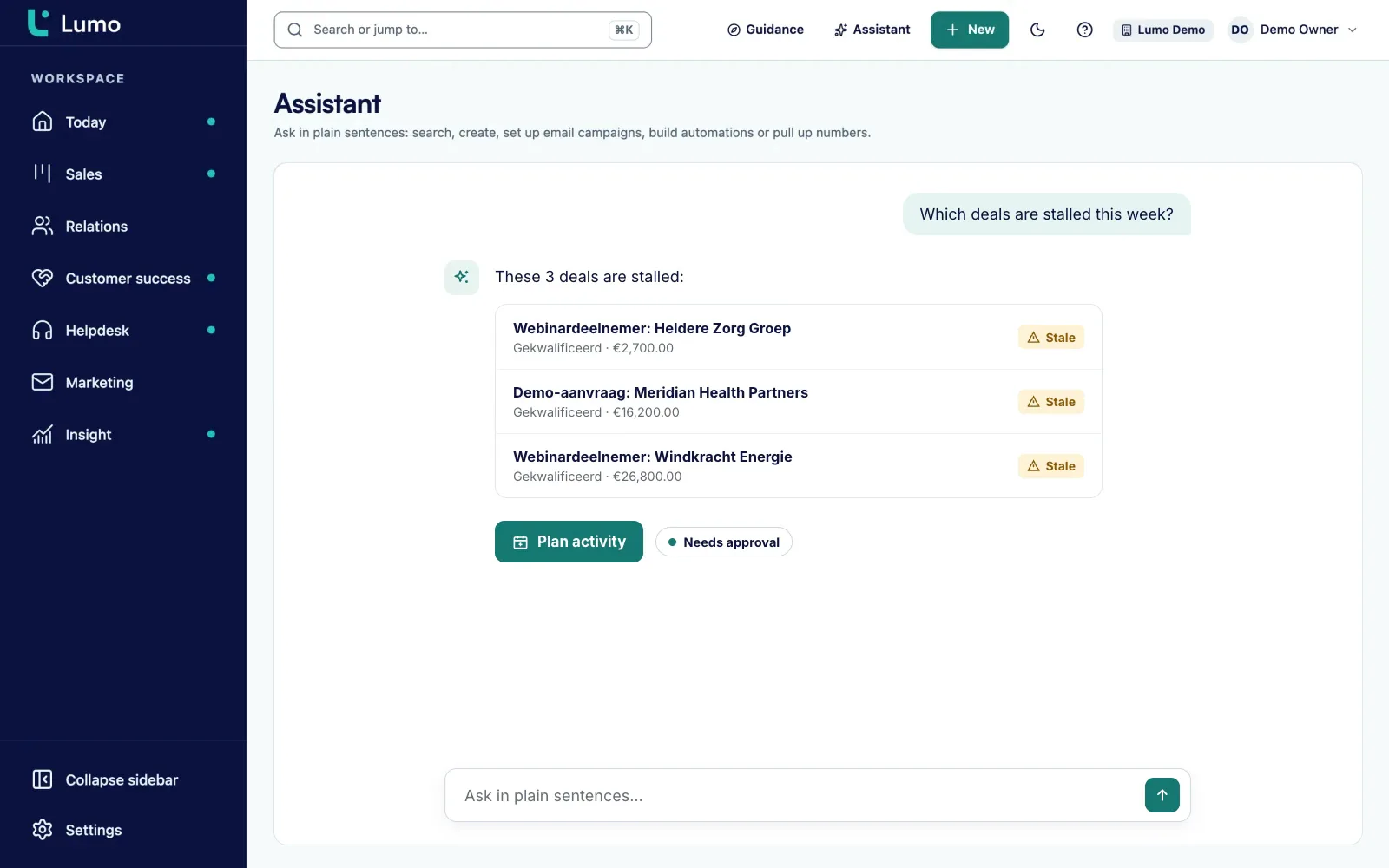
The AI assistant answers questions about your own data and carries out tasks. It has 52 tools: 21 to read, 23 to draft and 8 to commit. Ask it which deals stalled this week, have it build a segment or plan an activity, or ask for a report in one sentence.
It works with your role and permissions. A viewer cannot change anything through the assistant either. Anything irreversible or outward-facing, such as sending a campaign, waits until you click approve. There is a limit of 40 messages per 10 minutes per user, and every tool call is logged.
The assistant is off per workspace until an owner or admin switches it on. By default it runs on Google Gemini Flash, and you can switch to Groq, OpenRouter or Mistral. More on the AI assistant.
These apply to every module, so you set them up once.
Switch each module on or off per workspace. What is off disappears from the menu and from the Today screen.
On contacts, organizations, deals, leads, tickets and activities. Twelve types, from text and monetary to multiselect and user, and any field can be required.
Owner, admin, member and viewer. A viewer can read but not change anything. 2FA can be made mandatory for admins.
Every table with customer data carries a workspace and row-level security, so workspaces never see each other's data.
An append-only log with filters and CSV export under Privacy and log.
The app is in Dutch and English, with a setting per user and per workspace.
Cmd or Ctrl plus K opens the command palette. In lists you browse with j and k and complete with x.
A REST API with 49 routes, signed outgoing webhooks and an MCP server with six tools. API
An example, not a customer story. Say a software company has six reps, four people in support and one marketer. Today they use Pipedrive, a separate helpdesk and an email tool, and they want one system.
Week 1. They start with sales. The import wizard brings over pipelines, contacts, deals with product lines, activities and notes from Pipedrive. They run a dry run first and check the result. Because the helpdesk has not moved yet, they choose pipedrive_mirror mode, so whoever still works in Pipedrive is not stuck. The reps connect Gmail and Google Calendar. Only the sales modules are switched on.
Week 2. The admin adds custom fields for licence type and contract date, and installs three default data quality rules for deals. A deal without a close date now gets a warning, a lost deal without a reason is refused. The duplicates queue shows 40 pairs. They go through them together, field by field.
Week 3. The helpdesk goes on. Support gets a mailbox that creates tickets, macros for standard answers and an SLA per priority. From now on, reps see the customer's open tickets on every deal. The knowledge base goes live with twenty articles in Dutch, and the English versions follow when someone has time to write them.
Week 4. Marketing switches on campaigns. The first segment is "customers whose licence ends in three months". Because the segment runs on the same fields as sales, it is right straight away. They move to native mode and cancel the separate tools.
Whether your team does this in four weeks depends on your data and your agreements. The point is the order: you do not have to do it all at once.
The order that causes the least friction in practice.
Lumo is a web app. There is no iOS or Android app, you work in the browser, on a phone as well. Mail and calendar sync with Gmail and Google Calendar today, and the Outlook and Microsoft 365 integration is on the roadmap. Outlook users log mail through the personal BCC address or by hand, and use every other module like everyone else. The data is hosted in London. Sign-in is email, password and 2FA, without SSO. CSV import is not in the product yet. We move that kind of data for you.
No. You switch modules on or off per workspace. The price depends on the number of users and the modules you switch on. Pricing
Among others deals and leads, contacts, activities and calendar, email through Gmail, quotes with e-signatures, campaigns, forms, helpdesk, customer portal and knowledge base, live chat, customer success, reports, the AI assistant, automations, duplicates, guidance and the API.
Yes. Connect it to Lumo through the REST API and outgoing webhooks. There is no ready-made Zapier or Make app. API and integrations
The Outlook and Microsoft 365 integration is on the roadmap. Today the personal BCC address works with any mail client, Outlook included, and you can log mail by hand. All other modules do not depend on your mail client.
You set a role per user. Gmail mail is private to the owner of the connection by default. Visibility per record exists as a field but is not enforced yet.
Roles, 2FA, row-level security per workspace, an append-only audit log and a daily backup. Security
In your phone's browser, yes. There is no native app, and a few screens, such as products on a deal, are not yet laid out for a small screen.
Book a demo or request a trial workspace. We set the workspace up for you. Book a demo
In the demo we choose together which modules you need first and show how they work on your data.