See your own accounts and quotes in Lumo
In the demo we put a few of your chains, your visit planning and a project quote into Lumo, and talk through how your ERP fits in.
In wholesale most revenue comes from customers you already have. Lumo puts those accounts at the centre: with their branches and contacts, the field team's visits, the inside sales team's quotes and the questions that follow. Your ERP stays the place for orders and stock.

A wholesaler or distributor sells in two ways at once. There is the daily flow: regular customers ordering through a web shop, EDI, the phone or inside sales. That flow lives in the ERP, and that is where it belongs. And there is the commercial work around it: opening new accounts, extending the range at an existing customer, a project quote for a large delivery, next year's price agreements, and winning back customers who quietly started ordering less.
That second part often lives nowhere. The field rep keeps it in a notebook or in his head. Inside sales builds quotes in Excel or in the ERP and does not know what the rep promised the same customer last week. And the sales manager only sees at the end of the quarter, in the revenue figures, that a large customer bought half as much.
Here is a familiar case. A rep visits an installer with three branches. He hears that the customer asked a second supplier to quote on one product group. He writes it down, but the note never reaches inside sales. Two weeks later the same customer calls inside sales for a quote, gets the standard price, and orders from the competitor.
It rarely goes wrong on product knowledge. It goes wrong in the handover between field sales, inside sales and management.
Lumo is built for that commercial part. A customer is an organization with branches underneath, contacts and a timeline. Visits and calls are activities in one calendar. A project quote is a quote built from product lines on a deal. And a report shows which accounts need attention. Orders, prices and stock stay in the ERP.
Screen and status names are the ones used in the app.
The Today screen shows the day's visits and calls, leads to follow up and deals that have stalled. An account manager knows where to start.
After a visit you complete the activity and write a note on the organization. An important agreement gets pinned to the top of the timeline, so inside sales sees it.
A range extension or a project delivery becomes a deal in the pipeline, with a Next step and an expected close date.
Inside sales adds products with quantity, price and discount to the deal. The quote copies those lines, gets a number like OFF-2026-0001 and goes to the customer through Gmail with a signing link.
You mark the deal Won. A webhook can tell your ERP there is a signed quote, so the order continues there.
Many wholesalers run two pipelines: one for new accounts and one for larger quotes at existing customers. This is the second one.
Exit criterion: you know which products, which quantities and which delivery date. Rots after 3 days, because a quote request does not wait.
Exit criterion: the quote went out with every line, the valid-until date and the delivery terms.
Exit criterion: the customer has responded on price and lead time. Rots after 7 days, so a forgotten quote stands out.
Exit criterion: quantities and price are agreed. If anything changes, you void the old quote and send a new version.
The customer signed or confirmed in writing. The order continues in the ERP.
With a reason: Price, Lead time, Out of stock, Other supplier. After a quarter you see whether you lose on price or on lead time.
A wholesaler often supplies chains. Head office sets the price agreement, the branches order themselves, and every branch has its own contacts. Track them as separate customers and you never see what a chain is worth in total.
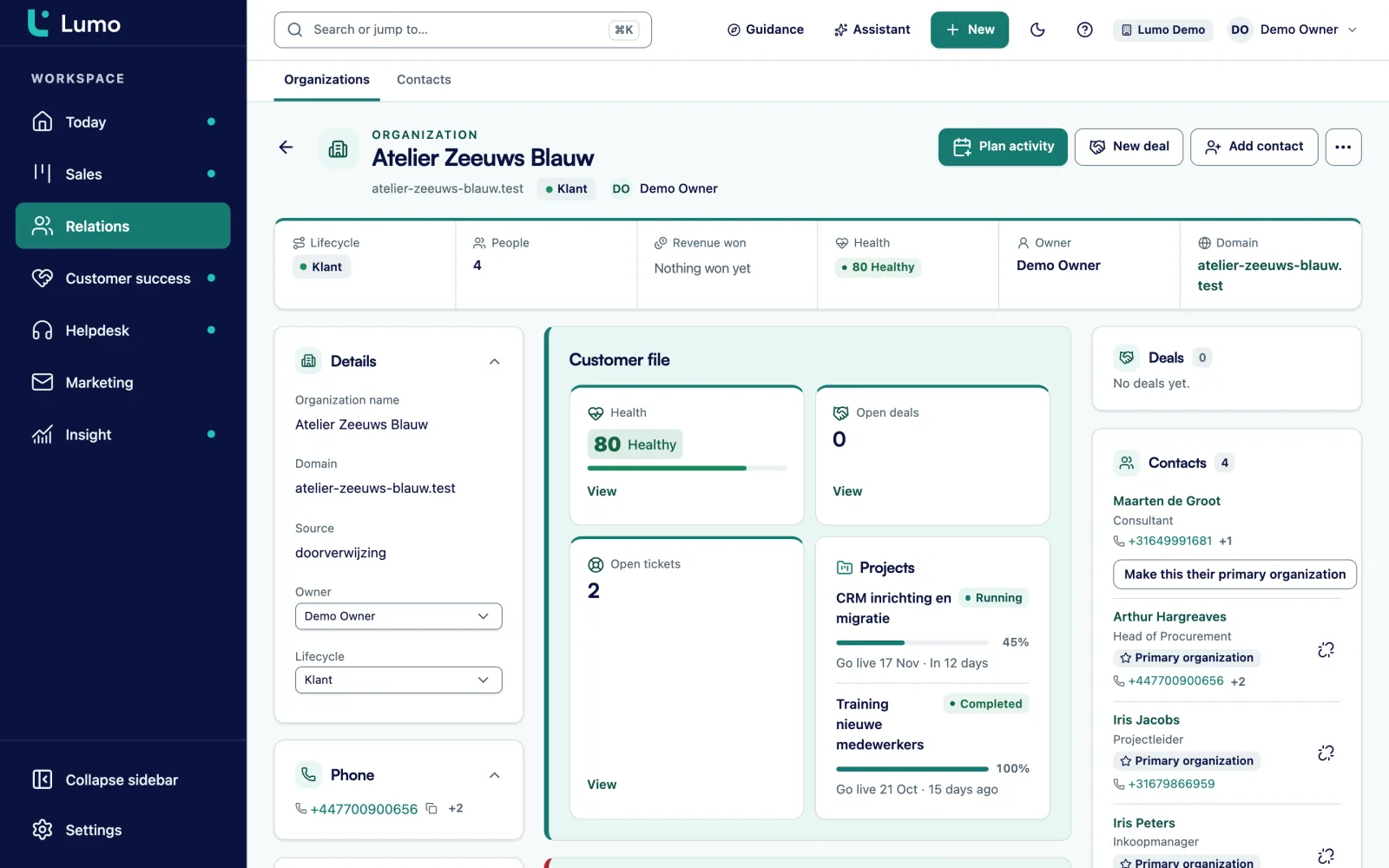
In Lumo an organization can have a parent organization. Head office sits at the top, the branches underneath. A buyer who works for several branches is linked to each of them, with one marked as primary. Each person can have several email addresses and phone numbers.
Every organization has a timeline with visits, mail, notes and files. Coloured labels such as A customer or Chain make a list readable at a glance. With saved filters you keep a view like All A customers in the North with no visit this quarter.
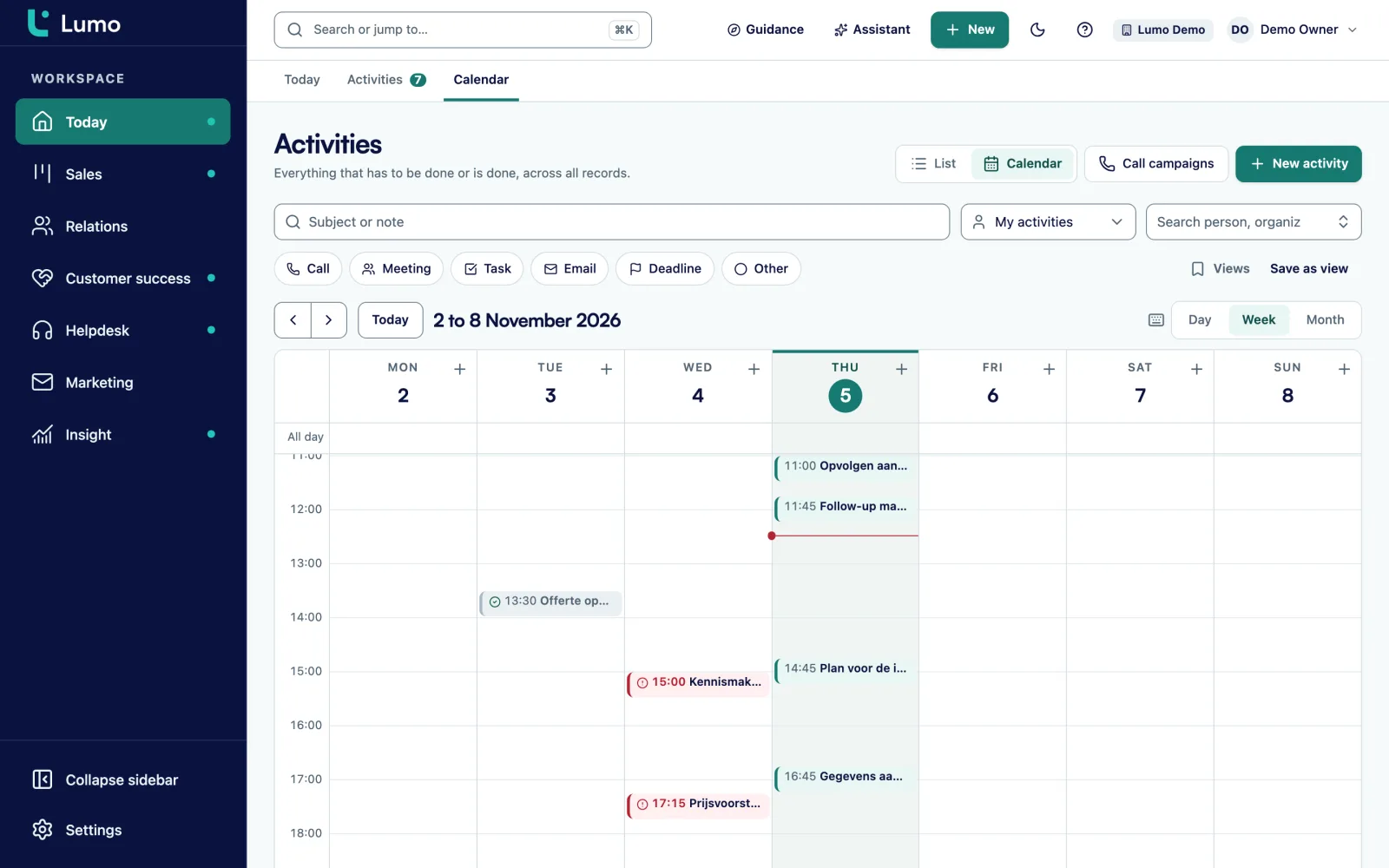
Field sales lives in its calendar. So visits, calls and tasks sit in the same calendar in Lumo, linked to the customer.
An activity is a call, meeting, task, email, deadline or other. You link it to a person, organization, deal or lead. In the calendar view you drag a visit to another day, or move it by a day or a week with Alt and the arrow keys.
With two-way Google Calendar sync, meetings with known contacts show up as meetings in Lumo, on the right customer. Your own visits in Lumo go to the Google calendar you choose. Lumo never sends invitations itself. If your field team works in Outlook, they plan visits in Lumo directly. The Outlook and Microsoft 365 integration is on the roadmap.
You do not need a CRM for daily orders. You do need one for the large quotes: a project delivery, a new range at a chain, an annual agreement. Those are the quotes a rep has to chase.
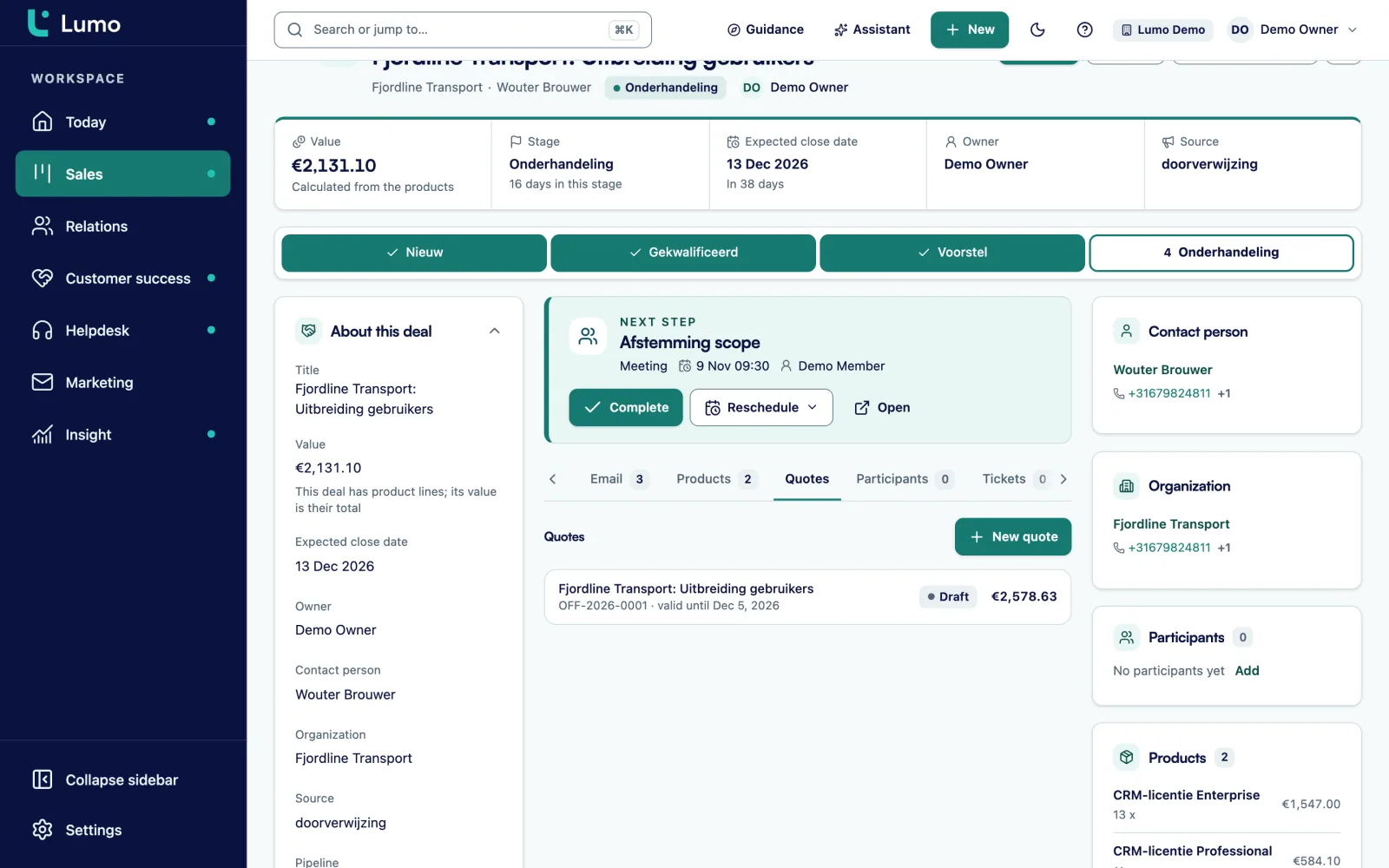
Your product catalogue sits in settings. On a deal you add products with quantity, price and discount. The deal value is the sum of the lines. An annual agreement with monthly delivery becomes a monthly line with twelve cycles.
The quote copies the lines from the deal, with VAT, an introduction, terms and a valid-until date. The PDF carries your logo and the customer's. You send it through Gmail with a signing link. The customer signs with a code sent by email, and the signed PDF with its evidence page lands on the deal.
You add custom fields to organizations, persons, deals, leads, tickets and activities, with types such as select, monetary, number, date and user.
Select field A, B or C on the organization. The basis for your visit frequency.
Text field on the organization, equal to the number in the ERP. An API integration uses it to find the right customer.
Monetary field your ERP updates through the API. Reports group accounts by it.
Multiselect field with the groups the customer buys from you.
User field on the organization, next to the account manager as owner.
Select field for the field team's territories.
Date field on the organization for the annual price round.
Text field on the deal. When you lose, you know to whom.
Automations are rules that react to an event. A deal being created, changing stage, being won or lost. A new lead, person or organization. A completed activity. Or a deal or lead that has been stale for a number of days. The rule creates an activity or note, updates a field, assigns an owner or adds a label. It does not send email. A dry run shows what it would do first.
Rules wholesalers often use:
In reports you build the views a sales manager steers by. Quotes sent and won per account manager. Lost reasons per quarter. Visits per account manager per week, from the activities. And weighted pipeline per territory. Every chart drills down to the records behind it. CSV export works too, for anyone who wants to put it next to the ERP figures in Excel.
For product news and promotions you use email campaigns to a segment, for example all B customers in one territory, with an unsubscribe link and a consent check.
Say a wholesaler in installation materials with four branches. For this example we call it Technica Supply. It has 12 account managers in the field, 8 people in inside sales and one sales manager. Orders run through the web shop and the ERP.
Technica puts every customer into Lumo as an organization, with the ERP account number in a custom field. Chains get a parent organization with the branches underneath. Every organization has a segment A, B or C. A script from the internal IT team writes last year's revenue into the Revenue last year field every night through the API.
Each account manager plans visits in the Lumo calendar. Those who use Google Calendar see them there too. After a visit he completes the activity and writes a short note. A rule then creates a follow-up visit in 60 days. The visit frequency is fixed without anyone keeping a list.
Inside sales handles large quotes as deals in the Project quotes pipeline. A quote that sits seven days in Quote sent produces a call. Every Monday the sales manager looks at a dashboard with open quotes per account manager, lost reasons and last week's visits. He finds an A customer without a visit in the last 60 days through a saved filter. That is the conversation he has in the sales meeting, not last quarter's revenue.
This is the order we follow in an implementation.
Lumo is not an ERP or an ordering portal. Orders, stock, customer price lists and invoices stay in your ERP. There is no ready-made ERP integration. With the API and webhooks you bring revenue and account numbers into Lumo, and let your ERP react to a won quote. Your own IT team builds that, or we build it with you. There is no CSV import yet, so we load a first customer file through the API. There is no mobile app. Lumo runs in the browser, on a tablet too, but the product lines screen is not built for mobile yet. Quotes are in Dutch. Gmail and Google Calendar sync today. The Outlook and Microsoft 365 integration is on the roadmap, and until then you put the BCC address on an email to log it on the customer.
Not out of the box. The REST API reads and writes persons, organizations, deals, leads and activities. Webhooks let your ERP react to what happens in Lumo, such as a won deal.
Order data lives in your ERP. If you write revenue per year or quarter into a custom field through the API, you can build a list of declining accounts in reports and filters.
As activities in the Lumo calendar, linked to the customer. With Google Calendar this works both ways. A rule can schedule a follow-up visit after every completed visit.
Gmail and Google Calendar sync today. The Outlook and Microsoft 365 integration is on the roadmap. Until then you put the BCC address in Bcc or forward an email, and it lands on the right customer. Pipeline, quotes and reports do not depend on your mail client.
Yes. An organization can have a parent organization. Branches sit under head office, each with their own contacts and deals.
No. Lumo is a web app that runs in the browser. On a tablet or phone you open it in the browser, but not every screen is built for mobile yet.
There is no CSV import yet. Importing from Pipedrive works with the wizard. Other sources we load through the API, for example as part of a migration by Sales Surge.
The price depends on the number of users and the modules you switch on. Pricing
In the demo we put a few of your chains, your visit planning and a project quote into Lumo, and talk through how your ERP fits in.