Put Lumo on your shortlist
In a demo we walk through your scenario with your stages and the questions from the checklist. Or request a trial workspace and test it yourself.
Most CRM choices do not fail on features. They fail on the question nobody asked. This guide gives you a step by step process, a scorecard you fill in yourself and the questions to send before every demo, so you compare tools on the work your team does every day.
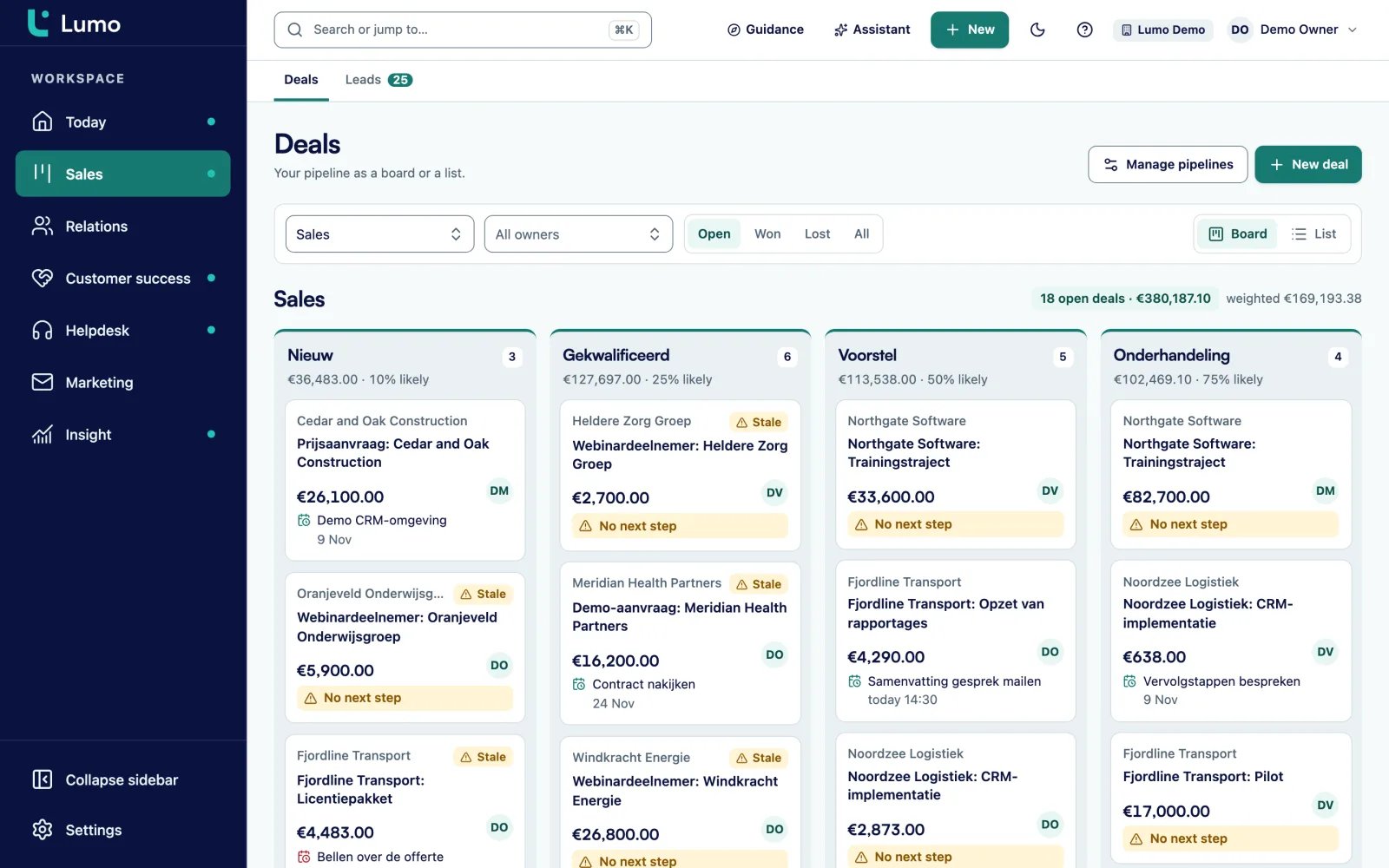
Choosing a CRM usually starts the same way. Someone writes down five well known names, books three demos and picks the best presentation. Six months later half the team still works in a spreadsheet and leadership asks why the pipeline report does not add up.
The tool is rarely the problem. The order is. If you start with vendors, you compare features. If you start with your own work, you compare whether a tool makes that work easier. The second question is the one you need answered.
Picture a typical B2B team. An account manager keeps customers in Gmail or Outlook, meetings in a calendar and quotes in a shared folder. A sales manager wants to know on Monday which deals will close this month. Marketing wants to send a newsletter to people who opted in. Support wants sales to know about an open complaint before a renewal call. Four people, four questions, one customer.
A good CRM answers those questions without anyone doing the work twice. That means it has to fit your email client, the way you sell and the systems you already run. It also means the people who will use it every day help choose it, not only leadership.
Across more than 150 CRM implementations at Sales Surge, the same patterns keep coming back. Teams pick something too big because they fear having to switch later. Or they pick something too small because it looked cheap, and hit its limits within a year. Or they pick well and set it up badly. This guide covers the first two. For the third, read our guide on rolling out a CRM in phases.
Not sure yet what a CRM does and does not do? Start with what is a CRM and come back here after.
For a team of five to fifty people, plan four to eight weeks from first conversation to decision. You can go faster, but do not skip a step.
Draw on one page how a lead comes in, who picks it up, which steps a deal goes through and what happens after signature. Note where things go wrong today. That list of pain points is the base for everything after.
Book thirty minutes per role: sales reps, sales management, marketing, support and finance. Ask what they do every day, what information they miss and what they refuse to accept. Write down what they actually say. You will need it to explain the decision later.
Split requirements into must haves and nice to haves. A must have is something you cannot go live without. Give each one a weight from 1 to 3. Keep the list short. Twenty requirements is plenty. Fifty means you have not decided what matters.
List six to eight tools. Cut on hard limits: no support for your email client, data stored somewhere you cannot accept, no interface in the language your team needs, or a price model that does not fit your number of users. Keep three.
Send two or three scenarios from your own work in advance. For example: a lead from a web form becomes a deal, gets a quote and is signed. Ask the vendor to show exactly that with your fields and your stages. A standard demo tells you little.
Ask for a trial environment and let two or three future users work in it for a week with a small part of your real contacts. Watch what they manage without help. Anything still unclear after a week will not get used in practice.
Score each tool per requirement, multiply by the weight and add it up. Then discuss the result. A scorecard does not decide for you. It shows where you disagree. Write down the decision and the reasons so you still know a year from now why you chose.
The most common mistake in a requirements list is describing features instead of work. "The CRM must have automations" says nothing. Every CRM has automations. Write what needs to happen instead: "When a deal moves to Quote sent, the owner automatically gets a task to call after three working days."
You can test a requirement written that way. In the demo you ask the vendor to build that one thing. If it takes five minutes, it is a green tick. If it needs a consultant, that tells you something too.
A simple test: could you go live without this and live with it for a month? If not, it is a must have. If yes, it is a wish. Most teams end up with six to ten must haves. Think of email and calendar, the pipeline itself, permissions per role, importing your current data, and the report leadership steers on.
Below is a made up example for a B2B services firm with eight sales reps. The point is the format, not the content:
Notice the difference with "good reporting" and "user friendly". Those two phrases appear on every list and help with no decision at all.
Copy these criteria, adjust the weight to your situation and give each tool a score from 1 to 5 per row. Score times weight, added up, gives the total.
| Topic | Weight (1 to 3) | What you check |
|---|---|---|
| Email and calendar | 3 | Does it work with your email client (Gmail, Outlook or Microsoft 365)? Does email land on the record automatically, and does the calendar sync both ways? |
| Pipeline and deals | 3 | Multiple pipelines, own stages with win probability, warnings for stalled deals, lost reasons. |
| Leads | 2 | Status, source, qualification and converting to a deal without double entry. |
| Roles and permissions | 2 | Which roles exist, and what does a rep see of a colleague's deals? |
| Moving your data | 3 | How does your current data get in? A wizard, CSV, or does the vendor do it by hand? |
| Reporting | 2 | Can you build a report yourself, drill into the deals behind it and share a dashboard? |
| Quotes | 1 | A quote from the products on the deal, a PDF, sending and signing. |
| Marketing | 1 | Segments, consent, unsubscribe and follow up emails. |
| Service | 1 | Tickets, SLA and a customer portal, linked to the same customer. |
| Integrations and API | 2 | A public API, webhooks, and the integrations you actually use. |
| Security and privacy | 3 | Two factor sign in, audit log, handling GDPR requests, where the data is stored. |
| Language and support | 2 | Interface in your team's language, support in your time zone, help with setup. |
| Cost over three years | 2 | Licences per user, modules, setup and expected extensions. |
A template, not a verdict. The weights depend on your situation. Put any criterion that is a hard limit for you on a separate line and drop tools that fail it.
A made up example to show how the sum works. Three tools, called A, B and C, and five criteria from the scorecard. The numbers are invented for this explanation.
Totals: A gets 50, B gets 48 and C gets 48. The gap is small. That is normal, and it is exactly why the scorecard helps. It shows that the decision is not about the total but about one or two rows.
In this example C scores low on moving your data. That risk has a price. If migration takes a month longer, that is a month without a usable pipeline. B scores lowest on email and calendar. So ask the follow up question: is that a hard limit, or is there a workable bridge, such as a BCC address that still gets email onto the record?
The conversation that follows is worth more than the number. Write down which row decided it, which limitation you accept and how you will handle it.
These rarely make the first list, and they often decide whether a CRM is still used a year later.
Gmail and Google Calendar work differently from Outlook and Microsoft 365. Ask each vendor what works today for your client, what is on the roadmap and what you can do in the meantime.
A CSV import, a wizard from your old CRM, or manual work by the vendor. Ask what comes across: notes, activities, products on deals, stage history.
Ask which country the servers are in and who has access. Under GDPR you need to know this and record it in your processing register.
Can a rep see a colleague's deals? Some teams want that, others treat it as a hard limit. Ask precisely.
Even if you plan no integrations now. A public API with webhooks makes a later link to your accounting tool or website far cheaper.
Who sets it up? A CRM you have to build yourself costs time your team does not have. Ask what the vendor or a partner does here.
Starting with sales but planning service or marketing in the same system next year? Check whether that works without a second tool.
Annual contract or monthly, and how you get your data out if you stop. An export in an open format should always be part of it.
Of all the criteria, this one has the biggest effect on daily use. A sales rep lives in their inbox. If every email has to be copied into the CRM by hand, it does not happen. After three months the timeline is half empty and nobody trusts it.
So the first question in any selection is which email client the team uses. Some tools work best with Gmail and Google Calendar. Others are stronger with Outlook and Microsoft 365. Few are equally far along with both.
Ask each vendor three things:
An honest vendor tells you exactly what works and what does not. If your team uses Outlook and the integration is still in development, that does not have to rule a tool out. Weigh it: how big is the difference in daily work, and is the bridge workable for your team? Test it in the trial with real email.
Send these to the vendor in advance so the demo is about your work.
A demo is a performance. The vendor knows the product and shows the smoothest route. That says little about how your rep builds a quote on a Tuesday afternoon. Always have your own scenario shown, then test it yourself.
A CRM that has to serve sales, marketing, service and finance on day one never goes live. Start with the pipeline and email. Switch on the rest when the team is ready. A tool where you enable modules one at a time helps with that.
If only leadership chooses, reps experience it as control. Let two or three future users test and give their view real weight. Also read how to get your team to actually use the CRM.
Your current data is messier than you think. Duplicate organisations, people without an email address, deals with a close date two years ago. Plan time to clean up before the switch, not after. The guide on CRM data quality helps.
The licence is usually the smallest part of the cost. Setup, migration, training and the hours your team loses in the first months count too. Calculate over three years, not one month.
Before you sign, ask how you get your data out. Not because you plan to leave, but because the answer tells you something about the vendor.
A made up example for a team of ten users. The amounts are invented to show the structure, not to compare tools.
Total over three years: € 28,800. The licence is half of it. A cheaper tool that needs twice the setup work is not cheaper over three years. Run this sum for every tool on your shortlist with the real quotes.
Lumo is the CRM built by Sales Surge. We built it after more than 150 CRM implementations, because we kept seeing the same glue between separate tools that never quite did its job. Deals, leads, email, quotes with online signing, campaigns, a helpdesk and reports share one database, and you switch modules on per workspace.
For your scorecard, the key point. Gmail and Google Calendar sync both ways today. The Outlook and Microsoft 365 integration is on the roadmap. Until then the personal BCC address works with any email client, Outlook included, and you can log email by hand. Moving from Pipedrive works with an import wizard. Read more about email in Lumo or see how pricing is built up.
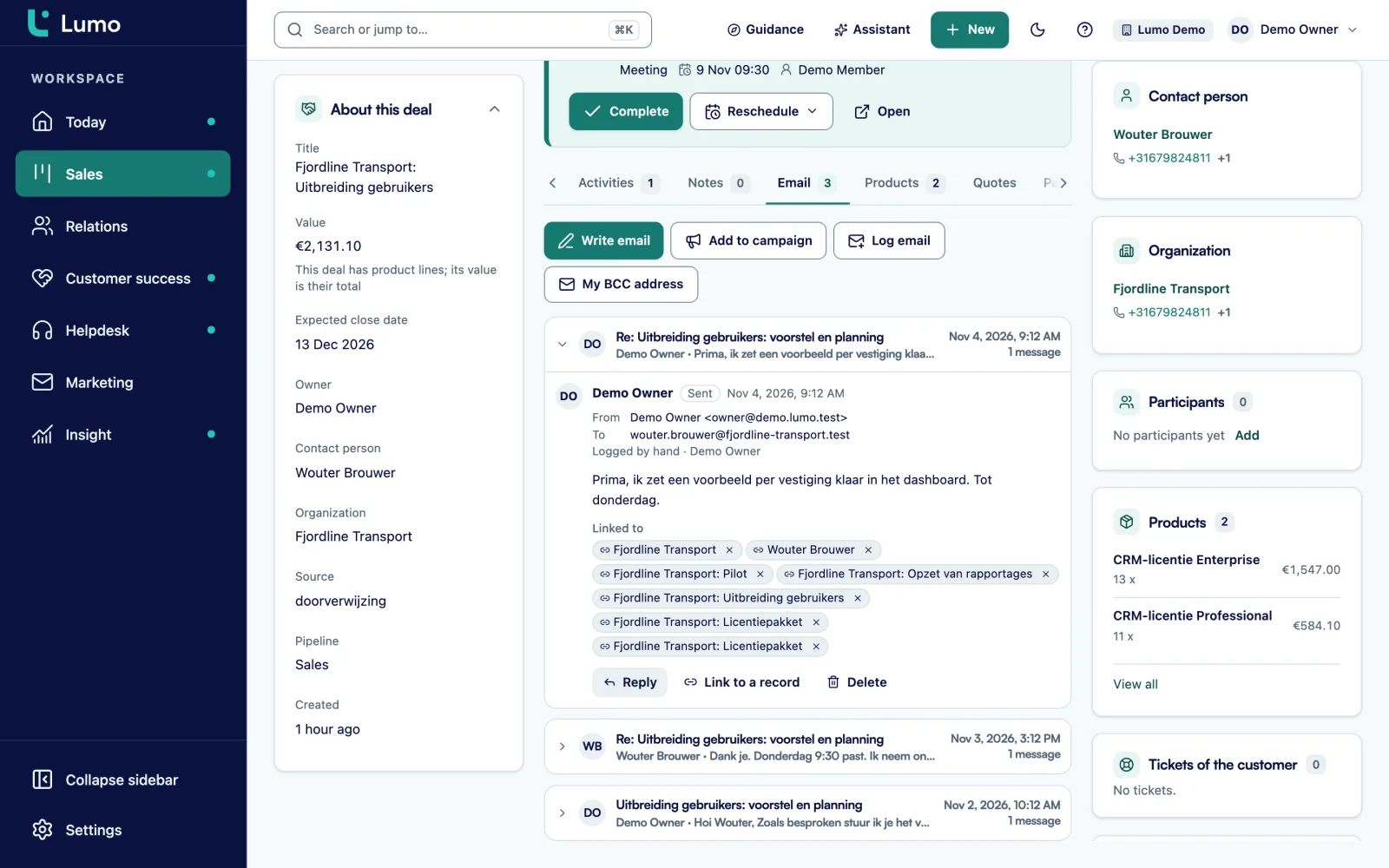
There is no self sign up. You request a trial workspace and we set it up for you. Data is stored in London, in the United Kingdom. There is no mobile app. Lumo is a web app you can open in your phone's browser. CSV import is not available yet, so if your data comes from spreadsheets or a tool other than Pipedrive, we move it across with you. Put these points in your scorecard so you know exactly where you stand.
For a team of five to fifty people, four to eight weeks is common: two weeks for requirements and interviews, two weeks for demos and one or two weeks of testing. Shorter is possible when your requirements are clear. Longer than three months usually means nobody owns the decision.
Start with six to eight on a long list and cut on hard limits. Compare three in depth with demos and a trial. Comparing more than three in depth takes a lot of time and rarely leads to a better choice.
For most B2B teams: fit with your email client and calendar, a pipeline that matches your sales process, how your current data gets in, permissions per role and the report you steer on. Use the scorecard above and give those the highest weight.
If your team uses Outlook or Microsoft 365, ask each vendor exactly what works today and what is planned. A BCC address works with any client and is a workable bridge. Test it during the trial with real email before you decide.
One owner who makes the decision, usually a sales manager or RevOps lead. Next to that, one tester per role: a rep, someone from marketing or support if they will use it, and finance for the cost. Give the view of daily users real weight.
It depends on the number of users, the modules and the help you need with setup. Always calculate over three years and include setup, migration and training. The worked example in this guide shows how to build that sum.
Most vendors offer a trial period or a trial environment. Use it with a small part of your real data and let two or three future users work in it for a week. An empty demo environment tells you little.
Before you sign, ask how you get your data out: which parts, in which format and at what cost. A CSV export of your contacts and deals is the minimum. With a good export, switching is work but not a disaster.
In a demo we walk through your scenario with your stages and the questions from the checklist. Or request a trial workspace and test it yourself.