See the assistant work on sample data
In the demo we ask the questions you ask every week and show how approval per action works.
Type in plain sentences what you want to know or do. The assistant searches your CRM, creates records, prepares campaigns and automations and builds reports. Anything that reaches people or cannot be undone waits for you first.
An account manager has ten minutes between two meetings. They want to know which open deals over 5,000 have had no activity for three weeks, so they can call them today. In most CRMs that means opening a list, building a filter on value, a second one on last activity, picking columns and then working out who the contact is. That does not fit in ten minutes, so they call whichever deal they happen to remember.
Most AI in software does not fix this. A chatbot next to the screen does not know your data, or you have to paste text into it yourself. And an AI that sends mail or deletes records on its own is the last thing you want in a CRM full of customer data.
The assistant in Lumo sits between those two. It works on your own CRM, with the same permissions as you. You type the question the way you would ask a colleague, and it looks it up. If you want something done, it prepares it: an activity, a note, a segment, a campaign, an automation or a report. Anything irreversible or outward facing, such as sending a campaign or deleting a record, only runs after you click Approve and run.
The rep stays in charge of what reaches customers, and looking things up no longer takes ten minutes. If you want to read more broadly about what AI in a CRM can and cannot do first, see our guide on AI in a CRM. It also covers what to watch for with customer data and AI models.
Open Assistant in the menu. Your conversations are on the left and the chat is on the right.
The assistant is off by default per workspace. An owner or admin reads which model is used and what goes to the provider, then clicks Turn on the assistant.
Type what you want to do. Enter sends, Shift+Enter adds a new line. Under the answer you see which tools it used.
Searching and looking things up happens right away, with your permissions. A viewer sees what a viewer may see, nothing more.
An action that reaches people or cannot be undone appears as a proposal marked Waiting for your approval.
Click Approve and run or Reject. A rejected proposal runs nothing. Every tool call is logged.
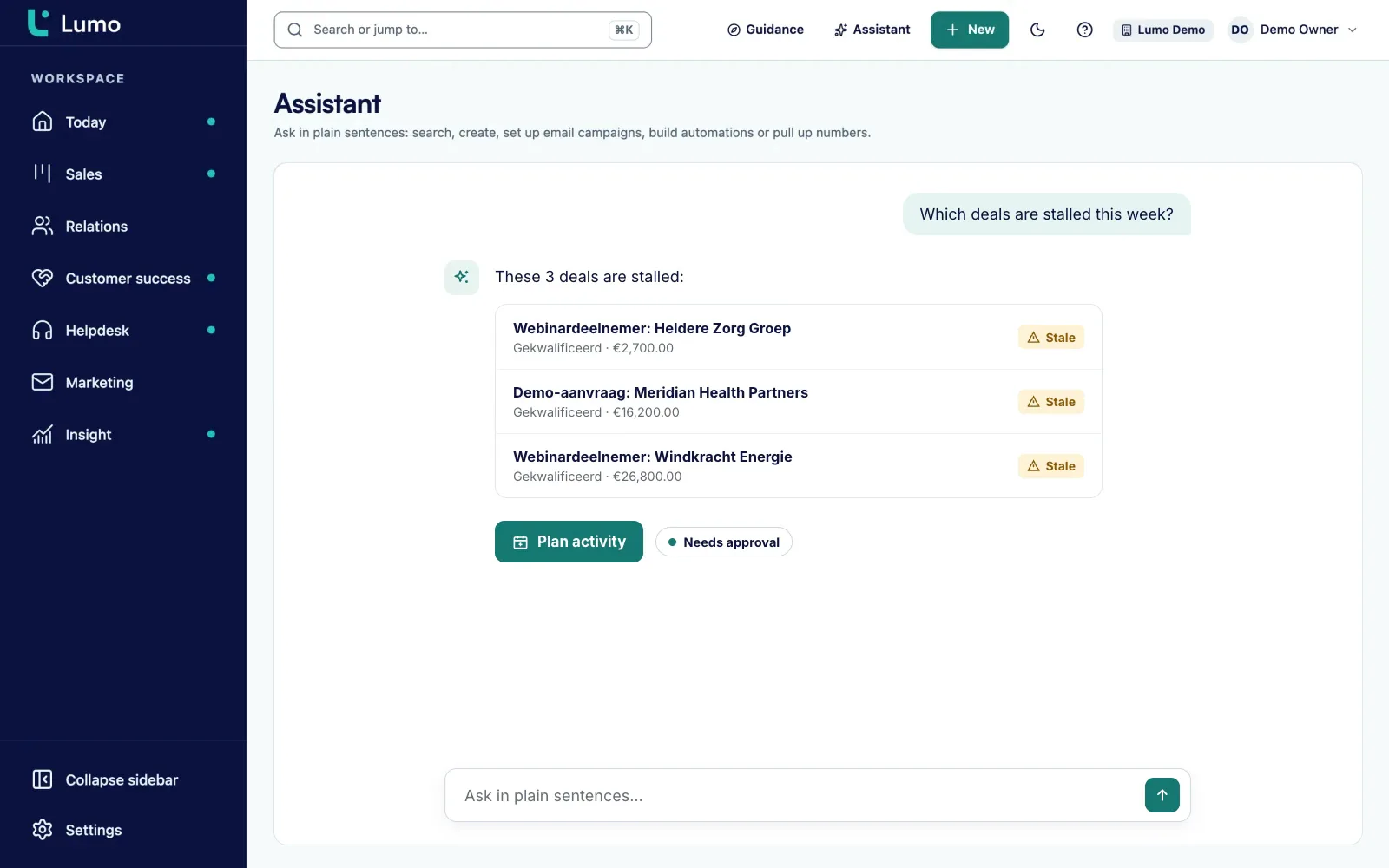
The quickest gain is in questions you would otherwise answer with filters. "Which open deals over 5,000 have had no activity for three weeks?" "Which leads with status New came in this week through the website form?" "What is on my calendar tomorrow with customers in Manchester?"
The assistant searches persons, organizations, deals, leads and activities. It answers with a list, and from there you can keep going: "Create a call for tomorrow for each of those deals." That becomes an action, and it prepares it.
It always works with your role. If you are a viewer in the workspace, the assistant can read for you but not change anything. If you are a member or admin, it can do what you can do. It never gets more rights than the person in the conversation.
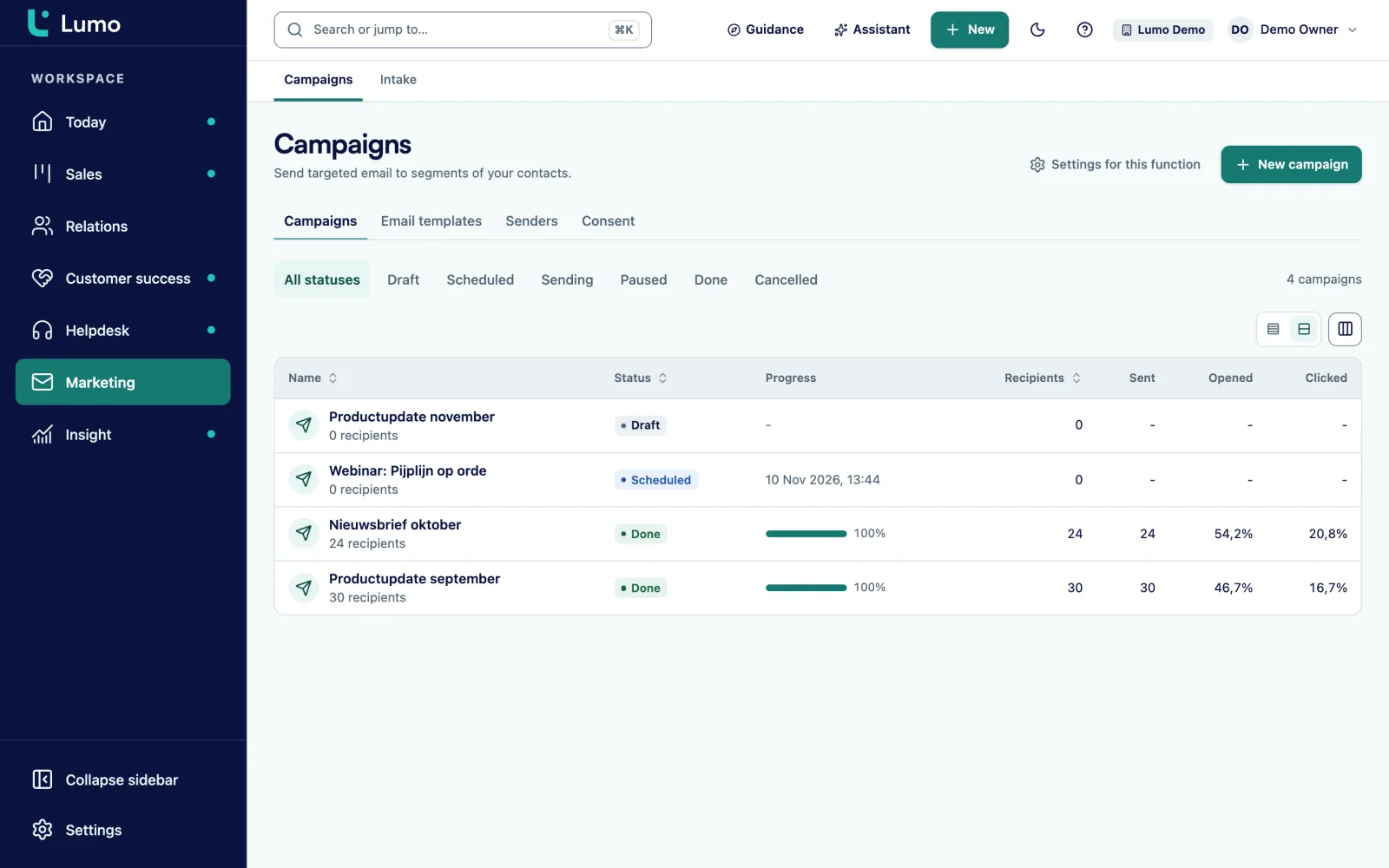
Setting up a campaign normally takes a segment, a template, a sender and a schedule. You can ask the assistant: "Create an email campaign for all healthcare customers inviting them to next week's webinar." It builds the segment, writes a template and prepares the campaign. It can also test, send, schedule, pause and cancel, but sending only happens after your approval.
The same goes for automations. "When a deal moves to Proposal, create a call for the owner in three days." The assistant builds the rule, runs a dry run and only switches it on once you approve. It can also set follow-up rules for campaigns, such as a second mail to people who did not open.
The campaign rules still apply. Consent is checked again at the moment of sending and the unsubscribe link is in every template. The assistant cannot get around that. Read more about email campaigns and about rules in automations.
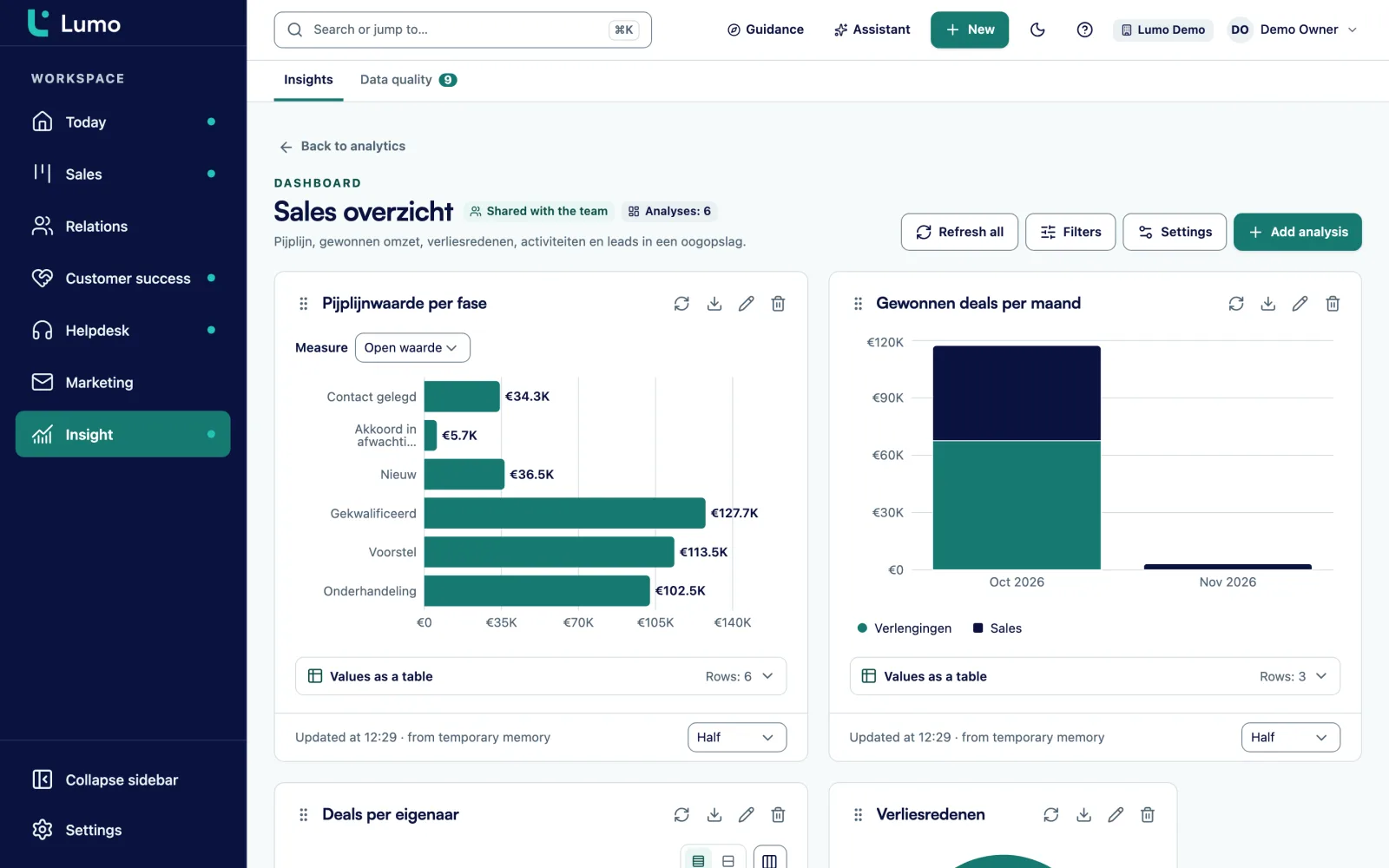
A manager wants to know won revenue per month this year, or which lost reason comes up most. You ask the assistant. It creates a report, picks the measure and breakdown and can put it on a dashboard.
Inside the report builder there is also a shorter route: describe the analysis you want. There the assistant only proposes a report and saves nothing. You check the proposal in the builder and save it when it is right. You also learn which choices fit your question.
The numbers come from Lumo reporting, so they match what you see on a dashboard. The assistant does not do the maths in its head. It uses the report builder. See reports and dashboards for what the builder can do.
Across persons, organizations, deals, leads and activities, in plain sentences instead of filters.
Create and edit persons, organizations, deals, leads, activities and notes, and mark deals won or lost.
Segment, template, campaign, test, send, schedule, pause or cancel, plus follow-up rules.
Build a rule, dry run it and switch it on, with your approval.
Create reports and dashboards from your question.
Irreversible and outward actions wait for Approve and run. Reject runs nothing.
The assistant uses your role. A viewer cannot change anything through it.
Up to 40 messages per 10 minutes per user. Every tool call is logged.
This is the first question to ask about any AI in a CRM, so we answer it as precisely as we can.
By default the assistant runs on Google Gemini Flash. Your question and the data the assistant fetches to answer it, such as names and email addresses, go to the provider of that model. Lumo can also run on other models: Groq with Llama 3.3 70B, OpenRouter or Mistral. You agree on the right model during setup. The assistant is not Claude and does not run at Anthropic.
On a free tier the provider may use input to improve its own services. The screen an admin uses to turn the assistant on says exactly that. So read the provider's terms before you let it process customer data, and only turn the assistant on if that fits your agreements with customers and your privacy notice.
That is why the assistant stays off per workspace until an owner or admin turns it on on purpose. A member or viewer cannot switch it on. How Lumo handles roles, two-step verification and the log is on the security and privacy page.
Say an account manager at an IT services firm starts the week with a coffee and the assistant. Here is an example of how that conversation could go.
She asks first: "Which of my open deals have had no activity for two weeks?" The assistant returns six deals with organization, stage and date of the last activity. Two of them are in Proposal.
Then she asks: "Create a call this afternoon for the two deals in Proposal and add a note that I am chasing the quote." The assistant prepares two activities and two notes. Creating an activity is ordinary CRM work, so it runs and shows what it made.
For the other four she wants to send a short mail. She asks: "Make a segment of the contacts on those four deals." The segment is ready. Sending a campaign to that segment is an outward action, so it shows up as a proposal marked Waiting for your approval. She reads the text, changes one sentence and clicks Approve and run.
Finally she asks: "How much have I won this quarter compared with last quarter?" She gets a report back. The whole conversation takes a few minutes, and everything that happened is on the deals and in the log.
Go through these points as owner or admin before you click Turn on the assistant.
The assistant is another way into the same parts of Lumo. What it creates lands in pipeline management, lead management and contact management, on the normal timeline. Campaigns it prepares follow the rules of email campaigns. Automations show up in automations and reports in reports and dashboards.
If you want an AI tool outside Lumo to work with your CRM data, such as your own assistant, there is an MCP server with six tools. You find it under API and integrations.
The assistant helps your own team inside the CRM. It is not a chatbot for website visitors: live chat in Lumo works with fixed texts and people. It only acts on a request from you and does not run actions on its own initiative. It does not send one-to-one mail outside campaigns, and automations that send mail do not exist by design. This part of Lumo is new, so start with questions and search and build up from there. If you do not want customer data going to an AI provider, leave the assistant off. Every other part of Lumo works without it.
Google Gemini Flash by default. Lumo can also run on Groq (Llama 3.3 70B), OpenRouter or Mistral. It is not Claude or Anthropic.
Yes. Your question and the data the assistant fetches, such as names and email addresses, go to the model provider. That is why the assistant stays off until an admin turns it on on purpose.
On a free tier the provider may use input to improve its services. Read the provider's terms before you let it process customer data.
It can prepare a campaign and send it after your approval. Without a click on Approve and run nothing goes out.
It only runs irreversible actions after your approval. A rejected proposal runs nothing.
The same as you: read and search, not change. The assistant never gets more rights than its user.
Yes, up to 40 messages per 10 minutes per user. When a free model is busy you may need to try again a little later.
Yes. It is off by default per workspace. If you leave it off, every other part of Lumo works as normal.
Yes, through the MCP server with six tools, such as search and create a lead. More on API and integrations
In the demo we ask the questions you ask every week and show how approval per action works.