See how a request becomes an order at your company
In the demo we set up your request form, a quote and a fault report in Lumo, and talk through how your planning fits in.
An installation company earns its money twice: with the project and with the maintenance after it. Lumo keeps the request, the site survey, the quote, the handover, the service contract and the faults on the same customer, so the office and the field team see the same thing.

An installer in HVAC, electrical, security or renewable energy has a commercial rhythm that differs from most B2B companies. Requests come in through the website, the phone, a main contractor or a regular client. Almost every request needs a site survey: someone goes out, measures up and takes photos. Then comes a quote, often with materials, labour and a maintenance option. Then the waiting, the follow-up calls and sometimes a second version.
After the order comes the work itself, with scheduling, materials and handover. And then comes the work that carries an installation company over the long run: service contracts, periodic inspections and faults. That recurring revenue makes the difference in a bad year.
You will know this week. On Monday eight requests arrive. The planner books three site surveys, the other five stay in the mailbox. The project lead who does the surveys keeps his notes on paper. A quote goes out on Thursday, and nobody follows up. Two weeks later the client asks whether they will get an answer, because a competitor has already signed.
With maintenance it goes wrong in a different way. A client with a service contract calls about a fault. The engineer goes out, fixes it, and the invoice is sent. But nobody notices it is the third fault in two months at the same client, and that the contract ends in three months.
Lumo puts the commercial side and service in one system. A website request becomes a lead with an owner and a status. A site survey is a meeting in the calendar, linked to the client. The quote goes out as a quote with e-signature. And a fault becomes a ticket in the helpdesk, on the same organization as the contract.
Screen and status names are the ones used in the app.
A request form on your site finds the person by email address or creates them, and opens a lead as New with the source. A phone request you log by hand.
The planner sets the lead to Working and schedules a meeting for the survey, linked to the lead. With Google Calendar it also appears in the project lead's calendar.
After the survey you move the lead into the pipeline with Convert to deal. You add materials, labour and maintenance as product lines and create the quote.
The quote goes out through your Gmail with a signing link. The client signs with a code sent by email. If the quote sits too long, the deal gets the Stale label and shows up on Today.
After Won the project continues in its own pipeline. Faults arrive as tickets, from New to Solved, with an SLA per priority.
A starting point for projects with business clients. Per stage you set a win probability and a period after which the deal counts as stale.
Exit criterion: the survey is in the calendar with address, contact and what needs checking. Rots after 7 days.
Exit criterion: photos and measurements are on the deal as files, the client's wishes are in a note.
Exit criterion: the quote went out with materials, labour and the maintenance option as separate lines. Rots after 7 days.
Exit criterion: the client has responded. If the scope changes, you void the old quote and send a new version.
Exit criterion: the quote is signed and the preferred installation window is known.
Won when the order is confirmed. Lost with a reason: Price, Timing, Competitor, Client postpones. Client postpones is a lead for later.
In installation work the company that shows up first often wins. So a request should not sit in a shared mailbox. It should be a lead with an owner.
You place a Lumo form as a link or embedded on your site. You ask for the type of installation, the address and the preferred period. With conditional logic a solar panel request gets different questions from a fault report. A hidden field keeps the UTM code, so you see which campaign brings requests.
In the lead list every request shows a status: New, Working, Nurturing, Qualified, Disqualified or Converted to deal. An automation assigns a lead that has been New for a day to the planner. And on the Today screen the leads to follow up sit at the top.
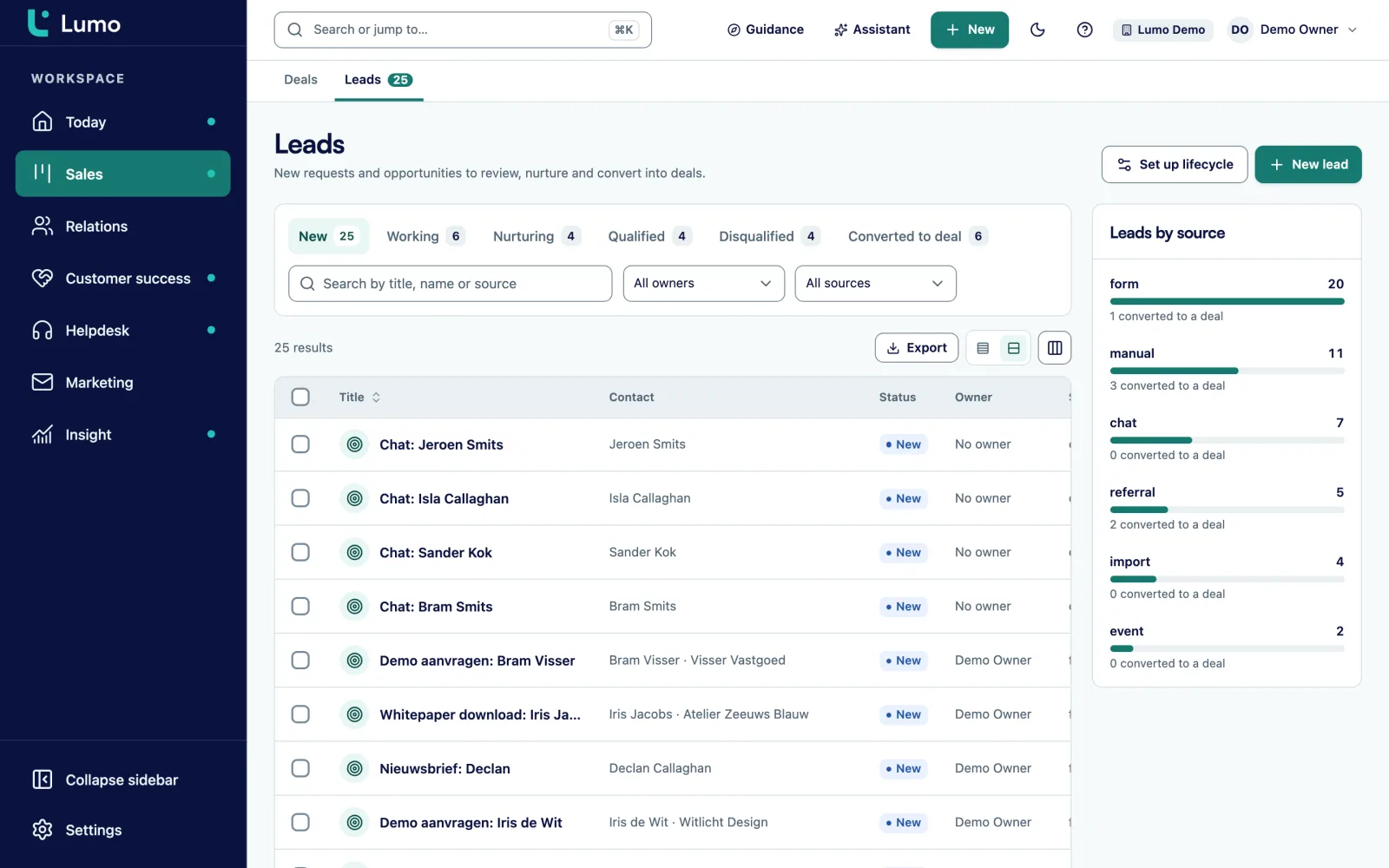
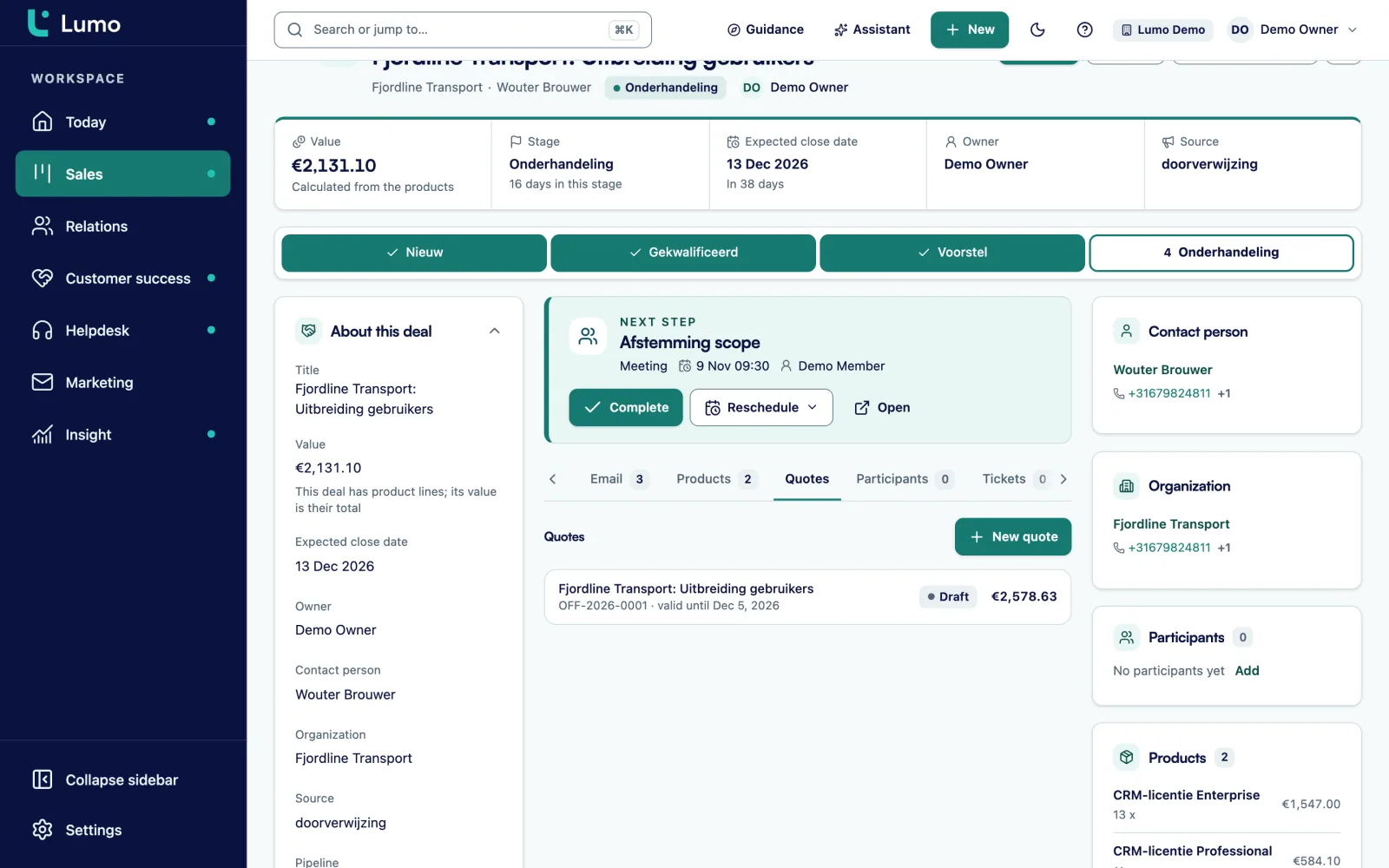
An installation quote consists of lines you see again and again: materials, labour, a one-time project fee and often an annual service contract. On a deal in Lumo you add these as product lines from your catalogue, with quantity, price and discount.
Maintenance goes in as a yearly line, with a number of cycles if the contract runs several years. The deal value adds project and maintenance together, so the pipeline shows the real value of a client.
The quote copies the lines, with VAT, an introduction, terms and a valid-until date. The PDF carries your logo and the client's. You send it through your Gmail with a signing link. The client gets a six digit code by email, types their name and signs. The signed PDF with its evidence page lands on the deal, together with a note.
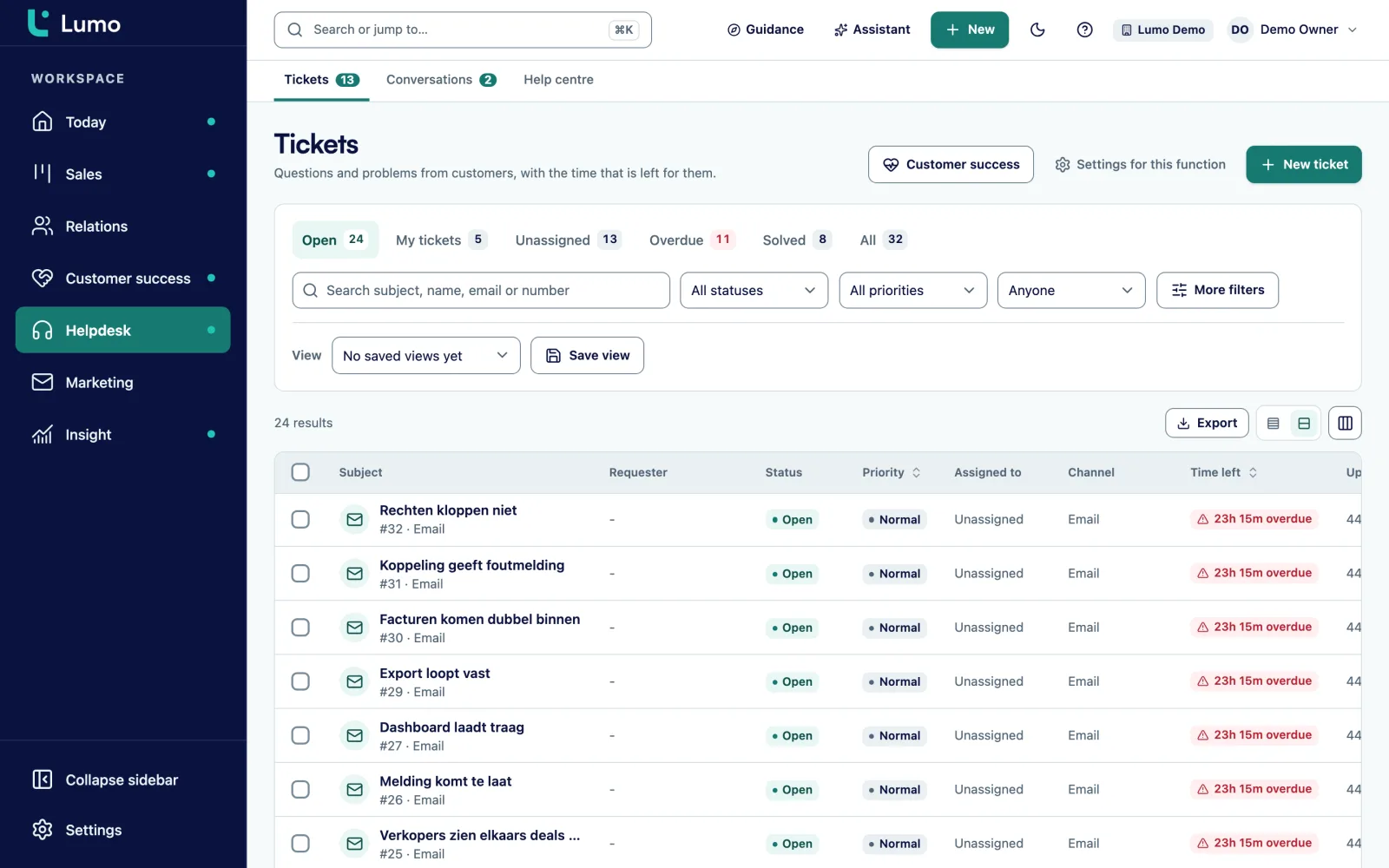
A fault at a business client is urgent. A school without heating or an office with a failed system wants to know when someone will arrive. In the Lumo helpdesk every fault arrives as a ticket, from a shared mailbox, the customer portal or by hand.
A ticket moves through New, Open, Pending, On hold, Solved and Closed. Per priority you set SLA targets for first response and resolution, with business hours and holidays. At 75 percent of the target a warning appears, and the Today screen lists tickets close to breaching.
Because the ticket sits on the same organization as the service contract, the account manager sees how many faults a client had. From 90 days of ticket signals Lumo calculates a health score from 0 to 100. A client with many faults and a contract ending soon is the first conversation of the month.
You add custom fields to leads, deals, organizations, persons, tickets and activities. A field can be required.
Select field: HVAC, electrical, security, solar or EV charging.
Text field on the deal, because the job address often differs from the client address.
Date field on the deal for scheduling.
Yes or no field. A data quality rule can warn when a quote is created without a survey.
Date field on the organization for the renewal.
User field on the deal, next to the salesperson as owner.
Select field on the ticket: Fault, Maintenance, Inspection or Question.
Text field on the lead or deal, for requests that come through a contractor.
The biggest gain is in follow-up. A quote nobody chases is a quote for the competitor. Automations in Lumo react to a new lead or deal, a stage change, a won or lost deal, a completed activity, or a deal or lead that has been stale for a number of days. They create an activity or note, update a field, assign an owner or add a label. They do not send email. You test them with a dry run first.
Rules installation companies often switch on:
In reports you see where the work is. Requests per week and per source. Time from request to survey, from the activities. Quotes sent and won per salesperson. Lost reasons per quarter. And weighted pipeline per installation type, so you see whether there is work for the crews next month. Every chart drills down to the deals behind it.
Say an installation company that fits and maintains HVAC systems and heat pumps for offices, schools and care homes. For this example we call it Climate Works East. It has 40 engineers, three project leads, two planners, two salespeople and a service desk of three.
Climate Works creates two pipelines. Projects with the stages from the example above. And Delivery with the stages Schedule, Materials ordered, In progress and Handed over. A won deal gets a new deal in Delivery, so the office sees what is under way. Crew scheduling itself stays in the planning system.
Requests come in through a form on the website. A rule assigns them to a planner and creates a task for today. The survey sits as a meeting in the calendar of the project lead, who uses Google Calendar. After the survey he attaches photos and measurements to the deal.
The salespeople build the quote with lines for the heat pump, the installation and an annual service contract of three cycles. One of them emails from Outlook and puts the BCC address on every message, so his mail lands on the deal too.
The service desk works in the helpdesk. A high priority fault has an SLA of two business hours for the first response. Every month leadership reviews a dashboard with requests, won quotes, faults per client and contracts ending next quarter. A client with many faults gets a conversation before the contract is renewed.
This is the order we follow in an implementation.
Lumo is not a crew scheduling system or a job sheet app. Scheduling crews, job sheets, hours and material use stay in your own software. With the API and webhooks a won deal can land in your planning, or the delivery status can flow back into Lumo. There is no mobile app. Lumo runs in the browser, on a tablet too, but not every screen is built for mobile yet. So for engineers on the road Lumo is not the main tool, while for the office, sales and the service desk it is. Calls run through plain phone links and are not recorded. Quotes and the signing page are in Dutch. Gmail and Google Calendar sync today. The Outlook and Microsoft 365 integration is on the roadmap, and until then the BCC address works with any mail client.
Surveys and appointments are activities in the calendar. Crew scheduling with job sheets and materials is not included. That stays in your planning system, and the API and webhooks connect the two.
Every stage has a period after which a deal counts as stale. A quote that sits too long gets the Stale label and shows up on the Today screen. An automation can create a call.
Yes. A contract is a yearly product line on the deal, and a date field on the organization holds the end date. A report shows which contracts end soon.
Yes, by email to a shared mailbox or in the customer portal, where they sign in with a link by email and follow their own reports.
Gmail and Google Calendar sync today. The Outlook and Microsoft 365 integration is on the roadmap. Until then you put the personal BCC address in Bcc or forward an email, and it lands on the right person, organization and deal.
No. Lumo is a web app in the browser. It works on a tablet, but not every screen is built for mobile yet.
Yes. The client gets a six digit code by email, types their name and signs. The signed PDF gets an evidence page. It is not a qualified signature.
The price depends on the number of users and the modules you switch on. Pricing
In the demo we set up your request form, a quote and a fault report in Lumo, and talk through how your planning fits in.