See the portal through your customer's eyes
In the demo we sign in as a customer, ask a question, see the article suggestions and follow the ticket until it is solved.
Customers sign in with a link in their email, no password needed. They see their own tickets, ask a new question and first get articles from your knowledge base suggested. The knowledge base is public, in Dutch and English, and shows you what customers search for and cannot find.
A customer wants to know how to add a new user. They search your website, find a PDF from three years ago, and email support instead. Two days later they email again: "Did you get my question?" Because nowhere can they see whether it was picked up, by whom, and when to expect an answer.
On the other side sits your support team. It answers the same question about adding a user four times a week. The answer lives in a document on a shared drive, but customers cannot reach it. And the "did you get it" emails become tickets of their own.
So two things are needed. A place where customers follow their own questions, without another account and password they will forget anyway. And a knowledge base that is truly public, findable in Google, and that you keep current because you can see which articles are missing.
In Lumo both hang off your helpdesk. The customer portal shows each customer their own tickets with your team's replies. They never see internal notes. When they ask a new question, the portal first shows articles that look like it. Often that is enough, and if not, a ticket is created as usual.
You write the knowledge base in Lumo in Markdown, with categories and a version history. The insights tab shows what people search for most, what they search for without results and which articles do not help. That is your writing list for next week. How to set up a helpdesk including a knowledge base is covered in the guide set up a helpdesk.
The portal has its own address for your workspace. Customers do not need a password.
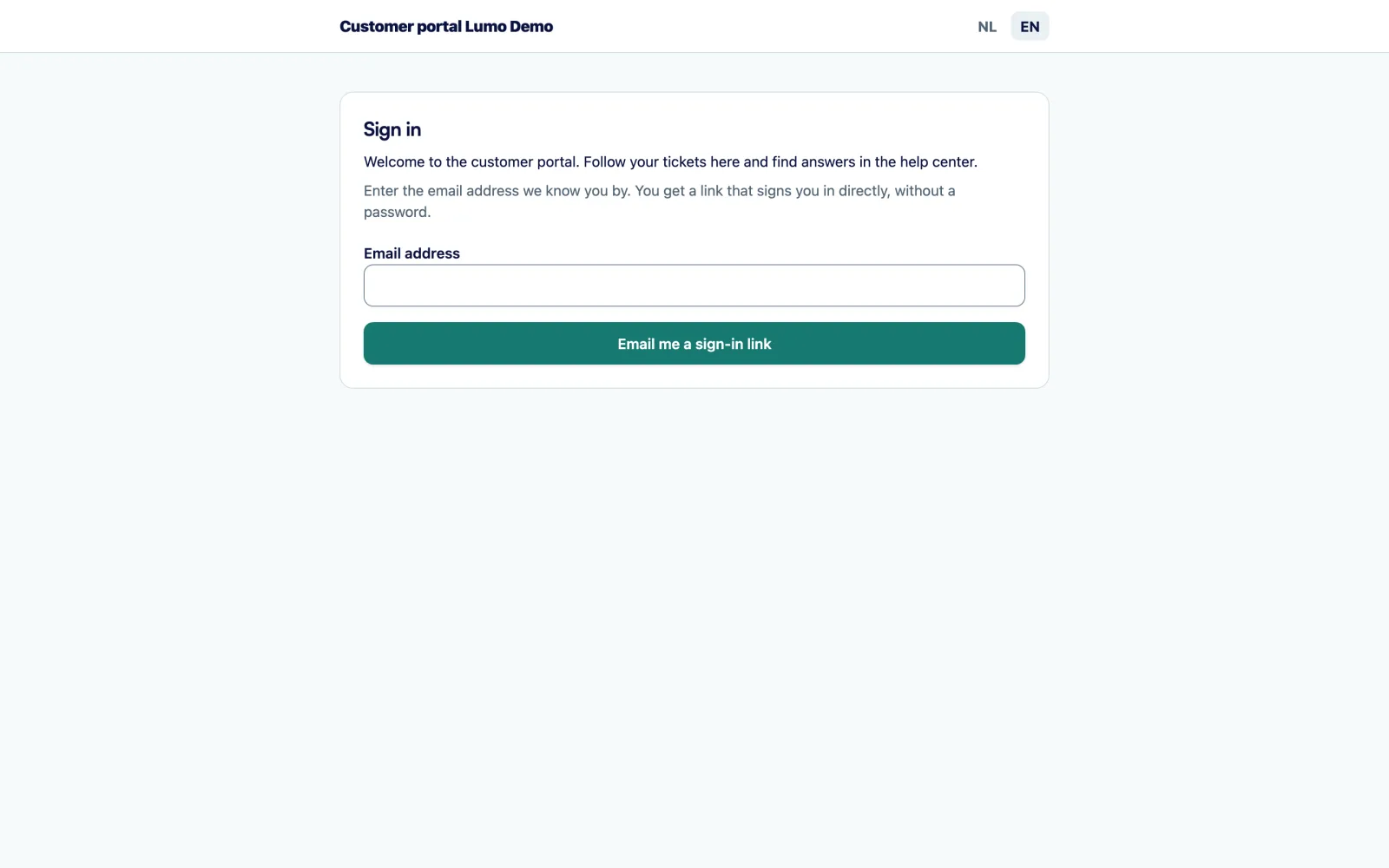
The customer enters their email on the portal and gets a link by email. After confirming, they are in. A link that expired or was already used no longer works, and they request a new one.
They see their own tickets with status and the conversation with your team. Your replies show as coming from your team, theirs as their own.
When they ask a new question, the portal first shows articles that look like it. If those do not help, they send the question and a ticket is created.
On an open ticket they send a reply. It lands in the ticket for your team.
Once their question is answered, they mark the ticket as solved themselves. If they reply again later, your team picks it up again.
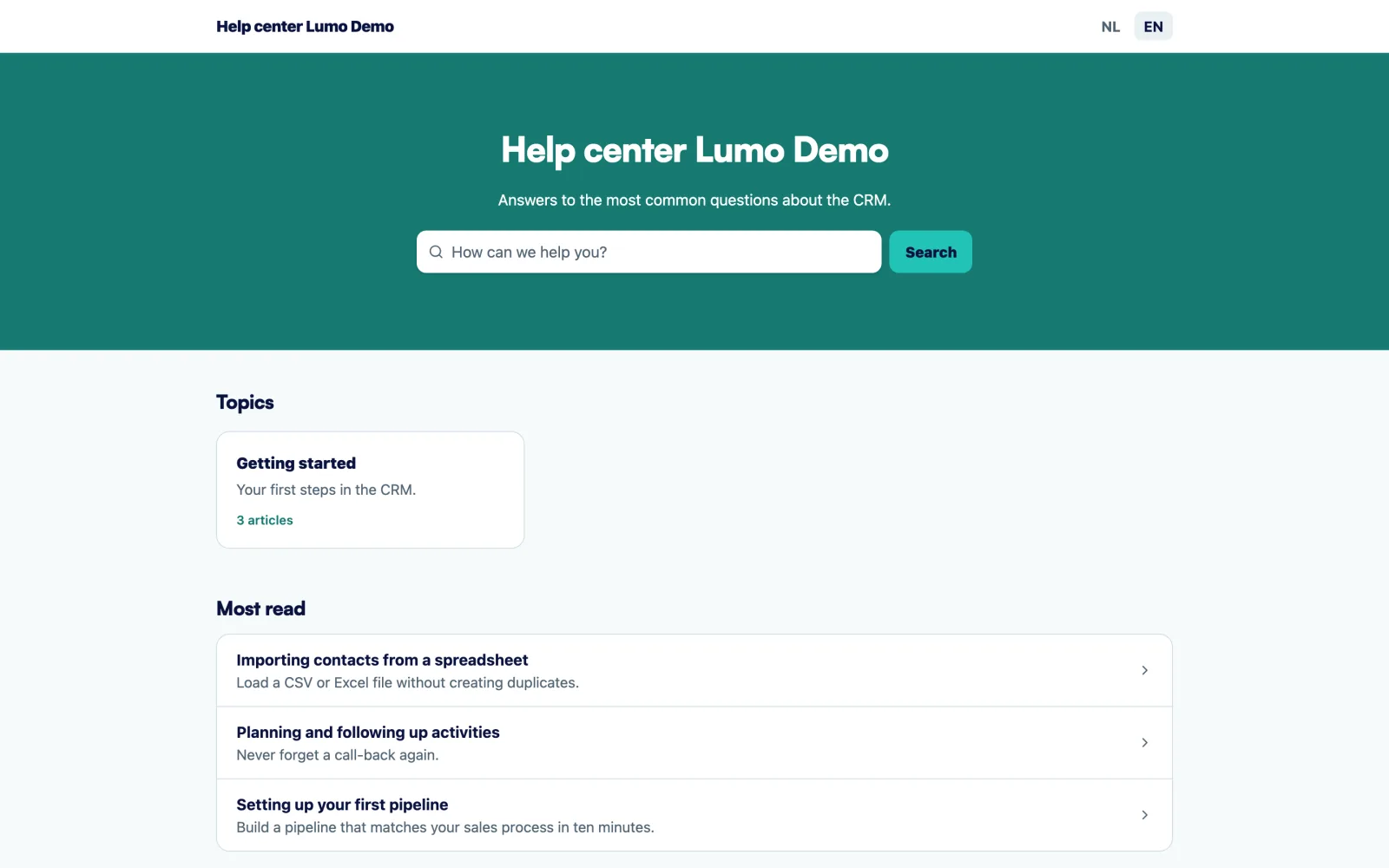
The knowledge base has its own public address for your workspace. You write articles in Markdown, with headings, lists and links, and group them into categories so customers reach the right topic quickly. Visitors search across all articles and can say whether each article was helpful.
An article has three statuses: draft, published and archived. Every change goes into the version history with its reason: created, edited, published, archived or restored. Restore brings back the text of an earlier version, while the current text stays in the history, so nothing is ever lost.
Each article can have a Dutch and an English version. You write the translation yourself, Lumo does not translate automatically. It takes a little more time, but you know exactly what it says. For the knowledge base as a whole you choose draft, reachable by its address but hidden from search engines, or published, which makes it findable in Google too.
A knowledge base without numbers turns into an archive within months. That is why the knowledge base in Lumo has an insights tab, over a period you choose.
It shows the number of searches and how many returned no result. It shows views and helpful votes. And it shows four lists. Most searched: what customers look for most. Searched without result: a missing article, and Lumo says so. Articles that do not help: those visitors mark as unhelpful. Most read: your key articles, which must always be current.
That makes upkeep a fixed routine instead of something you do when there is time left. Once a week you look at searches without results and give the top two topics an article. Every article that prevents a question is one ticket less in your helpdesk.
In the portal a customer sees their own tickets. Your team's internal notes are never shown, not in the list and not in the conversation. If someone tries to open a ticket that is not theirs, they are told it does not exist or they have no access.
There are no passwords. Customers sign in with a link sent by email, which works once and is valid for a short time. That saves your team the forgotten-password questions, and saves the customer one more account.
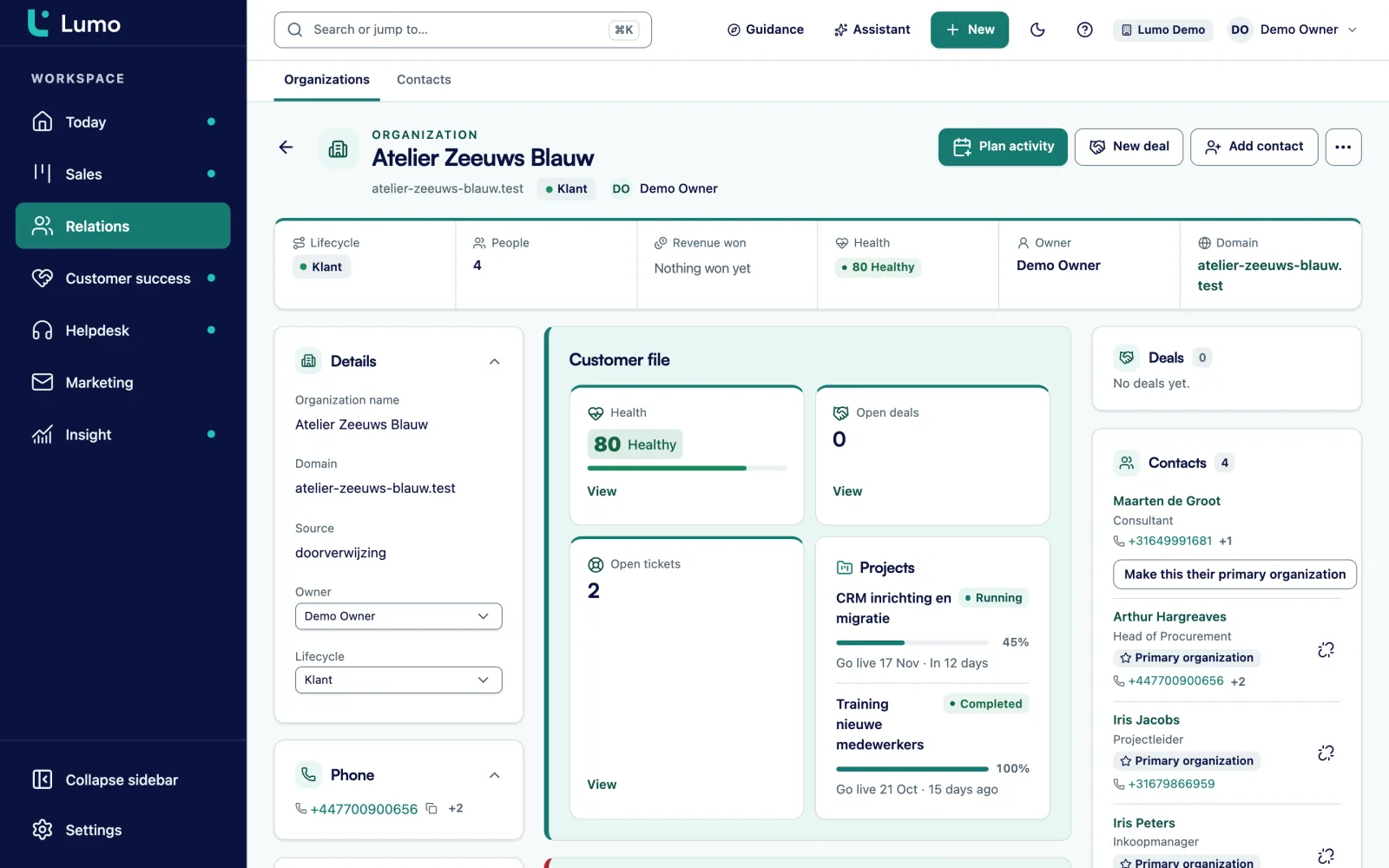
Everything the customer does in the portal lands on the same person and organization in Lumo. A ticket they open sits with their organization and counts toward that customer's health score. After a ticket is solved, the portal asks how satisfied they are. So the account manager sees on the organization what is going on too. How Lumo handles permissions, roles and data is described under security and privacy.
A sign-in link by email that works once. Expired or used means requesting a new one.
The customer sees status and conversation, replies and marks a ticket as solved.
For a new question the portal first shows articles that look like it.
Articles with categories, three statuses and a version history with restore.
A Dutch and an English version per article, written by you.
Visitors search all published articles, no sign-in needed.
Visitors say whether an article helped. You see it back in insights.
Most searched, searched without result, articles that do not help and most read.
This is a made-up example to show the flow, not a customer case.
Say a SaaS company for scheduling software has 200 business customers. The support team of two answers the same questions every week. How do I add a user? How do I export the schedule? Why did my integration stop syncing? Every question came by email, and customers often emailed twice because they could not see whether anyone had picked it up.
The team sets up the knowledge base with five categories: Getting started, Users and roles, Schedules, Integrations and Billing. They start with twelve articles on the questions that come back most, in English first. For their Dutch customers they later write Dutch versions of the eight most read articles.
Then they switch on the customer portal and put the link under every support email and in the app's help menu. A customer who wants to add a user asks a new question, types it, and sees the matching article suggested. They read it and never send the question. Another customer has a question about a sync error that is not in the knowledge base, and sends it. They see their ticket in the portal, read the reply and mark it as solved themselves.
Every Monday team lead Ana looks at searches without results. In week one "single sign-on" is at the top. She writes an article explaining what the product supports, and a week later checks whether the term has dropped off the list.
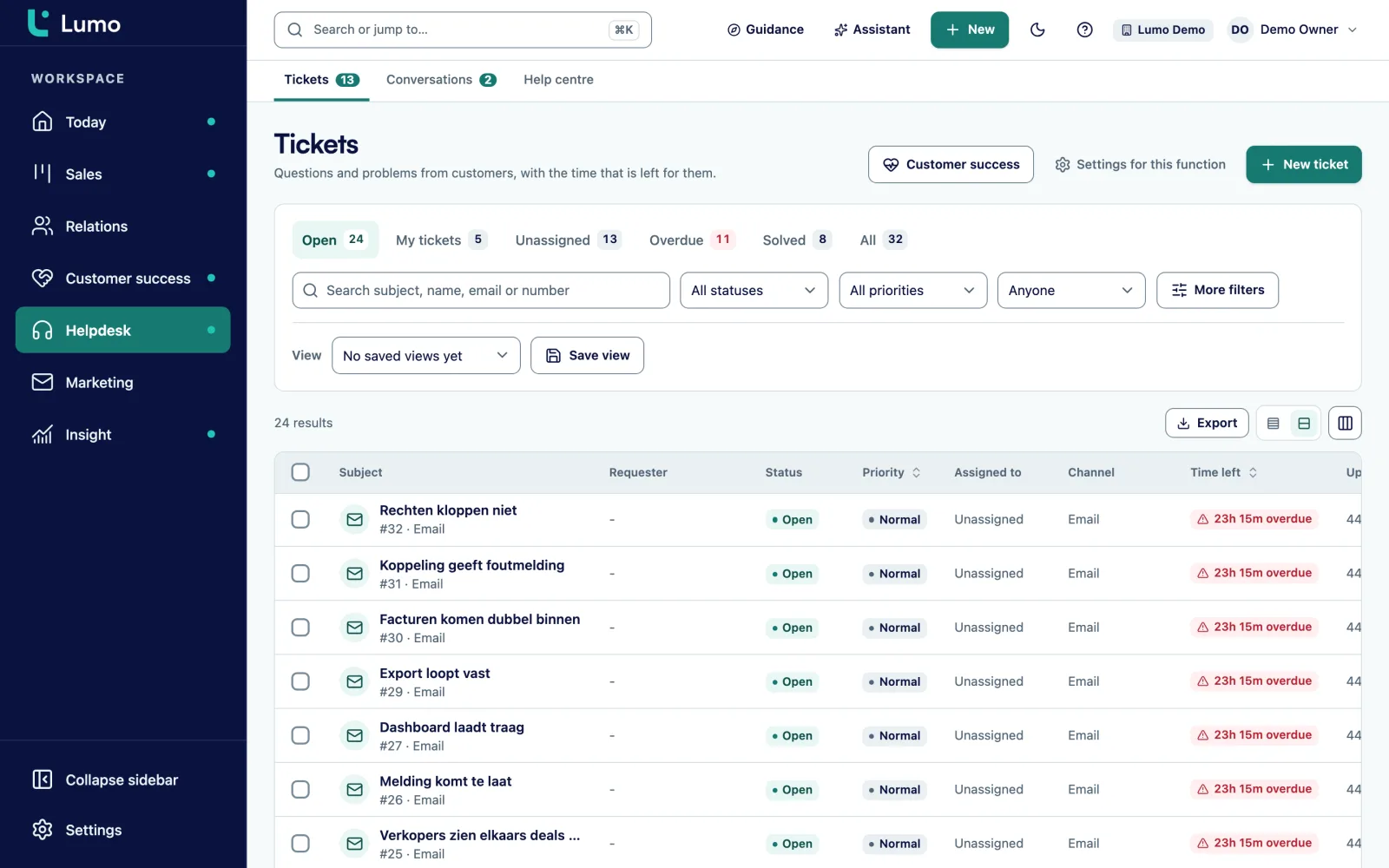
The customer portal is the customer side of your helpdesk. A question from the portal becomes a ticket with the same statuses, SLA targets and macros as a ticket from the mailbox. A conversation in live chat that you turn into a ticket shows up in the portal too.
Portal tickets count toward customer health, which your customer success team uses on the customer success page. And Lumo for customer service shows how portal, knowledge base, chat and tickets form one working day.
The knowledge base does not translate for you. You write the English or Dutch version of an article yourself, and languages other than Dutch and English are not available. So start with the most read articles and translate only those.
There is no AI chatbot that answers questions from the articles. Article suggestions for a new question search on the text the customer types. The portal is made for tickets. Invoices, contracts or orders of the customer are not in it. If you want to share those, write a knowledge base article that explains where the customer finds them.
No. They enter their email and get a sign-in link by email. That link works once.
No, never. They only see the replies your team sends as a public reply.
Yes. They mark it as solved. If they reply again afterwards, your team picks it up again.
Yes, once you set it to published. As a draft it is only reachable by its address and hidden from search engines.
Dutch and English. You write both versions of an article yourself, there is no machine translation.
Yes. In the version history you choose restore. The current text stays in the history as well.
The insights tab has a list of searches without results. Those are topics customers look for without finding an article.
Yes. They land in your ticket inbox with the same statuses, priorities and SLA targets as tickets from the mailbox.
Yes, but customers then get no article suggestions for a new question. A few articles on the most asked questions make it far more useful.
In the demo we sign in as a customer, ask a question, see the article suggestions and follow the ticket until it is solved.