Set up your pipeline in Lumo
In a demo we set up your stages, fields and deal value in Lumo so you see how it works with your own deals. Or request a trial workspace.
A pipeline is more than a row of columns. It is a set of agreements about what a deal is, when it moves on, which fields are right and when you step in. This guide takes you in nine steps from an empty CRM to a pipeline your team steers on every week.
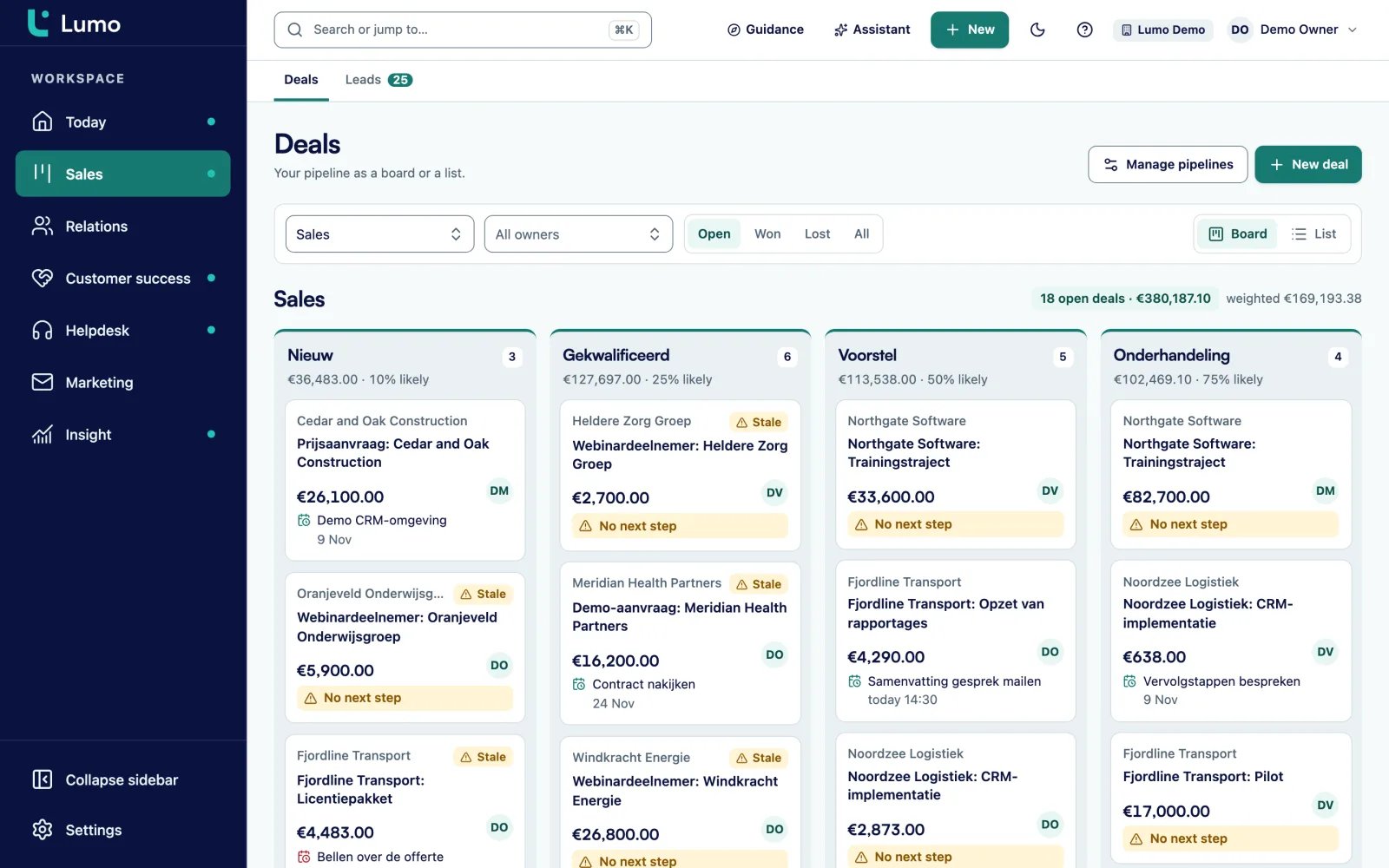
A sales pipeline answers three questions every day. What should I do today? Where are deals getting stuck? And how much will we close this month? A pipeline that cannot answer those is an archive, not a management tool.
A common situation. A team starts in a new CRM with the default pipeline that came with it. Stages like "Qualified", "Contact made" and "Proposal made". Nobody knows exactly how the first two differ. Deal value is sometimes with VAT and sometimes without, and for subscriptions sometimes monthly and sometimes yearly. After three months the dashboard shows a number nobody dares to act on.
Setting up a pipeline is mostly about deciding. What kinds of deals do you have? Which stages do they go through? What information must be on every deal, and from which point? How do you calculate deal value? What happens when a deal stalls? And when do you discuss all this together?
The steps below follow those questions. They work in any CRM. For choosing the stages themselves there is a separate guide on B2B pipeline stages, with exit criteria and win probabilities. This guide covers everything around them.
Plan half a day to a full day to set up one pipeline, spread over a week. Most of the work is not clicking but agreeing. So book two short sessions with the reps and the sales manager: one to discuss the design and one to test it after a week.
Look at which kinds of deals run differently. Often that is new business, growth with existing customers and renewals. If the process differs or win rates are very different, it gets its own pipeline. Start with one or two. You can add more later.
Five to seven open stages per pipeline, each with an exit criterion describing what the buyer said or did. Put the criterion in the stage description so everyone who moves a deal can see it.
Give each stage a win probability, for example 10, 25, 40, 60 and 80 percent. Set per stage after how many days a deal counts as stalled. That becomes the base for your weighted pipeline and for the list of deals that need attention.
Excluding VAT, one currency per deal, and a fixed rule for recurring revenue. For example: a subscription counts for one year. If you use products, let the deal value come from the product lines instead of a number someone types in.
Decide which fields a deal needs and from which stage. Only make required what you use in a report or a decision. The basics are value, expected close date, owner, organisation and contact. After that, five custom fields at most.
A short list of six to eight reasons: price, timing, chose a competitor, no budget, no response, not the right fit, solved internally, other. Add a free text field for context. Without fixed reasons you learn nothing from lost deals.
Start with rules that save the most manual work or prevent the most forgotten follow up. For example a task to call three working days after Quote sent, or a task for the owner when a deal stalls. Add more once these work.
A board per pipeline, a list of "my open deals without a next step" and a dashboard with weighted pipeline per month, deals per stage and lost reasons. You use that dashboard in the weekly review.
A fixed thirty minutes a week where you go through the board together. Not a status round, but three questions: which deals move this week, which are stuck and what is needed. The agenda template is further down this guide.
An example for a B2B services company. Adjust the fields to your own process, but keep the list short.
| Topic | Why you need the field | Required from |
|---|---|---|
| Organisation and contact | Every deal belongs to a customer and a person, otherwise email does not land in the right place. | Creation |
| Owner | Someone is responsible for the next step. | Creation |
| Value | Needed for the weighted pipeline. Can be an estimate at first. | Needs confirmed |
| Expected close date | Needed for the monthly forecast. Confirm it at every stage change. | Needs confirmed |
| Source | Where did the deal come from? Needed to see which channel brings revenue. | Creation |
| Decision makers | Who else decides? As a participant or contact on the deal. | Demo or proposal discussed |
| Products | Set the deal value and form the base of the quote. | Quote sent |
| Competitor | Who are you up against? Useful for lost reasons. | Not required |
| Lost reason | Why did it not go ahead? A fixed list plus context. | When lost |
An example. Every required field is a barrier to updating a deal, so only require what you actually use.
Nothing makes a pipeline unreliable faster than deal values entered in different ways. Agree on one rule and write it down.
With or without VAT. Almost always without. Then you compare with your revenue figures.
One time and recurring. If you sell subscriptions or contracts, agree how they count. A common rule: a recurring line with no fixed term counts for one year. A three year contract counts for three years, or you count only the first year and track the rest separately. Pick one rule.
Typed or from products. If you use products on the deal, the CRM calculates the value: quantity times price, minus discount, times the term. That prevents arithmetic errors and keeps the quote and the pipeline on the same amount.
A made up deal with three lines:
Deal value: € 10,320. Without a rule, one rep would have entered € 6,470 (only the first month of licence) and another € 18,720 (three years of licence). You see that difference later as a forecast that does not add up.
A made up example of how the nine steps look at one company. A marketing agency with six account managers sells projects and ongoing retainers to B2B clients.
Pipelines. The agency chooses two. "New clients" for companies that are not yet a client. "Growth" for extra projects with existing clients. Retainer renewals go into Growth for now, because there are only a handful a year.
Stages. New clients gets six stages: Intro meeting booked, Brief received, Pitch done, Proposal sent, Negotiation, then won or lost. Growth gets four: Opportunity spotted, Proposal sent, Agreed in principle, won or lost.
Win probability and stall limits. Starting values at first. Proposal sent is at 50% and counts as stalled after ten working days.
Deal value. Projects are one time. A retainer counts for twelve months. All values without VAT.
Fields. Next to the standard fields, three custom ones: service type (select list), competitor (text) and brief received on (date).
Automations. Two rules. A task "follow up proposal" three working days after Proposal sent. And a task for the owner as soon as a deal stalls.
Review. Every Monday at nine, thirty minutes, with the board on screen.
After a month it turns out the Pitch done stage is almost always skipped within a day, because real pitches are rare. The agency removes the stage. That is exactly how a pipeline should grow: start small and adjust to what you see.
Thirty minutes, same day every week, with the board on screen. Start with the deals closest to closing.
Every CRM ships with example stages. They are there to show how the tool works, not to work with. Replace them with your own stages and exit criteria before you create the first real deal.
When marketing, finance and management each add their own fields, a deal has thirty fields after a year and five of them are filled in. Let one person decide on fields and ask with every new one: which report uses this?
An open deal without a scheduled activity is a deal that gets forgotten. Agree that every open deal always has a next step, and keep a list of the ones that do not for the review. The guide on lead follow up goes deeper into this.
Automations on stages that are still changing break as soon as you rename or remove a stage. Let the pipeline run for a month, then automate.
A pipeline nobody looks at together gets messy within a month. The review is not a check on the reps but maintenance of the system. Keep it short and keep it going.
In Lumo you manage pipelines under Settings. You create your own stages per pipeline, each with a win probability and a "rots after N days" setting. The board shows the number of deals, the value and the weighted value per stage, and a table with totals per stage.
Products on a deal have a quantity, price, discount and billing frequency, from one time to yearly, with an optional number of cycles. The deal value is the sum of the lines, and a recurring line without a number of cycles counts as one year. Lost reasons and the product catalogue are in settings too. With automations you create rules such as a task after a stage change or when a deal stalls. More about the board is on the pipeline management page.
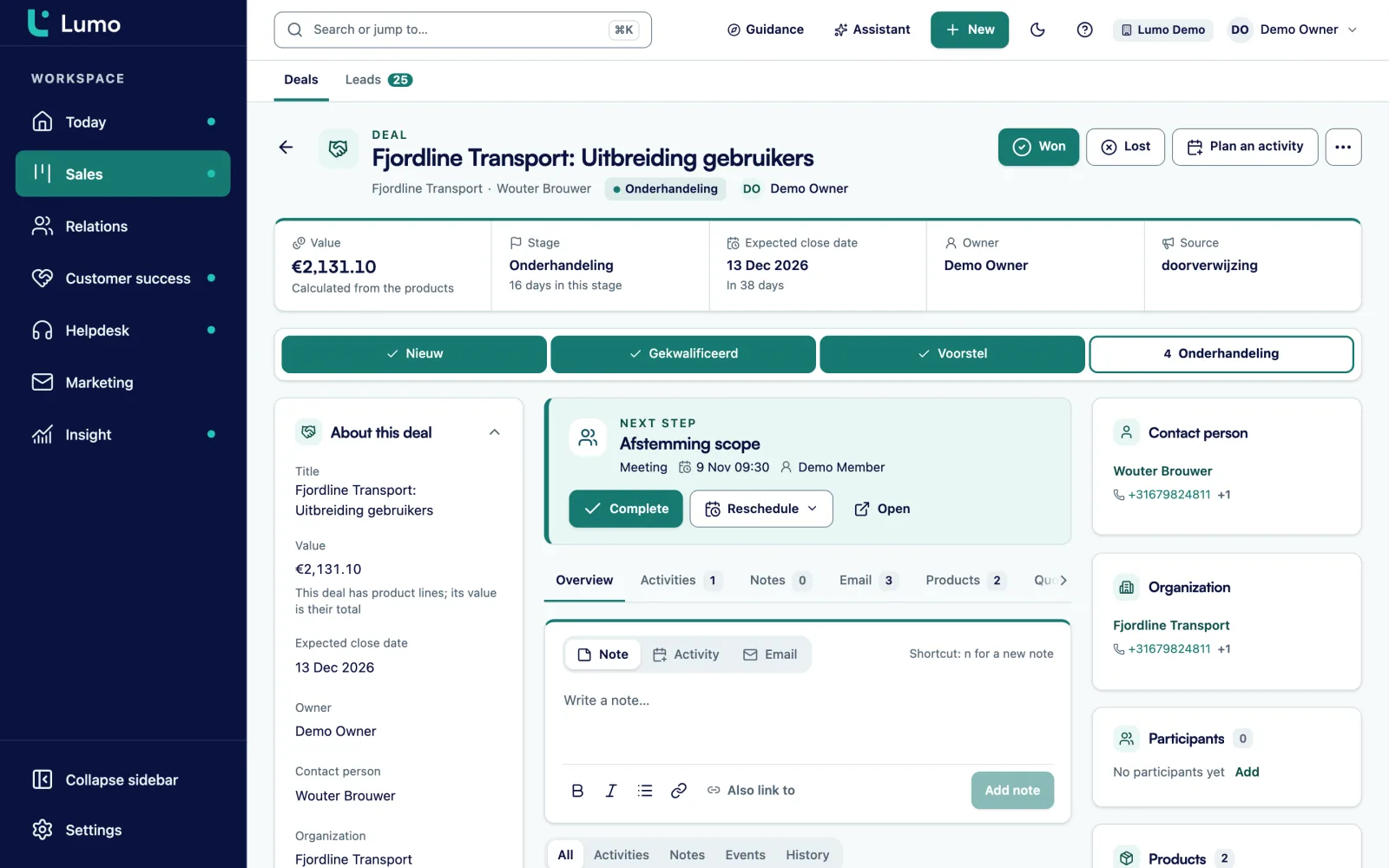
In Lumo a custom field is required per field, not per stage. If a field should only be required from a certain stage, use a data quality rule that warns or blocks the save. Automations in Lumo deliberately do not send email. They create tasks, notes and field changes, so the rep sends the message.
Decide which pipelines you need, choose stages with exit criteria, set win probability and stall limits per stage, agree a deal value rule, choose a few fields, set up lost reasons, build two or three automations, create a dashboard and schedule a weekly review.
One per type of deal that runs differently. Often that is new business, growth and renewals. Start with one or two and add one when deals in the same pipeline clearly do not belong together.
At least organisation, contact, owner, value, expected close date and source. After that, five custom fields at most that you actually use in a report or decision.
Agree on one rule and stick to it. Many teams count a subscription with no end date for one year. If you use products on the deal, let the CRM calculate the value from the lines.
A fixed thirty minutes a week where the team goes through the deal board. You cover what was won and lost, deals close to closing, stalled deals and deals without a next step.
Start with a follow up task after a quote and a task for the owner when a deal stalls. Those two prevent most forgotten follow up. Add more once they work.
When a stage keeps getting skipped, when deals get stuck in one stage and nobody knows why, or when lost reasons show a pattern. Discuss it in the review and make changes once a quarter.
Yes, as long as the exit criteria of the skipped stage are also met. Agree to check that whenever a stage is skipped. If almost everyone skips a stage, it is time to remove it or merge it with another one.
The clicking takes a few hours. With the agreements included, plan half a day to a full day spread over a week, with one session to design and one to test after a week.
In a demo we set up your stages, fields and deal value in Lumo so you see how it works with your own deals. Or request a trial workspace.