See how an inquiry becomes an engagement at your firm
In the demo we set up your intake, engagement letters and annual work in Lumo, and tell you honestly what stays in your practice software.
In consulting, accounting, legal and advisory work almost every engagement comes from a relationship. Lumo keeps those relationships together: the inquiry, the intake call, the engagement letter, the annual work and the questions after, on one client and visible to the whole firm.

In professional services, sales is rarely called sales. A partner at an accounting firm gets a question from a founder she has known for ten years. A lawyer gets a referral from a notary. A consultant runs into a former colleague at a conference. Most work comes from the network, from existing clients and from referrers. And a large part of revenue repeats: annual accounts, tax returns, ongoing legal counsel, a fixed day a week at a client.
That means the commercial knowledge sits with the partners. They know which client has a question about an acquisition, which referrer has sent three matters already, and whose annual engagement needs a conversation this year. That works until a partner retires, or the firm grows from ten to forty people.
You may recognise this Monday. Five inquiries arrive through the website. Two land in the general inbox, one with an assistant who is off sick, and two with a partner who is tied up in a case all week. The founder who has no reply by Tuesday calls another firm on Wednesday. Nobody notices, because the inquiry was never recorded anywhere.
There is a second leak: cross-selling. A tax client has an employment law question, but the tax adviser does not know the firm has a team for that, or forgets to pass it on. Or the consultant who wraps up a project never asks about the next phase.
Lumo keeps inquiries, clients and engagements in one system. An inquiry arrives as a lead with an owner and a status. Mail with known contacts lands on the client by itself, private to the user unless they share it with the team. And the organization timeline shows what was said, agreed and signed. So the firm does not depend on the memory of one partner.
Screens and statuses carry these exact names in the app.
An intake form on your site finds the person by email address or creates them, and opens a lead as New with source and practice area. A referral you log by hand, with the referrer added.
The fee earner sets the lead to Working. After the intake call it becomes Qualified, Nurturing if the question comes later, or Disqualified if it does not fit.
With Convert to deal a qualified lead becomes a deal in the pipeline, linked to person and organization. The Next step shows on the deal card.
The quote copies the lines of the deal and goes out through your own Gmail with a signing link. The client signs with a verification code by email. Then you mark the deal Won.
One line per year on the deal and a Renewal date field on the organization. A report shows which engagements need a conversation in the next three months.
An example you adapt to your practice. Per stage you set a win probability and the number of days before a deal counts as stale.
Exit criterion: the intake call happened, the question is in a note and the practice area is set. Rots after 5 days, because an inquiry should never sit.
Exit criterion: the Conflict check done field is set to yes. For a law firm this is a fixed step. Lumo does not run the check, but the field makes it visible.
Exit criterion: approach, fee or hourly rate and timing have gone to the client. Rots after 14 days.
Exit criterion: the engagement letter went out with the terms. The client has opened it or asked about it.
The client has signed. You mark the deal Won and an automation creates a task for the fee earner.
Always with a reason: Too expensive, Other firm, No follow-up or Not our field. That last one is not a loss but a chance for a referral.
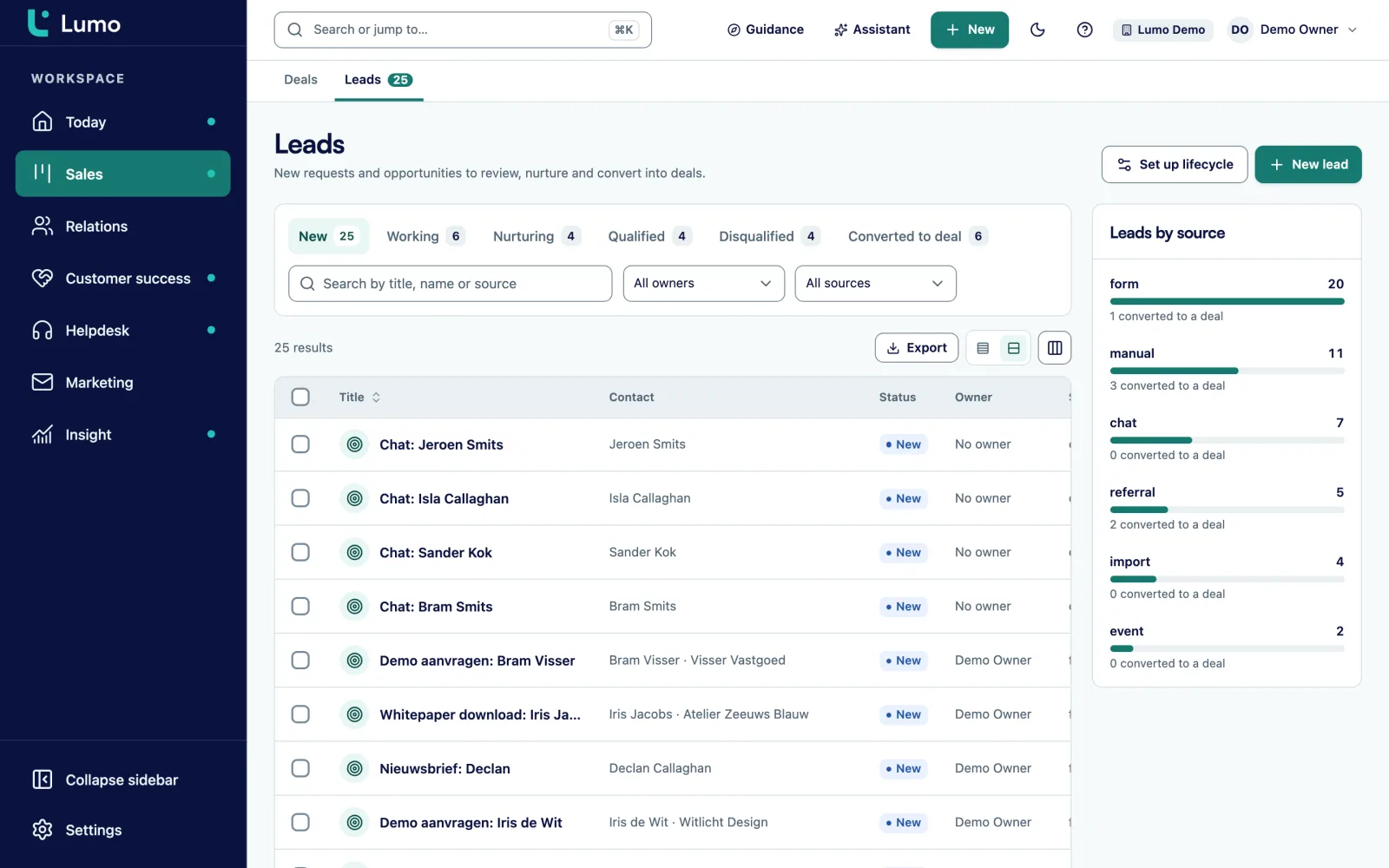
In professional services the firm that responds seriously first often wins. That is why everything starts with the lead list. Each inquiry shows a status: New, Working, Nurturing, Qualified, Disqualified or Converted to deal. You see who owns it, where it came from and how long it has been waiting.
An intake form on your site asks only what you need for the first call. With conditional logic a legal question gets different follow-up questions than a tax question. A hidden field keeps the UTM code, so you know which campaign or article brought the inquiry.
On the Today screen the leads to follow up sit at the top, next to the day's tasks. And an automation can reassign a lead that has been New for a day to a second person. Nothing sits while the first fee earner is in court.
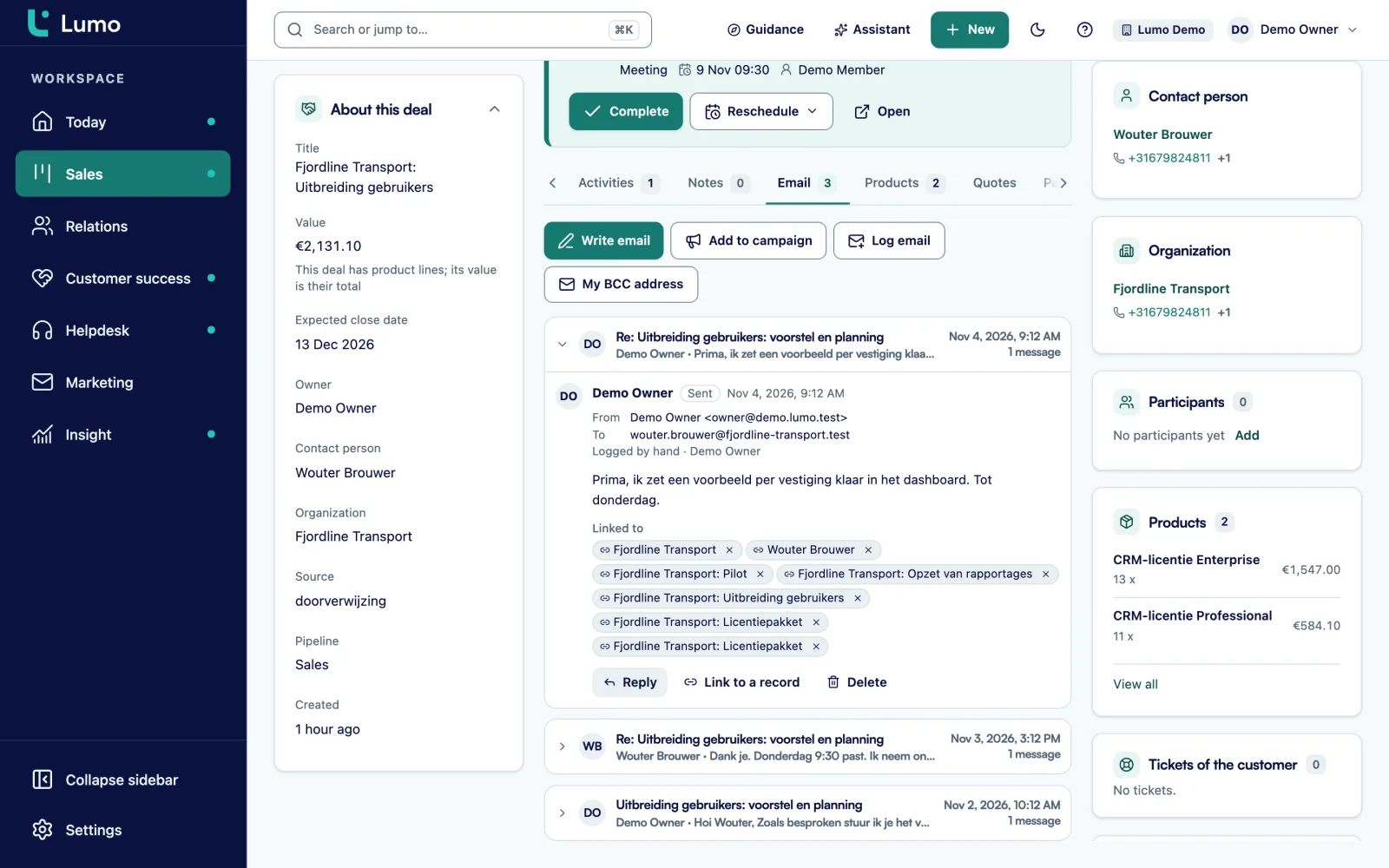
In a firm, email is the record of the relationship. But not every message is meant for everyone. That is why the Gmail integration in Lumo is private by default.
Each user connects their own Gmail. Lumo only stores mail that involves at least one known contact. The body of other mail is never fetched. Mail lands on the right person, organization and deal by itself. Visibility is set per connection to private, and the database enforces it. If a partner wants to share their mail with the team, they switch the connection to team. A sensitive thread can be excluded on its own.
From Lumo you send mail out of your own Gmail, with fields such as first name and organization. If you work in Outlook, use the personal BCC address. Put it in Bcc or forward a message, and it lands on the right client. The Outlook and Microsoft 365 integration is on the roadmap.
Clients of an accountant or a lawyer expect their data to be handled with care. Lumo has a set of fixed building blocks for that.
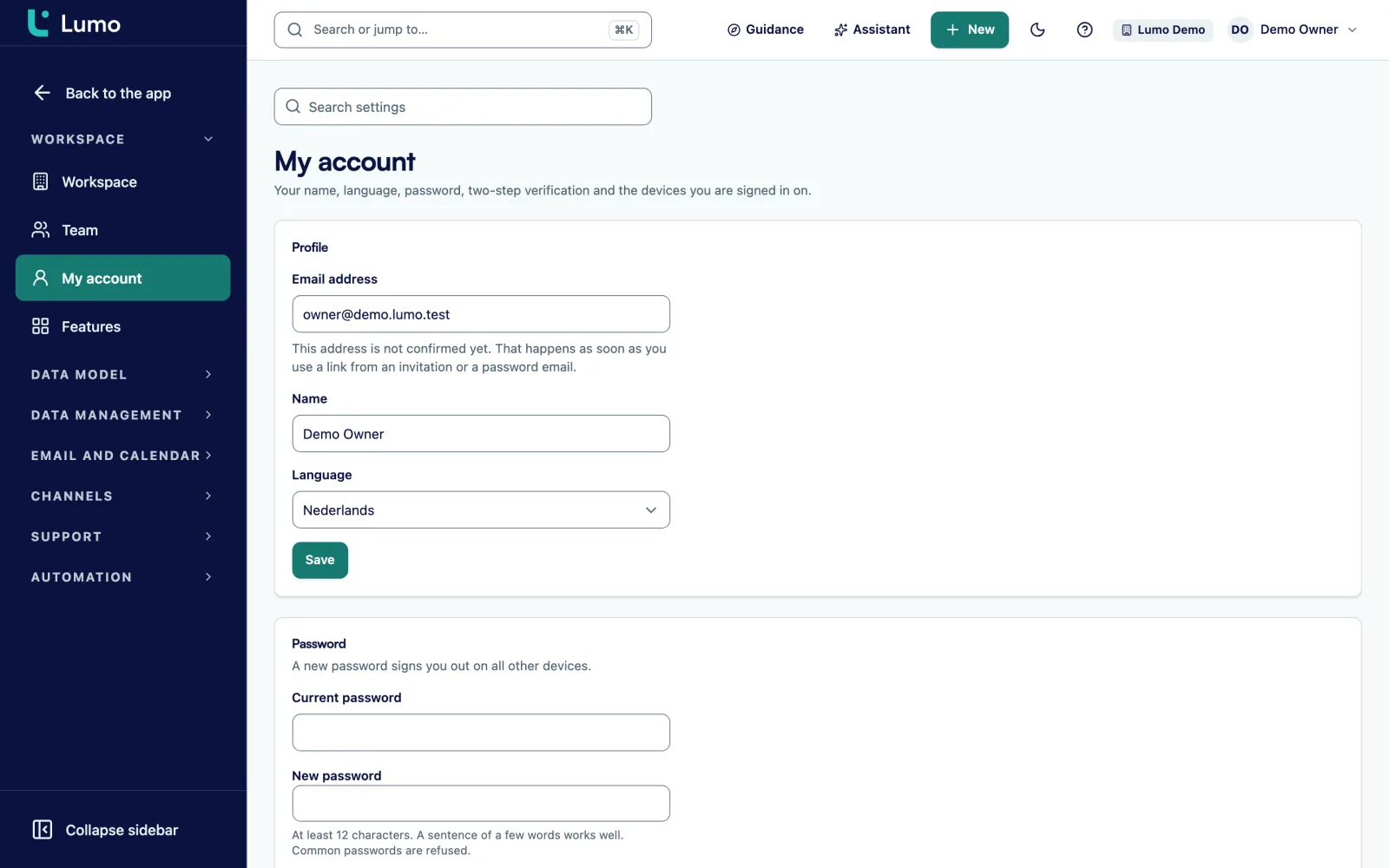
There are four roles: owner, admin, member and viewer. A viewer can see everything but change nothing, which suits an intern or an external controller. Two-factor authentication with an authenticator app is built in and can be made mandatory for admins. A list of sessions and devices lets you sign someone out remotely.
Every workspace is isolated from other workspaces in the database. The audit log can only be appended to, never edited. You filter it and export it as CSV. For the GDPR you export everything held about a person, or erase and anonymise them with double confirmation. Retention periods clean up data daily.
You add custom fields to persons, organizations, deals, leads, tickets and activities. A field can be required.
Select field on lead and deal, such as Tax, Employment, Corporate or Advisory.
Select field: One-off advice, Annual engagement or Ongoing.
Yes or no field on the deal. A data quality rule can warn when it is empty.
Text field on the lead. A report shows which referrers send the most work.
Monetary field on the deal, next to the fee in the product lines.
User field on the organization, separate from the fee earner.
Date field on the organization for annual engagements.
Number field on the deal for annual work, so 2026 and 2027 stay apart.
Automations take over the fixed steps. A rule reacts to a new lead, person or organization, to a deal being created, changing stage, being won or lost, to a completed activity, or to a lead or deal that has been stale for a number of days. It creates an activity or note, updates a field, assigns an owner or adds a label. It does not send email. A dry run shows what it would do before you switch it on.
Four rules firms often use:
In reports you build the numbers a partner meeting needs. Inquiries per source and per practice area. Time from inquiry to first call. The share of inquiries that turn into engagements. Won engagement value per partner against a goal line. And a list of annual engagements with a renewal date in the coming quarter. Every chart drills down to the records behind it.
Say a firm in Leeds with 28 people, split across accounting, tax advice and a small legal team. For this example we call it Hartley and Partners. It has four partners, an office manager and a business support assistant who sorts the inquiries.
The firm creates two pipelines. New engagements with the stages from the example above. And Annual engagements with the stages To discuss, Proposal sent and Agreed. Every recurring client has one deal per financial year in the second pipeline, with one product line per year.
An intake form on the website puts every inquiry into Lumo as a New lead, with the practice area as a select field. The assistant sees them on the Today screen and assigns them. Inquiries for the legal team go straight to its head through an automation.
Three partners work in Gmail, the fourth in Outlook. He puts the BCC address on every client email, so his conversations reach the timeline too. All mail connections are set to private. Only the office manager shares hers with the team, because she handles the general correspondence.
Every month the firm reviews a dashboard with three reports: inquiries per source, engagements per partner and annual engagements due for renewal in the coming quarter. A tax adviser who hears an employment question creates a lead with the right practice area, and the rule does the rest. Cross-selling becomes a habit instead of a good intention.
This is the order we follow in an implementation.
Lumo is not time tracking, practice management or a document management system. Hours, billing and case files stay in your own software. Through the API and webhooks you push a won engagement onward or pull data back. There is no access control per matter: everyone in a workspace sees all relations and deals, in reports too. Mail is private per user by default. If you handle highly sensitive matters, keep the content in your case system and only the commercial side in Lumo. Data is stored in London, in the United Kingdom. Sign-in uses email and password plus two-factor authentication, and there is no SSO. Clients sign the engagement letter with a typed name and a code by email, not a qualified signature, and the signing page is in Dutch. Gmail and Google Calendar sync today, and the Outlook and Microsoft 365 integration is on the roadmap.
For the commercial side, yes: inquiries, intake, engagement letters and the relationship with clients and referrers. Case files, hours and billing stay in your practice software.
Not automatically. You search persons and organizations, and a Conflict check done field makes the step visible or required through a data quality rule.
No. A Gmail connection is private by default, and the database enforces it. You can switch it to team yourself, and exclude a thread on its own.
Gmail and Google Calendar sync today. The Outlook and Microsoft 365 integration is on the roadmap. Until then you put the personal BCC address in Bcc or forward an email, and it lands on the right client and deal.
With a separate pipeline for annual work, one product line per year and a Renewal date field. A report shows which engagements need a conversation soon.
In London, in the United Kingdom. Roles, audit log and GDPR tools are described on security and privacy.
Yes, with a typed name and a verification code by email. The signed PDF gets an evidence page with time, IP address and a hash. The signing page is in Dutch.
The price depends on the number of users and the modules you switch on. Pricing
In the demo we set up your intake, engagement letters and annual work in Lumo, and tell you honestly what stays in your practice software.