See your own Pipedrive data in Lumo
In the demo we show the wizard and talk through what comes across for you and what does not. After that you can request a trial workspace and run a trial import yourself.
If you want a Pipedrive alternative with helpdesk, campaigns and quotes in the same system, you do not have to start over. The import wizard reads your Pipedrive with an API token, shows in a trial run what would happen and only imports for real after that. Below is the whole playbook, from preparation to the first week after.
Pipedrive is a good CRM for sales. We do not say that lightly. Sales Surge, the company behind Lumo, is a Pipedrive Platinum Partner and was named one of the top 8 Pipedrive partners worldwide in July 2026. We know it inside out, and we have delivered more than 150 CRM implementations.
The reason to switch usually sits next to sales. Picture this. Support runs in a separate helpdesk, the newsletter in a separate email tool and quotes in a third. An account manager calls a customer about an upsell and has no idea the same customer has had an open ticket for two weeks. Marketing emails a company that just filed a complaint. Each tool keeps its own version of the customer, and every integration between them breaks now and then without anyone noticing.
Lumo puts those parts in one database. The same person and organization sit under the deal, the ticket, the campaign and the quote. So one timeline shows what is going on.
If your team only works a pipeline and your integrations hold up, switching is often not worth it. A better Pipedrive setup will help more, and we will tell you that in the demo. To see the two side by side, read Lumo vs Pipedrive.
If you do switch, the import itself is the easy part. The hard part is what makes every CRM migration hard. Agreeing on fields that grew over five years. Cleaning up duplicates. Owners who left the company. Automations that live in Pipedrive and are written down nowhere. And a team that just wants to make calls on Monday. That is why this page covers the whole playbook, not only the wizard.
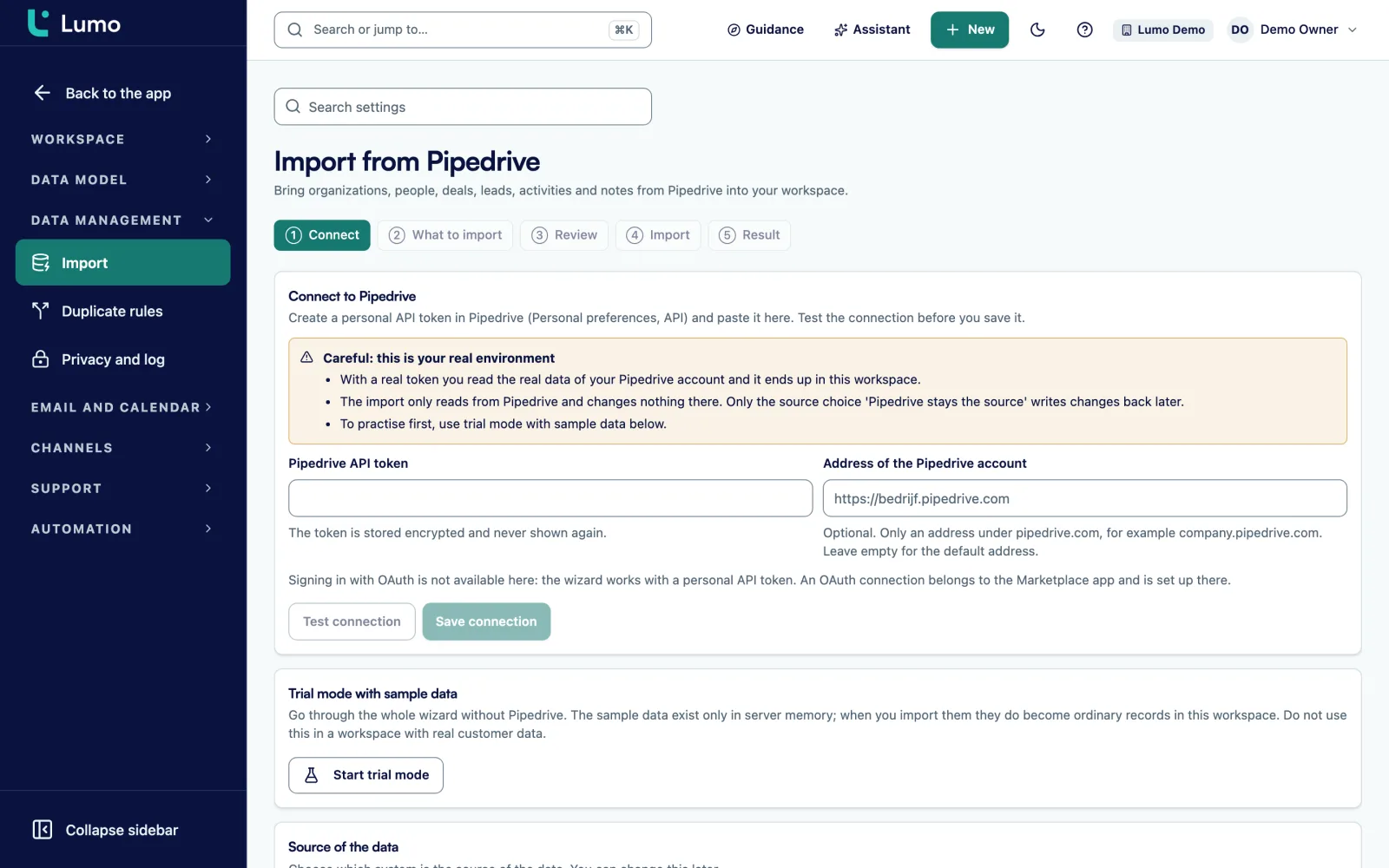
The wizard under Import from Pipedrive has six fixed steps. Only an owner or admin of the workspace can use it. Nothing is written until the Import step.
Create a personal API token in Pipedrive (Personal preferences, API) and paste it into the wizard. Test connection shows which company and user you are connected as. The token is stored encrypted and never shown again.
You see which record types come across, in a fixed order: owners first, then structure, then records. Here you also set whether deleted records are cleaned up, which country code applies to phone numbers without one, and how many records are read per request, between 1 and 500.
The trial run reads everything from Pipedrive and shows what would happen. Nothing is written, not in Lumo and not in Pipedrive. Run it as often as you like.
You see counts per type and a Risks block. It lists owners without a match, email addresses used by more than one person, fields without a definition and records that failed in the trial run. Fix something in Pipedrive and run the trial again.
The real import runs in the background, so you can close the page. A running import cannot be cancelled. If it is interrupted, choose Resume and it carries on where it stopped. What was already written stays and is not duplicated.
The screen Pipedrive against this workspace puts the counts side by side, with the difference per type. After that a change feed keeps the data up to date, backed by a check every fifteen minutes.
The wizard reads users, pipelines, stages, lost reasons, fields, labels, products, organizations, people, deals with their deal products, leads (archived ones too), activities and notes. Each gets a fixed place in Lumo.
Pipelines and stages stay pipelines and stages, and open deals end up on the same board in the same stage. Product lines keep quantity, price, discount and billing frequency, so the deal value adds up to the same total. Owners are matched by email address. If a workspace member has the same address as the Pipedrive user, the link is made automatically. There is no mapping table, so add your team to Lumo with the same address first.
Fields that appear on records but are missing from the Pipedrive field list are created as custom fields. Nothing gets lost, but they do show up as a risk in the review. In Lumo an email address belongs to one person. If the same address sits on two people, only the first one gets it and you review the rest in duplicate management.
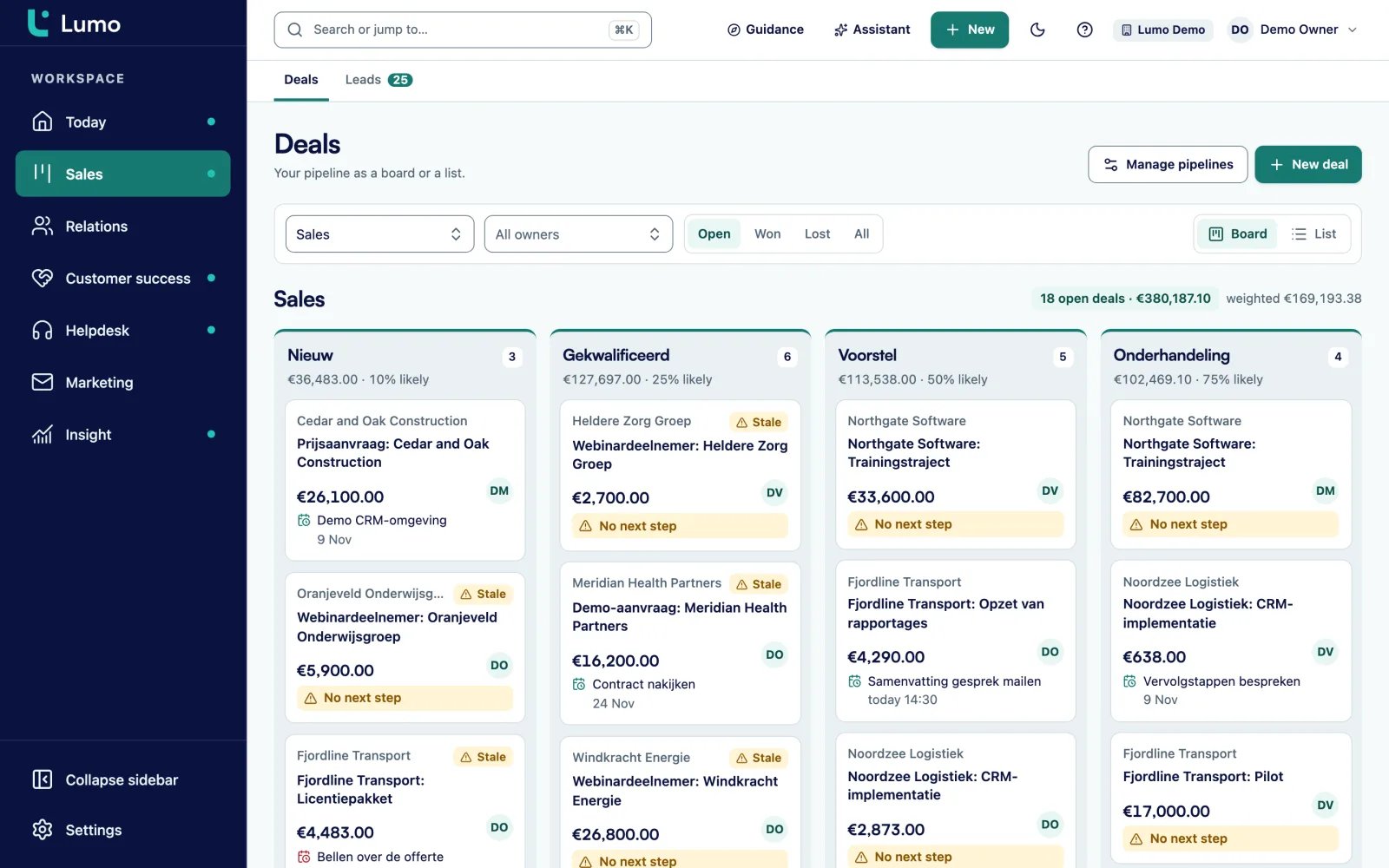
Under Source of the data you choose how you carry on. You can change it later.
Only here means the Lumo workspace is the source. Nothing goes back to Pipedrive. Choose this when you switch completely. Until the day you cancel Pipedrive, changes made there can still flow in, so the team can keep working during the last weeks.
Pipedrive stays the source is mirror mode. Changes in Pipedrive come in through the change feed and a check every fifteen minutes. Changes you make in Lumo to activities, notes, deals and leads go back to Pipedrive. Choose this when part of the team stays in Pipedrive, or when you want to run both for a few weeks before you decide.
You register the change feed once in Pipedrive with an address, user name and password that the wizard shows. The password is shown only once, so copy it straight away. In Pipedrive you select all events for all objects.
Every Pipedrive account that has run for a few years has duplicate people and organizations. The same customer under its legal name and its trading name, a contact entered twice because of a typo. You can clean that up in Pipedrive before the import, but it is often quicker to do it afterwards.
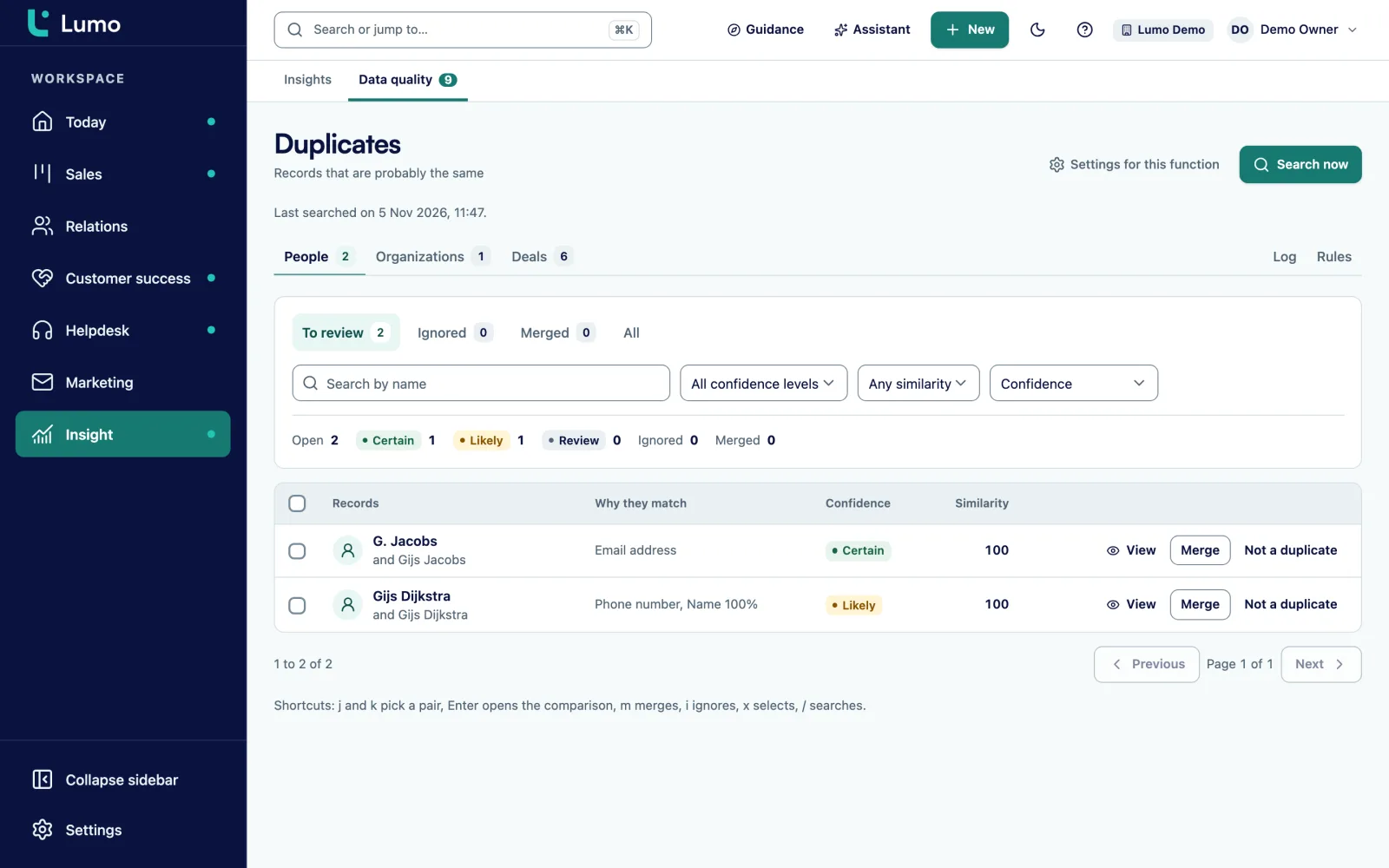
The result screen links to duplicate management. Pairs with a score are waiting under To review. You compare field by field, pick the winner per field and merge. All references move to the winner, the loser is soft deleted and every merge can be undone from the log. Auto merge per rule exists too, but it is off by default and needs an explicit acknowledgement.
Clean up before the team starts working in Lumo. A duplicate organization with deals on both sides is harder to untangle after a week than on day one. More on this under duplicate management.
The details that make the difference in a migration.
The trial run reads everything from Pipedrive and writes nothing. Run it again after every fix.
The import is idempotent. Running it again updates existing records instead of creating them twice.
An interrupted import shows the status Interrupted and carries on with Resume. A trial run you simply start again.
Owners without a match, duplicate email addresses, fields without a definition and failed records show up in the review before you import.
If you clean up deleted records, the import refuses to remove more than half unless you explicitly allow it.
After the import, changes keep flowing in through the change feed, with a check every fifteen minutes as a safety net.
One time, weekly, monthly, quarterly, every six months or yearly, with an optional number of cycles.
Walk through the whole wizard without a real Pipedrive. Useful to show the team what happens.
You can run the import on a Tuesday afternoon, but the team moves over at a fixed moment. This is a playbook we use a lot.
Take this as an example: a software reseller with 7 account executives, 4 SDRs and 3 people in support. Pipedrive holds two pipelines, New business and Renewals. Support runs in a separate helpdesk and the monthly product update goes out through a separate email tool.
In week one they add all 14 colleagues to Lumo with the same addresses as in Pipedrive. The first trial run shows two owners without a match. One left the company, so his deals get a new owner through a bulk action after the import. The other used a personal address in Pipedrive, which they change, and the second trial run comes back clean. The review also flags 28 email addresses shared by more than one person, mostly generic addresses like sales@ on several contacts.
In week two they import in mirror mode. The SDRs work in Lumo for a week while the account executives stay in Pipedrive. What the SDRs log as activities and notes is written back to Pipedrive, so nobody misses anything. Meanwhile the sales lead merges duplicate organizations in duplicate management.
In week three they switch to Only here. Support starts in the helpdesk and the product update moves to email campaigns. After that they turn off the old helpdesk and email tool. This is an illustration, not a customer case. Your order may well be different.
Go through this list before you start the real import.
After the import the real work starts. Deals move on the board in pipeline management, email comes in through the Gmail connection or your personal BCC address, and tickets run through the helpdesk. Other connections are listed under integrations.
If you would rather not do the switch yourself, Sales Surge does it. How that works is under CRM migration service, and setup and training under implementation and onboarding.
The wizard imports the types listed above. Files, Pipedrive automations and integrations with other tools do not come across by themselves. You rebuild automations in automations, and files you really need we move with you. Choosing a subset or a time window is not possible yet: the import reads everything, and you clean up what you do not want afterwards. Email does not come from Pipedrive but from your own mailbox. Gmail and Google Calendar sync today. The Outlook and Microsoft 365 connection is on the roadmap. Until then, Outlook users put their personal BCC address in Bcc or forward a message to it, and it lands on the right person, organization and deal.
It depends on what you are missing. If you miss nothing beyond sales, a better Pipedrive setup often helps more. If you want helpdesk, campaigns and quotes in the same system, Lumo is an option. See Lumo vs Pipedrive.
The trial run shows what comes across without writing anything. The result screen then puts the Pipedrive and Lumo counts side by side. The import only reads from Pipedrive and changes nothing there, except in mirror mode. Your Pipedrive account stays until you cancel it.
Yes. Running it again creates no duplicates. An interrupted import carries on with Resume.
Yes, with Pipedrive stays the source. Changes to activities, notes, deals and leads in Lumo are written back to Pipedrive, and changes in Pipedrive flow in.
By email address. If a workspace member has the same address as the Pipedrive user, the link is made automatically. Without a match the record gets no owner and shows up as a risk in the review.
Yes. Fields come across, and fields that appear on records without a definition are created as custom fields so nothing is lost.
Not from Pipedrive. Connect Gmail and email with known contacts from the last 90 days lands on the records. You can set that window between 1 and 3650 days. On Outlook you log email with the BCC address or by hand until the Microsoft 365 connection is there.
It depends on the number of records and on how many records per request you read. We only give a number after a trial run on your data. The import runs in the background, so you do not have to watch it.
Yes. We then run the trial runs, the import, the cleanup, the setup and the training. See CRM migration service.
In the demo we show the wizard and talk through what comes across for you and what does not. After that you can request a trial workspace and run a trial import yourself.