Talk through your integrations
Show us in the demo which systems you work with today. We will tell you what works now, what is on the roadmap and how we bridge the gap.
Lumo connects to Gmail and Google Calendar, brings your data over from Pipedrive and has a public API, webhooks and an MCP server for AI tools. Helpdesk, campaigns, forms and chat are already built in, so you do not have to connect them. This page lists everything that exists today, and what is on the roadmap.
Most B2B teams are not short of integrations. They have too many. The CRM talks to the helpdesk, the helpdesk to the email tool, the email tool to the forms on the website, and somewhere in between an automation platform ties it all together.
A familiar story: a prospect fills in a form on Tuesday. The connection to the CRM breaks that week because someone renamed a field. Nobody notices until the prospect calls ten days later to ask why nobody replied. Or a customer unsubscribes from the newsletter, the unsubscribe never makes it back to the CRM, and a month later the account manager adds them to another campaign.
Every integration is a place where data can get stuck, arrive twice or lose its meaning. That is why the parts that break most often live inside Lumo. Web forms, email campaigns, the helpdesk and live chat write straight to the same people and organizations. An unsubscribe applies to the whole workspace at once. A form submission creates a lead at once.
What remains are the connections to the outside. Your mailbox and calendar, because that is where your conversations are. Pipedrive, because many teams come from there. And an API with webhooks for everything specific to you, such as an accounting package or your own customer portal.
If your team works in Outlook and Microsoft 365, keep reading. That connection is on the roadmap, and what already works today is below.
What works today, and what is on the roadmap.
| Topic | What it does | Status |
|---|---|---|
| Gmail | Email with known contacts on the record, sending from your own Gmail | Works today |
| Google Calendar | Two way, meetings with contacts become activities | Works today |
| Personal BCC address | Log email from any mail client, Outlook included | Works today |
| Outlook and Microsoft 365 | Email and calendar sync | On the roadmap |
| Pipedrive import | Wizard with trial run, delta sync and mirror mode | Works today |
| REST API | 49 routes for contacts, deals, leads and activities | Works today |
| Outgoing webhooks | Signed messages on events, with a delivery log | Works today |
| MCP server | 6 tools for AI assistants outside Lumo | Works today |
| Forms on your site | Standalone link or embedded, with signed webhooks out | Works today |
| Chat widget | A script on your site, conversations in Lumo | Works today |
| Facebook Lead Ads | Leads from ad forms into Lumo | Built, set up and tested together with you |
| Sender domain for campaigns | Verified with a DNS record | Works today |
| CSV | Export from any list | Export works today, import on the roadmap |
As of November 2026.
Each user connects their own Gmail under Gmail. Choose whether the email is visible only to you or to your team. To send from Lumo, choose Extend permissions.
Pick up to 10 calendars to read and one calendar where meetings from Lumo go. Synchronise now shows the result straight away.
Under My BCC address you create a personal address. Copy it right away, it is shown only once. Put it in Bcc or forward email to it.
For campaigns you add a DNS record to your domain. Then you can create sender identities with a reply to address.
Under API and integrations you create a key with the permissions it needs, or a webhook to your own system. You see the key and the secret only once.
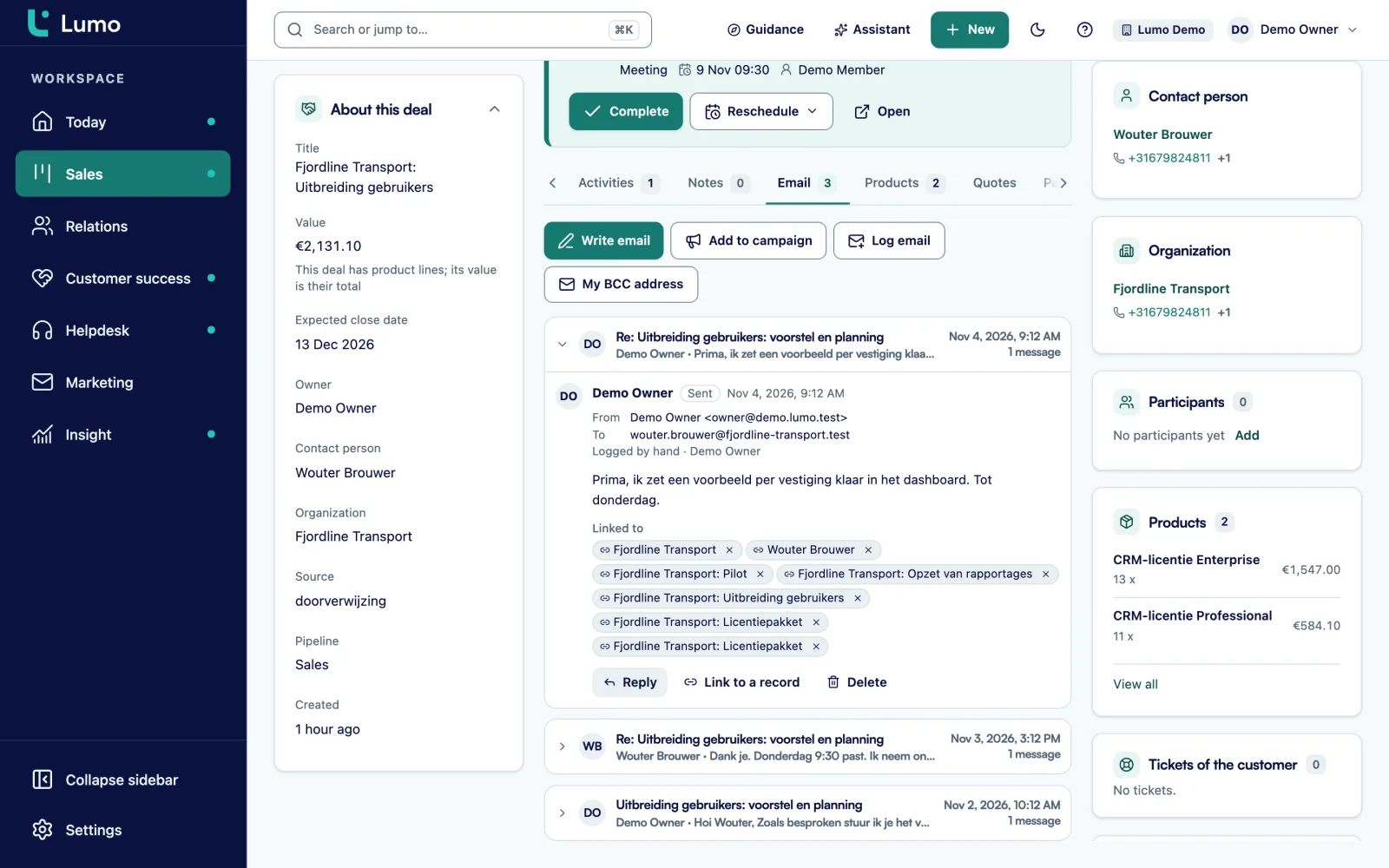
Lumo only stores email involving at least one known contact. For other email the body is never fetched. The first sync looks back 90 days by default, adjustable from 1 to 3650 days. Email is linked to the person, the organization and the deal automatically.
Per connection you choose visibility. Only me is the default: colleagues see nothing, not even on shared records. My team means colleagues see the email on the records it belongs to. A thread that does not belong in the CRM, you exclude. When you disconnect, you choose whether stored email stays or goes.
Sending happens from your own Gmail, so the message also sits in your sent items. A new email or a reply, with to, cc and bcc up to 20 recipients and a confirmation step. Variables like first name and organization are one click away. A campaign template can be reused for a one to one email, with tracking and the unsubscribe line stripped. Each user can send 30 emails per hour and 200 per day. More under email and Gmail.
The calendar connection runs both ways. A Google meeting with a known contact becomes a meeting in Lumo, linked to the person, the organization and the most recently updated deal, open deals first. Your own meetings and calls from Lumo go to a Google calendar you choose.
When both sides changed, the newest change wins. Lumo never sends invitations and never edits or deletes a Google event it did not create. Private events and focus time are skipped. Each user can connect up to 10 calendars.
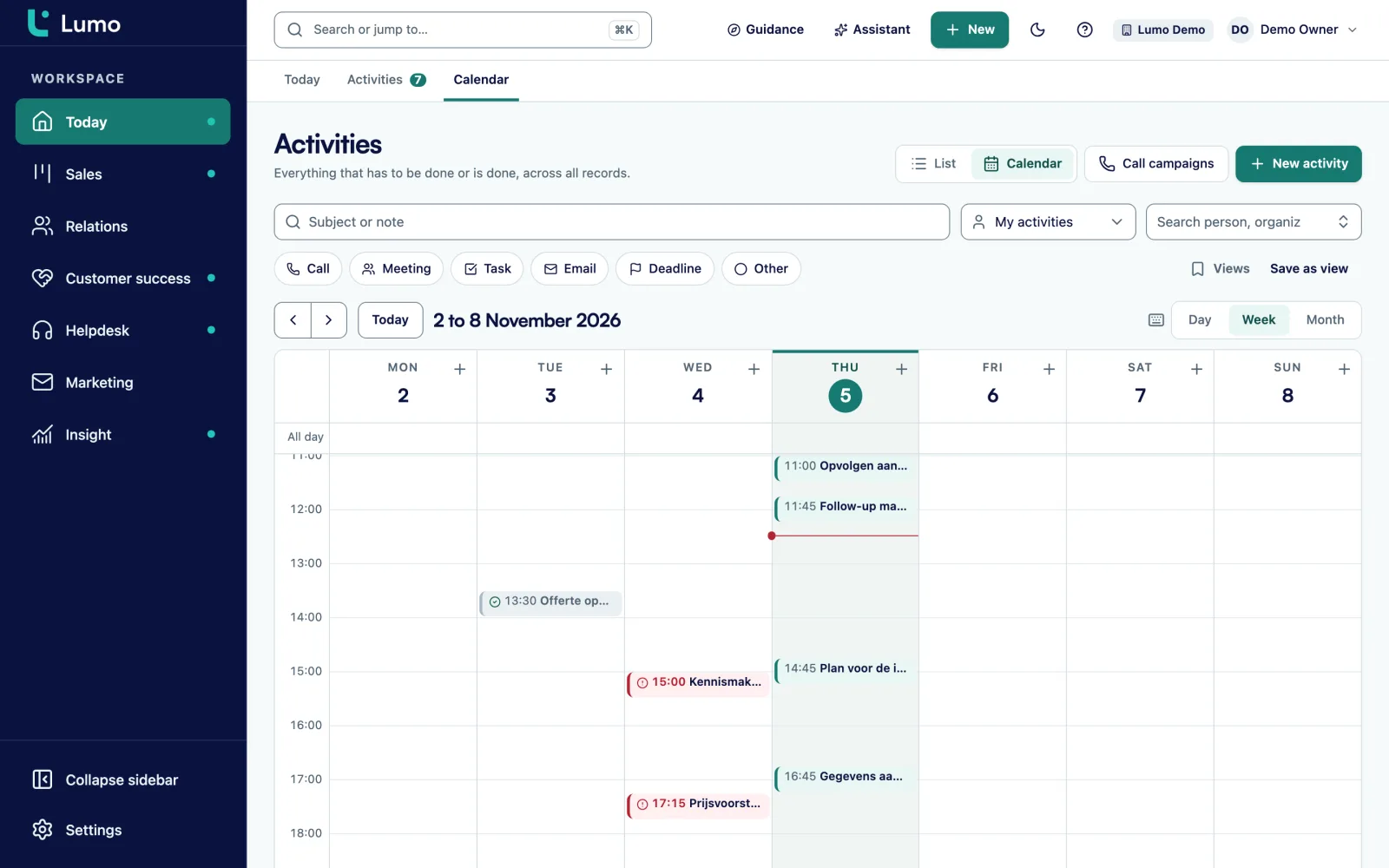
In the Lumo calendar you drag an activity to another day, or move it a day or a week with Alt and the arrow keys. Activities without a date stay in the list until you schedule them. More under activities and calendar.
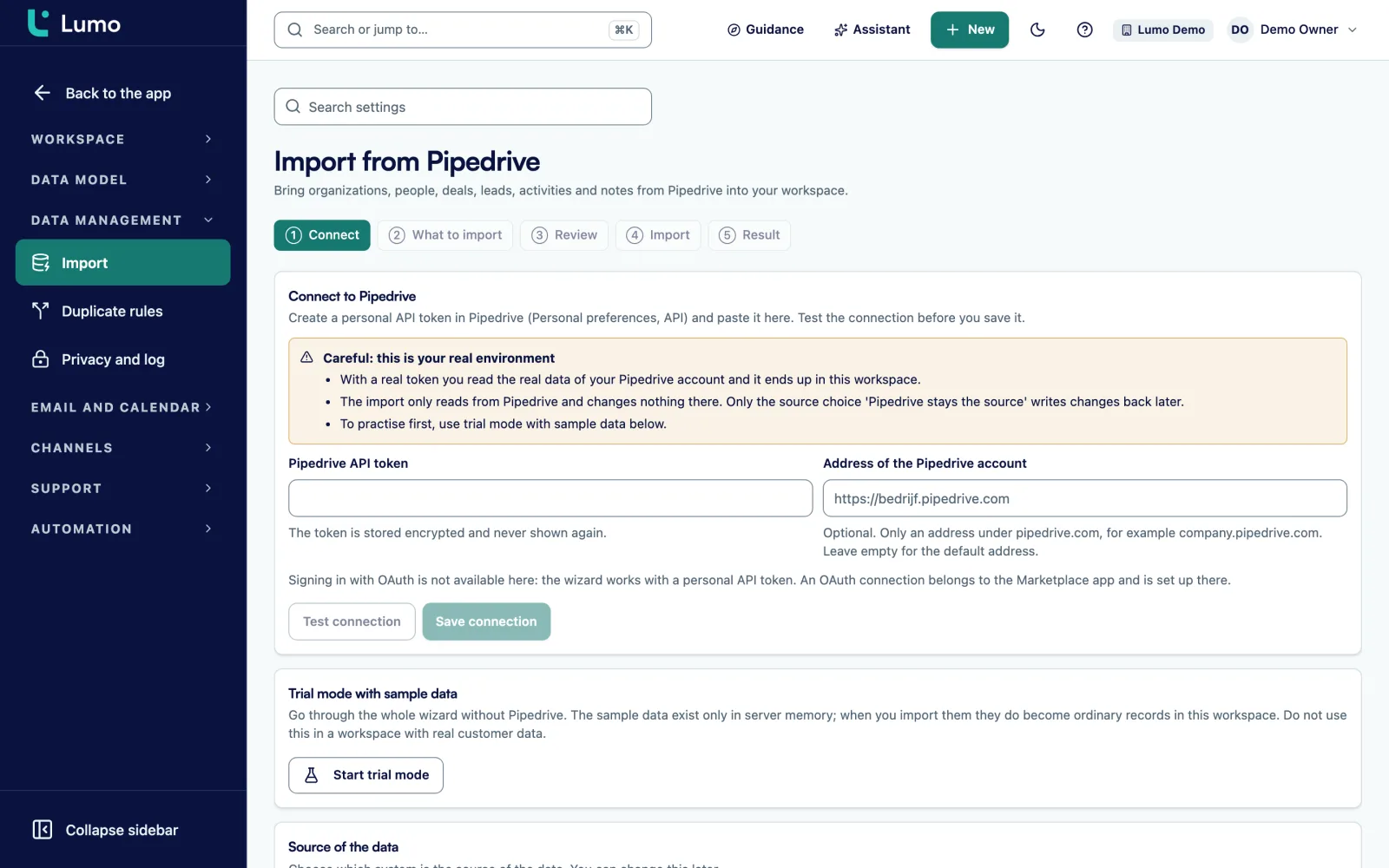
The import wizard brings users, pipelines, stages, lost reasons, fields, labels, products, organizations, people, deals with deal products, leads, activities and notes over from Pipedrive. First as a trial run that writes nothing, then for real. Running it again creates no duplicates, and an interrupted import can be resumed.
After the import a change feed keeps the data up to date, with a check every fifteen minutes. Choose Pipedrive stays the source and changes in Lumo to activities, notes, deals and leads are written back to Pipedrive too. That way part of the team can keep working in Pipedrive.
Only an owner or admin can start the import. The API token is stored encrypted and never shown again. The full playbook is under switch from Pipedrive.
Forms and chat live inside Lumo, so nothing needs to sit in between. You publish a form as a standalone link or embed it with one script. A submission finds or creates a person by email, creates a lead and records consent and source. Hidden fields fill from a URL parameter such as utm_source.
If you also want a submission in another system, the form sends a signed webhook, with retries on failure and a delivery log.
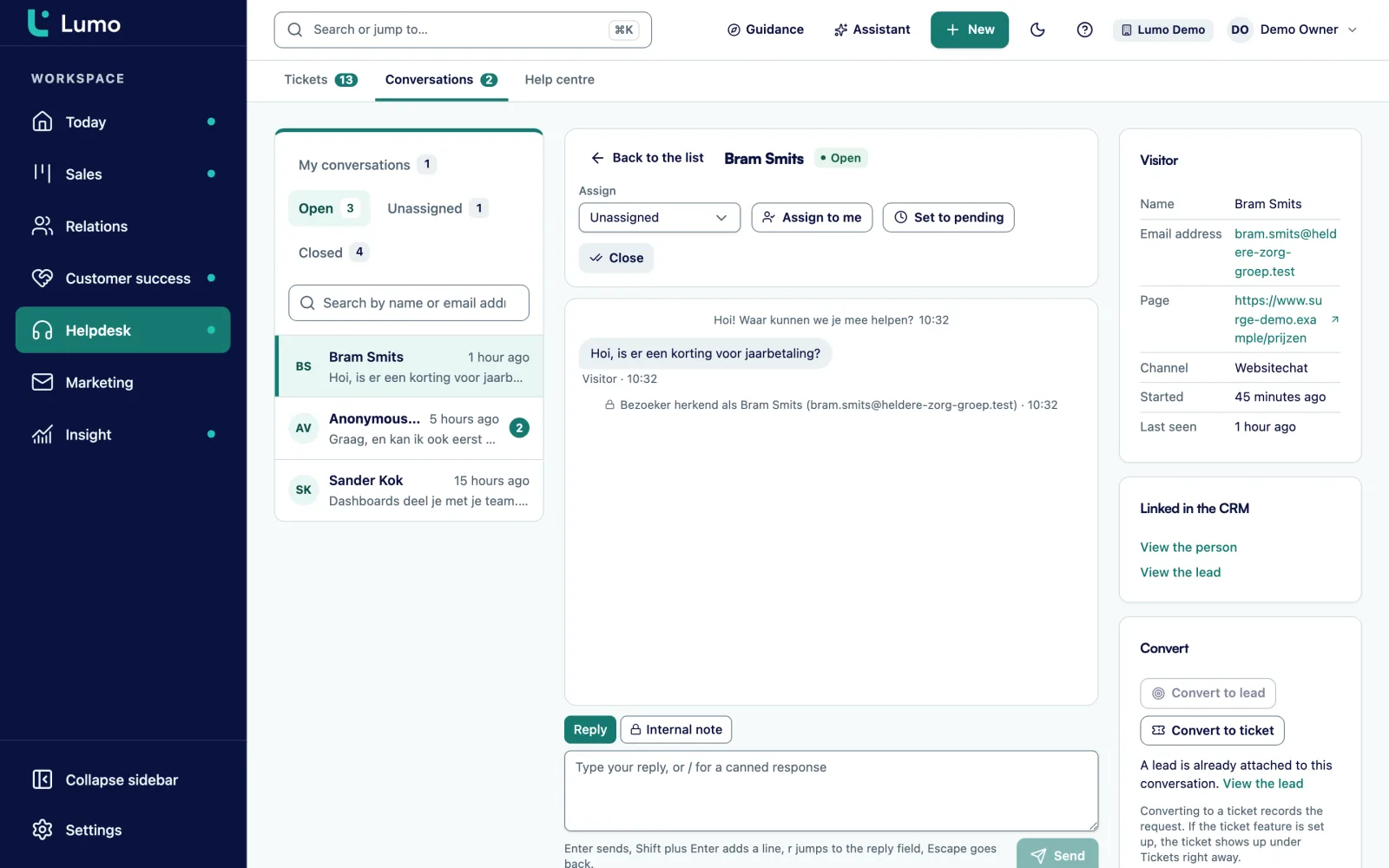
You add the chat widget to your site with a script. Per channel you set the allowed websites, a welcome message, opening hours with an offline message, colours and language. A visitor who leaves an email address becomes a person, a lead and an activity. A conversation can become a ticket.
For leads from Facebook ads there is a Facebook Lead Ads connection in forms. We set it up with you and test it with your own ad account before you rely on it.
For connections to your own systems. More detail under API and integrations.
Contacts, deals with pipelines and stages, leads, and activities with notes. With an openapi.json for your developer.
Per key read, write or both, plus Manage webhooks. A key can have an expiry date and you revoke it with one click.
600 requests per minute, 1 MiB per request and support for an Idempotency-Key, so a repeated request creates nothing twice.
Signed with a secret you can rotate, with a delivery log and a test send. Private and internal addresses are refused.
An AI tool outside Lumo can use an API key to search, get a person, list deals, create a person or lead and log an activity.
Export any list to CSV, and the submissions of a form too.
Runs on Google Gemini by default and can be switched to another provider. Off until an admin turns it on.
Many B2B teams work in Outlook, and those teams are welcome in Lumo. The Outlook and Microsoft 365 connection, for email and calendar, is on the roadmap. We do not give a date, because we only want to give one when it is there.
What works today? First the personal BCC address. Each user creates one. Put it in Bcc on an email to a customer, or forward a received email to it. The email then lands on the right person, organization and deal by itself, and does not become a ticket. It works with any mail client, including Outlook on your laptop or phone.
You can also log an email by hand, with direction, sender, recipient, subject, text and time. Useful for an important message you did not send through Bcc.
And the rest of Lumo does not depend on your mail client. Pipeline, quotes, helpdesk, campaigns, forms, chat and reports work the same whether you use Gmail or Outlook. Campaigns go out through your own sender domain, not through your mailbox. Activities you plan in the Lumo calendar itself.
Take this as an example: a software company with 8 people in sales and support. They use Gmail, have an accounting package for invoices and run their own customer portal where customers manage licences.
On day one everyone connects Gmail and Google Calendar. The account managers choose My team as visibility, so colleagues see the email on a customer. Support chooses Only me, because personal conversations sometimes slip in.
On day two the marketer sets up the campaign sender domain with a DNS record at the domain host. The newsletter form on the site is replaced by a Lumo form with double opt-in.
On day three the developer creates an API key with only the Read deals permission, plus a webhook to the customer portal. When a deal changes, the portal receives a signed message, and the developer checks the secret before acting on it. The delivery log shows whether each message arrived or failed.
For the accounting package there is no standard integration. They build one with an automation platform that calls the API and listens to the webhooks. Sales Surge is a certified Make.com partner and builds integrations like this for customers too.
One account manager uses Outlook on his phone. He sets his BCC address as a standard Bcc, so his email still lands on the right deal. This is an illustration, not a customer case.
The technical details of keys, webhooks and the MCP server are under API and integrations. How email works is under email and Gmail, and the calendar under activities and calendar. Coming from Pipedrive? The playbook is under switch from Pipedrive. If you want integrations built for you, see implementation and onboarding.
Gmail and Google Calendar sync today. The Outlook and Microsoft 365 connection is on the roadmap, and until then the BCC address works with any mail client. There is no ready made Zapier or Make app yet and no OAuth connection for third party apps. You connect an automation platform to the API and webhooks. Tickets and campaigns are not in the public API yet. Phone numbers are plain tel links, with no phone system integration. There is no WhatsApp and no SSO. A CSV import is on the roadmap, export already works.
The Outlook and Microsoft 365 connection is on the roadmap. Today you put your personal BCC address in Bcc or forward an email, and it lands on the right person, organization and deal. Everything else works independently of your mail client.
Only email involving at least one known contact. For other email the body is never fetched. By default only you see your email, unless you make it visible to your team.
No. Lumo never sends invitations and never edits or deletes a Google event it did not create.
There is no ready made app yet. You connect an automation platform to the REST API and the webhooks. Sales Surge is a certified Make.com partner and can build that connection.
An AI tool outside Lumo can use an API key to search, get a person, list deals, create a person or lead and log an activity. See API and integrations.
Not with a wizard. From HubSpot, spreadsheets and other systems Sales Surge loads your data by hand. See CRM migration service.
There is no standard one. With the webhooks and the API you can build one, yourself or with help from Sales Surge.
Phone numbers are clickable tel links, so you call with whatever app your computer uses for that. Logging or recording calls through a phone system is not possible.
Each key has its own scopes and can get an expiry date. There is a limit of 600 requests per minute. Webhooks are signed and private addresses are refused.
Show us in the demo which systems you work with today. We will tell you what works now, what is on the roadmap and how we bridge the gap.