See an inquiry go from form to lead
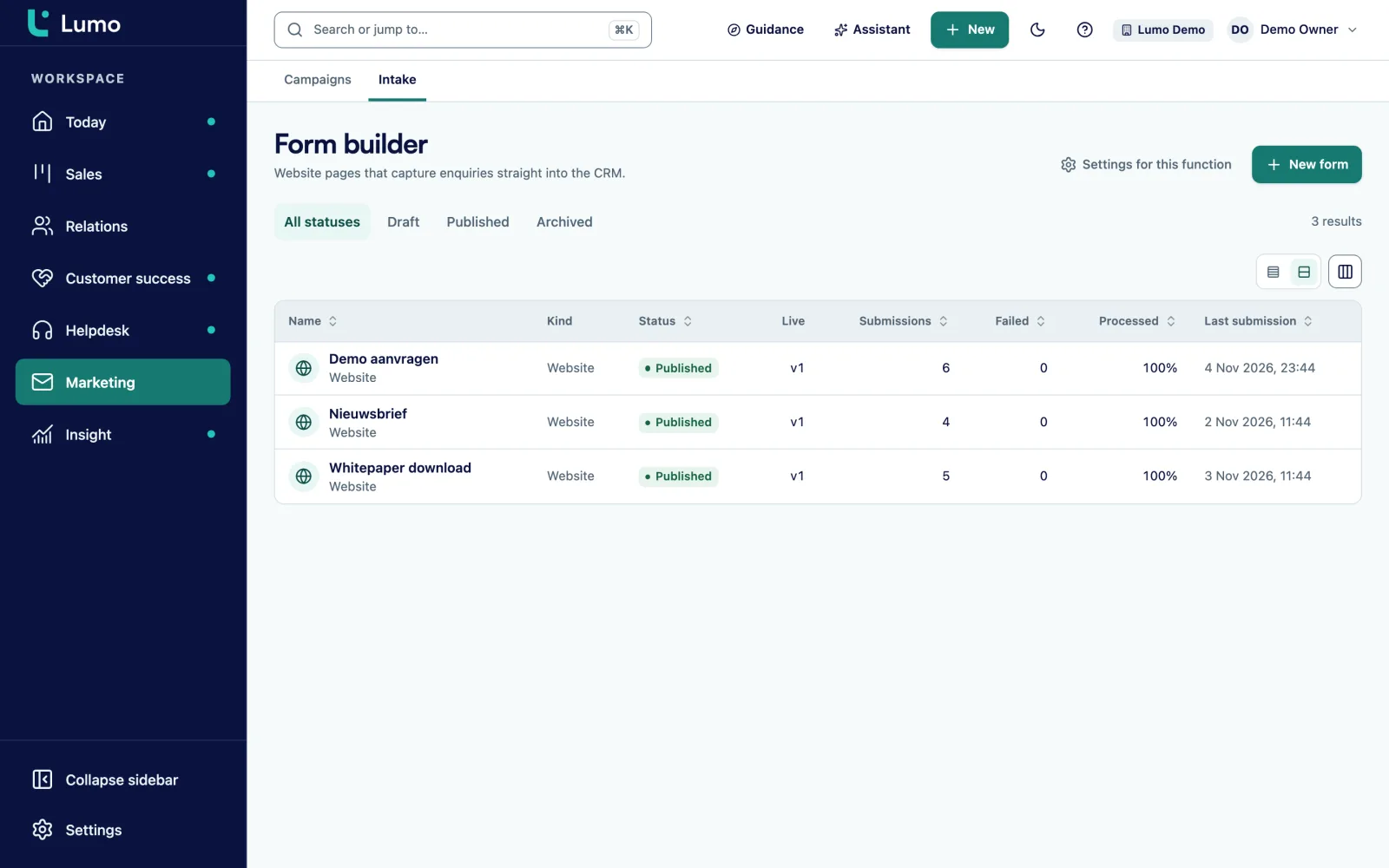
In the demo we build a form, publish it and fill it in, so you see exactly how the lead arrives in Lumo.
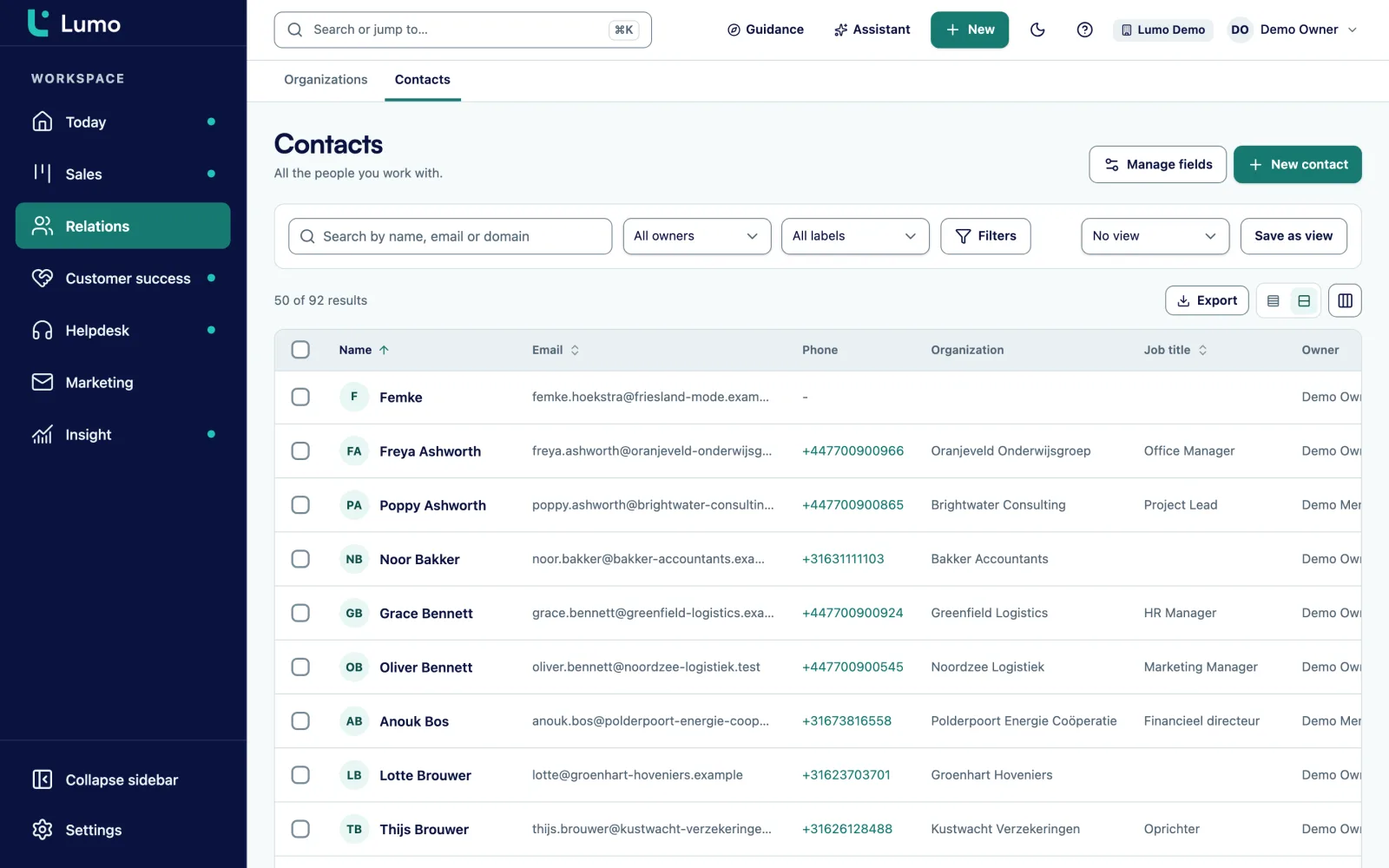
You build the form in Lumo and place it on your own site or share a link. Every submission finds or creates the person by email, creates a lead and records the source and consent. Nobody retypes anything from an inbox again.
On most websites an inquiry works like this. Someone fills in the contact form. The form sends an email to info@. That inbox is read by whoever has time that day. They copy the name and company into the CRM, forward the email to a rep, or forget because it is Friday afternoon. Two weeks later the visitor wonders why nobody got back to them.
More goes wrong along the way. The source is lost, so nobody knows whether the inquiry came from an ad, a newsletter or search. The newsletter tick box sits in the email but not on the person in the CRM. A known customer who fills in the form arrives as a new person, which creates a duplicate. And when marketing adds a field to the form, it goes nowhere because nobody created it in the CRM.
So the real work is not the form. It is what happens after submit. That step has to be fixed, every time, without anyone retyping.
In Lumo that is the core of a form. You map every field to a field in the CRM. For every submission Lumo finds the person by email or creates them, and creates a lead with the source attached. A consent field records consent on the person, with double opt-in for anonymous visitors. A form with a required CRM field that is not mapped cannot be published. Marketing can change the form without leaving sales with gaps in the data.
How to follow up quickly and consistently afterwards is covered in the guide lead follow-up.
The form builder has seven tabs. A form is Draft, Published or Archived.
Add fields: text, email, phone, number, date, choice, multi-choice, checkbox, consent or hidden. Split them over steps if the form is long.
Map each field to a field on the person or the lead in Lumo, including your own custom fields. Required CRM fields must be mapped.
Show a field only when an earlier answer calls for it. For example, ask for the number of sites only when someone picks more than one site.
Set what the visitor sees after submitting.
Lumo checks the draft. If everything is in order it says ready to publish and you save and publish. Then version 1 is live, with the link and the embed code.
View every submission with status processed or failed, export them as CSV and forward them to other systems with an outgoing webhook.
This is what a submission does in Lumo, every time. Lumo looks up the person by email. If they exist, the submission lands on that person. If not, Lumo creates them. Then Lumo creates a lead, with the source and consent attached. A known customer sending a second inquiry does not come in as a new record.
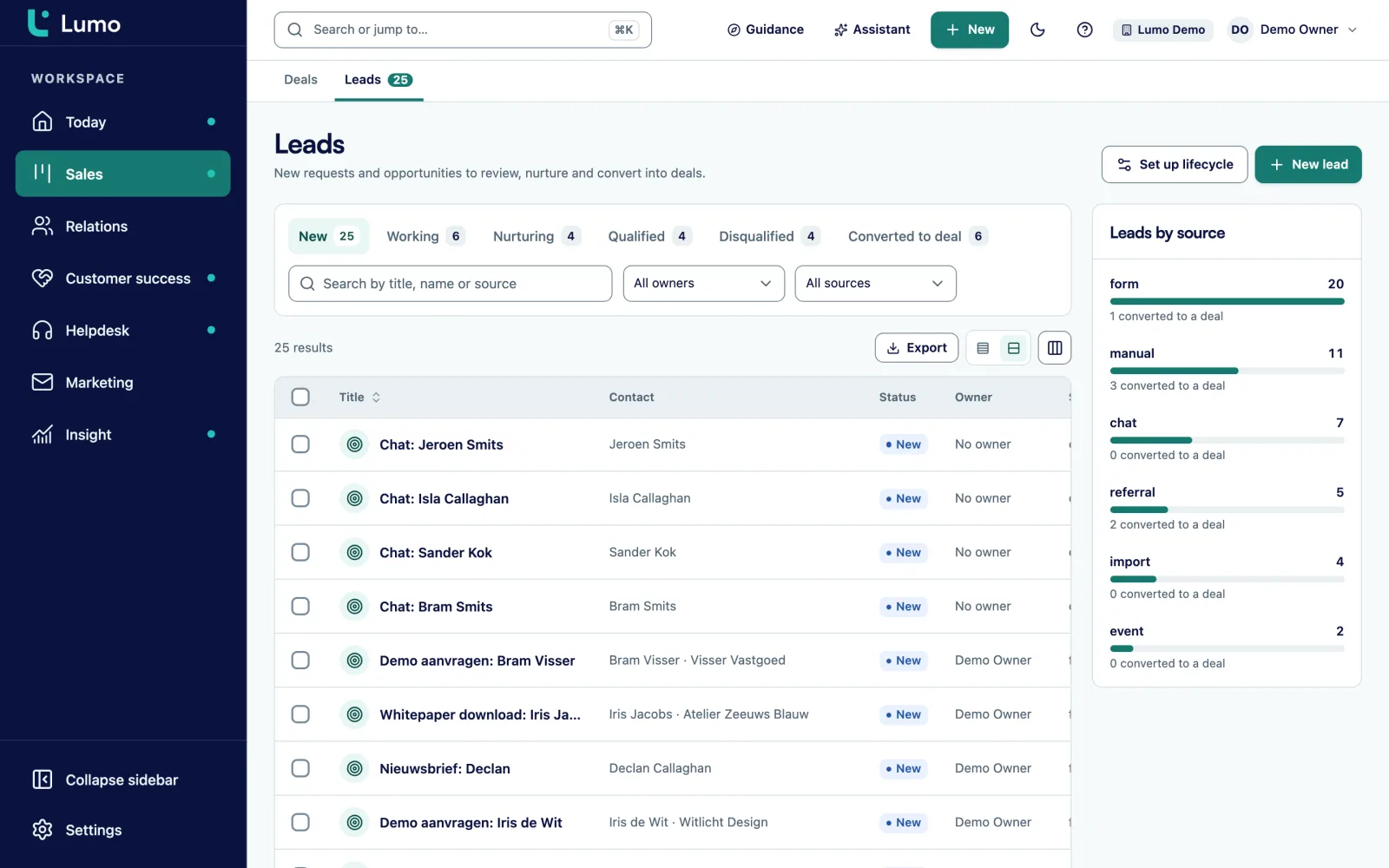
The lead appears in the lead list as New. A rep picks it up and moves it to Working, Nurturing, Qualified or Disqualified. Once qualified you convert it to a deal, exactly once. Leads have a source and a source detail, so you see which form produced the inquiry.
Hidden fields capture extra context without the visitor seeing anything. A hidden field can take its value from a URL parameter, such as utm_source or utm_campaign. Without a parameter a fixed value you choose applies. So every lead tells you whether it came from an ad, a newsletter or a partner page.
A consent field is its own field type. When the visitor ticks it, Lumo records consent on the person. Your email campaigns look at that when they decide who gets a marketing email.
One rule matters most. An anonymous submission never switches consent on by itself. Lumo first emails a confirmation link. Only when the visitor clicks it does consent switch on. That is double opt-in, and it stops someone from signing up another person's address.
Such a request stays pending until it is confirmed. The confirmation email goes out once email sending is set up for your workspace, which we arrange together at the start. On top of that Lumo protects every form against bots with an invisible honeypot field and a check on how fast the form was filled in. A bot that fills everything in half a second does not get through.
A form always has a draft and a live version. You work in the draft and visitors only see changes after you publish. Lumo shows when there are changes that are not live yet.
When you publish, the server checks the draft. If a required CRM field is not mapped to the form, publishing is refused, with an explanation and a button to the part you need to fix. The draft is still saved.
Every publish creates a new version. Under versions you see all of them and can roll back to any one. That version goes live again. If it contains a CRM field that has since been removed, Lumo refuses the rollback and says why.
You put the form online in two ways: as a standalone page with its own link and no login, or embedded in your own site with a snippet of code. An archived form is no longer reachable for visitors, and you can restore it.
Text, email, phone, number, date, choice, multi-choice, checkbox, consent and hidden.
Split a long form into steps with their own title, such as About you and About your company.
Show a field only when an earlier answer calls for it. Hidden fields have no condition.
Every field goes to a field on the person or the lead, including your own custom fields.
Consent only switches on after a click on the confirmation link in the email.
Every publish is a version. You can roll back to any earlier one.
Signed webhooks per submission, with retries and a log of every delivery. More under API and integrations.
Export the submissions of a form as CSV for your own analysis.
This is a made-up example to show the flow, not a customer case.
Say a B2B software company with eight sales reps gets demo requests through its website. Until now they arrived by email at sales@, and someone added them to the CRM by hand. In busy weeks requests sat for days.
The marketer builds a form in Lumo with two steps. Step one is About you: name, work email, phone and company. Step two is About your team: team size (choice), current tool (text), preferred demo date (date) and a consent field for the product newsletter. A condition shows an extra question about the number of regions only when someone picks a team size above fifty. A hidden field reads utm_campaign from the URL, so every lead shows which ad produced it.
Under mapping, name and email go to the person, company to a lead field, and team size and current tool to two custom fields on the lead. When she publishes, Lumo refuses at first because the required field for country is not mapped. She adds a choice field for country, maps it and publishes version 1. The form goes on the demo page, embedded.
Now every request lands as a New lead in the lead list, with source and campaign. An automation assigns the lead to the rep for that country and creates a call activity for the same day. Nobody retypes anything.
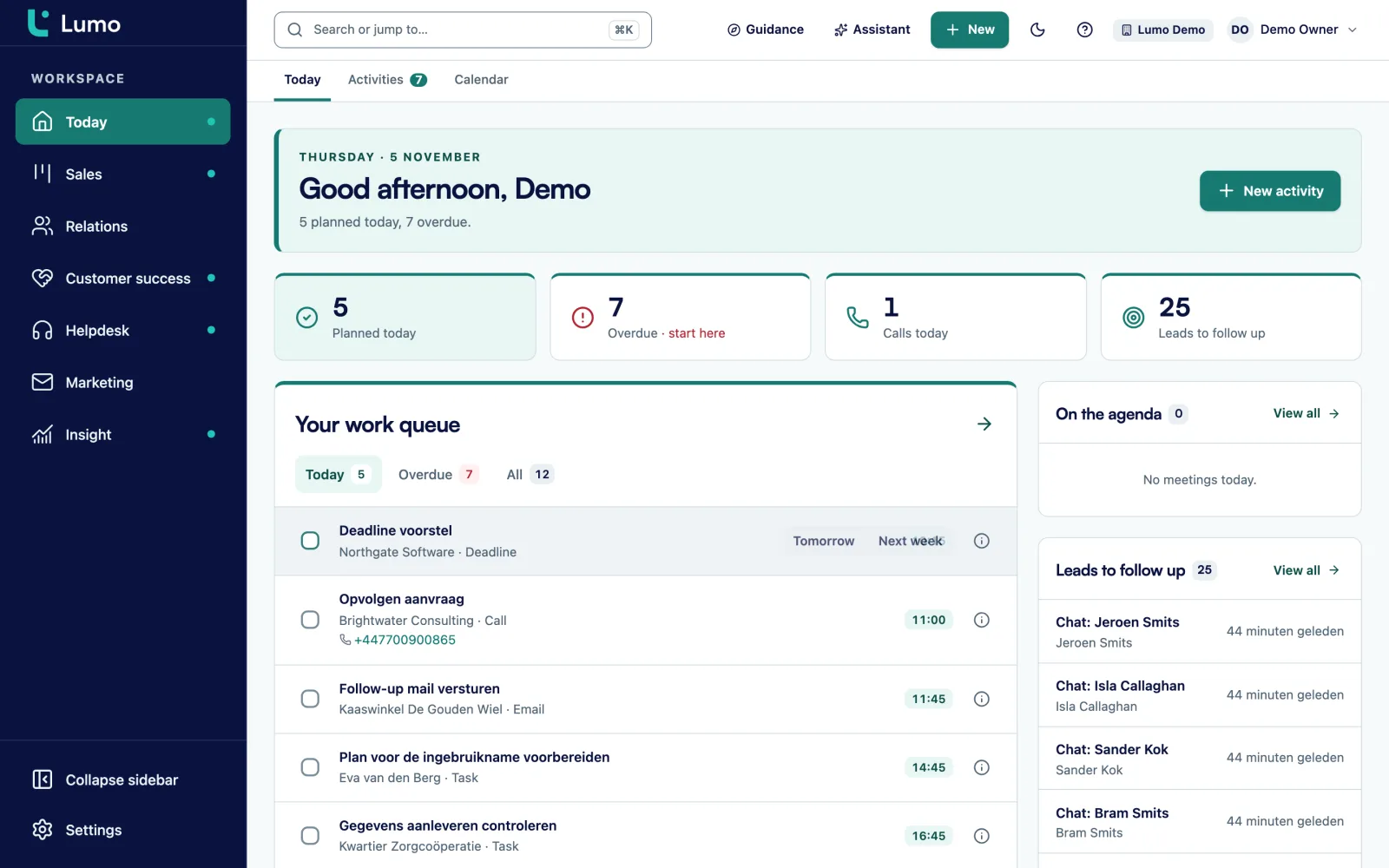
A form is the start of the route. The submission becomes a lead you qualify and convert into a deal in your pipeline. The person lands in contact management with consent recorded. Your email campaigns use that consent to decide who gets an email.
With automations you decide what happens next: assign an owner, add a label or create an activity as soon as a lead comes in. If a submission also has to reach another system, forward it with an outgoing webhook, or fetch the lead through the public API.
The double opt-in confirmation email goes out once email sending is set up for your workspace. We arrange that at the start. Until then consent requests stay pending, while the lead itself comes in as usual.
The forms are made for inquiries, sign-ups and contact requests. There is no file upload field, and you cannot take payments with them. If a customer needs to send something, ask them in the thank-you text to email it to the rep. When the rep replies with their personal BCC address in Bcc, the whole thread lands on the right person.
There is also a connection with Meta Lead Ads, so leads from Facebook ads arrive in Lumo. It has not yet been tried with a live ad account. If you want to use it, we set it up together in the demo and test it on your account.
After publishing you get a link to a standalone form page and a snippet of code to embed the form in your own site. That works in any website system where you can paste code.
Lumo looks up the person by email. If they exist, the submission lands on that person and no duplicate is created. A new lead is created.
Yes. Every lead has a source and a source detail. Hidden fields also capture utm_source or utm_campaign from the URL.
An anonymous submission does not switch consent on by itself. Lumo emails a confirmation link and consent only applies after the click. Until then the request is pending.
Yes. Split the fields over steps with their own title, and use conditions to show fields only when an earlier answer calls for it.
Roll back to an earlier version under versions. It goes live again right away.
With an invisible honeypot field that bots fill in and people never see, and a check on how fast the form was completed.
Yes, with outgoing webhooks. They are signed, retry on failure and keep a log of every delivery.
No, there is no upload field. Ask them in the thank-you text to send the file by email.
In the demo we build a form, publish it and fill it in, so you see exactly how the lead arrives in Lumo.