Talk to us about your implementation
Tell us how you work today and where it hurts. We will show you what the phases look like for you.
A CRM only works when it fits how you sell and support customers, and when the team actually uses it. Sales Surge, the company behind Lumo, sets it up, moves your data and trains your team on your own data. In fixed phases, with a delivery per phase.
The software is rarely the problem. CRM projects go wrong in three other places.
The first is design. In week one a team puts twenty fields on the deal because everyone wants to know something. Three months later nobody fills them in. The stages on the board describe what the rep does instead of what the customer has decided, so the forecast means nothing. And support, marketing and sales each have their own idea of what a "customer" is.
The second is data. What comes out of the old system is rarely as clean as everyone thought. Duplicate organizations, owners who left long ago, contacts with no known origin.
The third is adoption. A system with every feature switched on is no use if people cannot work with it. A team that falls back on a spreadsheet in week two rarely finds its way back on its own.
Sales Surge has delivered more than 150 CRM implementations, in Pipedrive, HubSpot and Zoho. We are a Pipedrive Platinum Partner and one of the top 8 Pipedrive partners worldwide since July 2026. That experience shapes how we set up Lumo. And because we build Lumo ourselves, we know exactly what it can and cannot do, and we tell you up front.
Outsourcing an implementation does not mean giving up control. You decide on the process, we translate it into the system and show you what is in place at every phase. If you want to write your own plan first, read a CRM implementation plan.
Five fixed phases. You get a delivery per phase, not one big delivery at the end.
A conversation about your current situation, goals, systems and who struggles with what. Not a three page questionnaire.
The full design in 25 fixed parts: baseline, pipelines, system landscape and data flows, integrations, fields, automation, dashboards and KPIs, access, compliance, migration, goals and an implementation plan. On a board you can read yourself, with a feedback space per department.
Setup, integrations, migration and testing. With deliveries per phase, so you see what is in place before the next part starts.
Walkthroughs on your own data, not on a demo workspace. Per role, so an account manager learns something different from a support agent.
A hypercare period in which we pick up questions and make small changes. After that, optionally a retainer with one fixed contact.
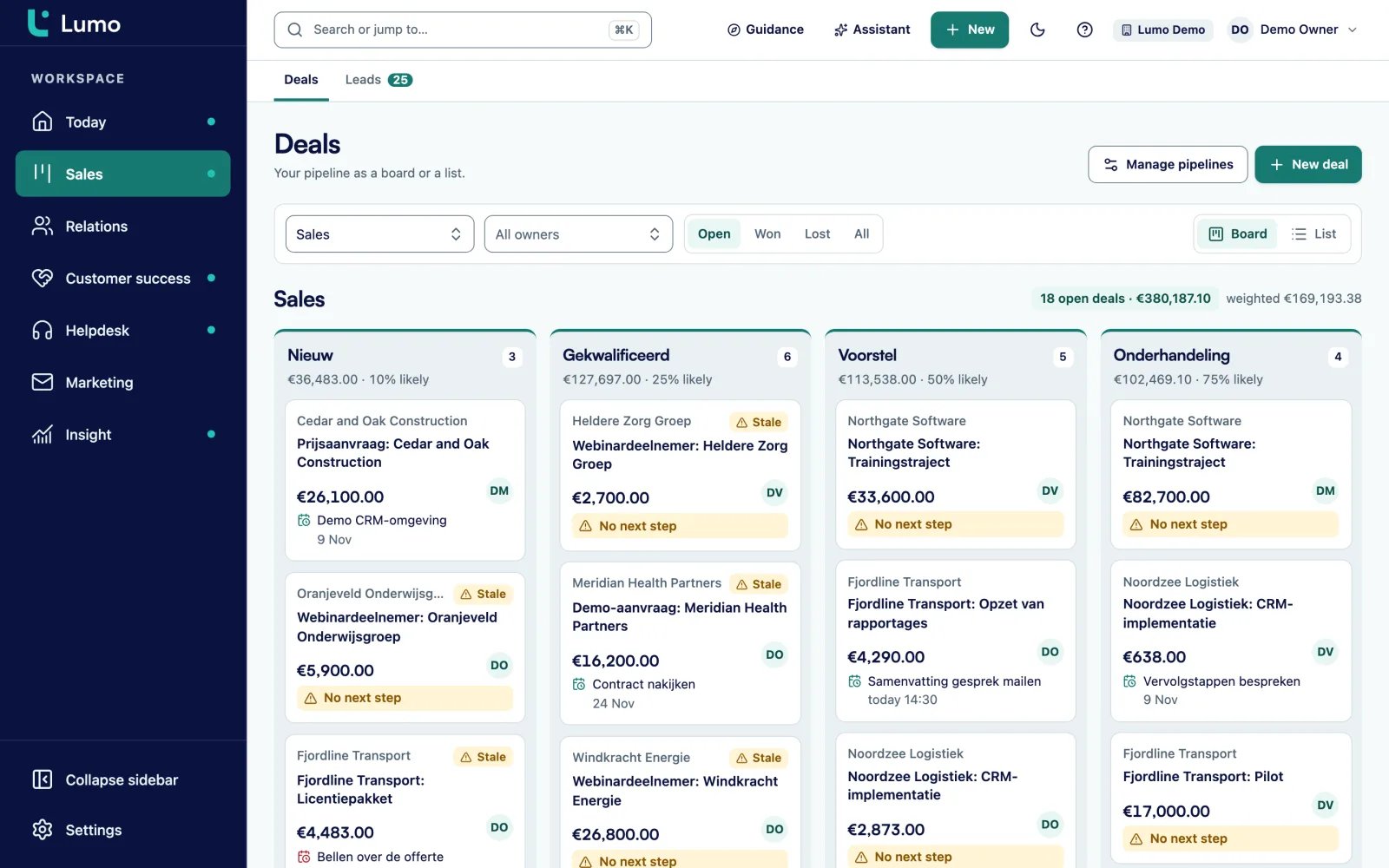
We start with the pipeline, because that is where most things go wrong. Each stage gets an exit criterion: what must be true before a deal moves on. Each stage gets a win probability and a setting for after how many days a deal counts as stalled. The board then shows count, value and weighted value per stage, plus a warning on deals that sit too long.
We keep fields few. Each field gets the right type, such as select, monetary, date or user, and only what must always be filled in becomes required. Lost reasons and the product catalogue go into settings, with billing frequencies for recurring products.
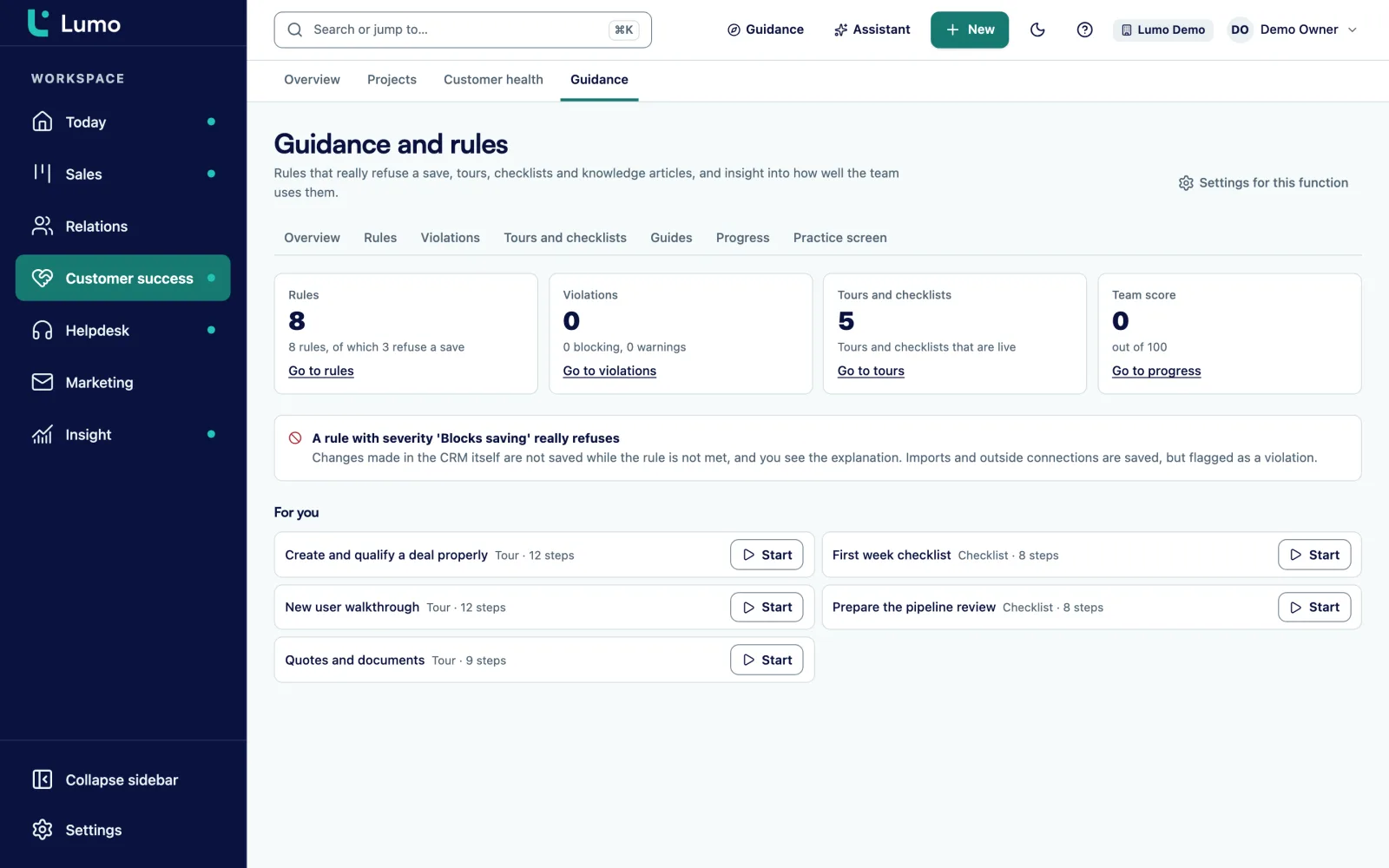
Then come the rules. Under Guidance and rules we add data quality rules with the severity tip, warn or block. There are 8 default deal rules you can install. In automations we build the steps that are now done by hand, such as a task for the owner when a deal stalls or assigning an owner to a new lead.
Each user connects their own Gmail. Only email involving known contacts is stored, 90 days back by default, and per connection you choose private or visible to the team. Anyone who wants to send from Lumo grants Google one extra permission with Extend permissions. Google Calendar syncs both ways.
If your team works in Outlook, we set up the personal BCC address. It works with any mail client: put it in Bcc or forward a message to it, and it lands on the right person, organization and deal. The Outlook and Microsoft 365 connection is on the roadmap.
For campaigns we verify your sender domain with a DNS record and set up sender identities with a reply to address. Require explicit consent is on by default. We turn your existing mailings into HTML templates with the mandatory unsubscribe link.
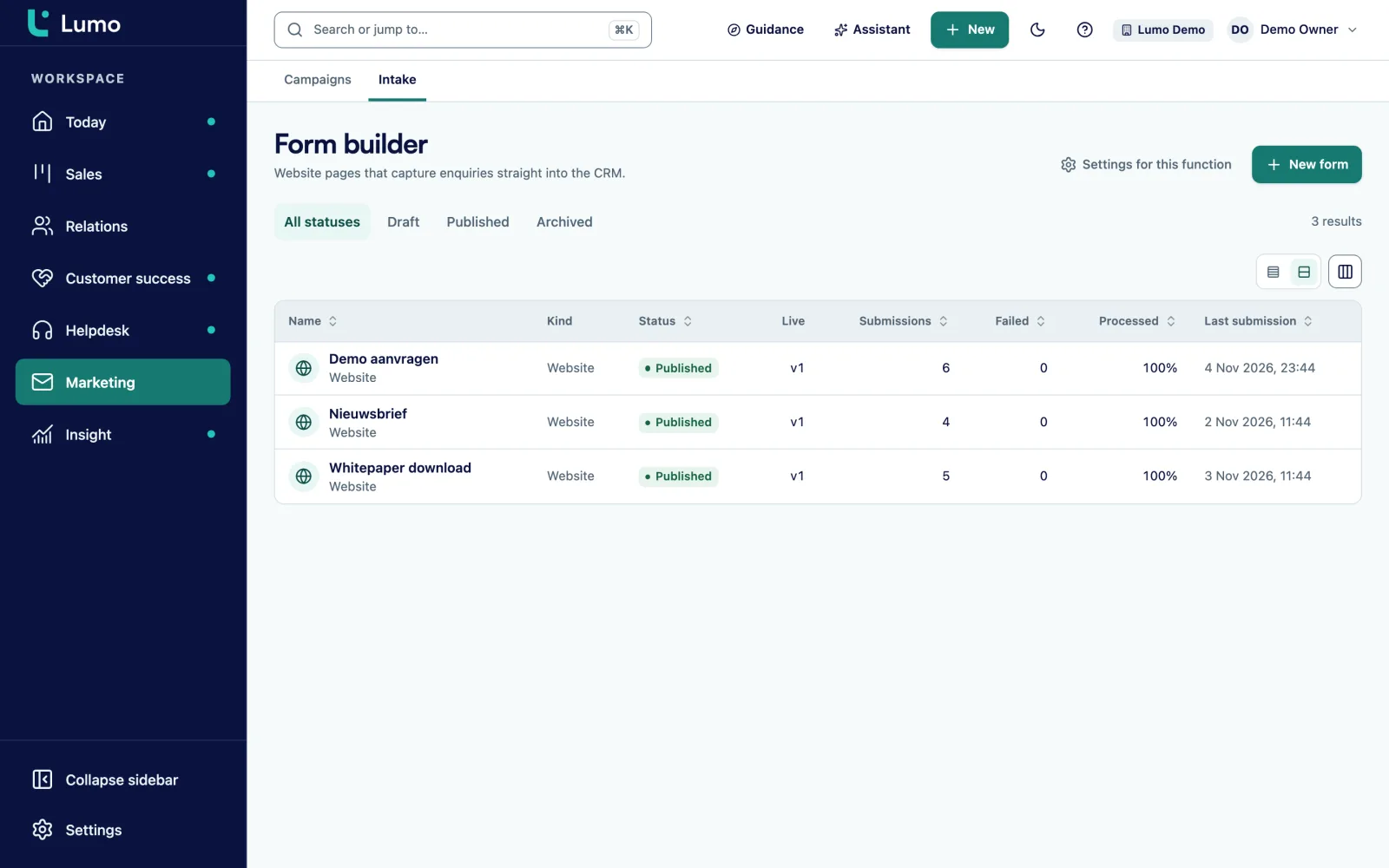
Forms we build in web forms, mapped to CRM fields, with hidden fields for your campaign sources and double opt-in for sign ups.
If you use the helpdesk, we set up ticket statuses, assignment, macros and SLA targets. Per priority a target for first response and for resolution, with business hours and holidays, and a warning at 75 percent. After a ticket is solved a satisfaction survey goes out. The customer portal and knowledge base we prepare if you want to use them.
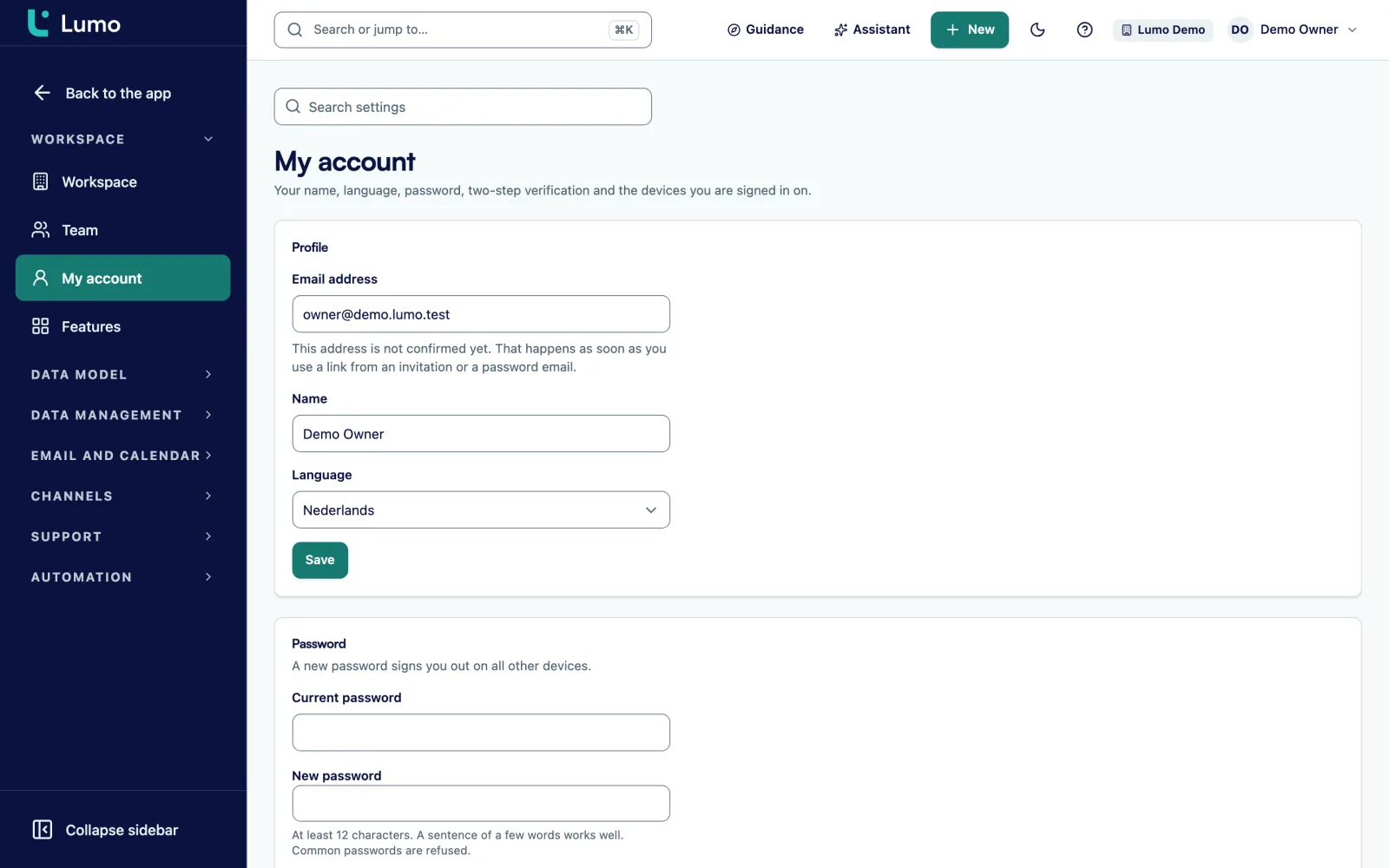
We also handle administration. Everyone gets a role: owner, admin, member or viewer. Two factor authentication can be made mandatory for admins. Per workspace we switch on the parts you use, out of 14 modules, so the menu is no fuller than needed. The AI assistant is off by default and only goes on when an admin decides so.
We go through the privacy settings with you as well: retention periods, the request register and the audit log under Privacy and log. Data is stored in London, in the United Kingdom. More under security and privacy.
From baseline to implementation plan, on a board you read yourself, with feedback per department.
From Pipedrive with the import wizard and a trial run, from other systems by hand. See CRM migration service.
Merge duplicate people and organizations in duplicate management, with a log and undo.
Reports as KPI, funnel, bars or table, with goal lines, shared with the team or private.
Tours and checklists in the product, and Markdown guides on how your team works, assigned per person.
Sales, service, marketing and admins each separately, on your own data.
A period after delivery in which we pick up questions and make small changes.
Progress on tours and checklists and an adoption score, so you see who is not using the system yet.
Take this as an example: a packaging distributor with 12 account managers, an inside sales team of 5 and customer service of 3. Today they use an outdated CRM, spreadsheets and a shared inbox for service requests.
In the intake it turns out the leadership team mostly wants one thing: to know what will close in the next three months. The account managers want to fill in less. Customer service wants requests to stop disappearing into a shared inbox.
The blueprint sets two pipelines, New customers and Existing customers, with five stages each and an exit criterion per stage. The deal gets six fields, two of them required. Inside sales gets an automation that creates a task when a deal has not moved for ten days. Customer service moves to the helpdesk, with an SLA target of four business hours for first response on high priority.
The build starts with the pipeline, then the migration, then the helpdesk. After each phase the sales manager reviews. At handover, account managers, inside sales and customer service each get half a day of training on their own customers. In the weeks after, the adoption score shows two account managers have not finished the tour. They get a short conversation, not an email.
A dashboard with weighted value per stage and the stalled deals gives leadership the overview the project started with. This is an illustration, not a customer case. Your choices will look different.
The migration itself is covered under CRM migration service, and the playbook for a move from Pipedrive under switch from Pipedrive. How to keep the team using the system is in increase CRM adoption and under CRM adoption and guidance. Who Sales Surge is, you can read under about. Which connections exist is under integrations.
An implementation sets up Lumo as it is today. There is no mobile app, no SSO and no phone system integration. Gmail and Google Calendar sync, the Outlook and Microsoft 365 connection is on the roadmap, and until then we set up the BCC address. Quotes and the signing page are in Dutch. What is not in the product, we tell you in the intake, not after delivery. On price: it depends on the number of users, the parts you use and the migration. You get a proposal after the intake, and we invoice per phase before that phase starts.
Because implementations fail on design, data and adoption, not on the software. A partner that does this often knows where it goes wrong. You keep control of the process.
It depends on the number of teams, the parts you use and the migration. After the intake you get a plan per phase.
It depends on the number of users, the parts you use and the migration. You get a proposal after the intake. We invoice per phase, before that phase starts.
Yes. Everything we set up lives in the Lumo settings. Many teams have us do the blueprint and migration and set up the rest themselves.
No, on your own data. An account manager learns best with their own customers.
A hypercare period in which we pick up questions and make small changes. After that you can carry on with a retainer and one fixed contact.
Yes. Everything apart from mail and calendar sync is independent of your mail client. We set up the BCC address, and the Outlook and Microsoft 365 connection is on the roadmap.
Yes. Sales Surge is a Dutch company and works in English or Dutch, depending on your team. Lumo itself is available in English and Dutch.
Tell us how you work today and where it hurts. We will show you what the phases look like for you.