Is your question missing?
Ask it in a demo or send us a message. You get an answer from someone who knows the product.
These are the questions we get most, about the product, email and calendar, your data, switching, pricing, AI and support. We also name what is not there, and what you do instead. If your question is missing, just ask.
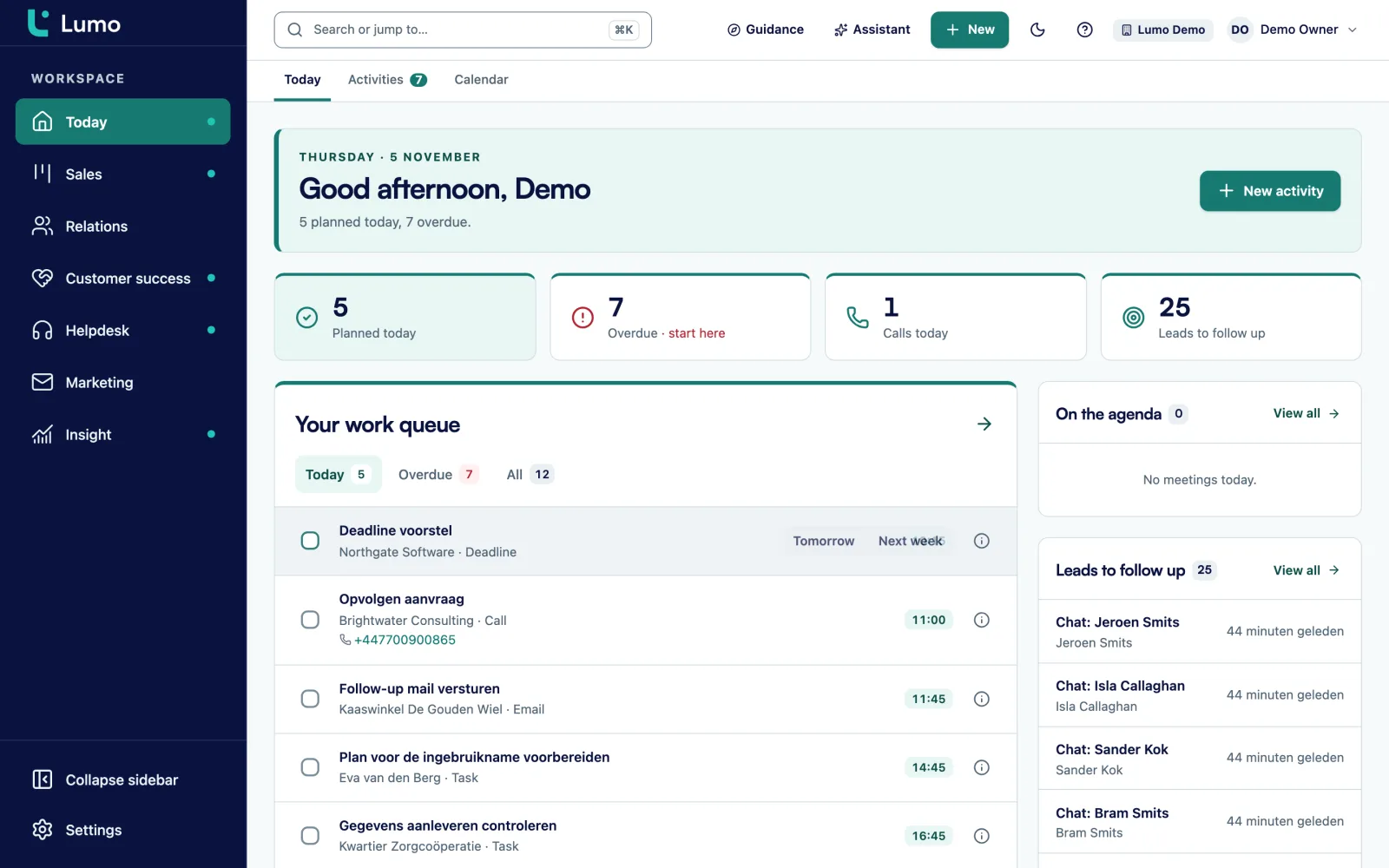
Lumo is a CRM for B2B teams that puts sales, service and marketing in one database. A person, an organization and a deal exist once. Email, activities, quotes, tickets, chat conversations and campaigns hang off them. Whoever opens a customer sees everything going on with that customer, from the open deal to yesterday's ticket.
Lumo is made by Sales Surge, the agency behind more than 150 CRM implementations and a Pipedrive Platinum Partner. We built it from what we kept running into at customers: separate tools for sales, support and mailings that each know a piece of the customer, and nobody with the full picture.
The questions below are grouped by topic. The product, email and calendar, data and security, switching, pricing and contract, the AI assistant and support. Where something is not possible, we say so, and we say how you work with it today. More detail per part is on the pages about the platform, security and privacy and pricing.
Deals and pipelines, leads, people and organizations, activities and calendar, email sync, quotes with e-signature, email campaigns, web forms, helpdesk, customer portal, knowledge base, live chat, customer success, reporting, automations, duplicate merging, in-app guidance, an AI assistant and an API. You switch modules on or off per workspace.
No. Lumo is a web app. It opens in your phone's browser, but there is no app to install and no offline mode.
Dutch and English, with a language setting per user and per workspace. Quotes, the customer email and the signing page are in Dutch only.
Yes. You manage pipelines under Settings. Each stage has a win probability and a number of days after which a deal starts to rot. See pipeline management.
Yes, on people, organizations, deals, leads, tickets and activities. There are twelve field types, including text, number, monetary, date, select, multiselect, url, email, phone and user. Fields can be required.
The customer gets a six digit code by email, types their name and ticks agree. The signed PDF gets an evidence page and everything is kept in an audit log with a hash chain. It is not a qualified electronic signature. That is common for most B2B quotes, but check it for contracts that need a stronger signature.
Phone numbers are call links that open your own phone or calling software. There is no built-in calling, no call log and no WhatsApp. You record a call as an activity with a note.
There is no separate forecast screen. You build a weighted forecast as a report: deal value times the win probability per stage, per month or per owner. See reporting.
No, that is deliberately not built. Automations create activities and notes, update fields, assign an owner or add a label. For a follow-up after a campaign there is an automatic follow-up campaign.
Yes. Each user connects their own Gmail and grants Google extra permissions once. Only mail with at least one known contact is stored. The first sync looks back 90 days by default, adjustable from 1 to 3650 days.
Gmail and Google Calendar sync today. The Outlook and Microsoft 365 integration is planned. Until then you use the personal BCC address, which works with any mail client, and you can log mail by hand. Pipeline, quotes, helpdesk, campaigns and reporting are independent of your mail client.
Each user has their own address. Put it in Bcc when you email a customer, or forward a received message to it. The mail then lands on the right person, organization and deal, without becoming a ticket.
No. Only mail with known contacts is fetched, the body of other mail never is. Your connected mail is private by default. You can exclude a thread and disconnect, with or without keeping the stored mail.
Two ways. A Google meeting with a known contact becomes a meeting in Lumo, linked to the person, organization and deal. Your own meetings and calls go to a calendar you choose. Lumo never sends invitations and never touches Google events it did not create.
Yes, from your own Gmail, as a new message or a reply, with up to 20 recipients and fields such as first name and organization. Each user can send 30 per hour and 200 per day. Read more about email in the CRM.
Not for one-to-one mail. There is no open or click tracking on individual messages. For campaigns you see unique opens and clicks, and you can switch that off per template.
In London, in the United Kingdom. The database and the servers run in a data centre in London. So the data is not in the Netherlands or on the European mainland.
Yes, daily, in the same data centre in London.
No. Every table carries a workspace id and row level security in the database. The app uses database roles without special privileges.
Two-factor authentication with an authenticator app and recovery codes is there, and you can make it mandatory for admins. Login with SSO, SAML, Google or passkeys is not. You log in with email and password.
Owner, admin, member and viewer. A viewer can read everything but change nothing.
Yes. Visibility per record is not enforced, in reports neither. Connected mail is the exception: it is private by default. If a group should not see something, we discuss how to set up the workspace.
You export everything held about a person, and erase or anonymise someone with double confirmation, followed by a check. There is a register of requests, retention periods with daily cleanup and a consent overview. One gap: a colleague's private mail is not included in an erasure.
Yes. There is an append-only audit log under Privacy and log, with filters and a CSV export.
Ask about it in the demo and we discuss how we arrange it for you. More on security and privacy.
Yes, with an import wizard. You connect with your API token, run a dry run and import owners, pipelines, organizations, people, deals with product lines, leads, activities and notes. See switching from Pipedrive.
Yes. In the mode where Pipedrive stays the source, changes to activities, notes, deals and leads are written back to Pipedrive. After the import a webhook keeps both in step, with a check every 15 minutes.
Not with a wizard. Sales Surge moves that data by hand and sets up the pipelines and fields. Read about our migration service.
Not yet, a CSV import is planned. Until then we move spreadsheet data by hand, or you enter it yourself. Exporting to CSV does work, from every list.
Lumo has a dedupe tool with a queue of scored pairs, field by field compare and merging with undo. Auto merge is off by default. See duplicate merging.
You can do it yourself, without code. Or Sales Surge does it: setup, migration, training and guidance after go-live. See implementation.
With data quality rules that give a tip, warn or block the save, with in-app tours and checklists, and with an adoption score per person. See adoption.
The price depends on the number of users, the modules you switch on and whether Sales Surge does the setup. After a demo you get a quote for your situation.
Because a price per user says little without knowing which modules you use and who sets it up. The pricing page explains exactly what drives the price and what the quote looks like.
Yes. You request a trial workspace and Sales Surge prepares it for you. There is no self signup. See try it free.
Yes. Modules are on or off per workspace. You can start small with sales and later switch on the helpdesk or campaigns, for example.
Per phase, before that phase starts. The term and the billing of users and modules are listed separately in the quote.
Yes. You export lists of people, organizations, deals and more to CSV, and you can fetch data through the API. Everything about a single person you export through the privacy tools.
It searches, creates and updates contacts, organizations, deals, leads, activities and notes, builds segments and templates, prepares campaigns and automations and creates reports and dashboards. It has 52 tools. See the AI assistant.
No. Actions that cannot be undone or that go outward wait until you click approve. It works with your own role and permissions, and every action is logged.
No. It is off per workspace until an owner or admin switches it on. Each user is limited to 40 messages per 10 minutes.
Google Gemini Flash by default. An admin can switch to Groq, OpenRouter or Mistral. Lumo does not use Claude or Anthropic.
By default the assistant runs on a free Google AI Studio key, and on free tiers the provider may use input for training. That is why it stays off until you switch it on deliberately. Discuss in the demo which model and key suit you.
Yes, through the MCP server with an API key. It has six tools: search, get a person, list deals, create a person or lead and log an activity. See the API.
Yes. You describe the report in a sentence, the assistant builds it, and you adjust it afterwards in the report builder.
To Sales Surge, the team that builds and sets up Lumo. Email info@sales-surge.nl or use the form on the contact page. Mention your company and workspace, and your question reaches the people who know your setup.
For a request through the site we get in touch within a week. Support arrangements for customers are put in writing with the quote, so you know where you stand.
If Sales Surge does the implementation, training per role is part of it, on your own deals. If you set it up yourself, you can arrange training separately.
Admins can build in-app tours and checklists, assign them to people, and write short guides. So a new rep gets an explanation on the very screen they work in.
Yes. The people you talk to build the product, so a suggestion reaches them directly. We tell you honestly whether and when we pick it up, without promising a date we cannot keep.
A Dutch agency for CRM and RevOps, founded by Sander Vergouwen, with partners Pieter Meijer and Bart-Jan Hin. Read more about us.
No mobile app: you work in the browser, on your phone too. Email and calendar with Google today, Outlook and Microsoft 365 planned, and the BCC address already works with any mail client. Data in London. Login with password and two-factor authentication, no SSO. No built-in calling: you record calls as activities. No CSV import: data from systems other than Pipedrive we move by hand. Quotes in Dutch. A trial workspace is prepared by us.
Ask it in a demo or send us a message. You get an answer from someone who knows the product.