
- Home
- Company
- Free trial
Request a trial workspace
You cannot sign yourself up. You request a trial workspace and we prepare it for you, with the modules you want to test. So you do not start on an empty screen, and you know who to ask.
- Free and without obligation
- Prepared by Sales Surge
- In Dutch or English
Why there is no signup button
With many CRMs you create an account in a minute and land on an empty screen. Then the searching starts: which fields do I need, how do I build a pipeline, why is my calendar empty. After an hour you mostly know how the settings work, not whether the CRM fits.
So Lumo works differently. You request a trial workspace through the form below. Someone from Sales Surge gets in touch, asks briefly what you want to test and prepares the workspace for you. You receive an invitation by email, choose your own password and off you go.
That takes a few days longer than a signup button. But you start with the modules you want to test switched on, with a pipeline that resembles yours, and with someone you can call when something is unclear. Sales Surge has done more than 150 CRM implementations. We know quite well where people get stuck in the first week, and we fix that up front.
A trial workspace is a real workspace, separated from other workspaces just like a customer's. What you put in it is seen only by you and the people you invite. If you want to continue after the trial, we discuss whether you carry on in the same workspace or start again with a clean setup.
What happens after you send the form
From request to your first day in the workspace.
You see a confirmation
Right after sending, you see below the form that your request came in. If sending fails, you see our address info@sales-surge.nl there.
We get in touch
Within a week you hear from someone at Sales Surge. We ask what you want to test, with how many people and which system you come from.
We prepare the workspace
We create the workspace, switch on the modules you want to test and set up a first pipeline. If you come from Pipedrive, we can run a dry run import. See switching from Pipedrive.
You get an invitation
You receive an invitation by email. You choose a password and can switch on two-factor authentication with an authenticator app right away. You invite colleagues yourself, or we do it for you.
Your first screen
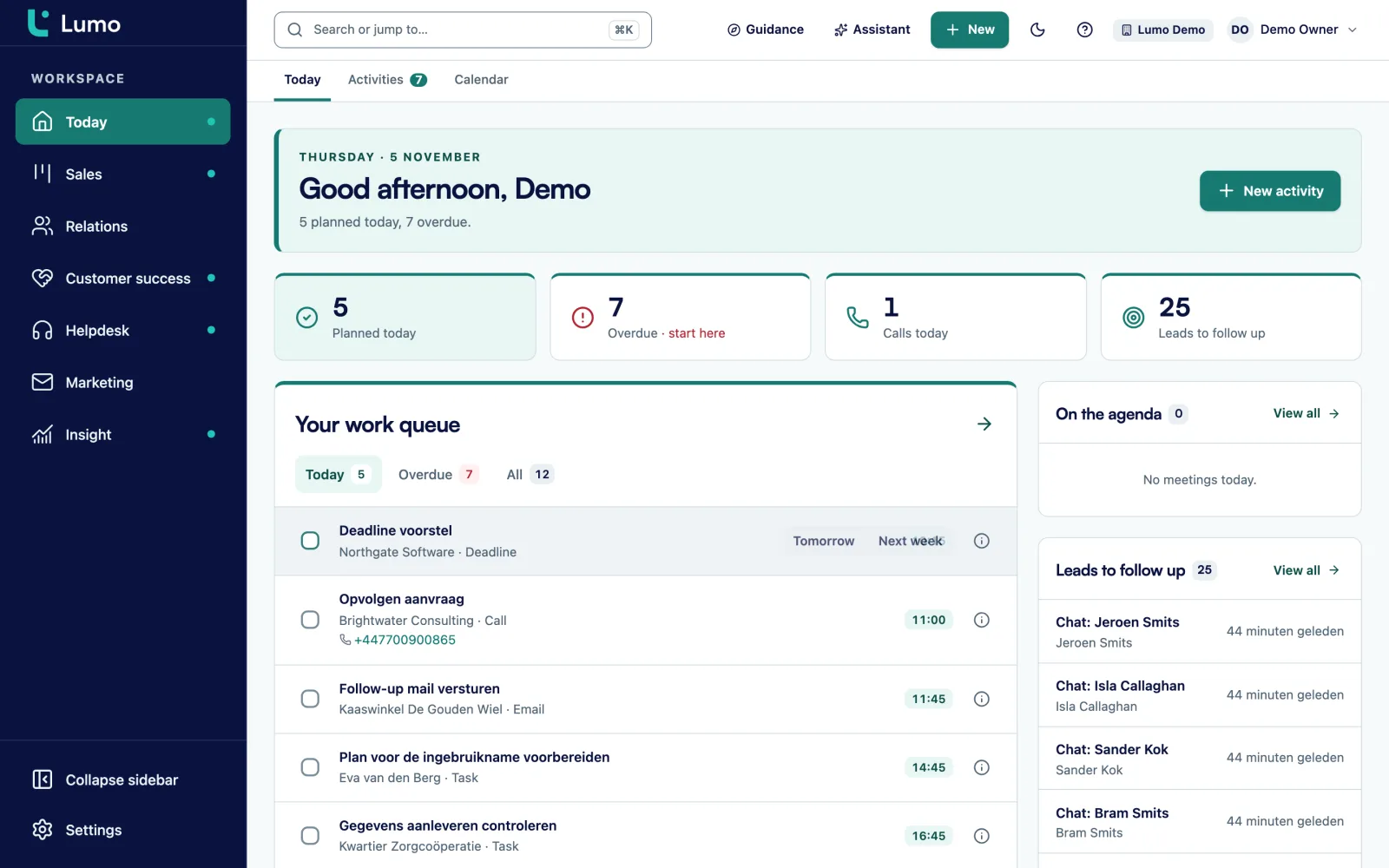
You land on the Today page: tasks, leads to follow up, stalled deals and what matters that day. From there you connect your Gmail and calendar.
You test and we talk it through
You work in it with your colleagues. Then we discuss what you found, what you missed, what the price is and what it takes to switch.
Work a few real deals through it
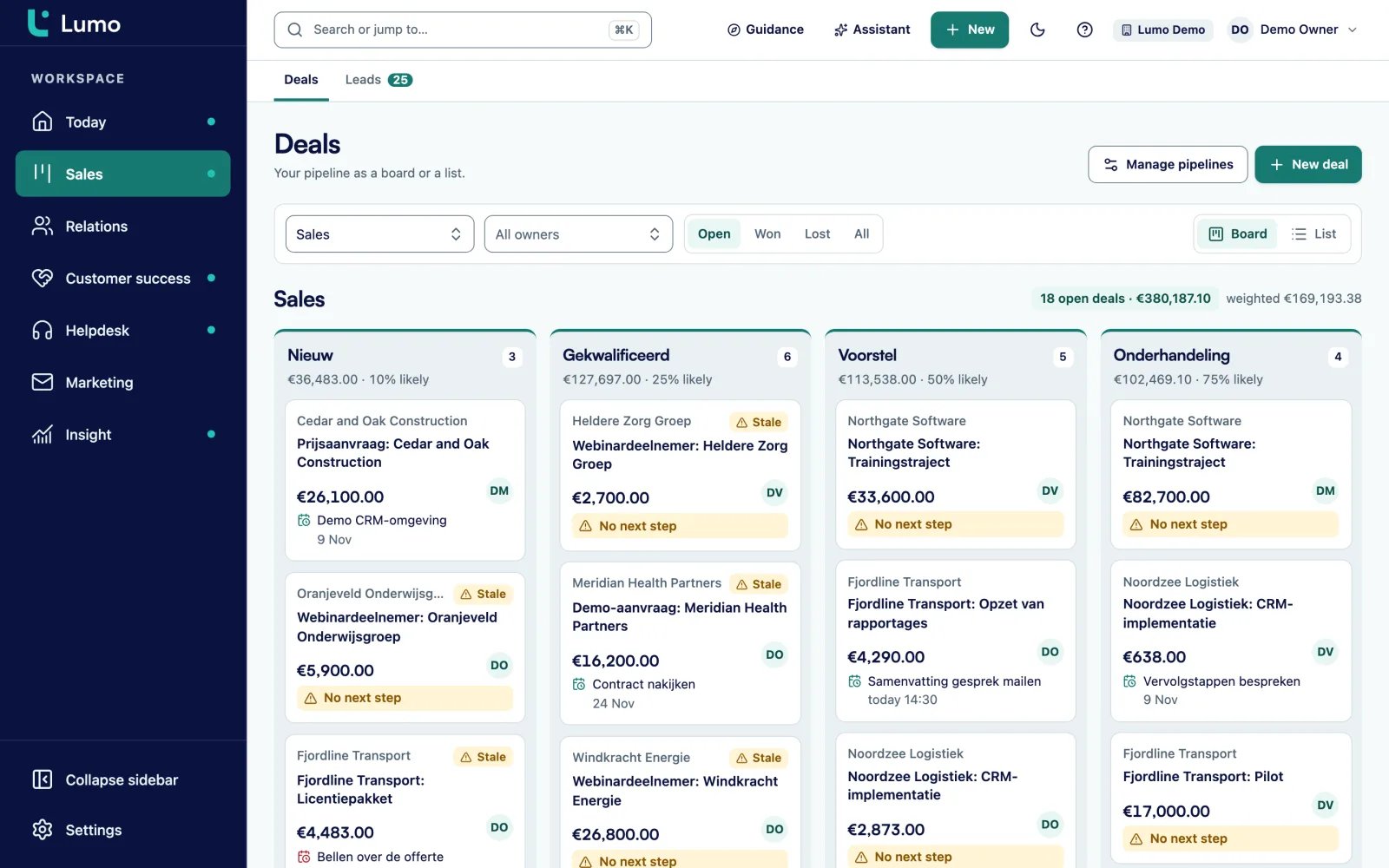
The best test is simply working. Put a handful of deals from your current pipeline into the workspace and for a few days do everything with them that you do today. Drag them across the board, plan the next activity, add products and check whether the deal value adds up.
Watch what Lumo flags by itself. A deal that sits longer than its stage allows gets a warning. A lead nobody picks up shows on the Today page. That quickly tells you whether the stages and the rot setting match your pace. More on pipeline management.
- Drag deals or use Move to
- Win or lose with a lost reason
- Products with one-time or recurring billing
What you can test in the trial workspace
Tell us in your request what you want to test. We switch those modules on.
Pipeline and deals
Pipelines with your own stages, dragging deals across the board, products with recurring billing and warnings on stalled deals.
Email and calendar
Connect your Gmail and Google Calendar and see how mail and meetings with known contacts land on the right records. If you work in Outlook, test the personal BCC address. The Outlook and Microsoft 365 integration is planned.
Quotes
Create a quote from the products on a deal and send it to yourself to see the signing page with the email code. Quotes are in Dutch.
Forms and leads
Build a form, fill it in and see a person and a lead appear, with the source attached.
Reports
Build a report or dashboard on your test data, with drill-down to the records behind it.
Helpdesk
Create tickets, set an SLA per priority and view the customer portal the way your customer sees it.
AI assistant
Off by default. An admin switches it on. Outward actions always wait for your approval. More on the AI assistant.
A good test in a few days
- Put ten real deals from your current pipeline into the trial workspace.
- Connect your Gmail and calendar, or put the BCC address in Outlook, and work from the CRM for a few days.
- Have a rep who was not involved run one deal from start to finish.
- Make one quote and one report you would use in your sales meeting.
- Test with one colleague as a member and one as a viewer, so you see who can do what.
- Write down what you miss. That is the most useful part of the conversation afterwards.
What to know before you test
Email and calendar sync with Google today. If you work in Outlook, you test with the BCC address and the rest of Lumo, and the Outlook and Microsoft 365 integration will follow. There is no mobile app, on your phone you work in the browser. Login is with email and password, not SSO. Data from systems other than Pipedrive we move by hand. Data is hosted in London. If you are unsure about any of these, put it in your request and we take it into account when preparing.
Questions about the free trial
Can I sign up myself right away?
No. There is no self signup. You request a trial workspace and Sales Surge prepares it for you.
Does the trial workspace cost anything?
No. Trying is free and without obligation.
How soon can I start?
We get in touch within a week. Then we prepare the workspace and you receive an invitation by email.
Can I use my own data?
Yes. If you come from Pipedrive, that works with a dry run import. Other data you add by hand, or we work out together what makes sense.
Can I invite colleagues?
Yes. You invite them from the workspace and give them a role: owner, admin, member or viewer.
What about my data?
Every workspace is separated from other workspaces at database level. Data is hosted in London. More on security and privacy.
What does Lumo cost after the trial?
The price depends on the number of users, the modules you switch on and whether you outsource the setup. See pricing.
Can I continue in the same workspace after the trial?
You can. After the trial we discuss whether you carry on with what is there or start again with a clean setup.
Request your trial workspace
Tell us what you want to test and with how many people. We get in touch within a week and prepare the workspace for you.
You do not sign up yourself. Sales Surge prepares the workspace with the modules you want to see, and you know who to ask. We ask for your name, work email, company and the number of users. Use the notes to tell us what you want to test and which system you come from.