See which customers need attention
In the demo we walk through the customer success overview on sample data, open a project with blockers and look at how the health score comes about.
The work for your customer starts after the signature. In Lumo you follow every customer project with phase, progress, go-live date, milestones and blockers, on the same organization as the deal. The customer success overview shows which customers need attention now, and why.
The deal is won. The account manager celebrates, marks it won and moves on to the next one. The customer goes to the team that handles implementation or delivery. That team works from a spreadsheet plan, a project tool sales has never opened and a folder of emails. Three months later the account manager calls about an expansion. The customer says: "You have not even gone live yet."
That is not ill will. It is that information about the customer after the sale lives in other places than before it. The account manager does not see an open blocker, the consultant does not see a renewal coming up, and nobody sees that four high-priority tickets came in over the last weeks. Everyone sees a part, and the part that matters falls between the systems.
So customer success starts with one question: which customers need attention now? To answer it you need three things in one place. Where the project stands. What is holding it back. And how the customer is doing in service. How to measure that and which numbers matter is covered in the guide customer success metrics.
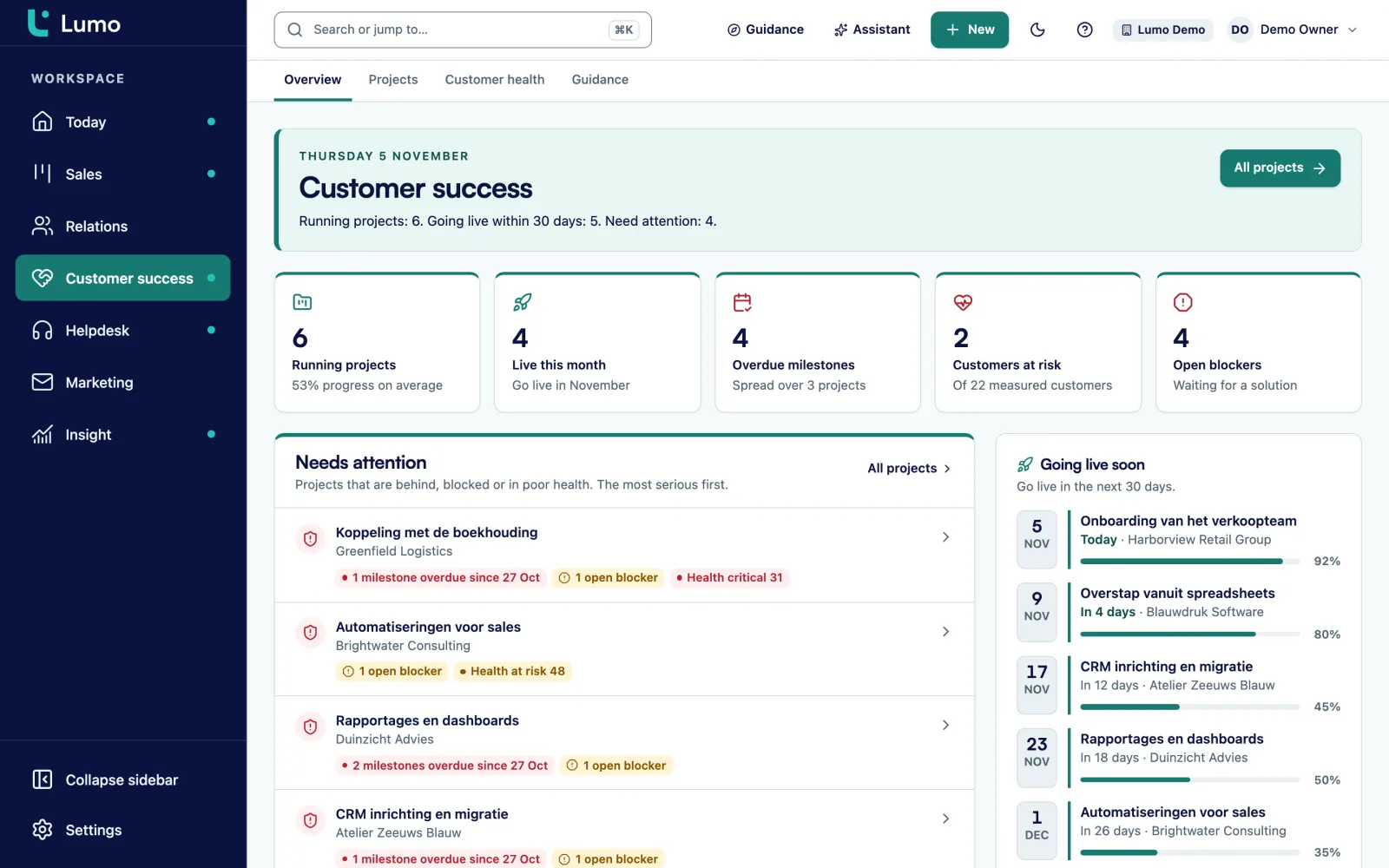
In Lumo those three sit on the same organization as the deal. A customer project has a phase, progress, a go-live date, milestones and a next step. Blockers and tickets hang off the project. And from the tickets in your helpdesk Lumo calculates a health score per organization. The customer success overview brings them together: projects that are behind, have open blockers or low health appear under needs attention, the most urgent first.
Nobody has to run a weekly status round to find out where things go wrong. It is on the screen.
The customer success overview has five blocks: needs attention, going live soon, customer health, projects per phase and open blockers.
Projects that are behind, have open blockers or low health, the most urgent first. Each one shows the reason, such as 2 open blockers.
You see phase, progress, go-live date, milestones and the next step. Below that the blockers and tickets, activities, files and internal notes.
The next step answers one question: what needs to happen now? Then everyone knows where the project stands.
Each milestone is planned, current, done or overdue. Complete a milestone when it is finished, or reopen it if something is still needed.
This lists the projects going live within 30 days. Plan the handover to support and the first call after go-live in time.
Customer health shows the latest measurement per customer: healthy, at risk or critical. A drop is a reason to call.
An organization's health score runs from 0 to 100. Lumo calculates it from the tickets of the last 90 days. Three things count: open tickets, missed SLA targets and the satisfaction customers give after a ticket is solved. An organization is then healthy, at risk or critical.
Lumo stores a snapshot every day. So you see not only where things stand today but also whether a customer is improving or slipping. A customer that drops from healthy to at risk in two weeks needs a different conversation than one that has been stable at risk for a year.
The score sits on the organization, so the account manager, the customer success manager and the support team see the same number. On a project you see whether the score comes from the organization or from the project itself. If the helpdesk is switched off in your workspace there is no score, and Lumo says so.
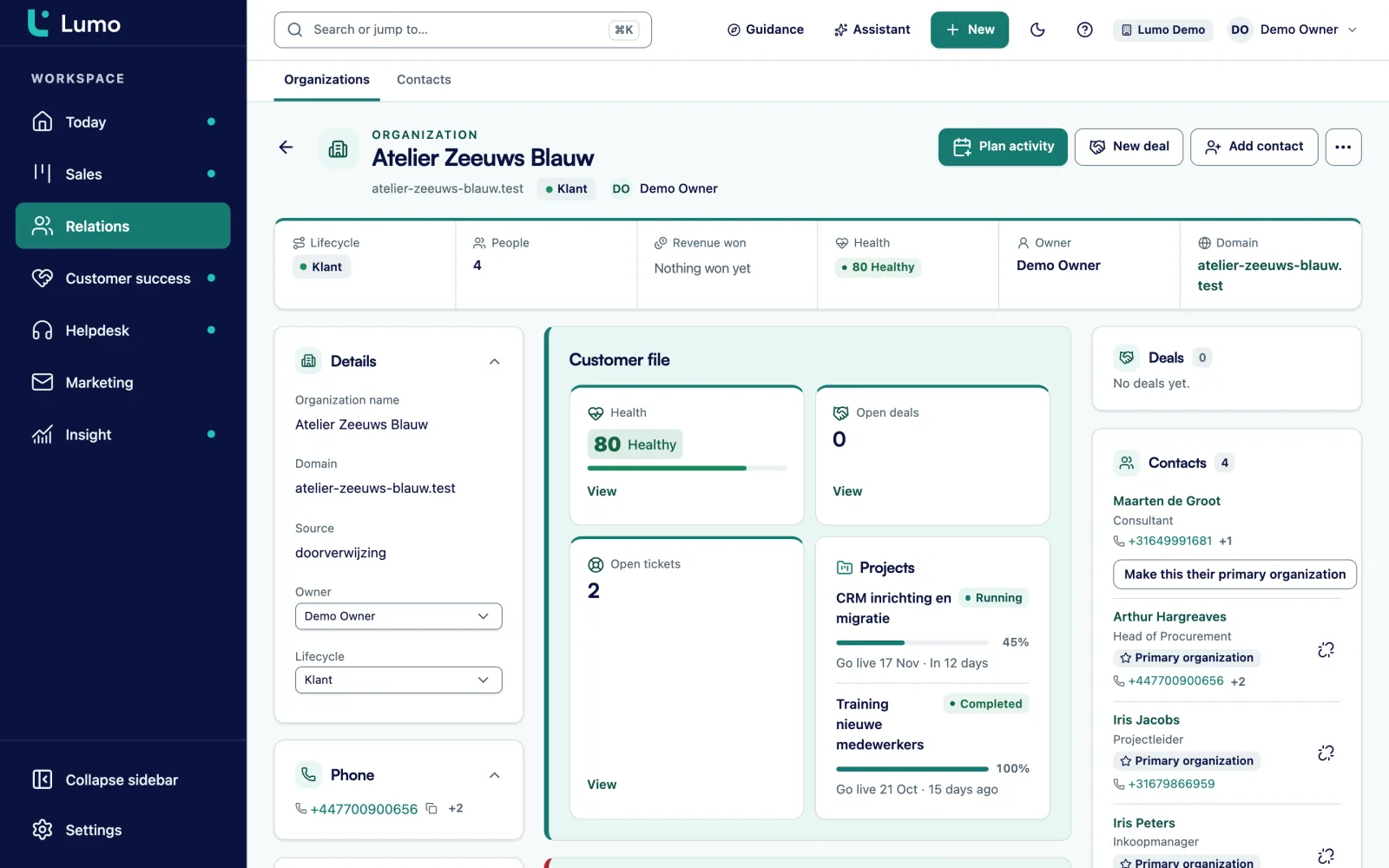
A project rarely stalls on the work itself. It stalls on something the customer still has to deliver, a decision nobody takes, or an integration that does not work. In Lumo you record that as a blocker on the project. Every blocker has the date it was opened, so you see how long something has been waiting.
The project's blockers and tickets section shows blockers next to the tickets of that customer. The open blockers block on the overview counts them across all projects. A project with open blockers shows up under needs attention.
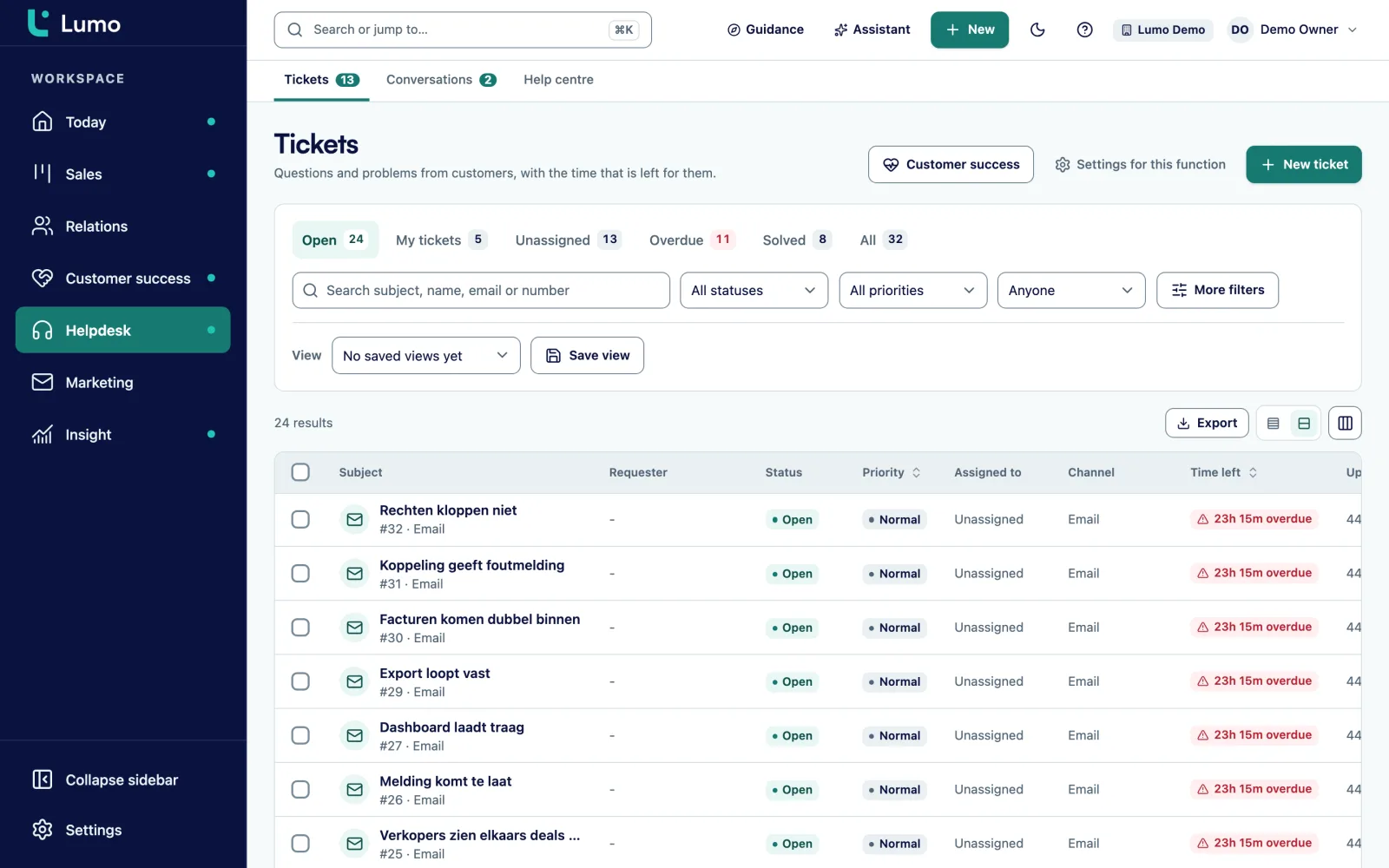
Because the tickets come from the same helpdesk, you see what is going on in service too. A customer with a running project and three open tickets on the same topic has a problem bigger than one ticket. The customer follows their own tickets in the customer portal.
Every project has milestones with a date. A milestone is planned, current, done or overdue. On the project you see how many are done, for example 4 of 7 milestones. A milestone without a date shows as having no date yet, so you see what still needs scheduling.
The next step is one sentence that says what needs to happen now. If it is empty Lumo says so, so it stands out. It is the first line you read when you open a project, and often all a colleague who steps in needs.
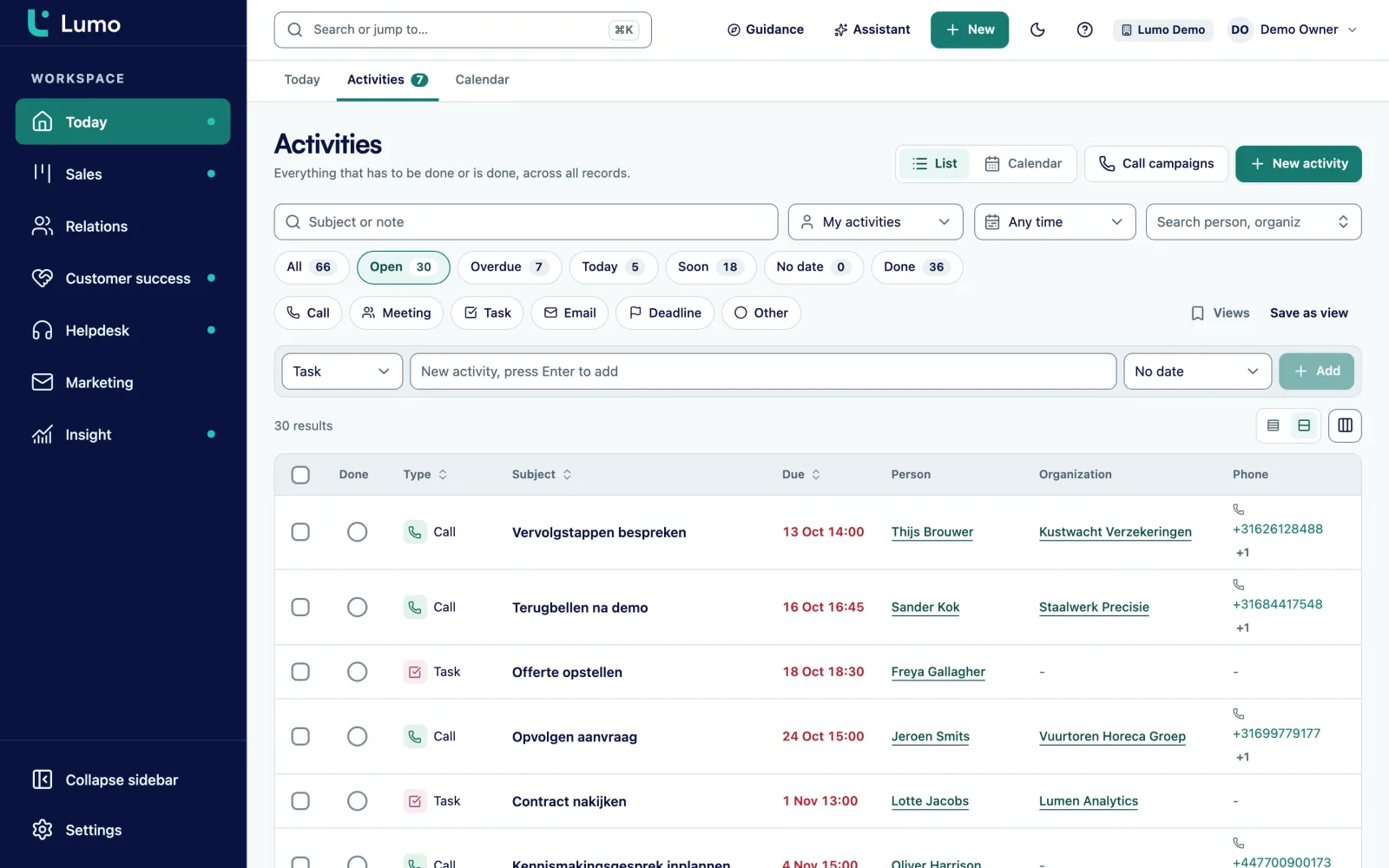
Under activities you plan the calls, tasks and deadlines of the project, just like on a deal. How activities work is described under activities and calendar. Internal notes and files belong to the project too, so everything sits in one place.
Projects that are behind, have open blockers or low health, the most urgent first, with the reason.
Projects going live within 30 days, so you plan the handover in time.
A count of all running projects per phase, including those without a phase.
Four states per milestone, complete and reopen, and progress shown as 4 of 7.
One sentence per project that says what needs to happen now.
What holds the project back, with the date it was opened.
A score from 0 to 100 from 90 days of tickets, with a daily snapshot.
Internal notes and files on the project, next to activities and tickets.
This is a made-up example to show the flow, not a customer case.
Say a SaaS company selling workforce software to hospitals has an onboarding team of four and twenty customers in onboarding. Each project has four phases: Kickoff, Configuration, Training and Live. Until now the plan lived in a spreadsheet updated every Friday, and account managers asked in the weekly meeting how their customers were doing.
In Lumo each project has its phase, a go-live date and six to eight milestones. On Monday morning team lead Sophie opens the customer success overview. At the top it says 20 running projects, 3 going live within 30 days and 4 needing attention.
At the top of needs attention is a regional hospital with 2 open blockers. Sophie opens the project. One blocker is three weeks old: the customer still has to deliver its staff data. The other is from last week: the single sign-on setup on the customer's side is not finished. Under blockers and tickets she also sees two tickets about login problems, and the organization's health is at risk. The next step is empty.
Sophie fills in the next step: "Call with the hospital's IT lead about staff data and login, this week." She plans an activity for the onboarding manager and leaves a note for the account manager. He calls the customer the same day, not about an expansion but about the blockers.
Under going live soon there are three projects. On one of them the Training milestone is overdue. Sophie sees it now, three weeks before go-live, not the day before.
Customer success does not stand apart from sales. The project hangs off the same organization as the won deal in your pipeline. The health score comes from the tickets in your helpdesk, and the customer follows those tickets in the customer portal.
Working as a customer success manager? Lumo for customer success shows what a week in Lumo looks like. If you want to know whether your own team uses Lumo well, see CRM adoption and guidance. That is about your staff, not your customers.
The health score is based on tickets: open tickets, missed targets and satisfaction. Product usage, revenue or the outcome of a conversation do not count. Use it as a signal to go and look, and record what you hear in a call as a note on the organization.
You cannot create a new project with a button in Lumo today, nor through the public API, which can read and update projects but not create them. Existing projects have so far been loaded in during setup. Discuss in the demo how to get your running customer projects into Lumo. Reports that combine projects with deals or tickets are on the roadmap. The customer success overview gives you the status per project and per customer.
Five blocks: needs attention, going live soon, customer health, projects per phase and open blockers. A line at the top shows how many projects are running, how many go live within 30 days and how many need attention.
From the tickets of the last 90 days: open tickets, missed SLA targets and satisfaction. The score runs from 0 to 100 and Lumo stores a snapshot every day.
When it is behind, has open blockers or belongs to a customer with low health. The most urgent comes first, with the reason.
Something holding the project back, such as data the customer still has to deliver or an open decision. Each blocker shows since when it has been open.
Not with a button and not through the API. Projects have so far been loaded in during setup. Discuss in the demo how to get your projects into Lumo.
Yes. The public API can read and update projects. More under API and integrations.
No. The score only uses tickets. Whatever else you know about the customer you record as a note or a label on the organization.
Yes. Project, blockers and health sit on the same organization as the deals, so everyone with access sees the same.
No. With the helpdesk switched off there is no score, and Lumo says so.
In the demo we walk through the customer success overview on sample data, open a project with blockers and look at how the health score comes about.