See your accounts on one record
In the demo we show the Customer success overview with an account list that looks like yours, and we are clear about what the score does and does not measure.
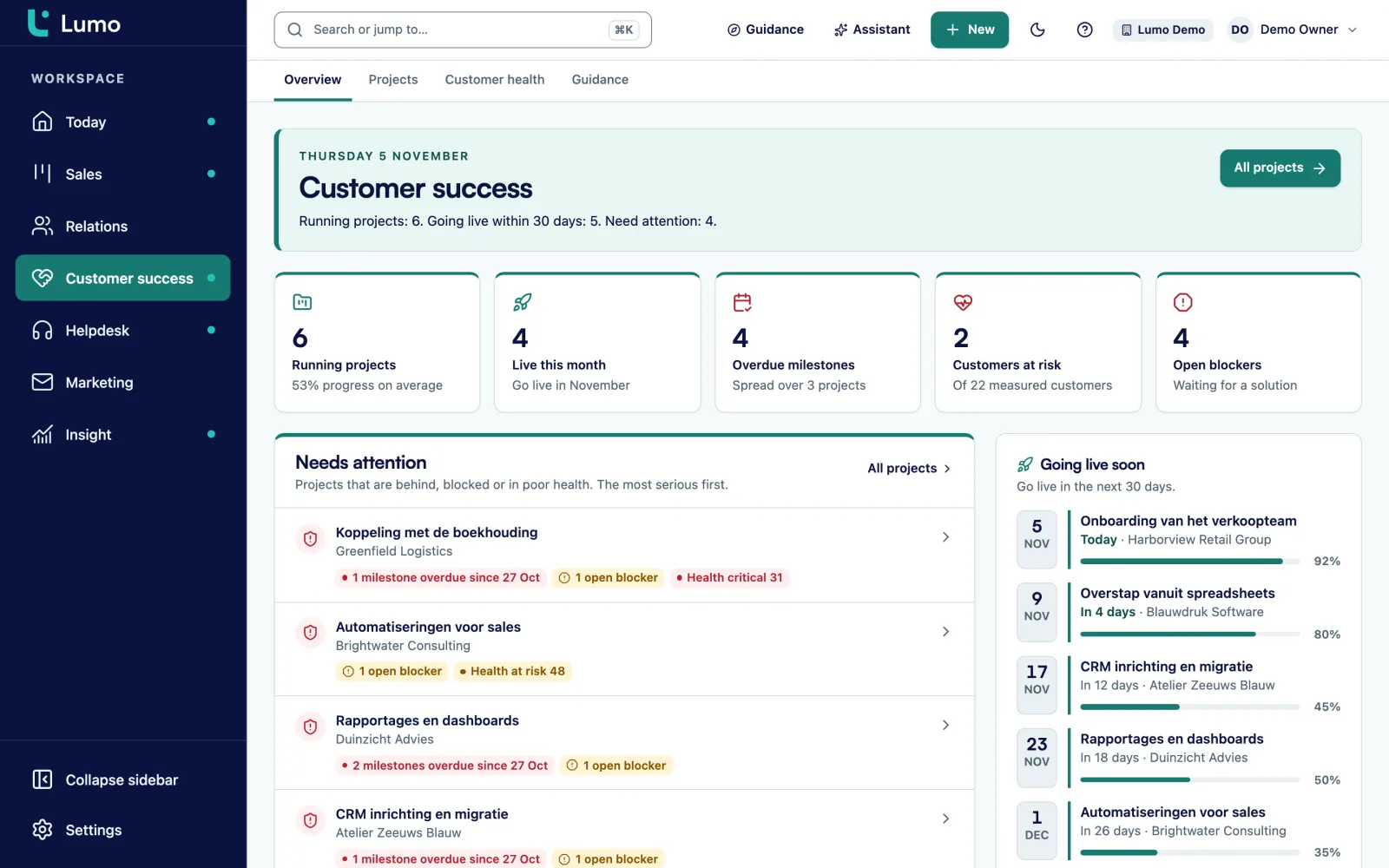
The Customer success screen puts what needs attention at the top: projects running late, open blockers and accounts with low health. Below it are the go-lives in the next 30 days. And for every customer you see the deals, email and tickets on the same organization.

You often hear it too late. A customer cancels and you read in the email that they had been unhappy for months. Looking back, the signs were there. Five tickets open, two of them past their target. The go-live three weeks late. And the contact who ran the project had left in the meantime.
All of those signals existed. But they lived in four places. Tickets in the helpdesk. The delivery plan in a project tool. The sales agreements in the CRM. And the latest conversations in your own inbox. Nobody put them side by side, so nobody saw the pattern.
On top of that, a customer success manager often looks after forty or sixty accounts. You cannot call all of them every week. So you call the ones who reach out, and the quiet customer slides. While silence from a customer in the middle of onboarding is rarely a good sign.
Lumo puts the work after the sale on the same organization as the sale itself. The delivery project, the tickets from the helpdesk, the questions from the customer portal, the deals and the email sit together. For each organization Lumo calculates customer health from 0 to 100, based on open tickets, missed targets and satisfaction over the last 90 days. A snapshot is stored every day, so you also see whether things are getting better or worse.
The Customer success screen brings your work together. At the top are Needs attention and Going live soon. Below them Customer health, Projects per phase and Open blockers. That is your morning list. To see which numbers belong next to it, read which customer success metrics to track. More about the product is on customer success.
An ordinary Thursday for a customer success manager with 45 accounts, six of them in onboarding.
At the top sit Running projects, Live this month, Overdue milestones, Customers at risk and Open blockers. You start with Needs attention, heaviest first, for example 2 milestones overdue and 1 open blocker.
On the Customer health screen you see each account's score and status Healthy, At risk or Critical, with the three factors behind it. An account that slipped from healthy to at risk gets a call today.
You open the project of a customer going live in two weeks. You update progress, tick off a milestone and set the next step. An internal note for your technical colleague stays hidden from the customer.
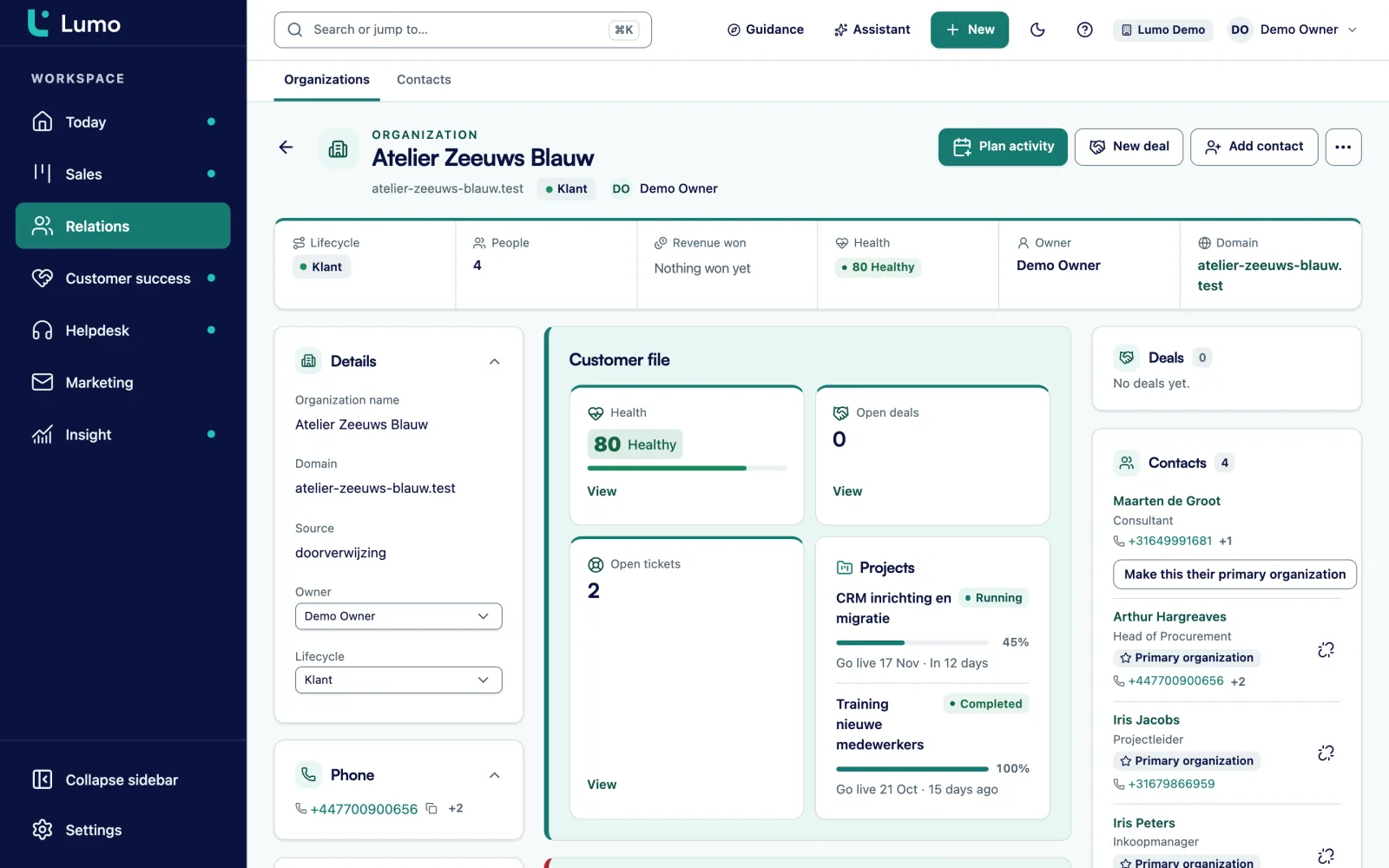
Before the call you open the organization. The timeline shows the tickets of the past weeks, the email with sales and the latest note. You know where it hurts before you dial.
Open blockers shows a customer waiting on an export from their old system. You set a dated activity on the contact and the organization, and keep the blocker open until the export arrives.
During a call a customer asks about adding a department. You create a deal on the organization with the account manager as owner. They see it on their Today screen tomorrow.
A project has a phase, a progress figure and a go-live date. You add milestones, a next step and internal notes. Files and tickets attach to the project. When something gets stuck you add a blocker, and it appears in the open blockers list with the date it was opened.
The Projects list filters on Running, Intake or Completed and sorts by go-live. In a few seconds you see which projects go live this month and which are behind. An overdue milestone counts towards Overdue milestones at the top of the overview.
So for every customer you know the next step and who is waiting on it. That helps most in the week before a go-live, when everyone asks for a status at once.
The organization record holds the timeline with notes, email, activities and tickets. You choose whether to see only this organization or include its people and deals. An organization can have a parent, so you see a group with several sites as a whole. People can belong to more than one organization, with one marked as primary.
Lifecycle stages with automatic rules show whether an organization is a prospect, a customer or something else. You add your own fields, such as contract type, renewal date or number of users. Field types include text, number, monetary, date, select and user.
Who decides, who uses it every day, and who complained last time? That sits on the people linked to the organization. So a handover from a colleague does not mean an hour of reading old email. More on contact management
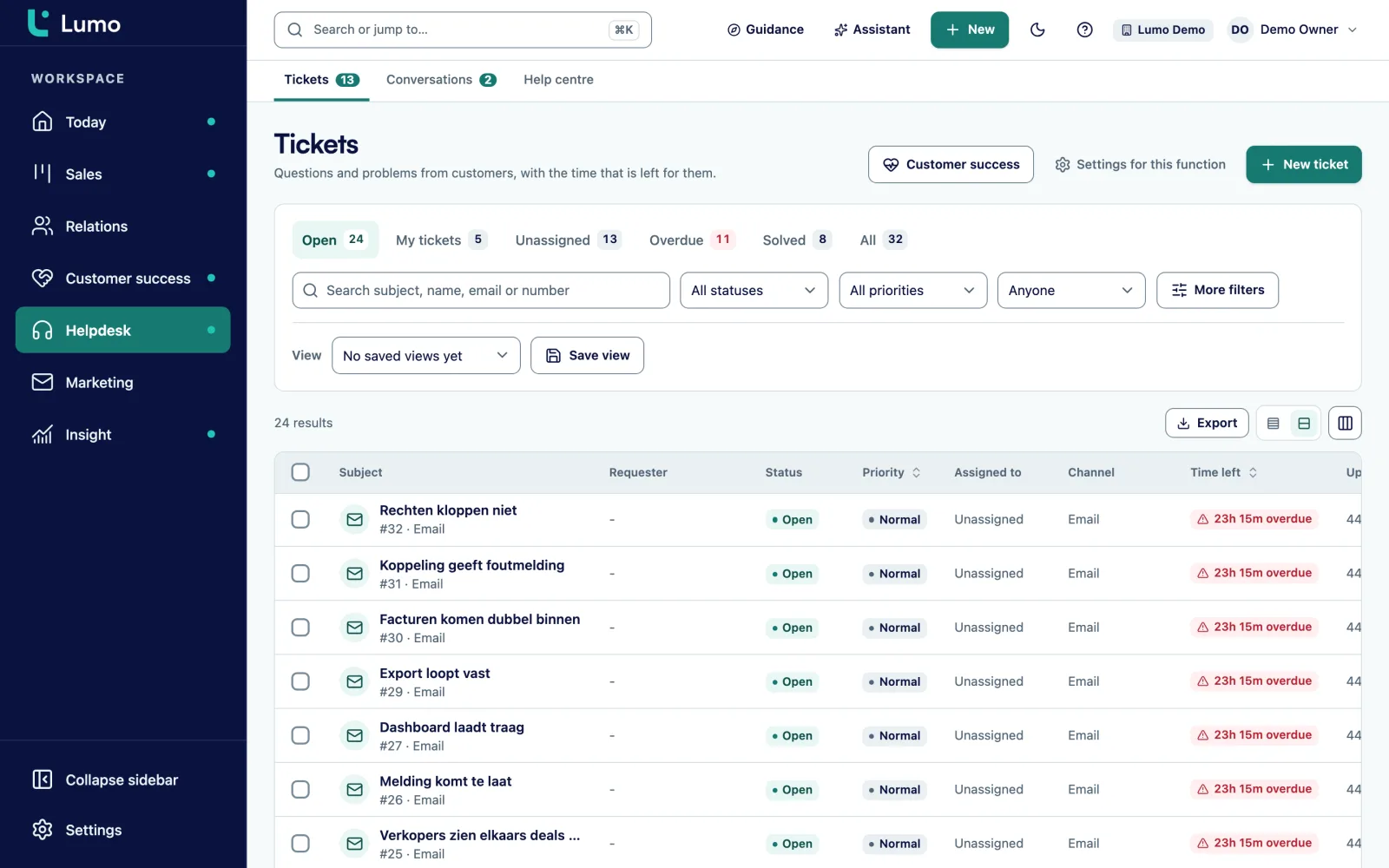
Tickets come in through a mailbox, the customer portal, an escalated chat or by hand. They sit on the person and the organization, so you see them on the organization record and on the project. You see the status from New to Closed and the priority from Low to Urgent.
You do not have to run the helpdesk yourself to get value from it. What you want are the signals. How many tickets are open for this customer? Were response targets missed? What did the customer score after the last solved ticket? Exactly those three things feed the health score.
After every solved ticket the customer gets a short survey through a signed link. That score flows back into health. Read more about the helpdesk or about the customer portal, where customers follow their own tickets.
Customer success usually steers on a few numbers. How many customers stay, and how much revenue is left after a year including expansion. How long onboarding takes from signature to live. How satisfied customers are. And how many accounts are at risk right now.
Lumo measures part of that directly. The health score per account, with the trend from daily snapshots. Satisfaction after solved tickets. The number of projects per phase, the go-lives this month and the overdue milestones. Expansion goes in as a deal in its own pipeline, so reports show how much expansion revenue was won.
What Lumo does not measure is product usage and payment behaviour. Those come from your own product and your accounting system. Retention you work out with lifecycle stages and won deals, not as a ready-made figure. How to read these numbers together is in the guide on customer success metrics.
A score from 0 to 100 per organization from open tickets, missed targets and satisfaction over 90 days. Status Healthy, At risk or Critical.
The score is stored every day, so you see whether an account recovers or slips.
Every project has a phase, progress and a go-live date. The overview counts them per phase.
What is holding delivery back, with the date it was opened.
Milestones per project, with a count of what is overdue and across how many projects.
A parent organization with its sites, so you see a group of accounts as a whole.
An expansion opportunity becomes a deal on the organization, owned by the account manager. Pipeline management
Articles in Dutch and English that customers find in the portal and help center. Customer portal and knowledge base
Picture a logistics software vendor with three customer success managers and 120 customers. This is an example, not a customer. Every new customer gets an onboarding of six to ten weeks.
Before, onboarding lived in a project tool, tickets in a separate helpdesk and deals in the CRM. Sales only heard about a delayed go-live when the customer refused to pay the invoice.
In Lumo every new customer gets a project with five phases: intake, setup, data, training and live. Each project has four milestones and a go-live date. The helpdesk is switched on, so health is calculated per account.
Priya, one of the three CSMs, opens Customer success on Monday. At the top of Needs attention is a haulier with 2 milestones overdue and health at At risk. The organization record shows why. Three tickets about the link with their planning system, one of which missed its response target. She calls the contact, adds a blocker to the project for the integration and leaves an internal note for the developer.
Two weeks later the blocker is gone, the tickets are solved and the customer gave a good score in the satisfaction survey. Health goes back to Healthy. In the same call the customer asked about a second site. Priya created a deal on the organization for the account manager.
What we go through with a customer success team at the start.
The health score is built from tickets: open tickets, missed targets and satisfaction. Product usage, payments or NPS are not part of it. If you also steer on usage data from your own product, store it as a custom field on the organization and read it next to the score. Reports that combine tickets with deals are on the roadmap. Creating projects through the API is not possible, the API reads and updates existing projects. During setup we put your current onboardings in place together.
In Lumo the score from 0 to 100 comes from the last 90 days of tickets: open tickets, missed targets and satisfaction. A snapshot is stored every day, so you see the trend as well.
That is the status attached to the score. An account with low health shows under Needs attention on the Customer success screen, so it does not get missed.
Yes, if the agreements are on the deal or the organization. Email from a connected Gmail shows up too, if the rep set their connection to team.
Yes. Every project has a phase, progress, milestones, a go-live date, a next step and blockers. The Customer success overview groups them by phase.
Yes. In the customer portal customers see their own tickets and open new ones, signing in with a link instead of a password. They never see internal notes.
Yes. Because the score is stored daily, you see a drop. An account that moves to At risk shows at the top of Needs attention.
Yes. Create a deal on the organization and set the account manager as owner. An automation can add a task to it straight away.
Yes. Tickets, projects and health do not depend on your mail client. You log customer email with your personal BCC address. A connection with Outlook and Microsoft 365 is on the roadmap.
In the demo we show the Customer success overview with an account list that looks like yours, and we are clear about what the score does and does not measure.