See the quote stage on your own deals
In the demo we create a quote on a sample deal, send it and sign it, so you see the whole route from start to finish.
Most deals are not lost in the meeting. They are lost in the weeks after it. The quote sits with the buyer, nobody knows who signs, and the rep waits. This guide covers everything between the last call and the signature: how to build a quote, a follow-up cadence by day, discount rules, the numbers to watch and e-signatures.
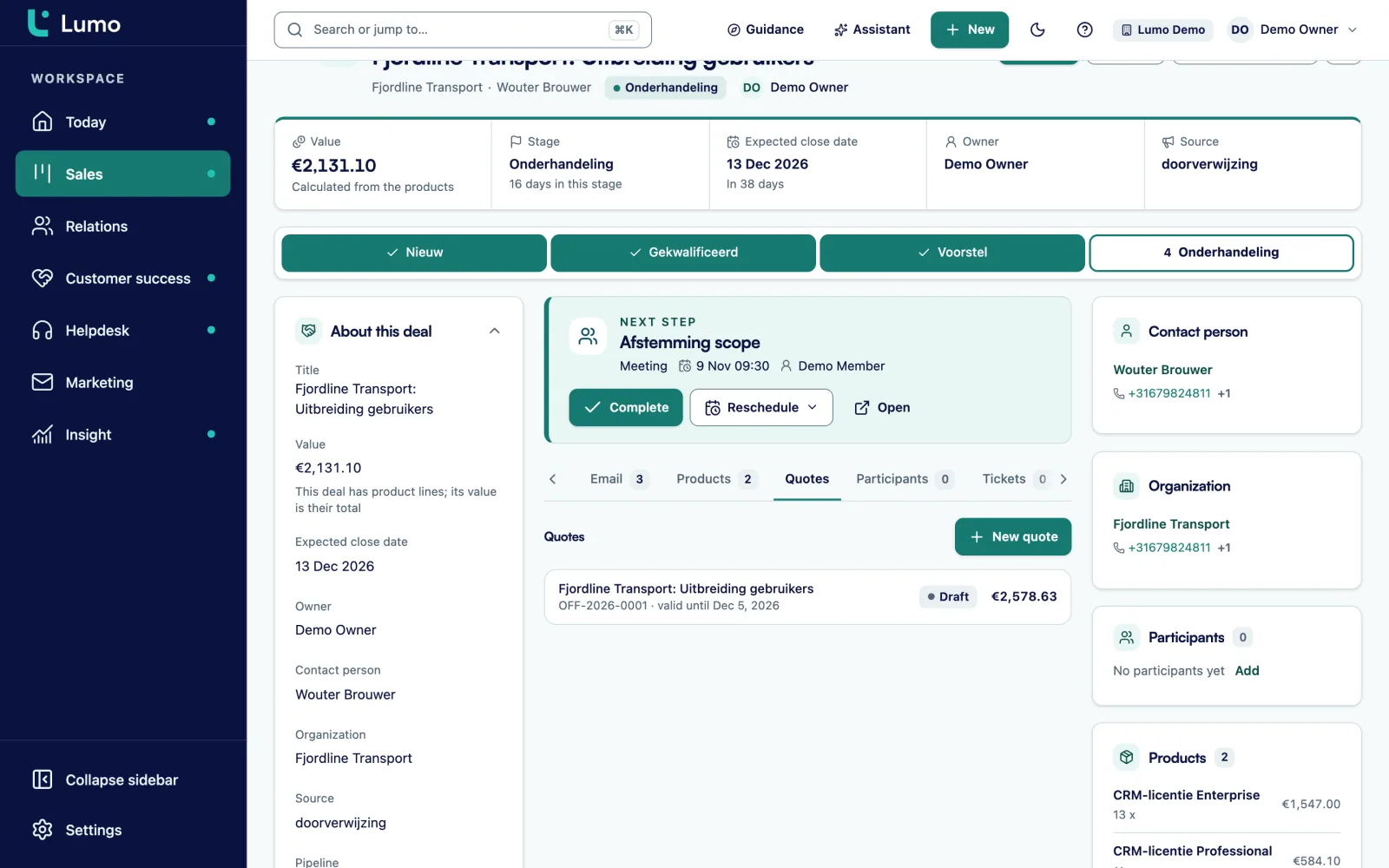
Sending a quote feels like the end of the job. In practice it is the start of the stage where most time is lost. The buyer said yes on the call, the rep sends a PDF that afternoon, and then it goes quiet. Two weeks later it turns out the quote is with the wrong person, procurement wants a different format, or the managing director has never heard of the project.
The situations where it stalls are nearly always the same. You will probably recognize a few.
The quote goes to your contact, not to the signer. You had three calls with a team lead. She likes the plan but has no authority to sign. She forwards the PDF to her manager with the words "see attached" and it lands at the bottom of a pile.
The quote does not match the conversation. The call was about less manual work and faster invoicing. The quote lists product codes and quantities. Anyone who missed the call sees a price with no reason behind it.
No next step was agreed. The rep says "take your time" and the buyer does exactly that. Slowly, with no date.
The discount needs internal approval. The buyer asks for ten percent, the rep says "let me check", and the request sits for four days with a sales manager who is on holiday.
The expiry date means nothing. A quote valid for three months gives the buyer three months to do nothing. A quote with no expiry date gives even longer.
Signing is a chore. Print, sign, scan and email it back. For someone working from home that can take a week, simply because there is no printer.
None of these is about price or product. They are process problems, and process problems can be fixed. The rest of this guide shows how.
Six steps that fit any B2B sales process, whatever CRM you use.
Before you hang up, ask who signs, who else needs to see it, and when you will go through the quote together. Book that slot right away. A quote with no meeting after it is a quote that waits.
Open with the buyer’s problem in their own words and what will change. Only then the lines and the price. A director who only sees the PDF should understand in a minute why it is on their desk.
Write down who may give which discount. Then the rep does not need to go back inside in the middle of a negotiation. A template for that rule follows below.
Let the buyer sign online instead of printing. Pick a validity that fits your cycle, often two to four weeks. That gives the expiry date real meaning.
Schedule every follow-up as an activity on the deal at the moment you send. Then it does not depend on memory. The day by day cadence is below.
Mark the deal won, brief delivery and finance, and send the customer a note within a day about what happens next. The moment after signing sets the tone for the whole relationship.
A quote is not a price list. It is a document that someone with no background must be able to read and sign. This template works for most B2B services and products. Copy it and drop whatever does not apply.
Quote number, date, valid until, customer name and contact, your contact details. A fixed number per year, such as Q-2026-0014, makes it easy for both sides to find later.
What the buyer told you, in their words. For example: "Orders are currently processed by hand from three shared inboxes, so invoicing takes about a week." Only use what the buyer said. Never make up a number.
The concrete parts in plain language, with what the buyer gets from each one. No internal product codes without an explanation.
For each line: quantity, price, discount and frequency, such as one time, monthly or yearly. Make clear what is one time and what recurs. Show VAT or sales tax and the total underneath.
What happens after signing: a kickoff within a week, a delivery date, who the contact person is. This answers the question "and then what?" before it is asked.
Payment terms, contract length, notice period, and a reference to your general terms. Short and readable.
How the buyer accepts and what happens when they do. With e-signing, a link and one sentence of explanation.
Keep the quote to two or three pages. Anything longer belongs in an appendix or in the conversation.
The cadence below assumes a quote that is valid for fourteen days. Every touch has a purpose. You do not send "did you have a look?" five times. Each time you give the buyer a reason to reply. The sample lines are a starting point, so make them your own.
Day 0, send. Purpose: the buyer knows what they are getting and what the next step is. Example: "Here is the quote we discussed. There is a link at the bottom to sign online. As agreed, we will walk through it together on Thursday at ten."
Day 1, confirm. Purpose: make sure it reached the right person. A short call or message: "Did the quote come through? Will it go to your director as well, or shall I send it to them directly?"
Day 3, the review call. Purpose: answer questions before they turn into objections. This is the meeting you booked on the last call. Walk through the quote together and ask: "What would stop you from signing this next week?"
Day 7, add value. Purpose: give the buyer something instead of asking for something. An answer to an open question, a plan with a start date, or a short note on one part of the scope. "You asked about the link with your accounting system. Here is how we would handle it."
Day 10, the decision maker. Purpose: make sure the person who signs has really seen it. "Shall I join your meeting with the leadership team for ten minutes to answer questions?"
Day 14, expiry. Purpose: an honest moment to decide. "The quote expires today. If you want to go ahead, I am happy to extend it by two weeks. If now is not the right time, that is fine too. Just let me know and I will close it properly."
After the expiry date. No answer? Mark the deal lost with a reason, or move it to a nurture stage with a date to come back. A quote that quietly expired but stays open inflates your pipeline and your forecast.
For more on following up without pushing, read the guide on following up leads and deals.
Write down who has which room to move, so a discount request does not sit for four days. The percentages are examples. Set your own limits.
No approval needed. The rep notes the reason on the deal, for example a longer term or payment up front.
Approval within one working day. If there is no answer, the rep may withdraw the offer or escalate to the named stand-in. Name the stand-in in advance.
Only in exchange for something: a longer contract, a reference, a larger volume. A discount with nothing in return teaches the buyer that asking pays.
Each discount comes with a note explaining why. After a quarter you can see which reasons repeat and whether your price or your offer should change.
A discount holds while the quote is valid. If the buyer asks for more time, the discount is up for discussion again.
Extra training, an earlier start or payment in installments often costs you less than a lower rate, and buyers value it just as much.
What you do not measure, you only notice at the end of the quarter. These four numbers show where your quote stage leaks. For each one, agree which date you use and stick to it.
Quote-to-close rate. Won deals that had a quote, divided by all deals with a quote that were won or lost in the period. Open deals are left out.
Time from quote to signature. Days between sending the first quote and the signature. Look at the median as well as the average, because one deal that took three months skews the average.
Quote revisions per deal. The number of quotes you made per won deal. Many revisions often mean the quote said something different from the conversation, or that someone joined late and disagreed.
Share of expired quotes. Quotes that passed their expiry date without any response, divided by all quotes sent. This is the number that says most about your follow-up.
Say a software reseller with five account managers sends 80 quotes in a quarter. These are example numbers to show the math, not benchmarks.
What does that tell you? More than a fifth of all quotes expire without anyone saying yes or no. That is a follow-up problem, not a pricing problem. The team could try two things: cut validity to 21 days, closer to the median, and book a review call on day 3 by default. After a quarter, measure again and see whether the share of expired quotes goes down.
In the EU, the eIDAS regulation defines three levels of electronic signature. Other regions have their own rules, often with similar ideas. This is a general explanation, not legal advice. If you are unsure what your contracts need, ask your lawyer.
Simple electronic signature. Any electronic way to give consent: a typed name, a checkbox, a click on accept, often combined with a check by email. In practice this is what many businesses use for B2B quotes and service agreements. How strong it is as evidence depends on what you can show: who signed, when, and that the document did not change afterwards.
Advanced electronic signature. It is uniquely linked to the signer, can identify them, and shows if the document was changed after signing. Companies often choose this for larger contracts or when the other side asks for it.
Qualified electronic signature. The highest level, based on a qualified certificate and a dedicated signing device. In the EU it has the same legal effect as a handwritten signature. You mostly see it where the law requires a specific form or where the other party insists on it.
For a quote, what matters most is that signing is quick and that you can show afterwards what happened. A signing link in the email saves the buyer from printing and scanning, and that alone often takes days out of the cycle.
The work does not stop at signing. Sort these out the same day.
Sending a quote instead of presenting it. A PDF in an email is the weakest way to present a proposal. Walk through it together, even if it only takes ten minutes.
Following up from memory. Reps who follow up when they remember do it when they are quiet. That is exactly when the buyer is busy. Schedule every touch as an activity on the deal when you send the quote.
Every new version restarts the clock. After a change, the buyer starts reading and approving again. Ask first what needs to change, then deliver one new version instead of three small ones.
The deal stays in quote sent. A quote that expired weeks ago but is still open makes your pipeline look better than it is. Mark it lost or give it a new date. See also how to set up pipeline stages with clear exit criteria.
Discounting to get it over the line. A discount in the last week teaches the buyer that waiting pays. Ask what is still holding them back instead.
Nobody owns the moment after signing. The rep has moved on to the next deal, delivery is waiting for details, and the customer hears nothing for a week. Make the handover a fixed step with an owner.
In Lumo you create a quote on the deal. The lines are a snapshot of the products on the deal, with VAT, an intro, terms and a valid-until date. Numbering runs per workspace and per year, such as OFF-2026-0001. The PDF carries your logo and the customer organization’s logo, in PNG or JPEG.
You send the quote from your own Gmail, with the PDF attached and a signing link. The buyer receives a six digit code by email, types their name and ticks agree. They can also decline. The signed PDF gets an evidence page with time, IP address, device and a SHA-256 hash, it is emailed to the customer, and a note is added to the deal. Every step goes into a hash-chained audit log, and you can void a quote. Read more about quotes in Lumo, email from Gmail and the pipeline.
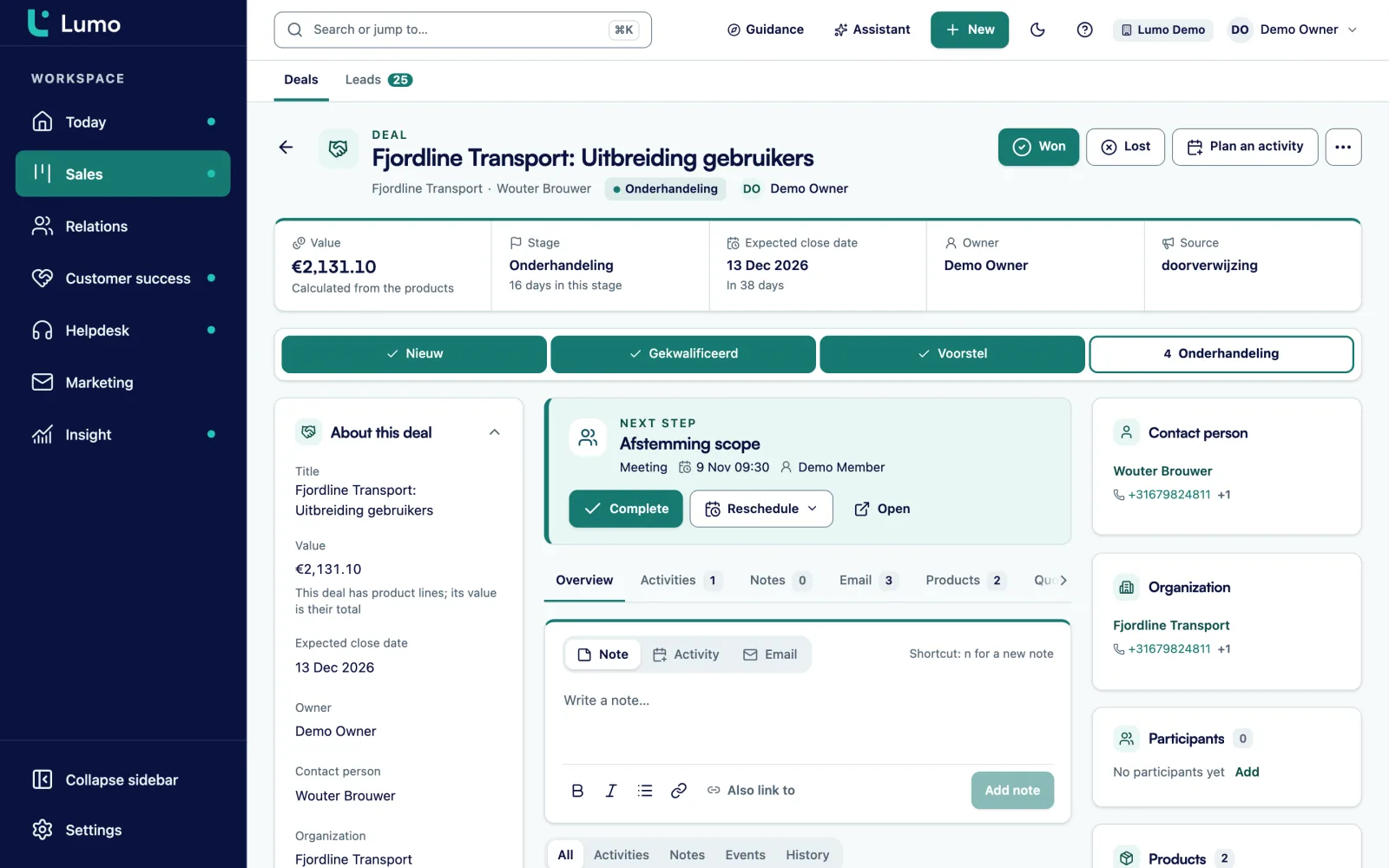
Quotes, the PDF, the customer email and the signing page are in Dutch only, even when you use Lumo in English. For buyers outside the Dutch-speaking market you send your own document for now. Signing is a typed name plus an email code, not a qualified electronic signature. If a contract needs that level, use a separate signing service for it. There are no reminder emails: you plan the follow-up cadence yourself as activities on the deal. A signed quote does not move the deal to another stage by itself, each quote has one signer, and SVG logos are not supported. Sending runs through Gmail today. The connection with Outlook and Microsoft 365 is on the roadmap.
Pick a validity that matches how long buyers really take. Measure the median time from quote to signature and set validity a little above it. For many B2B services that is two to four weeks.
As often as you have a reason. Five or six touches over two weeks works when each one adds something: a confirmation, a review call, an answer to a question, a talk with the decision maker.
A reference and validity, the reason in the buyer’s words, what you deliver, price lines with VAT or tax, the plan after signing, the terms and how to sign.
Under eIDAS it is a simple electronic signature, which many businesses use for B2B quotes. Whether it is enough for your contract depends on the type of agreement. Ask your lawyer if you are unsure.
A simple signature is any electronic form of consent. A qualified signature uses a qualified certificate and a dedicated signing device, and in the EU it has the same legal effect as a handwritten signature.
Won deals with a quote divided by all deals with a quote that were won or lost in the period. Open deals are left out.
On the expiry date, ask for a decision. If nothing comes back, mark the deal lost with a reason or move it to a nurture stage with a date to return.
Only with a reason, and ideally in exchange for something such as a longer term. Agree in advance who may give which discount so requests do not sit for days.
No. The quote, the PDF, the customer email and the signing page are Dutch only. The rest of Lumo works in Dutch and English.
In the demo we create a quote on a sample deal, send it and sign it, so you see the whole route from start to finish.