See how rules and guidance work
In the demo we switch on the default rules on sample data and show what a rep sees when a rule is broken.
A CRM only works when the team uses it every day and the data is right. In Lumo, tours, checklists and guides live inside the product. Data quality rules give a tip, a warning or refuse the save. And you see how far each person has got.
The pattern is almost always the same. A new CRM arrives. There is an afternoon of training, everyone gets a login and the first weeks go fine. Then it gets busy. One rep creates a deal without a contact, planning to fill it in later. Another keeps their own list in a spreadsheet because it feels quicker. After three months half the deals have no expected close date and the sales manager no longer trusts the pipeline.
The problem is rarely the system itself. The problem is that the agreements on how to use it sit in a document nobody opens, or in the head of whoever ran the training. A new colleague who starts in month four never gets that training. And nobody sees who is dropping off until it is too late.
At Sales Surge we have done more than 150 CRM implementations. What we keep seeing is that adoption is not about one good training session. It is about help at the moment someone does something. A rep who saves a deal without a contact should hear right then why it matters and what to fill in. Not a month later in a report.
That is why guidance in Lumo lives inside the product. Data quality rules step in at save time, with an explanation in your team's own words. Tours and checklists help a new colleague get going. And progress shows who is working well with it and who needs help. For the approach regardless of which system you use, read our guide on increasing CRM adoption.
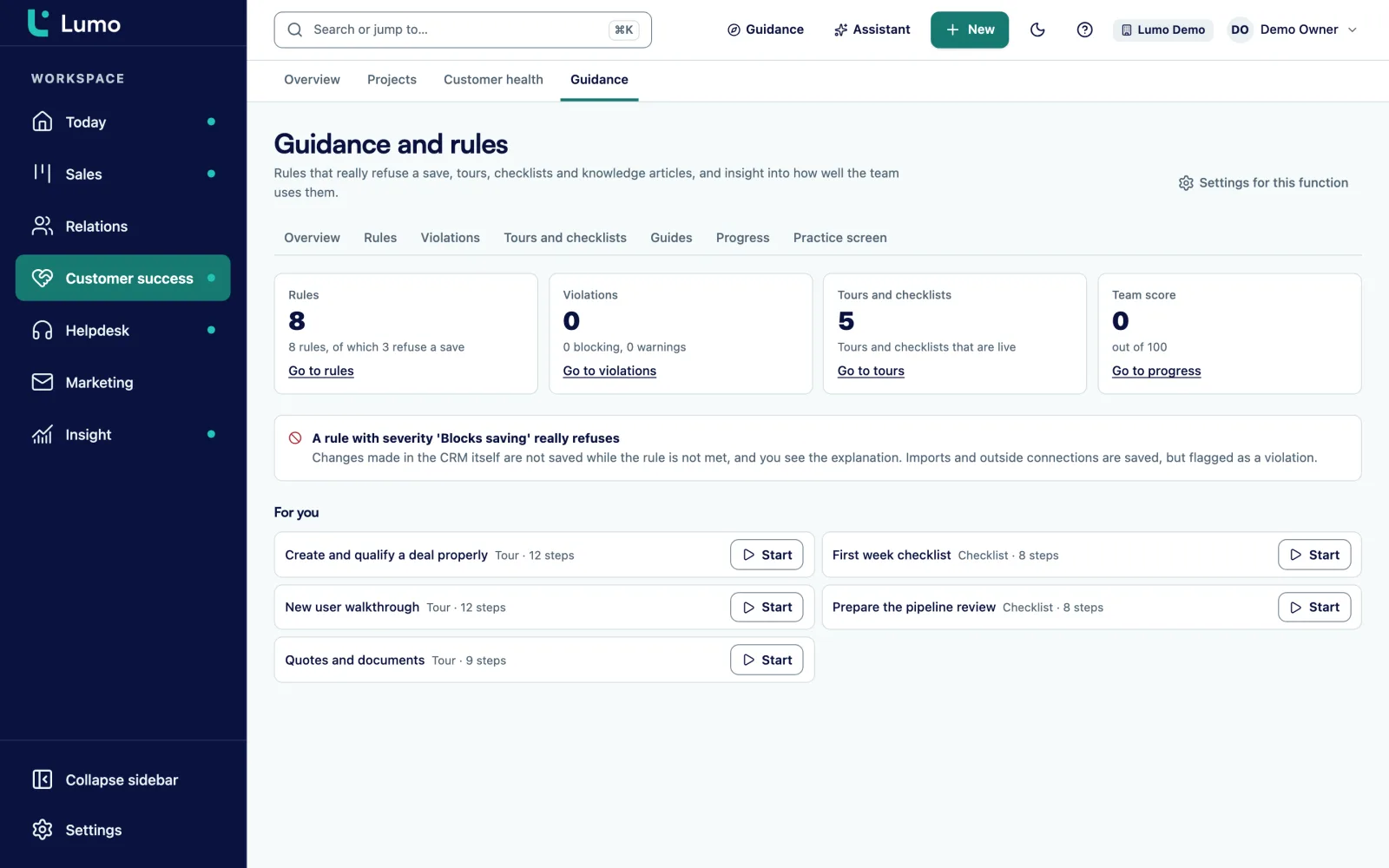
Open Guidance and rules. On the left are the parts: Overview, Rules, Violations, Tours and checklists, Guides and Progress.
Install default rules gives you eight rules for deals in the language of your interface. A rule that already exists is left alone.
In a new rule you fill in When and Then this must hold, choose the severity and write an explanation for the user. Test this rule tries it on an existing record.
Create a tour through a screen or a checklist for someone's first week. Publish a version when it is ready.
Assign a tour, checklist or guide to the people who need it. They see it under assigned to you.
Progress shows per person what is done and a score. Violations shows which records fail a rule.
A rule has two parts. When: when does the rule apply, for example when the deal is open. Then this must hold: what must be true, for example that there is a contact person. Then you pick the severity.
With severity Tip the user only gets a hint and the record saves as normal. With Warning the record saves, the user sees a warning and a violation goes on the list. With Blocks saving the save is refused until the rule holds. That applies to changes in the screen and through the API.
For every rule you write an explanation in Markdown: why the rule exists and what the user should do. You can link a guide that is offered with the explanation, and choose fields to highlight when the rule is broken. The rep knows straight away what to fill in.
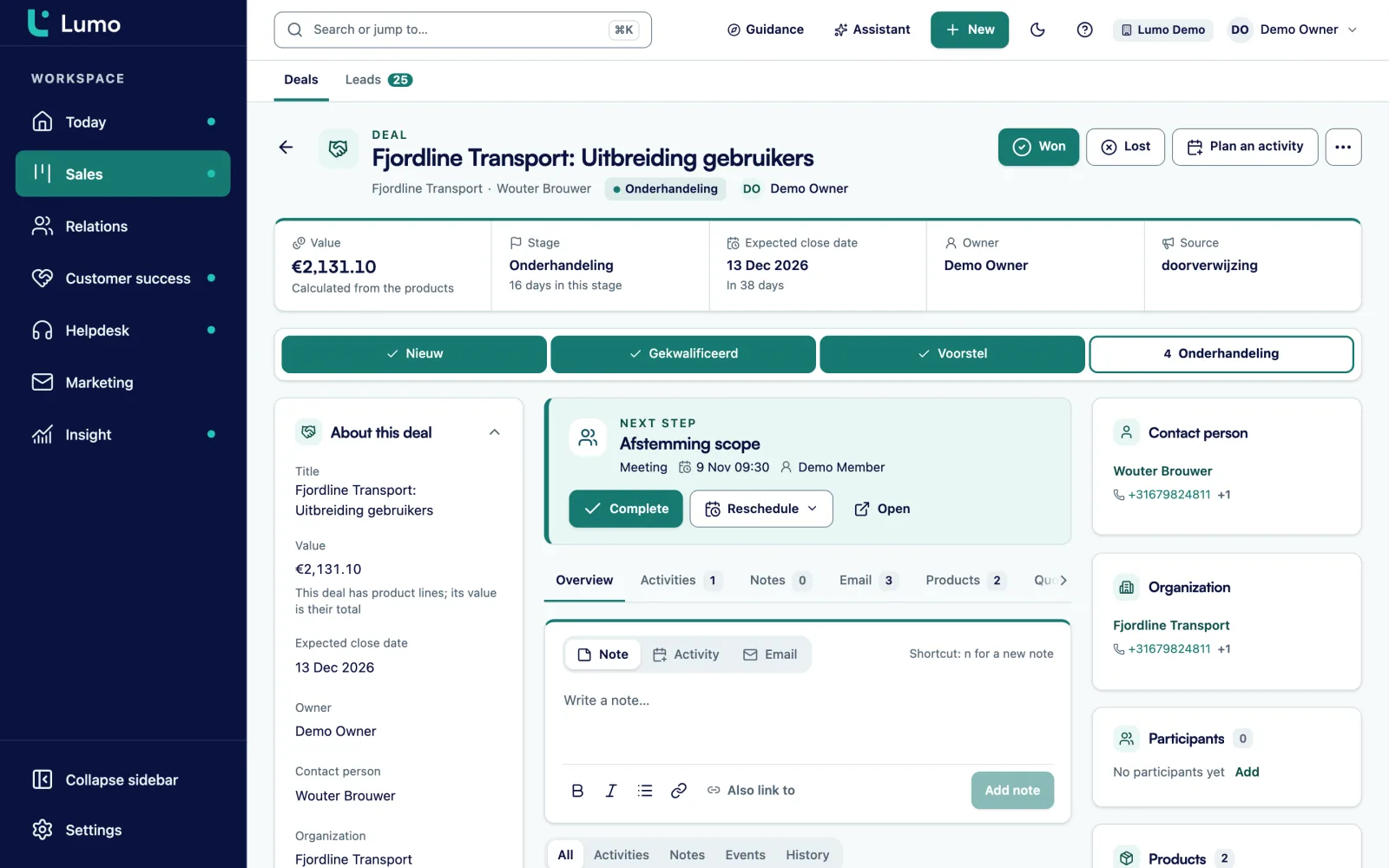
A new account manager should not have to read a thirty-page manual first. They get a tour of the deal board showing where the stages are and how to move a deal. And a checklist for their first week: connect Gmail, create a first deal, plan an activity, create a quote.
You write guides in Markdown. That is where your team's agreements live: what each stage means, when a lead counts as qualified, which fields are required and why. A guide can be linked to a rule, so the explanation shows up at exactly the moment someone breaks it.
Tours, checklists and guides have versions. You work on a new version while the old one stays live, and publish it when it is ready. Then you assign it to the people who need it.
The Violations list shows every record that fails a rule, with filters for rule, severity, record type and status. A violation only closes when the rule no longer fires on the record as it is now. So you cannot click a violation away. You fix it by improving the record.
Progress shows per person which assigned tours and checklists are done, with an adoption score. In the weekly meeting you see who is working well with the CRM and who could use some help. That is a different conversation from "why is your pipeline not up to date": you see exactly which steps are still open.
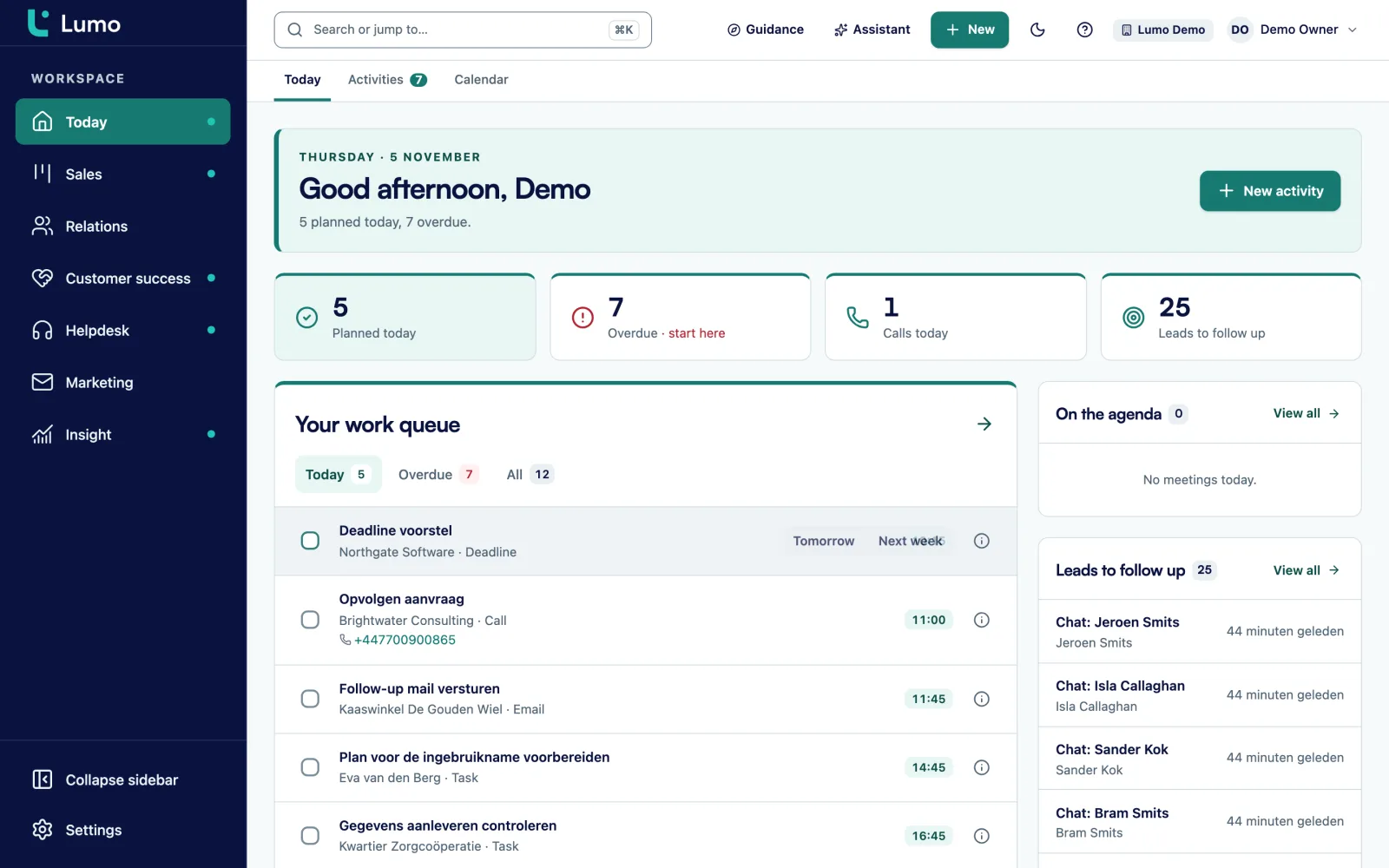
For the daily view every user has the Today page, with the day's tasks, leads to follow up and stalled deals. A team that starts there every morning keeps the CRM up to date as a matter of course.
Tip, Warning or Blocks saving. Blocking really refuses, in the screen and through the API.
Eight rules for deals to start with, in the language of your interface. Installing leaves existing rules alone.
An explanation in Markdown of up to 8,000 characters, with highlighted fields and a linked guide.
See what a rule does with an existing record. Nothing is saved and no field values are shown.
A tour through a screen, for new colleagues or a new process.
Your team's agreements in Markdown, with versions and publishing.
Assign tours, checklists and guides to the people who need them.
Per person what is done and an adoption score, plus open violations by severity.
Say a software company with 9 account managers notices its pipeline is off. Deals in Proposal have no amount, the expected close date is sometimes a year in the past, and one in three deals has no contact person. Here is an example of how such a team could tackle it with guidance and rules.
The sales manager first installs the eight default deal rules and checks which ones suit the team. He sets them all to Warning at first. Nothing gets refused, but within a week the Violations list shows how big the problem is.
Then he writes an explanation for each rule. The contact person rule says: "Without a contact, no email lands on this deal and your colleague does not know who to call. Pick the person you are talking to." He links a short guide on what each stage means.
After two weeks he moves two rules to Blocks saving: a deal in Proposal must have an amount, and an open deal must have a contact person. The rest stays on Warning. New colleagues are assigned a first-week checklist and a tour of the deal board.
In the weekly meeting he looks at open violations by severity and at progress. If someone stands out, the conversation is about two specific deals, not about "keeping the CRM up to date".
A few rules that really matter work better than twenty rules that annoy everyone.
Data quality rules check whether a record is right. If you want something to happen when a record changes, such as a task after a stage change, use automations. Clean up duplicates in duplicate management, because they undermine trust in the data as well.
If you do not want to run the rollout alone, Sales Surge handles implementation and onboarding. We set up stages, fields and rules with you and train the team. RevOps and leadership, who mostly want to know whether the numbers are right, have their own page for RevOps and leadership.
Blocks saving really refuses changes made in the screen and through the API. Data that comes in through an import, a form, chat or mail is not refused but flagged as a violation. That way you never lose a request because a field is missing, and the list shows what you still need to complete. Guidance works inside Lumo itself. There is no separate Chrome extension that shows guidance in another CRM.
With help at the moment someone does something: rules with explanations at save time, tours and checklists for new colleagues, and progress you discuss in meetings. Our guide on increasing CRM adoption goes deeper.
Yes. Fields can be required, and a rule with severity Blocks saving enforces conditions, such as an amount on every deal in Proposal.
With Warning the record saves and a violation goes on the list. With Blocks saving the save is refused until the rule holds.
No. Imports, forms, chat and mail are flagged as violations but not refused, so you do not lose data.
Eight rules for deals, in the language of your interface. You install them in one go and then adjust or switch them off.
Yes. Progress shows per person which assigned tours and checklists are done, with an adoption score.
Yes, with Test this rule. You pick an existing record and see whether the rule applies and whether the record passes. Nothing is saved.
Yes. Sales Surge has done more than 150 CRM implementations and is a Pipedrive Platinum Partner. More on implementation and onboarding
In the demo we switch on the default rules on sample data and show what a rep sees when a rule is broken.