See a chat go from question to lead or ticket
In the demo we set up a chat channel, hold a conversation as a visitor and turn it into a lead and into a ticket.
You add a chat window to your site with a few lines of code. Visitors ask their question, your team replies from Lumo, and anyone who leaves an email address becomes a person with a lead and an activity. If it is a support question, you turn the conversation into a ticket with one click.
Plenty of B2B sites have a chat window. And this is what often happens. On Tuesday evening a visitor asks whether you deliver to Germany. Nobody answers, because the chat is switched on while the team has gone home. Or someone does answer, the question is handled, and the conversation disappears into the chat tool. Nobody in sales sees that a buyer at a mid-sized company was exploring. There is no lead, no follow-up, and three weeks later that buyer purchases elsewhere.
The reverse happens too. An existing customer reports in the chat that their order never arrived. The person on chat promises to look into it and writes it on a sticky note. The note gets lost. The customer hears nothing and emails their account manager, annoyed.
The problem is not chat itself. It is that chat stands apart from everything else. A chat tool does not know who the visitor is, has no leads or tickets, and keeps conversations where sales and support never look.
In Lumo conversations are part of your CRM. When a visitor leaves an email address, Lumo creates a person, a lead and an activity. If it is a support question from an existing customer, one click turns the conversation into a ticket in your helpdesk, with an SLA clock and an owner. Outside business hours the visitor sees a message you write yourself, so they know what to expect instead of waiting in an empty chat.
A conversation on your site then leaves something behind, even after the visitor closes the window.
You start with a chat channel. Conversations then arrive in the conversation inbox.
Create a channel and set the welcome message, colours and language. Say which websites the chat window may run on.
Set your hours per day, in your workspace time zone. Write a message for outside those hours. Without hours the channel is always open.
Add the channel's snippet to your site. Use the chat window test page to see how it looks first.
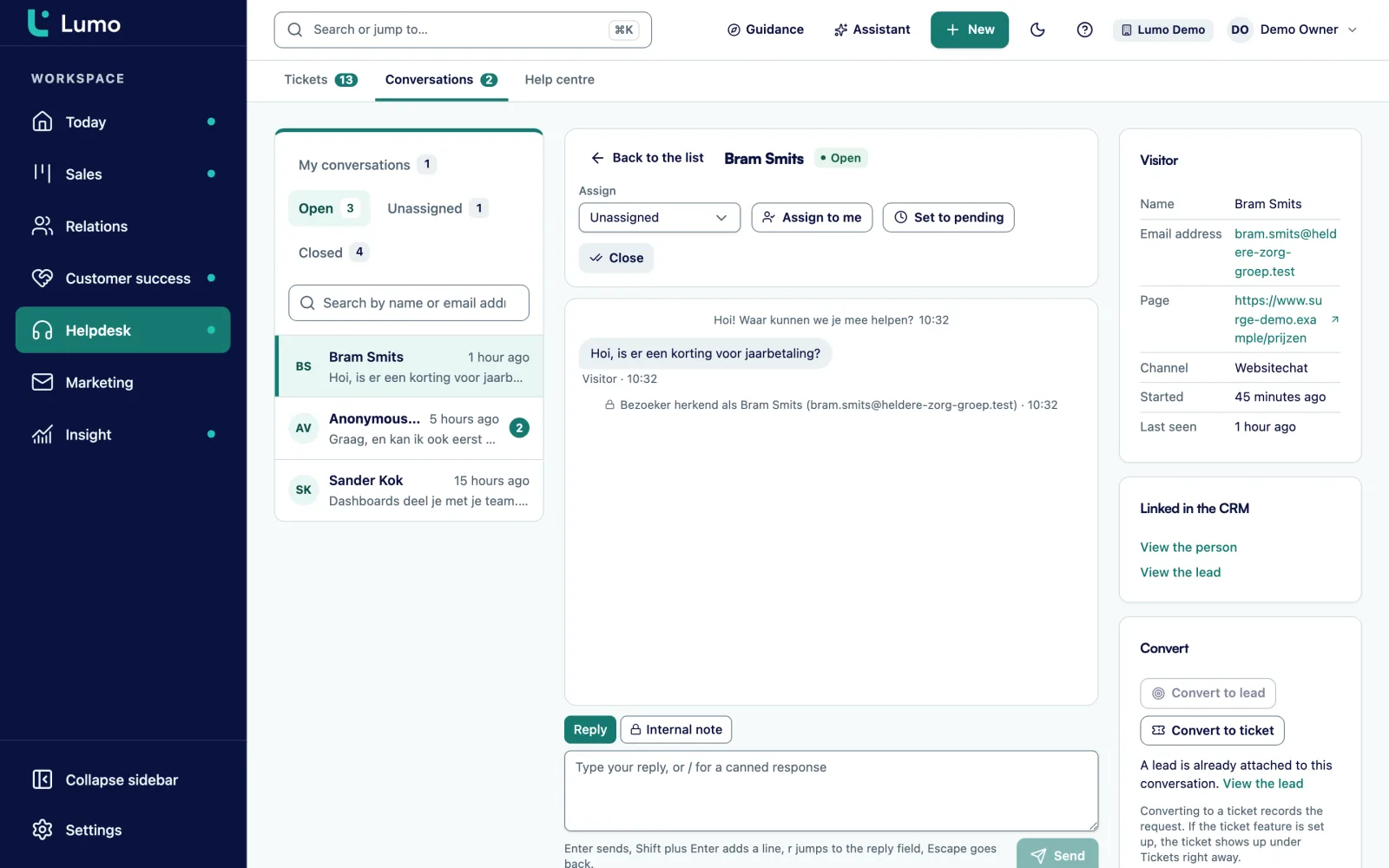
Conversations arrive as Open. Assign them, reply with a saved reply through / and set a conversation to Pending or Closed.
Turn it into a lead for a sales opportunity, or into a ticket for a support question. The conversation then shows the linked lead or ticket.
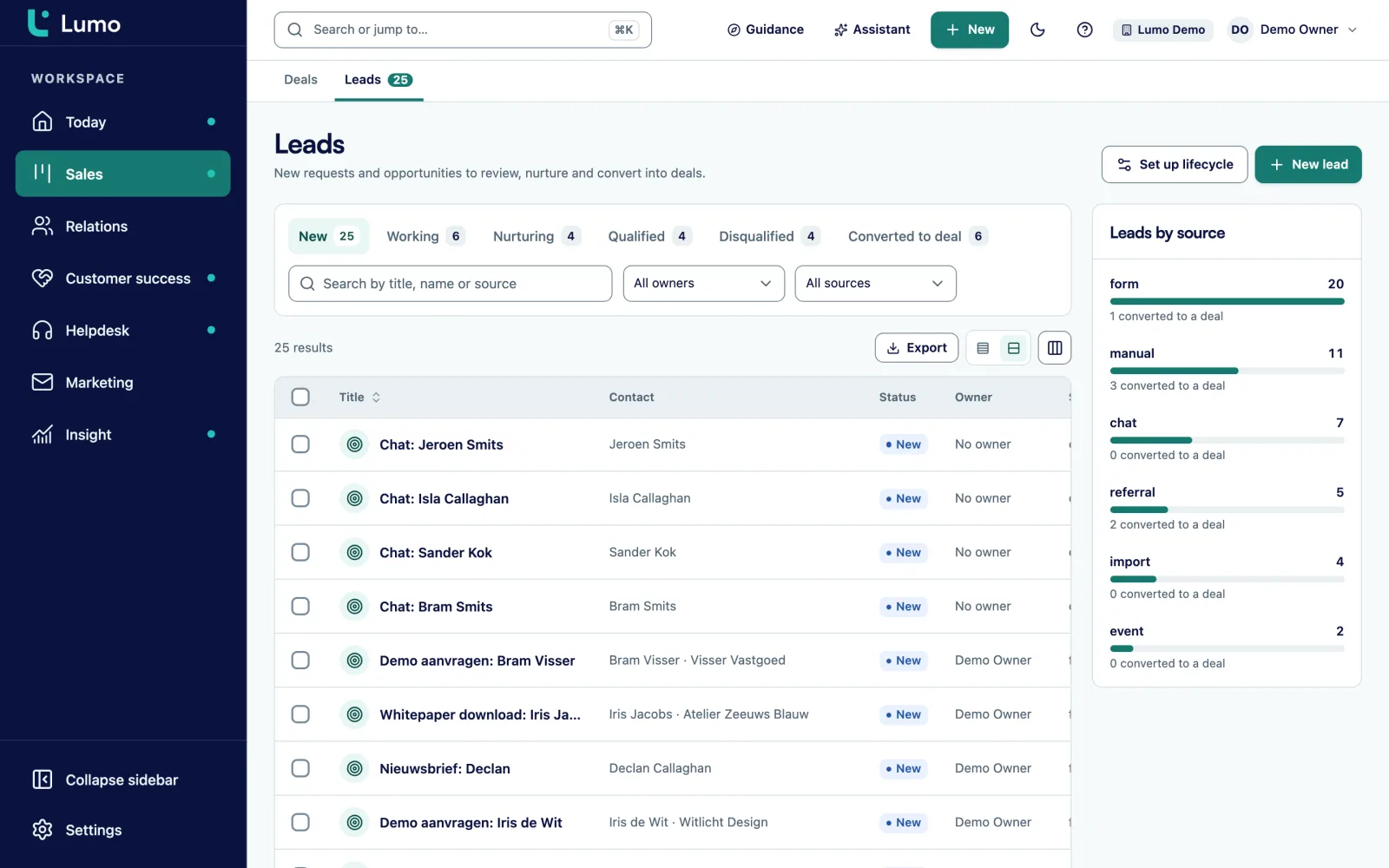
Most visitors who chat are anonymous. That changes once someone leaves their email address in the conversation. Lumo then creates a person, a lead and an activity. The lead lands in the lead list as New, with chat as its source. A rep picks it up there, just like a lead from a web form.
You can also convert a conversation yourself, for example when the visitor asks a specific question about pricing or delivery. If a lead is already attached to the conversation, Lumo tells you, so you never create a duplicate. A conversation that has already been converted cannot be converted twice.
Each conversation shows which lead is linked to it, with a link to open the lead. And the conversation appears as an activity on the person. A rep who picks up the lead knows right away what the visitor asked, without anyone forwarding anything.
Not every chat question is solved in one conversation. A customer reports a damaged delivery or an integration that stopped working. That needs looking into, and the answer may only come tomorrow. So you turn the conversation into a ticket.
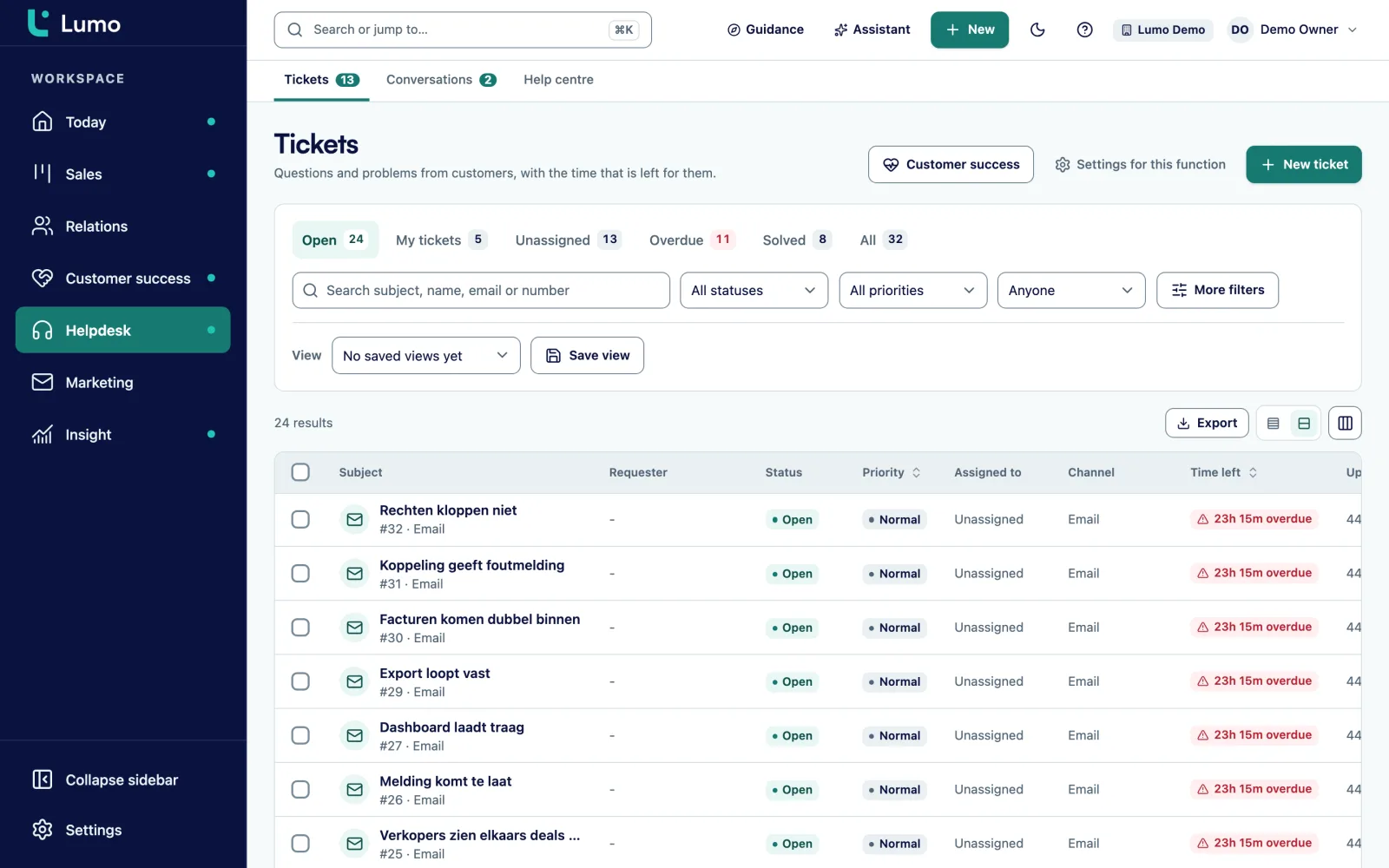
The ticket lands in your ticket inbox with the same statuses, priorities and SLA targets as a ticket from the mailbox. Someone owns it, the first-response clock runs, and the customer sees the ticket in the customer portal. The chat stays linked, so your colleague can read what was already said.
If the ticket module is not set up in your workspace yet, converting to a ticket records the request. The ticket appears as soon as the helpdesk is switched on. So nothing gets lost in the first weeks either.
The conversation inbox holds every chat with visitors to your website. Each conversation shows its status: Open, Pending or Closed. You assign a conversation to a colleague so two people never answer at once. You see when a visitor is typing, and the visitor sees whether your team is around.
For questions that keep coming back you create saved replies. Each one gets a shortcut of lowercase letters, digits, hyphens or underscores, up to 32 characters. In the reply field you type / and pick the shortcut. The reply replaces your text and you can still edit it before sending.
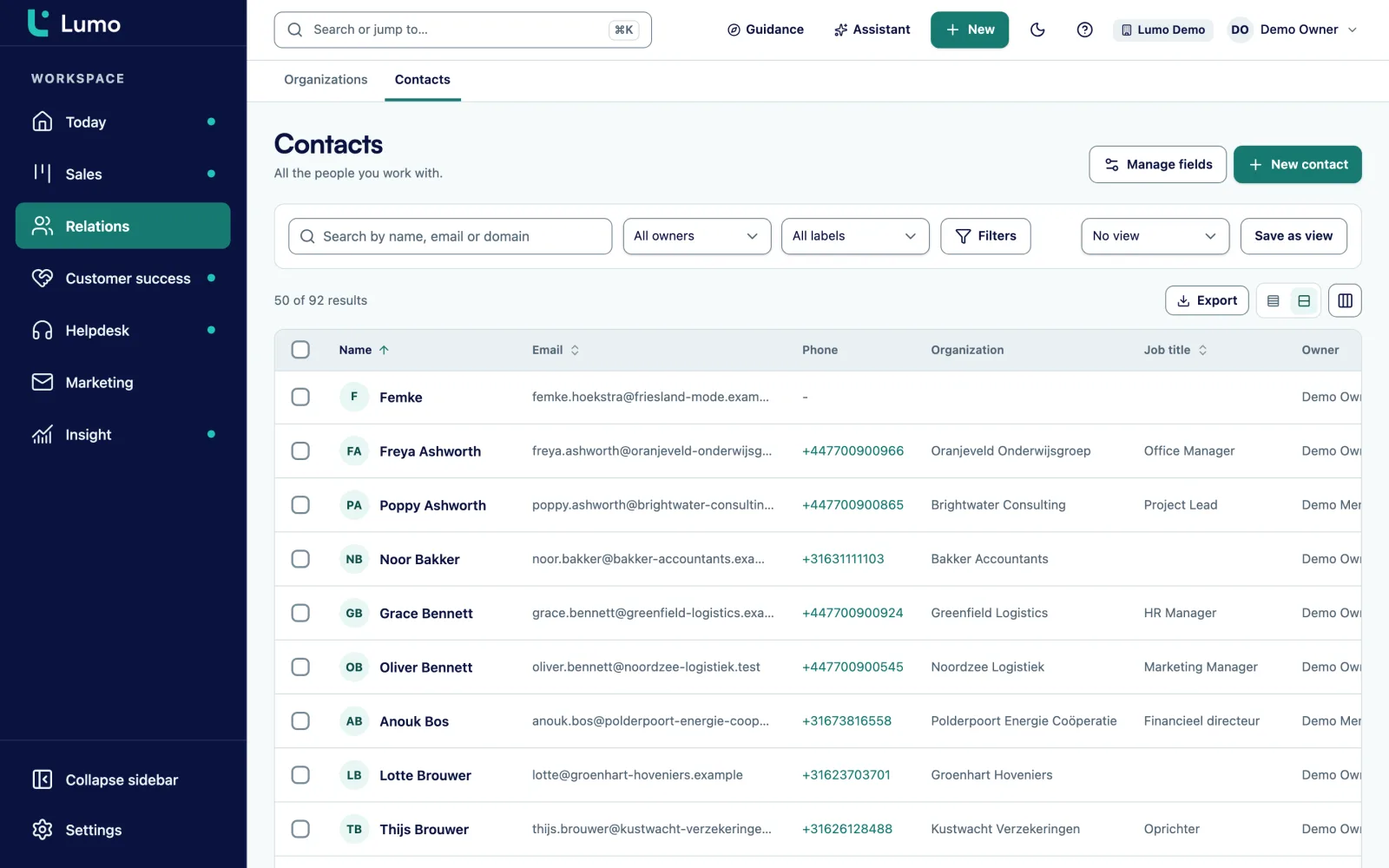
Next to the conversation you see the visitor details and what is linked in the CRM. If the visitor is already a known person in contact management, you see it straight away. So you know whether you are talking to a new prospect or a customer who has bought from you for years.
One snippet per channel, with welcome message, colours and language. Only on the websites you allow.
Hours per day in your workspace time zone, with your own message outside those hours.
Assign conversations to a colleague so every conversation has one owner.
Fixed replies you call up with / and a shortcut of up to 32 characters.
A visitor with an email address becomes a person, a lead and an activity.
A support question goes to the helpdesk in one click, with SLA clock and owner.
You see when the visitor types, and the visitor sees whether your team is there.
Per channel you set which websites the chat window may run on.
This is a made-up example to show the flow, not a customer case.
Say a SaaS company with thirty staff sells project planning software to engineering firms. Its pricing page gets questions about plans and integrations, and its help pages get questions from existing customers. A chat window from a separate tool was already on the site, but conversations ended up nowhere.
The company creates two channels in Lumo. One for the marketing site in English, with the welcome message "Questions about the product? Ask us. We reply on weekdays from 9 to 5." One for the help pages, with a message pointing to the customer portal. Both have business hours, and outside those hours they say: "We are offline now. Leave your email and we will reply tomorrow morning."
On a Wednesday a visitor on the pricing page asks whether the software works with a particular accounting package. Sales rep Lena replies within minutes using the saved reply /integrations and asks for an email address. Once the visitor gives it, Lumo creates a person, a lead and an activity. The lead appears as New, and an automation assigns it to the rep for engineering firms.
The same afternoon an existing customer on the help pages reports that exports fail. The support agent turns the conversation into a ticket with priority High. A developer picks it up, and the customer follows progress in the customer portal.
A chat is a start, and what follows is already in Lumo. A sales question becomes a lead you qualify and convert into a deal. A support question becomes a ticket in your helpdesk that the customer follows in the customer portal. The person sits in contact management, with the conversation as an activity.
For visitors who would rather fill in a form than chat, put a web form on the same page. Leads from chat and from forms arrive in the same list, each with its own source. And Lumo for customer service shows how chat, tickets and the portal form one working day.
Chat in Lumo is a conversation between a visitor and your team. There is no AI chatbot that answers on its own. The channels you set up use fixed texts, such as the welcome message and the offline message. To reply faster, create saved replies for questions that keep coming back.
WhatsApp, social media messages and phone are not included. A customer who calls you is logged as a ticket or an activity in Lumo. That way every contact still lands on the same person, even when it did not come through chat.
Create a chat channel in Lumo and paste that channel's snippet into your site. That works in any website system where you can add code.
The visitor sees the offline message you wrote. If you set no hours, the channel is always open.
Yes. When a visitor leaves an email address, Lumo creates a person, a lead and an activity. You can also convert a conversation to a lead yourself.
Yes. The ticket lands in your helpdesk with owner, priority and SLA clock, and the conversation stays linked.
No. Your team replies, with saved replies for questions that keep coming back.
Yes. Create them with a shortcut and call them up by typing / in the reply field. You can edit the reply before sending.
Yes, you choose the language per channel. With a Dutch and an English site, create two channels.
No, WhatsApp and social media are not included. The chat runs as a window on your own website.
No. Per channel you set which websites the chat window may run on.
In the demo we set up a chat channel, hold a conversation as a visitor and turn it into a lead and into a ticket.