See the helpdesk on your own questions
In the demo we set up an SLA with business hours, show macros and the portal, and look at tickets next to your deals.
A shared inbox works until the first customer gets the same answer twice, or none at all. This guide walks through every choice you make before you switch on a helpdesk: channels, statuses, priorities, an SLA, macros, staffing and the numbers you track afterwards.
In B2C a question comes from one person and the job is mostly speed at volume. In B2B every question belongs to an account with a contract, an account manager and often ten or twenty users. A ticket from a user at your largest customer carries different weight than a question from a trial account. And the person asking is rarely the person who signs the renewal.
So a B2B helpdesk does not start with the tool. It starts with three questions. Who may ask us for help, and through which channel? What do we promise, and to whom? And who needs to know what when a customer is upset or a deal is in progress?
Many teams start with support@ as a shared mailbox. That is fine with two people. After that, things go wrong that you only notice when a customer complains. Two colleagues answer the same email. A question sits untouched because everyone assumes someone else has it. And nobody knows how long a customer waits on average. A helpdesk does not fix that by itself. It does make it visible, and that is where it starts.
A second difference: in B2B, sales wants to know what is going on with an account. When the helpdesk lives in a separate system, an account manager calls about a renewal while three tickets are open. So put tickets on the same organization as your deals, whatever system you use. Then everyone sees the same picture, and you can later measure customer success on real signals.
The numbers in this guide are examples that show the math. They are not benchmarks. A good response time depends on your product, your contracts and what your customers expect.
Follow this order. Each step builds on the one before.
Start with email and possibly a portal or chat. Every channel you open must be staffed within your SLA. A chat nobody answers after 4 pm is worse than no chat. Decide what happens to questions that arrive elsewhere, such as an email to a personal address. The person who receives it turns it into a ticket.
A status answers one question: whose move is it? New means nobody has looked yet. Open means we are up. Pending means the customer is up. On hold means we wait for a third party, such as a supplier or a developer. Solved means we think it is done. Closed means the case is finished. Write this down, or everyone will use the statuses differently.
Agree when something is urgent without letting the customer’s tone decide. Urgent: the system is down for the whole organization. High: a core process fails and there is no workaround. Normal: something is wrong but a workaround exists. Low: a question, a request or a small bug. Whoever sets priority looks at impact, not exclamation marks.
Ten to fifteen at most, such as login, billing, integration, error message and feature request. With more tags nobody picks them consistently. You use them later to see where questions come from and which articles your knowledge base lacks.
Choose between agents picking from a shared queue and automatic distribution. Picking works with two or three people. Beyond that, the easy tickets disappear fast and the hard ones stay. Distributing over available agents prevents that. Also agree who watches the queue when someone is out sick.
Look at the last fifty questions and find the five that keep coming back. Write a standard reply for each with room for one personal sentence. Three templates follow below.
Start with ten articles on the most common questions. A portal where customers see their own tickets and get article suggestions when they open a new one saves you the “any news?” email.
A CSAT question after solving gives you a signal per ticket. Keep it short: one question, a scale and an open field. Read the low scores every week. That is where the work is.
An SLA (service level agreement) states what you promise: how fast you respond and how fast you resolve, per priority. Below is an example table. The values are made-up examples. Pick your own using the method that follows.
Do not start with what sounds good. Start with what you achieve today. Take the last three months of tickets and look, per priority, at the response time you met for eight out of ten tickets. Set your first target just below that. An SLA you miss in the first month is one nobody takes seriously, your own team included.
Then check your contracts. If an agreement states a response time, that is your floor for that customer. Put those customers in their own group so you can track them in a separate view.
Finally, agree what stops the clock. Most teams pause resolution time while a ticket is Pending, because the customer has the next move. On hold is harder. If you are waiting for your own developer, that is your time. Write it down before someone uses a status to stop the clock.
An example to show how business hours add up. A customer emails on Friday at 4:30 pm about a High priority issue. Business hours are Monday to Friday, 8 am to 6 pm, and the first response is due within 2 business hours.
On Friday one and a half business hours remain, from 4:30 to 6 pm. The weekend does not count. The last half hour runs on Monday from 8 to 8:30 am. So the first response deadline is Monday 8:30 am, not Friday 6:30 pm.
Now take a resolution target of 1 business day, which is 10 business hours. You reply on Monday at 8:15 am and ask for a screenshot. The ticket is Pending from 8:15 to 11:15 am. If the clock pauses, those three hours do not count. Friday from 4:30 to 6 pm used 1.5 hours. Monday from 8 to 8:15 am used another 0.25 hours. That leaves 8.25 hours from 11:15 am, which puts the resolution deadline at Tuesday 9:30 am.
If a public holiday falls in between, such as Easter Monday, everything moves by a business day. So add your holidays to the helpdesk before go-live, or it will look as if you missed a pile of SLAs after every holiday.
A macro is a standard reply you insert in one action, often together with a status change. Keep them short and always leave room for one sentence of your own. In many teams these three cover a large share of first replies.
Received, we are on it. “Hi {first name}, thanks for your message. I have picked up your question about {topic}. I will let you know what I found by {time}. Best, {agent name}.” Status stays Open.
We need more information. “Hi {first name}, to look into this properly I need two things: a screenshot of the message and the time it happened. As soon as I have those, I will continue.” Status moves to Pending.
Solved, can you confirm? “Hi {first name}, the integration works again. The cause was {cause}. I am marking the ticket as solved. If it still does not work for you, reply to this email and I will look again.” Status moves to Solved.
Check every month which macros nobody uses and which questions still have no macro. A macro that agents edit by hand every time usually means the text is wrong.
You work out staffing with three numbers: ticket volume, time per ticket and the hours someone really spends on tickets. Here is an example with made-up numbers.
Say you receive 300 tickets a week. A ticket takes 15 minutes on average, including reading, investigating, replying and a follow-up reply. That is 300 times 15 minutes, or 4,500 minutes, or 75 hours of work a week.
An agent works 40 hours but does not spend all of them on tickets. Meetings, updating the knowledge base and breaks take time. Use 70 percent, for example, and you have 28 hours per person. 75 divided by 28 is about 2.7, so you plan for 3 people.
That is the average. Tickets do not arrive evenly. If Monday morning is twice as busy as the rest of the week, that is where your SLA slips first. So look per part of the day and staff to the peaks, not the weekly average. And account for holidays: with three people, one person on leave is a third of your capacity.
If you want fewer tickets per person, you have two levers. Lower the time per ticket with macros and better context on the ticket, or lower the number of tickets with a knowledge base that answers questions before they are asked.
Six numbers, each with a formula. For every number, write down which period and which tickets count.
Time between a ticket arriving and the first public reply from an agent, in business hours. An automatic acknowledgement does not count. Look at the median and at the share of tickets within SLA.
Time from arrival to Solved, in business hours, minus time spent Pending if that is what you agreed. Split it by priority and by category.
Number of tickets open at a given moment: New plus Open plus On hold. Watch the trend and the number of tickets older than a week.
Tickets reopened after Solved, divided by all solved tickets. Example: 12 out of 240 is 5 percent. A rise often means tickets are being marked solved too early.
Satisfied responses divided by all responses to the satisfaction question. Example: 81 out of 90 is 90 percent. Also watch the response rate. With few answers the score says little.
An approximation: the number of times someone read a suggested article and did not open a ticket, divided by the number of times an article was suggested. It is hard to measure exactly, so use it as a direction, not a hard number.
Too many statuses. Every extra status is a question with a different answer for each person. Start with the six from step 2 and only add one when you have a question they cannot answer.
Stopping the clock as a trick. Whoever sets a ticket to Pending to save the SLA keeps the numbers and loses the customer. Also report on total elapsed time including waiting, and it shows.
Priority by tone. An angry customer then always goes first and a polite one waits. Priority is about impact. An angry customer with a small question gets a fast, friendly reply, not an urgent priority.
No rules for internal notes. An internal note is for colleagues. Never write anything there you would not want the customer to see if it went public by mistake, and check the field before you send.
Writing the knowledge base before go-live and never again. Articles go stale with every product change. Agree that whoever solves a ticket where an article was wrong updates that article or flags it.
Leaving sales out. An account manager who does not see three open tickets at the account calls at the wrong moment. Make sure tickets sit on the same organization as the deals.
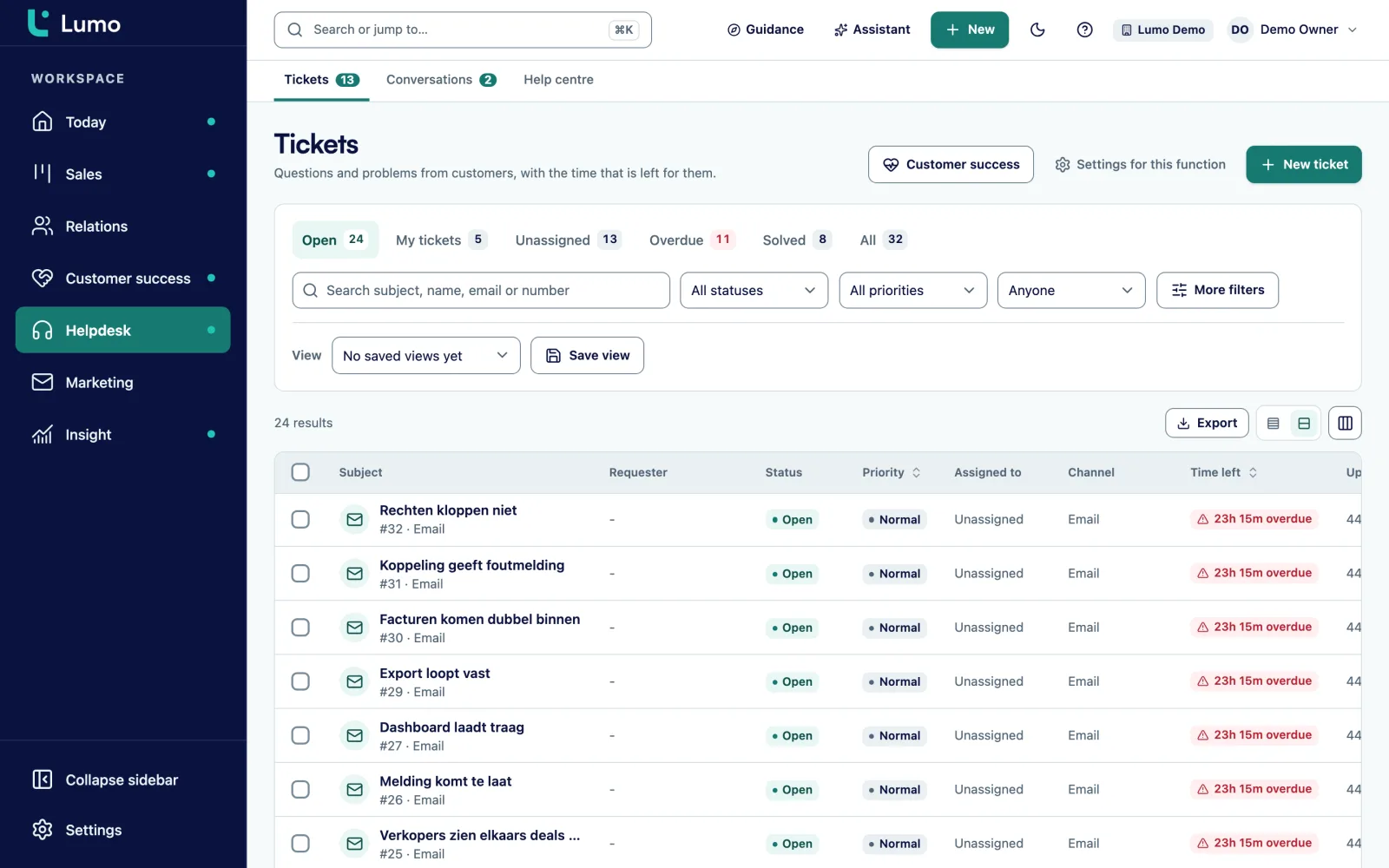
In Lumo the helpdesk sits next to deals and contacts, so tickets belong to the same organization. Tickets use the statuses New, Open, Pending, On hold, Solved and Closed. They come in from a mailbox, the customer portal, an escalated chat, or you create them by hand. Agents reply publicly or with an internal note, use macros with Cmd or Ctrl and /, and work with tags, saved views and rules. Assignment can also be distributed over available agents.
You set the SLA per priority for first response and resolution, with business hours and holidays, and a warning at 75 percent of the time. After solving, a satisfaction survey goes out through a signed link. Read more about the helpdesk, the customer portal, live chat and the page for service teams.
The customer portal works without a password. A customer signs in with a link in an email, sees their own tickets, opens a new ticket with article suggestions, replies and marks a ticket solved. Internal notes are never shown there.
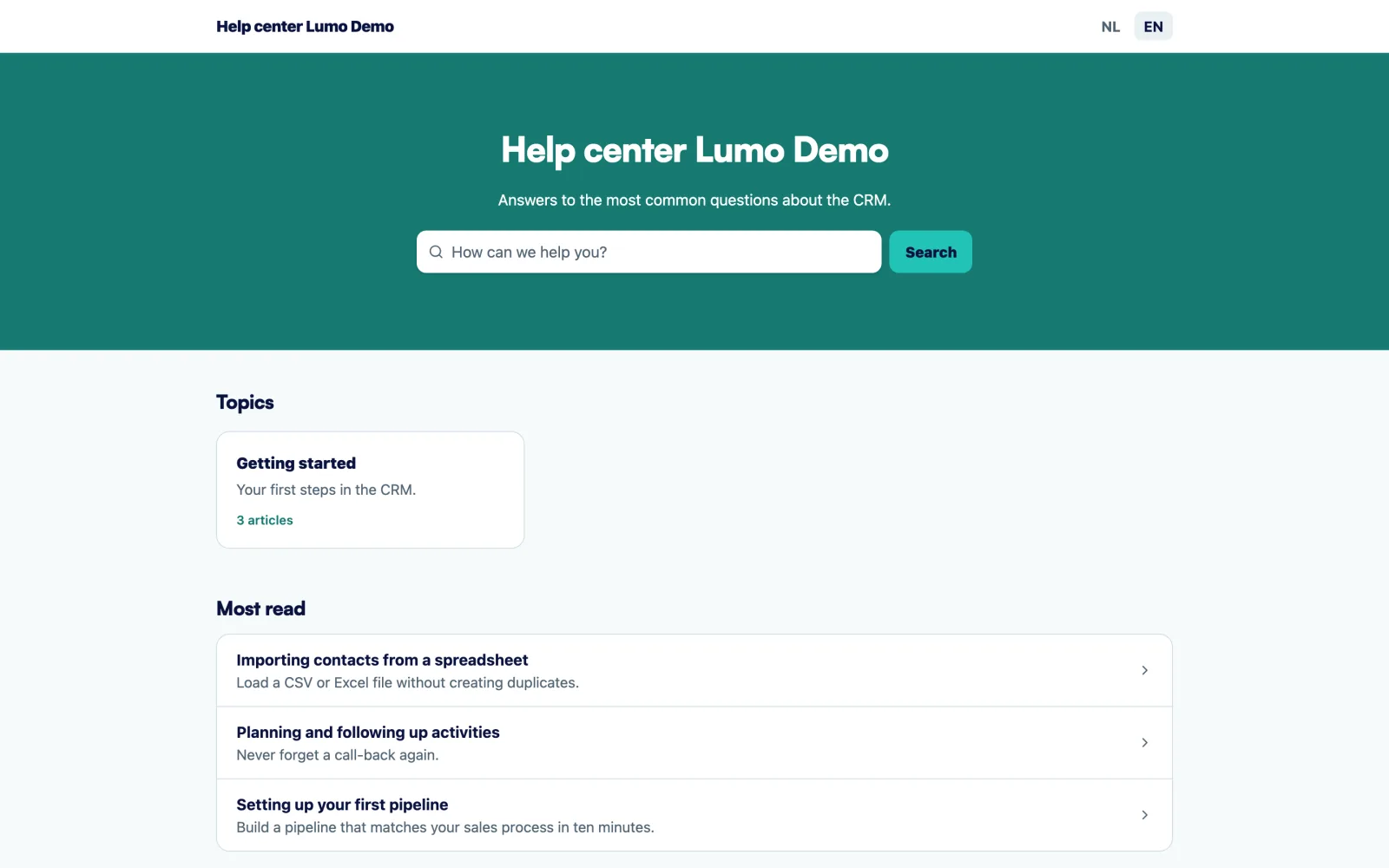
The knowledge base holds Markdown articles with categories and version history, in Dutch and English. You write the translation yourself, there is no machine translation. You see what gets read and searched, and readers leave feedback per article. If you are moving from a separate helpdesk, also read switching from a service tool.
Live chat in Lumo is not an AI chatbot. The bots are chat channels with fixed texts, and your team answers the conversations. WhatsApp, a social inbox and a phone channel are not included. Questions that come in by phone you log as a ticket by hand in Lumo, so they fall into the same queue and SLA.In the demo we show what that looks like for your mailbox.
A shared inbox is a mailbox several people read. A helpdesk gives every question a status, an owner, a priority and an SLA. So you see what is waiting, with whom, and for how long.
Usually six: new, open, pending on the customer, on hold for a third party, solved and closed. Each status answers the question of whose move it is.
Look per priority at what you achieved for eight out of ten tickets over the last three months and set your target just below that. Define what stops the clock and add business hours and holidays.
There is no fixed benchmark. It depends on your product, your contracts and what customers expect. Start from what you achieve now and check what your contracts promise.
Most teams pause resolution time while a ticket is pending. Agree on it upfront and also report on total elapsed time.
Multiply weekly tickets by time per ticket and divide by the hours an agent really spends on tickets. Then staff to the busiest parts of the day, not the average.
Ten good articles on the most common questions is a fine start. Expand based on what people search for and which tickets keep coming back.
With a short CSAT question after every solved ticket. Divide satisfied responses by all responses and read the low scores every week.
In B2B, yes. An account manager who knows about open tickets picks a better moment for a renewal or upsell. Put tickets on the same organization as the deals.
In the demo we set up an SLA with business hours, show macros and the portal, and look at tickets next to your deals.