Talk to us about your migration
Tell us which systems you use now and how many people work in them. We will show you what the move looks like and what we need.
You migrate a CRM once, so you never build a routine for it. We have one. Sales Surge has delivered more than 150 CRM implementations and moves your data into Lumo. From Pipedrive with the import wizard, from HubSpot, spreadsheets and other systems by hand. You decide what moves, we do the work.
Most teams do not underestimate the data in a migration. They underestimate the decisions. Which fields do we keep? What does the stage "in talks" actually mean? Who takes over the customers of someone who left last year? What do we do with 4,000 contacts nobody can place? Those questions sit for weeks because nobody has time for them, and in the meantime the team works in two systems.
A second reason is that the work lands on one person. Someone in operations, or the sales manager, does it next to their normal job. That works until the first trial import shows odd numbers and nobody knows where to look.
Sales Surge does this work every week. We are a Pipedrive Platinum Partner, one of the top 8 Pipedrive partners worldwide since July 2026, and we implement HubSpot and Zoho too. We migrate between those systems, and now also into Lumo, which we build ourselves. So we know where migrations go wrong: links between records, owners, marketing consent, and everything that quietly depends on the old system.
Outsourcing does not mean you are out of the loop. You decide on fields, stages and what stays behind. We put the choices in front of you, load the data, check the counts and train your team. You see what happens at every step, and nothing goes live before you have seen a trial migration.
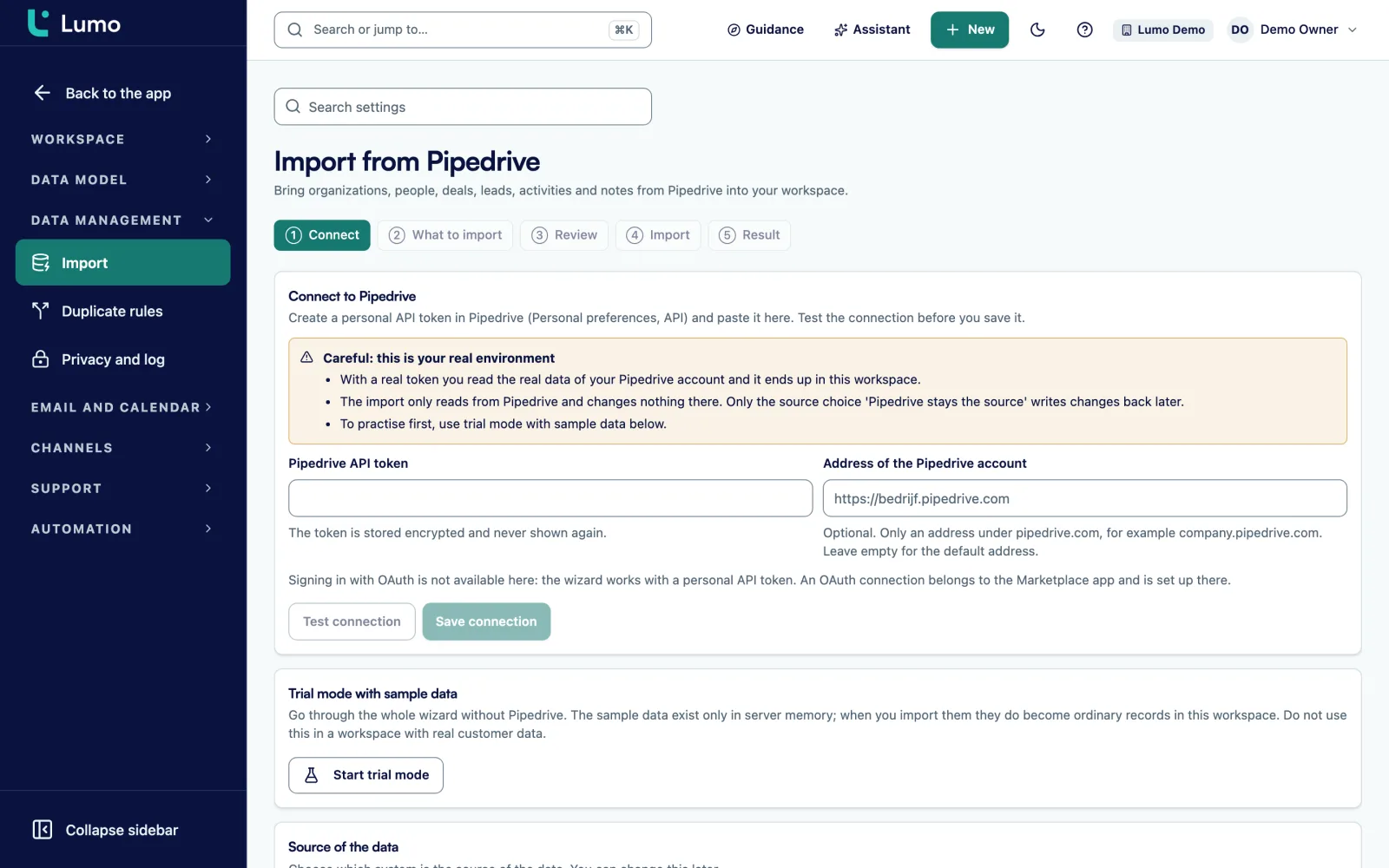
If you would rather do it yourself from Pipedrive, the wizard lets you. How that works is under switch from Pipedrive.
The same order for every source system. Only the way we load differs.
A conversation about your current systems, the team and where it hurts. Not a three page questionnaire.
We go through your current system and write down per object where it lands in Lumo. You sign off on the mapping before we load anything.
Pipelines, stages with win probability, custom fields, lost reasons, roles and data quality rules are ready before the data arrives.
From Pipedrive with the wizard's trial run, from other systems with a load into a trial workspace. You check the counts and a sample.
At an agreed moment we load into your real workspace, check the counts and clean up duplicates.
Training on your own data. Then a period in which we pick up questions and make fixes, with one fixed contact.
Pipedrive has a wizard in Lumo. For every other source, Sales Surge loads by hand.
| Topic | From Pipedrive | From HubSpot, spreadsheets or another system |
|---|---|---|
| How we load | Import wizard with an API token | By hand, by Sales Surge |
| Trial first | A trial run that writes nothing | A load into a separate trial workspace |
| Running it again | Creates no duplicate records | A fresh trial workspace per round |
| Running both for a while | Possible, with Pipedrive stays the source | No, you work with a fixed cutover moment |
| Changes after loading | Delta sync and a check every fifteen minutes | A final export at the cutover moment |
| Owners | Matched by email address | Matched according to the mapping |
The most important document in a migration is the mapping. Per object it says where the data comes from, where it lands and what happens to the values. Companies become organizations. Contacts become people. A property with fixed values becomes a select field, an amount a monetary field, an owner a field of type user.
Every line also says what does not move, and why. A field nobody filled in during the last two years stays behind. A stage nobody uses any more is not created. This is the moment to clean up, because after the load nobody will.
The mapping is also where we handle consent. Anyone who had no marketing consent in the old system, or who unsubscribed, arrives without consent. In Lumo Require explicit consent is on by default, and an unsubscribe applies to the whole workspace.
You sign off the mapping. Only then do we load, and any change after that is written down.
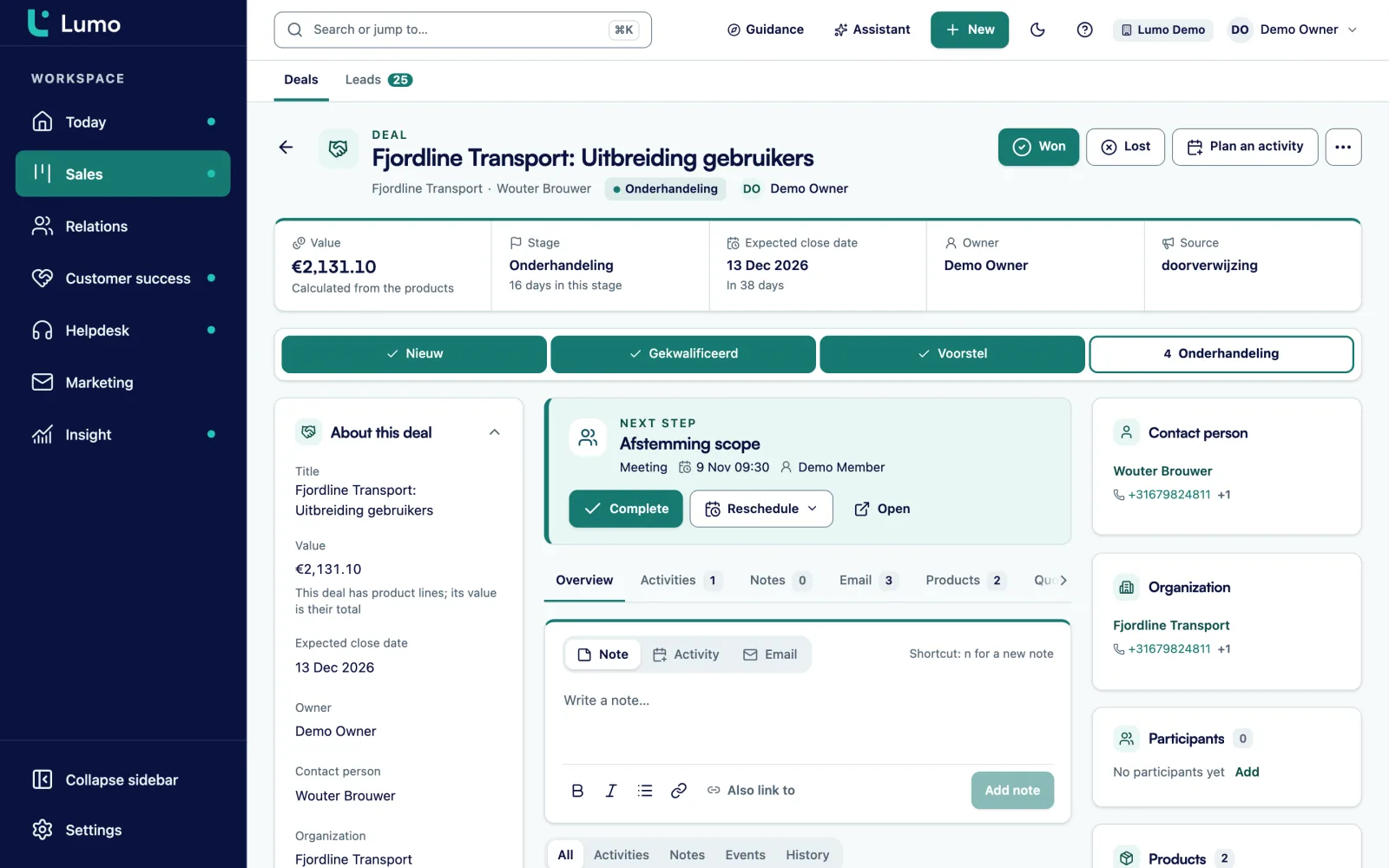
Every CRM that has run for a few years has duplicate people and organizations. After loading we work through them in Lumo duplicate management. Pairs are waiting with a score, we compare field by field and pick the winner per field. All references move to the winner and the loser is soft deleted. Every merge is in the log and can be undone.
Doubtful cases we put to you. Is this the same organization or a sister company? You know that better than we do. Auto merge per rule exists in Lumo, but it is off by default and needs an explicit acknowledgement. In a migration we only use it if you want us to.
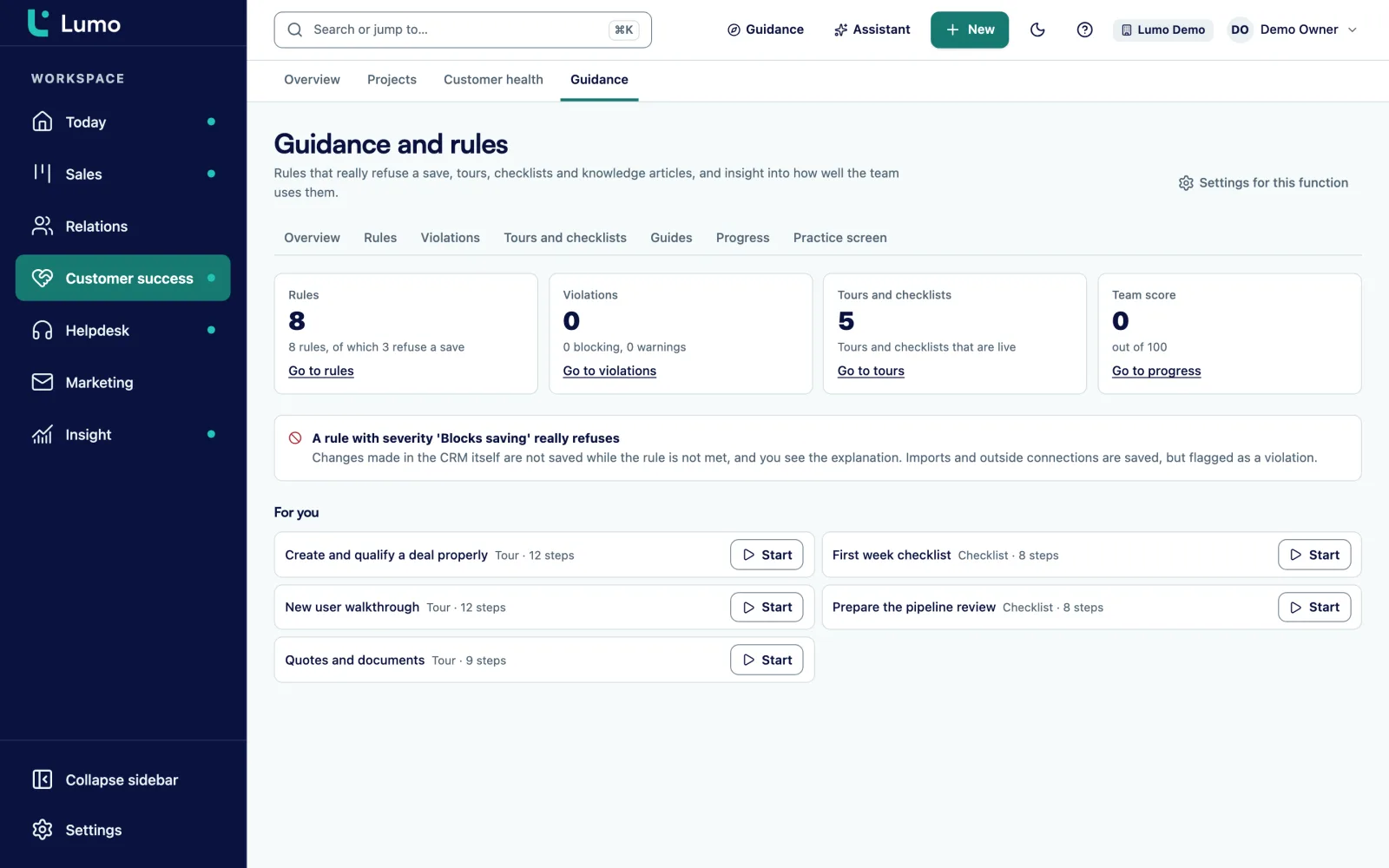
We also set up data quality rules, with the severity tip, warn or block. A blocking rule really refuses to save a record that breaks it. That keeps the data clean after the move too. More under duplicate management.
A migration is only done when the team works in the new system. So we train on your own data, not on a demo workspace. An account manager sees their own deals, a support agent their own tickets.
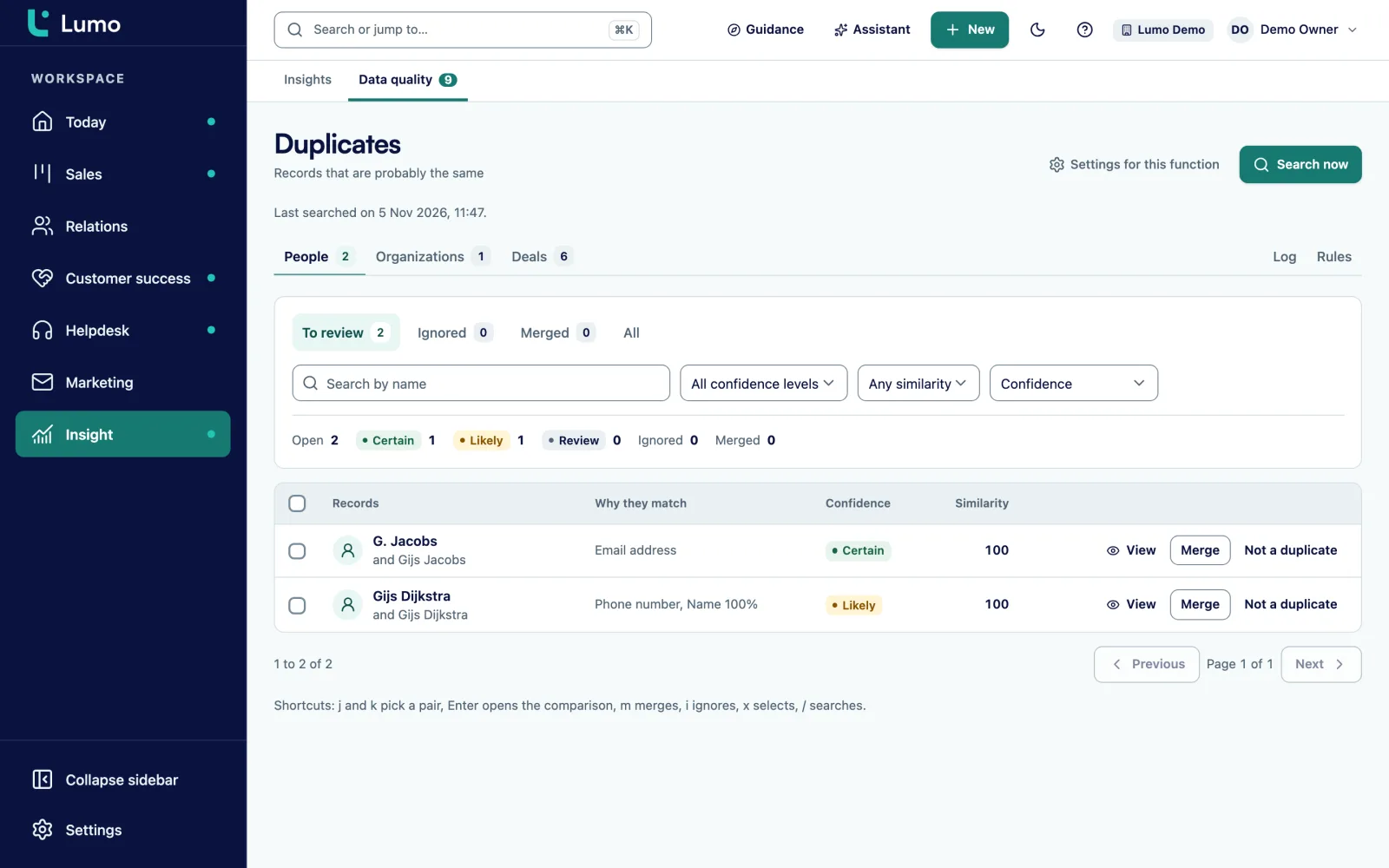
After the training Lumo itself takes over part of the job. Under Guidance and rules we set up tours and checklists that walk new users through their first steps, plus knowledge guides in Markdown on how your team does things. You assign them to people or teams and see progress and an adoption score.
In the first weeks after the move we pick up questions and make small fixes. A field that turns out to be needed after all, a stage that should be renamed, a filter everyone wants. That is part of it. After that you carry on with one fixed contact. More under CRM adoption and guidance.
From Pipedrive the wizard matches owners by email. We add your team with the same addresses first and resolve the rest in the trial run.
A person under the wrong organization only shows when someone calls. We check a sample for links, not just the counts.
No consent in the old system means no consent in Lumo. The check runs again on every send.
Forms on your site, chat and tools that call the old CRM. We list them and replace them before the old system goes off.
From Pipedrive changes keep flowing in. From other systems we agree a moment after which nobody edits.
Fields and stages nobody uses stay behind. You keep an export of the old system for reference.
For Pipedrive the result screen puts counts side by side. For other sources we count per object and explain every difference.
Take this as an example: a logistics company with 8 account managers, 2 SDRs, a marketer and 4 people in customer service. They use an older CRM for customers, a Google Sheet with prospects and a separate helpdesk for customer questions.
In the intake it turns out the CRM has 230 fields. After the inventory 26 remain. The prospect sheet has the same companies as the CRM, spelled differently. We load the CRM first and the sheet second, so duplicate management catches the overlap.
The mapping puts customers and prospects in one pipeline with the stages Prospect, Discovery, Proposal, Framework agreement and Active. Customer service moves to the helpdesk in Lumo, with open tickets brought along and closed history kept as an export.
The trial migration shows 300 people without an organization. They are freelance drivers stored as people in the old CRM. The company decides to give each of them their own organization. The second trial migration is right.
The cutover falls on a Friday afternoon. On Monday the team works in Lumo, on Tuesday and Wednesday there is training per role, and for two weeks we pick up questions. This is an illustration, not a customer case. Your systems and choices will be different.
A migration almost always goes together with setup and training. How we do that is under implementation and onboarding. The playbook per source system is under switch from Pipedrive, switch from HubSpot and from spreadsheets to a CRM. Who Sales Surge is, you can read under about. If you want to write your own plan first, read a CRM implementation plan.
Lumo has an import wizard for Pipedrive and nothing else. There is no CSV import and no wizard for HubSpot or other CRMs, so Sales Surge does those migrations by hand. You then work with a fixed cutover moment instead of a sync. Email does not come from the old CRM but from your own mailbox: Gmail syncs today, and Outlook users log email with the personal BCC address until the Outlook and Microsoft 365 connection is there. On price: it depends on the amount of data, the number of sources and what needs rebuilding. You get a proposal after the intake.
It depends on the amount of data, the number of sources and what needs rebuilding. After the intake you get a proposal. We invoice per phase, before that phase starts.
From Pipedrive with the import wizard. From HubSpot, Excel, Google Sheets and other systems by hand. We always start with an inventory of what is there.
You do. We put a mapping in front of you with what moves and what does not, and you sign it off before we load.
From Pipedrive, yes, because changes keep flowing in. From other systems we agree a cutover moment, often a Friday afternoon, after which nobody edits the old system.
Anyone who had no consent in the old system, or who unsubscribed, arrives without consent. In Lumo consent is checked again on every send.
Yes. A migration without setup and training almost always goes wrong. See implementation and onboarding.
Yes, in English or Dutch, depending on your team. The app is in English and Dutch, set per user.
No. Everything apart from mail and calendar sync is independent of your mail client. You log email with the BCC address, and the Outlook and Microsoft 365 connection is on the roadmap.
Tell us which systems you use now and how many people work in them. We will show you what the move looks like and what we need.