See your own SaaS funnel in Lumo
In the demo we put your stages from request to renewal next to the product and tell you honestly where it fits and what you connect through the API.
A SaaS deal is not a one-off sale. There is a trial before it, an annual contract inside it and a renewal after it. Lumo keeps the request, the demo, the monthly or annual price and the support tickets on the same customer, so sales, success and support look at the same thing.

Most B2B software companies run two flows. Inbound requests from the website: a demo request, a trial sign-up, a question in the chat on the pricing page. And pipeline that sales creates: outbound, partners, and existing customers who want more seats. Both end up in the same pipeline, but they need different follow-up.
An inbound request needs an answer within hours. So you want to know where it came from, who owns it and whether a call is booked. Then comes a demo, a trial or pilot, a proposal with an annual price and some procurement or security review on the customer side. Small deals close in a few weeks. Larger accounts bring more decision makers and run for months.
You probably know this Tuesday morning. The sales meeting starts. Twenty trials are open and nobody knows which ones are actually being used. The account manager of a large customer wants to pitch an upsell. He does not know that the same customer has three open tickets about a feature that is broken. And another customer renews in six weeks, while the only contact there has just left the company.
That is rarely about people being lazy. It happens because sales lives in one system, support in a second and the renewal dates in a spreadsheet. Every team holds a piece of the picture. Nobody holds the whole picture.
Lumo keeps that chain in one database. A lead from a web form gets a source and a status. A qualified lead becomes a deal in the pipeline with one click. On that deal you add products with a billing frequency, so the deal value matches what you actually sell. The tickets from the helpdesk sit on the same organization, with a health score that shows how the customer is doing. And in Customer success you see which accounts need attention.
The screens and statuses below carry these exact names in the app.
A demo or trial form on your site finds the person by email address or creates them, and opens a lead with status New, the source and the consent. A chat visitor who leaves an email address lands in the same place.
The SDR sets the lead to Working, then to Qualified, Nurturing or Disqualified. With Convert to deal a qualified lead becomes a deal exactly once.
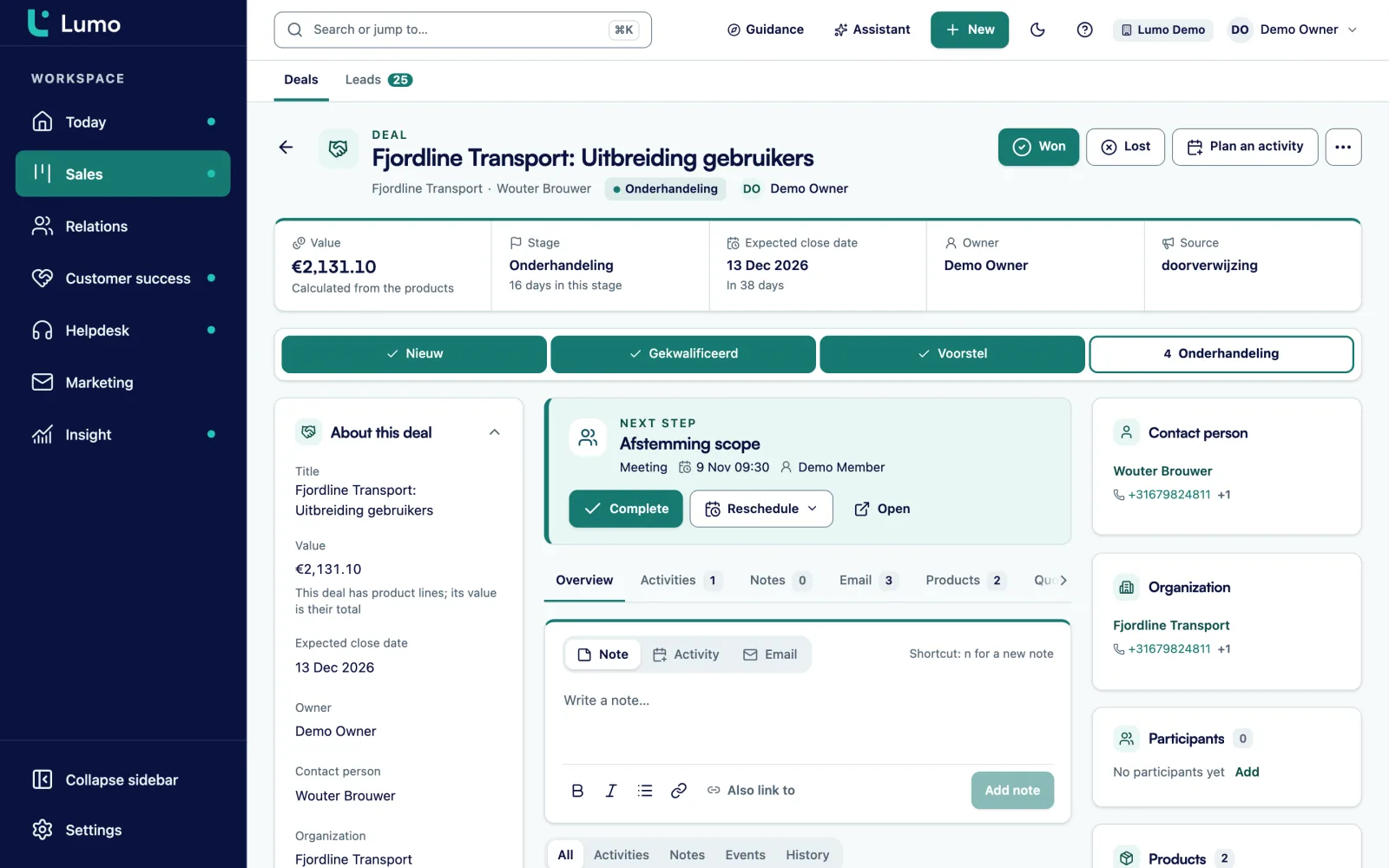
Per stage you set a Win probability and Rots after (days). A trial that sits too long gets the Stale label. Below the board, the Totals per stage table shows count, value and weighted value.
The quote copies the product lines from the deal, gets a number like OFF-2026-0001 and goes out through your own Gmail with a signing link.
You mark the deal Won. An automation creates the onboarding task. Tickets, health and the next deal for the renewal then sit on the same organization.
A starting point, not a rule. A deal only moves on when the exit criterion is met. That way every stage means the same thing to everyone on the team.
Exit criterion: the problem is written down in a field, the account fits your ICP and you know who decides. Rots after 14 days.
Exit criterion: the demo ran against the customer's own use case, and the next meeting is in the calendar. Rots after 10 days.
Exit criterion: the trial has an end date and success criteria the customer named in their own words. Rots after 21 days, so a forgotten trial stands out.
Exit criterion: the quote went out with seats, term and onboarding as lines, and the decision maker has seen it.
Exit criterion: the security questionnaire is answered, the data processing terms are with the customer and procurement has named a date.
Won after the signature. Lost always with a lost reason, because a data quality rule can make it mandatory. Later you can see why trials did not convert.
On a deal you add products with quantity, price, discount and a billing frequency: one-time, weekly, monthly, quarterly, semi-annually or annually. You can also set a number of cycles. The deal value is the sum of the lines. A recurring line without a number of cycles counts as one year.
So a licence for 25 seats per month plus a one-time onboarding fee is one deal in your pipeline, with a value you can explain in the sales meeting. If you sell a two-year contract, you set 24 cycles on the monthly line and Lumo counts the full term.
You set the currency per deal. That helps when you sell in the UK or the US next to your home market. In reports, exchange rates convert the total to your own currency.
Most of the work happens in the first hours after a request. So a trial or demo request should not land in a shared inbox. It should be a lead with an owner and a status.
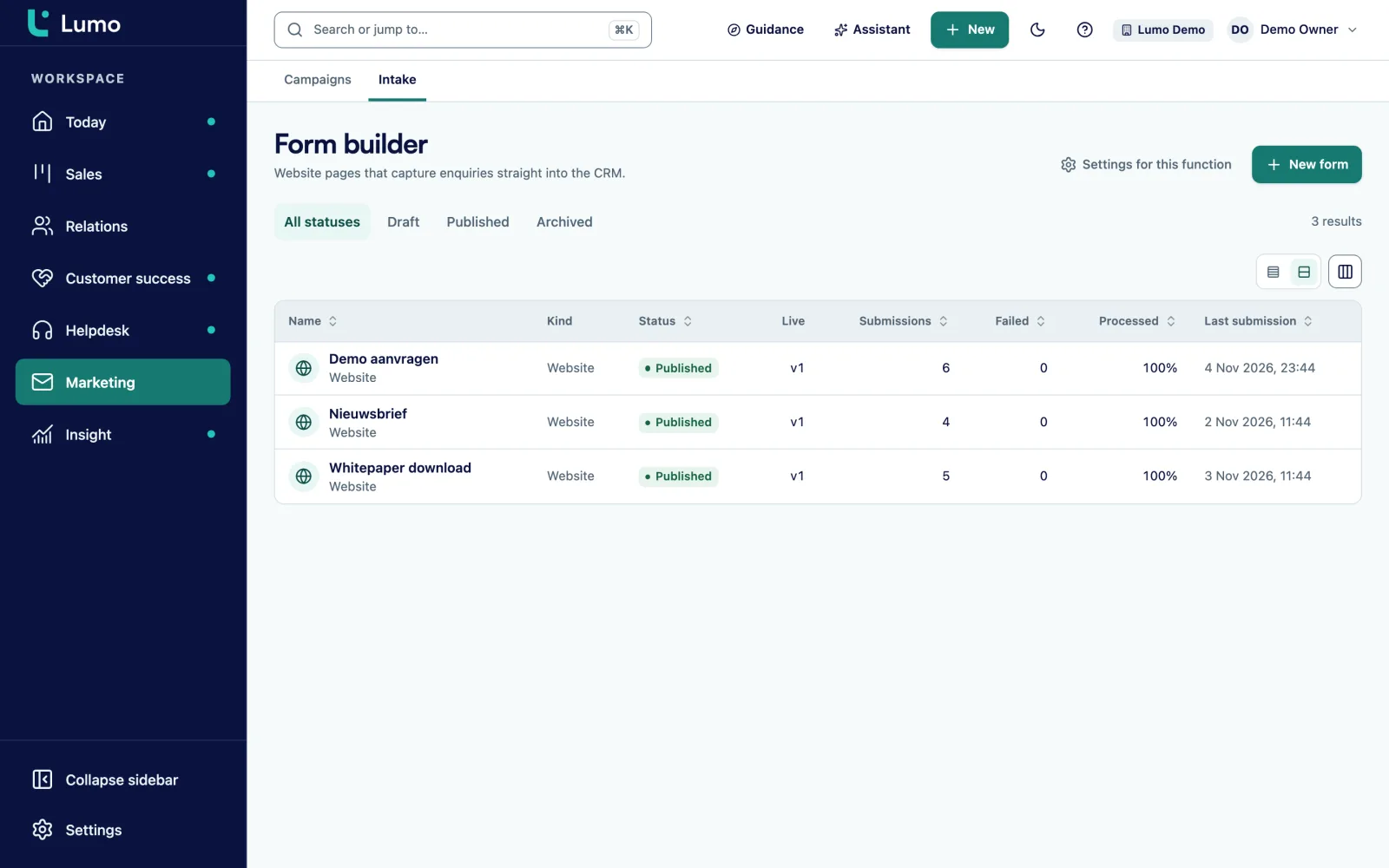
You place a Lumo form as a standalone link or embedded on your site. Hidden fields pick up utm_source, utm_medium and utm_campaign from the URL, so later you can see which campaign brings the trials that turn into customers. With conditional logic you only ask for the number of users when someone picks a demo. And a form cannot go live while a required CRM field is not mapped.
Marketing consent runs through double opt-in. An anonymous submission never switches consent on by itself. It sends a confirmation link first. That keeps your product news list clean.
You do not win a renewal in the last month. You win it in the months before, with a customer who uses the product and sees their questions answered.
In the helpdesk tickets come in from a mailbox, the customer portal, the chat or by hand. They move through New, Open, Pending, On hold, Solved and Closed, with SLA targets per priority and a warning at 75 percent. After a ticket is solved, the customer gets a short CSAT question.
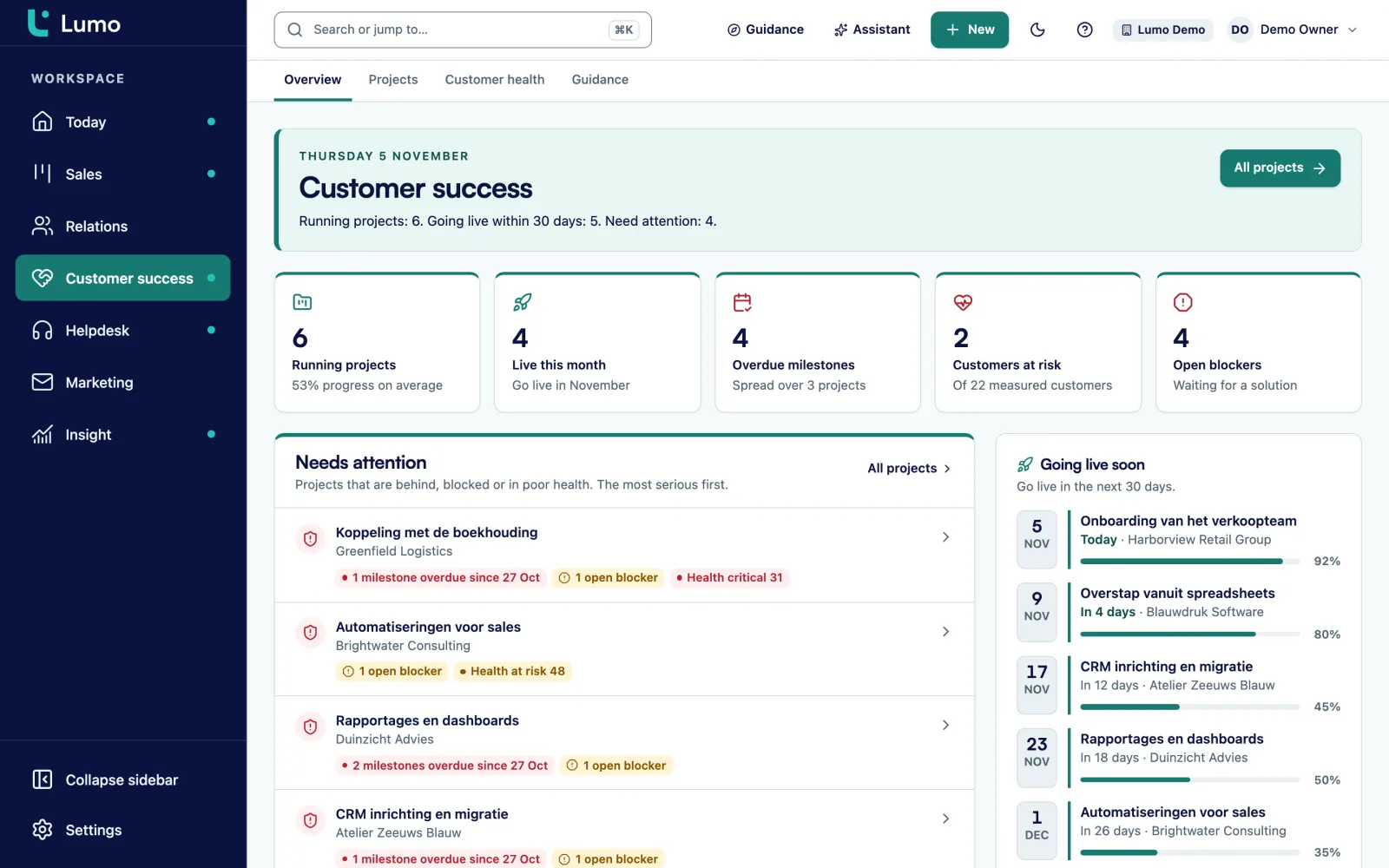
From those ticket signals over the last 90 days, Lumo calculates a health score from 0 to 100 per organization, measured daily. Customer success has a Needs attention block. So the account manager does not call about an upsell at a customer who is actually unhappy.
You add custom fields to persons, organizations, deals, leads, tickets and activities. A field can be required. These are fields SaaS teams often add.
Number field on the deal. Useful to group deals by size in reports.
Date field on the deal. Paired with a task on that date, nobody forgets the trial.
Date field on the organization. A report shows which customers renew in the next 90 days.
Select field with your packages, for example Starter, Team and Enterprise.
Select field Low, Medium or High that your own product updates through the API.
Text field on the organization, so your own system finds the right customer through the API.
Yes or no field on the deal. Shows which deals will stay longer in procurement.
User field on the organization, next to the owner who sits in sales.
Automations in Lumo are rules: when this happens, do that. They react to a deal being created, changing stage, being won or lost, to a new lead, person or organization, to a completed activity, and to a deal or lead that has been stale for a number of days. They create an activity or a note, update a field, assign an owner or add a label. They do not send email, on purpose. You test a rule with a dry run first.
Four rules a SaaS team often builds first:
In reports you pick a source, a measure and a breakdown, with a live preview. You build a weighted forecast by multiplying deal value by the win probability per stage. Other reports SaaS teams build: lead to deal conversion per source, average time per stage, lost reasons per quarter and won deal value against a goal line. Every chart drills down to the deals behind it.
Say a software company sells planning software to logistics firms. For this example we call it Routewise. It has two SDRs, four account executives, two customer success managers and a support team of three. About half of its deals come in through the website, the rest through outbound and partners.
Routewise creates two pipelines. New business with the stages from the example above. And Expansion and renewal with the stages Signal, Conversation, Proposal and Signed. So leadership never compares new revenue and expansion as if they were the same thing.
A trial form on the pricing page puts every request into Lumo as a lead with status New. A rule assigns leads that are still New after a day to the team lead. The SDRs work from the Today screen, where leads to follow up sit at the top. They move a qualified lead into Discovery with Convert to deal.
The account executives connect Gmail. Mail with known contacts lands on the deal by itself, and meetings from Google Calendar show up as meetings on the right person. An account executive who works in Outlook puts his personal BCC address on every customer email, and the mail lands in the same place.
After the signature, the customer success manager fills the Renewal date field on the organization. Every Monday she looks at a dashboard with renewals in the next 90 days, next to the Needs attention list. When a customer with a low health score shows up there, she opens a deal in Expansion and renewal at the Signal stage. The risk is now visible in the pipeline instead of in someone's head.
This is the order we follow when we set up a workspace. If we do it together, it is part of implementation.
Lumo is not a subscription billing system. It does not invoice, collect payments or show a fixed MRR screen. Your invoicing stays in your billing tool and Lumo keeps the commercial side. Usage data from your product does not flow in by itself. You write it into custom fields such as Usage level through the API and webhooks. In reports a recurring product line counts for one period. If you want annual value, report on deal value, which does count a recurring line as a year. There is no separate forecast view, but you build a weighted forecast as a report on the win probability per stage. Quotes and the signing page are Dutch only. If you sell to English speaking customers, send your own contract and attach the signed copy as a file on the deal.
Not as a fixed screen. The deal value calculates recurring lines, and a line without a number of cycles counts as a year. In reports you build views on deal value. Note that a recurring line counts for one period in line level reports.
Through a web form on your site, as a standalone link or embedded. Each submission finds or creates a person by email address and creates a lead with source and consent. Hidden fields keep the UTM codes.
Yes. You create multiple pipelines, each with its own stages and win probabilities. For example one for new business and one for expansion and renewal.
Not out of the box. With the REST API you write data to persons, deals and leads, and with webhooks your own system reacts to what happens in Lumo. An account ID in a custom field makes the link.
Yes. Gmail and Google Calendar sync today. The Outlook and Microsoft 365 integration is on the roadmap. Until then you put your personal BCC address on an email or forward it, and it lands on the right person, organization and deal. Pipeline, quotes, helpdesk and reports do not depend on your mail client.
Every stage has a Rots after (days) setting. A deal that stays longer gets the Stale label on the board and appears on the Today screen with the stalled deals.
Yes. The helpdesk is part of Lumo, with tickets, SLA, macros and internal notes. Tickets sit on the organization, next to the deals.
You request a trial workspace and we set it up for you. There is no self-signup. Request a trial
In the demo we put your stages from request to renewal next to the product and tell you honestly where it fits and what you connect through the API.