See what a CRM looks like with your process in it
In a demo we show how your sales process would run in Lumo, with the building blocks from this guide. After that you know whether it fits.
A CRM is where you keep track of who you do business with, what you discussed and what the next step is. This guide explains how that works in B2B, with the data model, a sample pipeline, a worked calculation and the pitfalls we see most in practice.
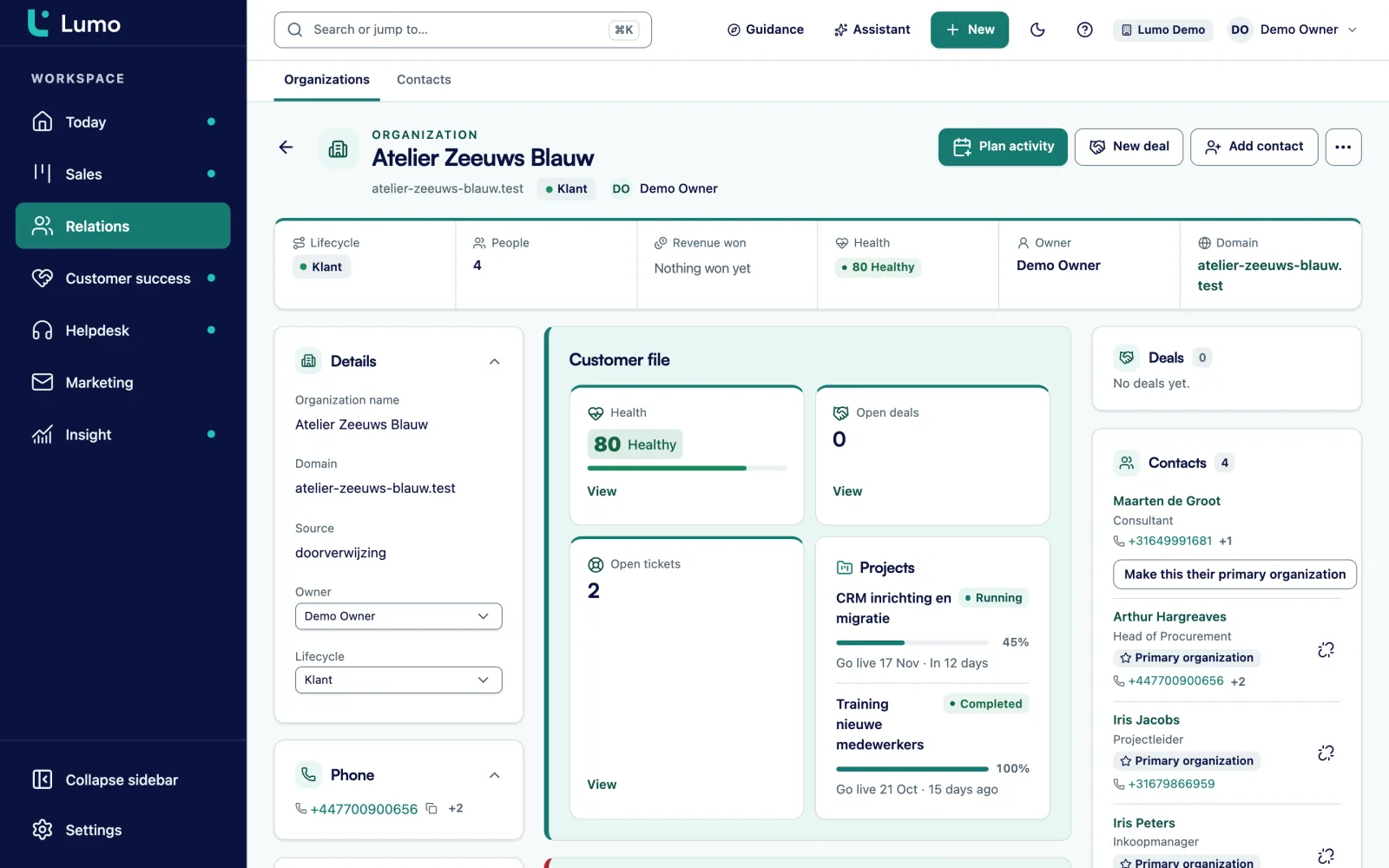
CRM stands for customer relationship management. People use the term for two things. The system, the software that holds your customers, contacts and sales opportunities. And the way of working that comes with it: agreements about what you record, when, and who follows up on what.
That second part is often forgotten. A CRM is not a ledger that balances itself. It is only as good as what your team puts in. So whoever introduces a CRM is not just choosing a package, they are also making agreements. What counts as a lead? When does it become a deal? Who calls a new request within a day? What must be on a deal before it can move to Proposal?
Why bother? Because in most companies without a CRM, customer knowledge is scattered. Part of it sits in the account manager's inbox. Part in a spreadsheet one colleague maintains. Part in the head of someone who goes on leave next month. When that person leaves, the knowledge leaves too.
A CRM puts that knowledge in one place, with the company instead of the person. Whoever opens a customer sees who works there, what was discussed in recent months, which quotes are out and when the next meeting is. That is the whole idea. Everything else, such as automations, reports and AI, builds on it and only works when that foundation is right.
In B2B this matters even more, because you sell to organizations, not to individuals. An order rarely comes from one person. There is a user, a budget holder, someone from procurement and sometimes a director who has the final say. A B2B CRM has to show that whole group, with each person's role.
In the literature you often see three kinds of CRM. They are worth knowing, because vendors talk about them this way.
In practice the three overlap, and that is fine. A modern B2B CRM does all three, but not every package goes equally far. Some are mainly a sales CRM with a pipeline. Others also put support, marketing and customer success in the same system.
Which one you need depends on where it pinches. If deals slip away because nobody follows up, start operational. If leadership does not know what will close next quarter, you need the analytical part, but that only works once the operational part is in order. And if sales and support work past each other, the collaborative part is where the gain is. Read how to choose a CRM to turn that into requirements.
Every B2B CRM is made of the same blocks. The names differ per package, the idea does not.
The company you sell to. Address, industry, size and all its people and deals hang off it. In B2B this is the heart of your CRM. An organization can belong to a group, such as a holding with subsidiaries.
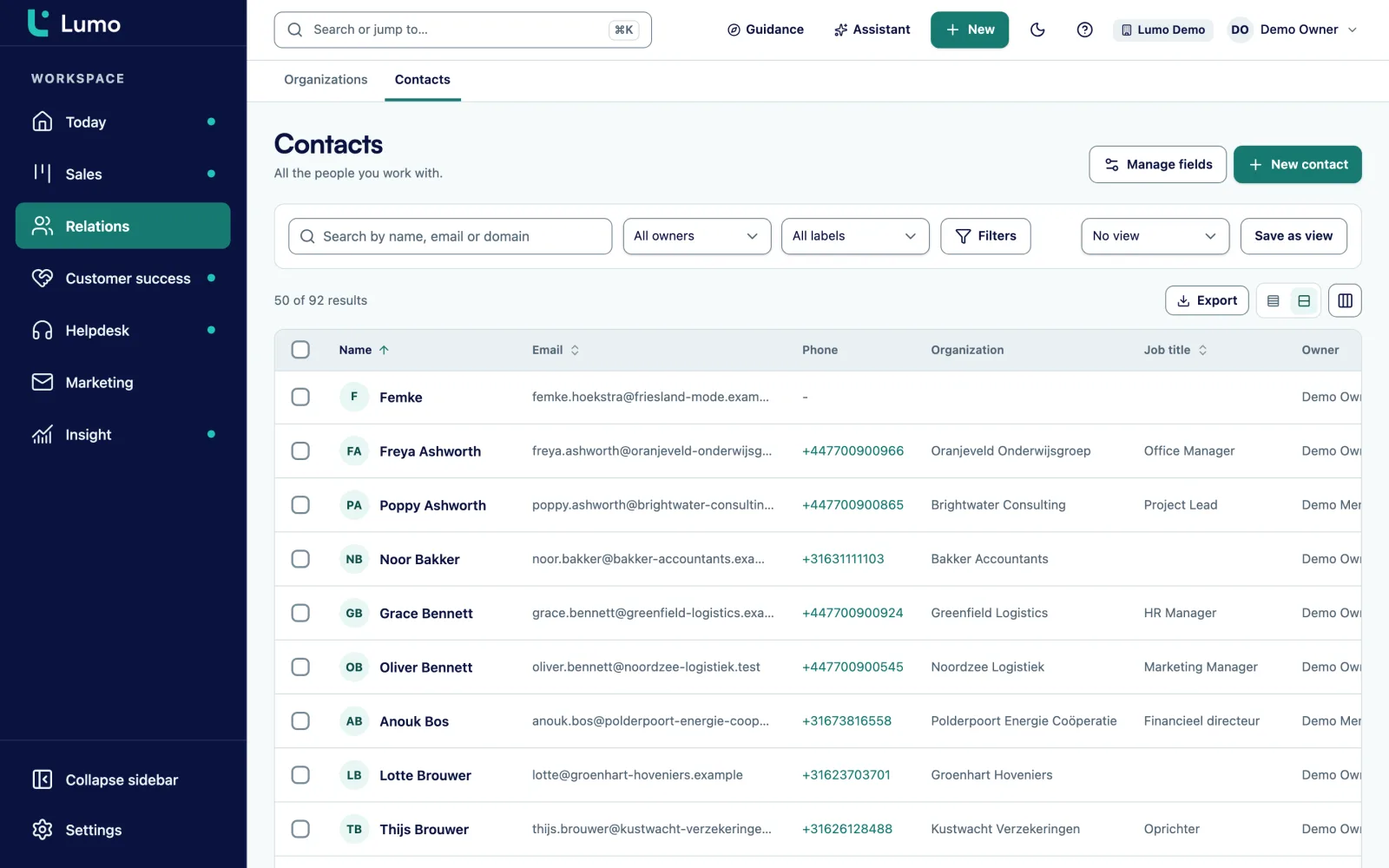
The contacts at those organizations, with job title, email and phone. One person can belong to several organizations, for example an adviser or an interim manager.
A request or signal that is not qualified yet. A form on your site, a trade show contact, a chat visitor. A lead becomes a deal once there is a real opportunity, or it is disqualified.
A concrete sales opportunity with a value, a stage and an expected close date. The pipeline is the row of stages deals move through. More in B2B pipeline stages.
Calls, meetings and tasks with a date. A deal with no planned activity is a deal that has stalled. That is the most important rule in any CRM.
Emails, notes and call summaries on the timeline of a person, organization or deal. So the history lives with the record, not in one inbox.
What you sell, with price and billing. Products on a deal make the deal value reliable, especially when you mix one-time and recurring revenue.
The most important design decision in a B2B CRM is that organizations and people are separate records linked to each other. It sounds technical, but it decides how useful your CRM still is two years from now.
Take a spreadsheet with a row per contact and a Company column. With three contacts at the same company, the company name appears three times, probably spelled three ways. When the address changes, you change it three times. If you want to know your revenue with that company, you add it up by hand.
In a CRM the company exists once. People hang off it, as do deals, activities and email. Change something about the company and it changes everywhere. Revenue per customer is a sum the system makes for you.
Three situations where this makes the difference in B2B:
Two things go wrong most often in practice. Duplicate organizations, because someone creates both Baker Ltd and Baker Limited. And people without an organization, because it was quicker. Both make your reports unreliable. Read data quality on how to prevent that.
A made up account manager at a made up wholesaler, to show how it runs in practice.
She opens the CRM and sees three calls, a lead that filled in a form yesterday and a deal that has sat in Proposal for twelve days with no activity.
She calls the lead, writes two sentences about what is going on and books an intro meeting for next week. The lead becomes a deal in the stage Intro scheduled.
On the timeline she sees the quote went out two weeks ago and the director has not replied. She emails her contact with a concrete question and books a call for Friday.
Before the call she checks the organization record. She sees the running contracts, an open complaint with the service desk and her colleague's latest notes. After the call she adds an expansion as a new deal in the pipeline.
Every open deal has a next activity again. That is the one rule she checks every day.
For most teams the pipeline is the screen they choose a CRM for. But a pipeline only works when everyone means the same thing by each stage. So you give every stage an exit criterion: what must be true before a deal can move on. Below is a template for a B2B service company or wholesaler with a sales cycle of a few weeks to a few months. Copy it and adjust it.
The win probabilities above are a starting point, not the truth. After a few months you look at your own data to see how many deals are really won from each stage, and you adjust. Also give each stage a maximum time. If a deal sits in Quote sent longer than, say, twenty days, you want to see it. More in B2B pipeline stages and setting up a sales pipeline.
One of the first things a CRM gives you is an honest view of what is in the pipeline. Not the sum of all deals, which is always too optimistic, but the weighted value. An example with made up numbers.
Say you have twelve open deals averaging 10,000 euros. Together 120,000 euros. That sounds good, but they sit in different stages.
So the weighted pipeline is 57,500 euros, not 120,000. That is the number you plan a quarter with. And if your target is 80,000 euros, you know now that you need more new opportunities, not at the end of the quarter.
The same sum also shows where it leaks. If many deals drop out between Quote sent and Negotiation, the problem is in your quotes or your follow-up, not your lead generation. Without a CRM that is a feeling. With one, it is a number per stage. Read more in forecasting for B2B.
A second sum is about time. Suppose eight reps each spend half an hour a day looking for information: which email had that price, who spoke to that customer last. That is four hours a day, twenty hours a week. Whether that holds for you, you only know once you measure it. But it shows where the time goes.
A spreadsheet is a fine start. This is where the difference shows.
| Topic | Spreadsheet | CRM |
|---|---|---|
| Customer history | Scattered across inboxes and notes | On the customer timeline, visible to everyone |
| Company and contacts | Company name repeated per row | One organization with people linked to it |
| Follow-up | Depends on everyone's memory | Every deal has a next activity with a date |
| Pipeline | A Status column nobody updates | Stages with win probability and a warning when stalled |
| Working together | One version, or five copies | Everyone works in the same data at once |
| Reporting | Manual work at month end | Always current, with drill-down to the deals |
| Who did what | Not visible | Every change with name and time |
| Privacy | Hard to remove someone completely | Export and erase a person in one place |
A CRM does not sell for you. It makes visible what happens and what gets left behind. If nobody records the next step, the CRM sees nothing, and then it is an expensive spreadsheet.
At Sales Surge we have done more than 150 CRM implementations. These are the pitfalls we run into most:
The biggest pitfall is treating a CRM as an IT project. It is a change in how your team works. That takes explanation, training and a few weeks of adjusting. More on that in CRM adoption.
A CRM holds personal data: names, email addresses, phone numbers and what you discussed with someone. So GDPR applies. That need not be a hurdle, but it helps to sort out a few things up front.
For ordinary business contact with a customer or prospect you usually have a legal basis in performing a contract or a legitimate interest. For marketing email to large groups it is stricter: in many cases you need consent, and you must be able to show it. A good CRM records that consent on the person, with its source and timing.
You also need to handle requests. Someone asks what data you hold on them, or asks to be erased. In a spreadsheet and five inboxes that means searching. In a CRM you want an export per person and a way to erase someone completely. Agree on retention periods too: how long do you keep data on a prospect who never became a customer? This is not legal advice, check the details with your own adviser. Read more in email and GDPR.
Six steps, in this order. Each step is small enough to do in a week.
From first contact to signed order, in plain sentences. Who does what, and when does something move to the next step.
Use the template above as a start. Five to seven stages is enough for most B2B teams.
Look at your sales meeting and your reports. What you do not use there does not need to be in yet.
Remove duplicates and outdated contacts before you import. That is an afternoon now and a project later.
Every deal has a next activity. Every lost deal has a lost reason. More agreements can come later.
What is not being filled in, and why? Change what does not work. A CRM is never finished in one go.
Do you have a handful of customers, sell yourself and still keep everything well in a spreadsheet? Then you can carry on like that for a while. Use the time to write your process down and keep a fixed Next step column with a date. Then the switch later is small. Read switching from Excel for when you are ready.
Lumo is the CRM from Sales Surge, built from the same experience as this guide. People and organizations are separate records. A person can belong to several organizations, with one marked primary, and an organization can have a parent. Deals carry products with one-time or recurring billing, and each stage has a win probability and a number of days after which a deal starts to rot.
Mail from Gmail lands on the right person, organization and deal by itself. If you work in Outlook, you use the personal BCC address, and the Outlook and Microsoft 365 integration is planned. Consent for marketing email sits on the person, and exporting or erasing a person happens in one place. See people and organizations.
Customer relationship management, managing your customer relationships. People usually mean the software, but the agreements on how you work with it belong to it just as much.
A spreadsheet is a list. A CRM links organizations, people, deals, activities and email, lets several people work at once and flags what gets left behind.
A lead is a request or signal that has not been assessed yet. A deal is a concrete opportunity with a value and a stage. A lead becomes a deal, or is disqualified.
The row of stages deals move through, from first meeting to won or lost. Ideally each stage has an exit criterion and a win probability.
Not always. With a handful of customers and one salesperson a spreadsheet often does. Once several people work with the same customers or leads get left behind, a CRM becomes useful.
A CRM built for selling to businesses. Organizations are central, with several contacts per organization and deals decided by more than one person.
That depends on your process, your data and how many parts you roll out at once. Start small, with sales, and expand. See a CRM rollout in phases.
Most CRMs charge per user, and setting it up costs time or money on top. Do not only compare the price per user, also count the separate tools you would need next to it.
Keep it small, make two clear agreements and make sure the CRM gives reps something too, such as an overview of what to do today. More in CRM adoption.
In a demo we show how your sales process would run in Lumo, with the building blocks from this guide. After that you know whether it fits.