See a ticket from arrival to satisfaction score
In the demo we create a ticket, answer it with a macro, solve it and look at what happens to the customer health score.
Customer questions arrive as tickets, on the same organization and the same person as your deals. Your team replies, discusses things in internal notes and sees on every ticket how much time is left before the SLA target. Afterwards Lumo asks the customer for a score.
It is Monday morning. An account manager calls a customer about renewing the contract. The customer is short with them. What the account manager does not know: three support questions are open, one of them for ten days. They sit in a shared inbox, or in a helpdesk tool sales cannot see. So the call is about a renewal while the customer mostly wants to know why nobody answers.
It happens the other way round too. Support helps a customer who has been unhappy for months, without knowing a large expansion is in the pipeline. A fast reply would have mattered more there than elsewhere, but nobody could see that.
A shared inbox makes it harder still. Everyone reads along, nobody owns anything, and sometimes two colleagues answer the same question at the same time. Nobody sees how long a customer has been waiting. And when a colleague goes on holiday, their questions stall.
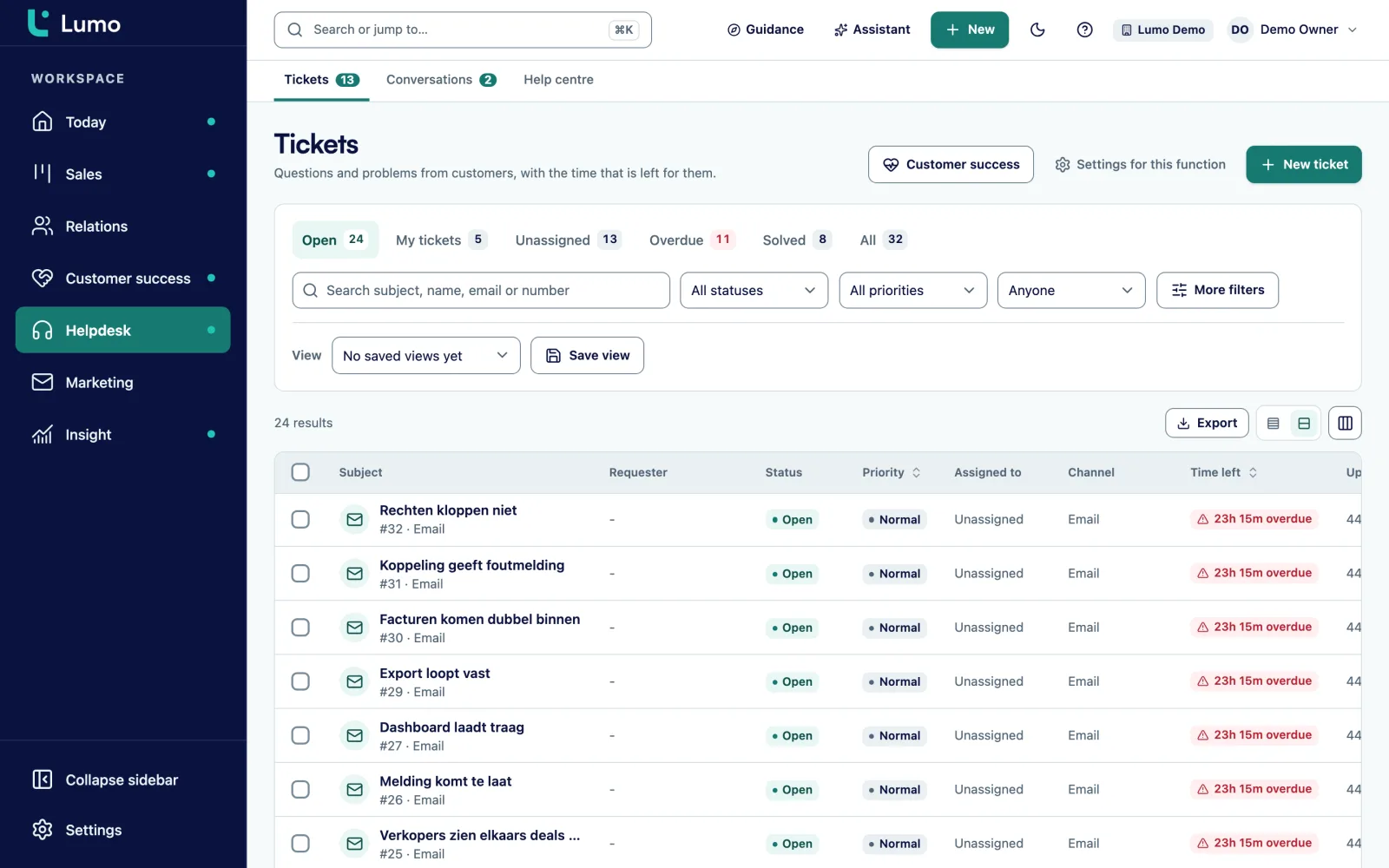
In Lumo, tickets sit on the same people and organizations as your deals and contacts. Every ticket has an owner, a status and a priority. Per priority you set a target for the first response and for resolution, and Lumo warns when three quarters of that time has passed. Tickets close to breaching show up on the Today screen. From the tickets of the last 90 days Lumo calculates a health score per organization, so the account manager also sees how things stand before the call.
Service stops being an island. How to set up a helpdesk for B2B, with roles, targets and a fixed way of working, is covered in the guide set up a helpdesk.
A ticket has six statuses: New, Open, Pending, On hold, Solved and Closed. And four priorities: Urgent, High, Normal and Low.
From the support mailbox, from the customer portal, from a chat you escalate, or you create it yourself after a phone call. The ticket is New.
Assign the ticket to a colleague, or let Lumo distribute tickets over whoever is available. It then shows under that colleague's own tickets and no longer under unassigned.
Choose a public reply to the customer or an internal note for colleagues. Ctrl or Cmd + / opens your macros. The customer never sees internal notes.
Asked the customer a question? Set the ticket to Pending. Waiting on someone inside your own company? Set it to On hold.
Set the ticket to Solved. The customer gets a short question about how satisfied they are, with a score from 1 to 5 and room for a comment.
After that the ticket goes to Closed. If the customer has a new question, they open a new ticket.
The ticket inbox has six tabs: open, mine, unassigned, breached, solved and all. When you start the day, look at breached and unassigned first. That is where the work sits that otherwise gets left behind.
If you use the same filters often, save them as a view. For example: all urgent tickets from customers with a maintenance contract, sorted by time to target. You can share a view with the team so everyone works from the same list.
Every ticket shows the SLA clock for first response and resolution. At 75 percent of the time it shows a warning. When the target passes, it shows as missed. The clock respects your business hours and holidays, so a question on Friday evening does not count as late on Saturday.
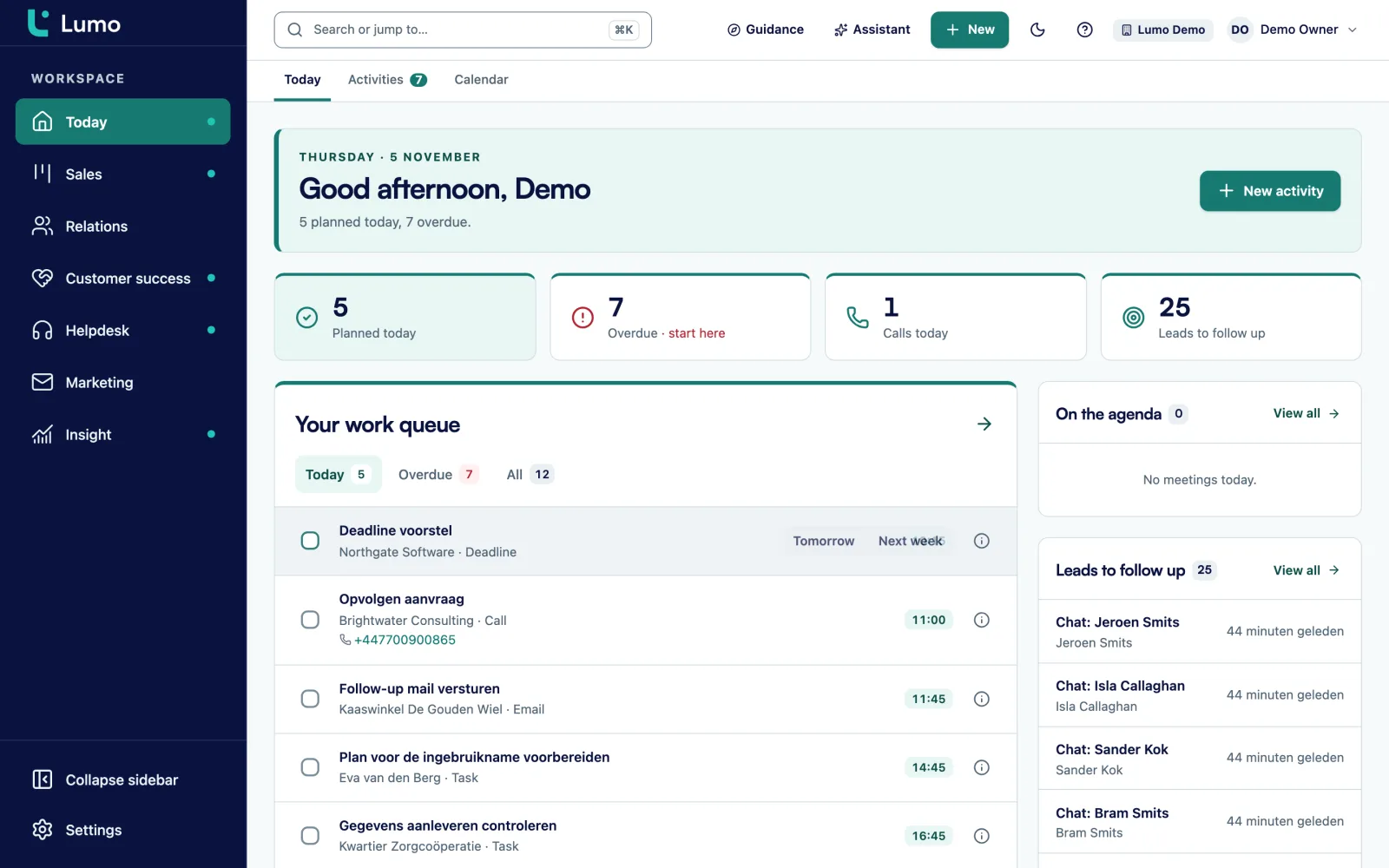
Bulk actions change status, owner or tag on many tickets at once. Useful when forty tickets about the same outage come in. Tickets close to breaching also appear on the Today screen of the colleague who owns them.
A ticket shows the whole conversation with the customer, with colleagues' internal notes in between. You choose whether to send a reply or add a note. Press r to start a reply, n for a note, and Ctrl or Cmd + Enter to send.
Macros are saved replies for questions that keep coming back. Open them with Ctrl or Cmd + / and search by name. A macro can also run actions after sending, such as setting the status to Pending or adding a tag. If you do not want that on one ticket, you skip the actions for that reply.
Tags group tickets by topic, such as billing, login problems or delivery. With rules under the helpdesk automations you set what should happen on its own. Customers follow the replies in the customer portal, but never see the internal notes.
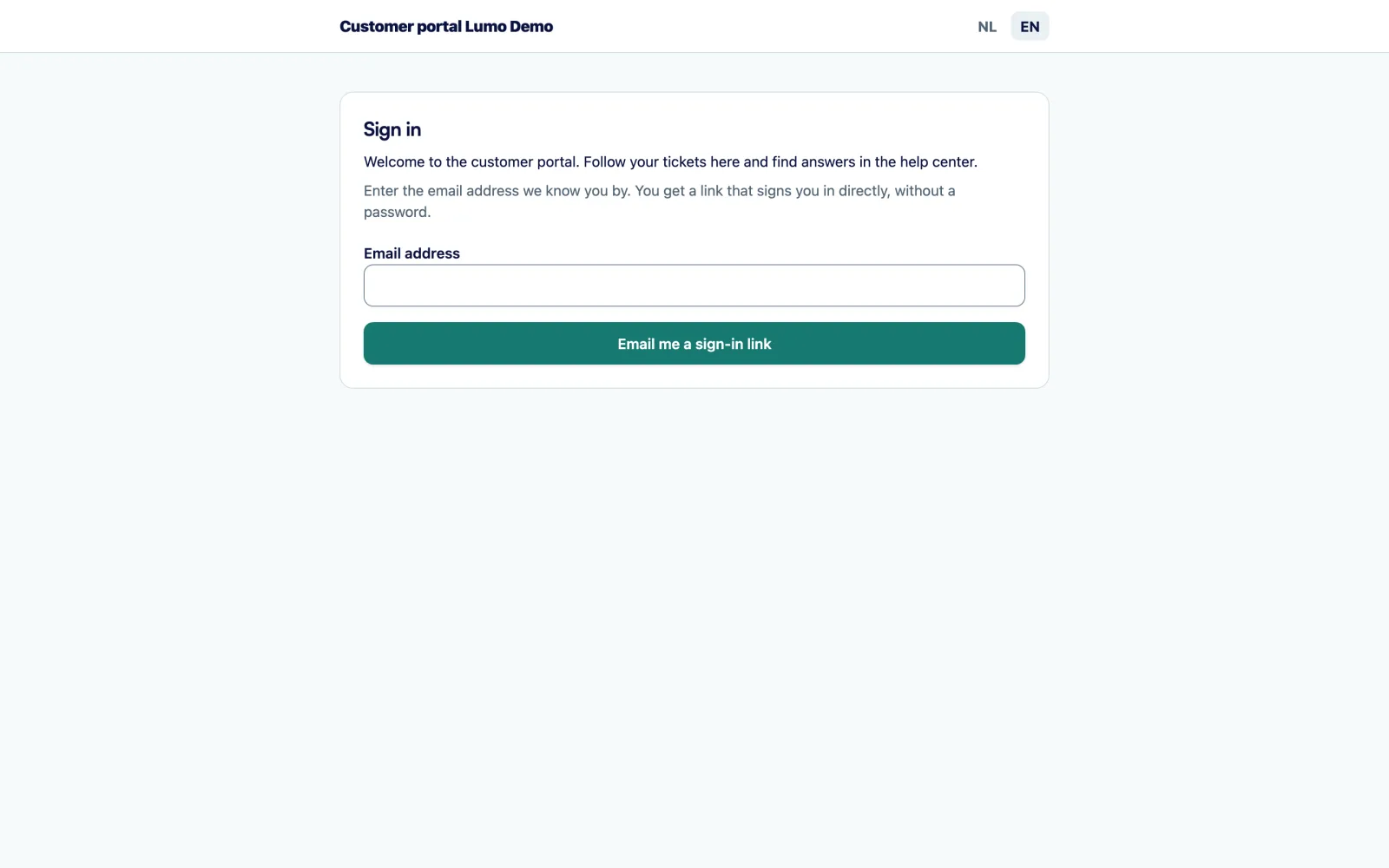
After a ticket is solved the customer gets a short question about how the help was. They give a score from 1 to 5 and can leave a comment. It goes through a signed link, so only that customer can answer for that ticket.
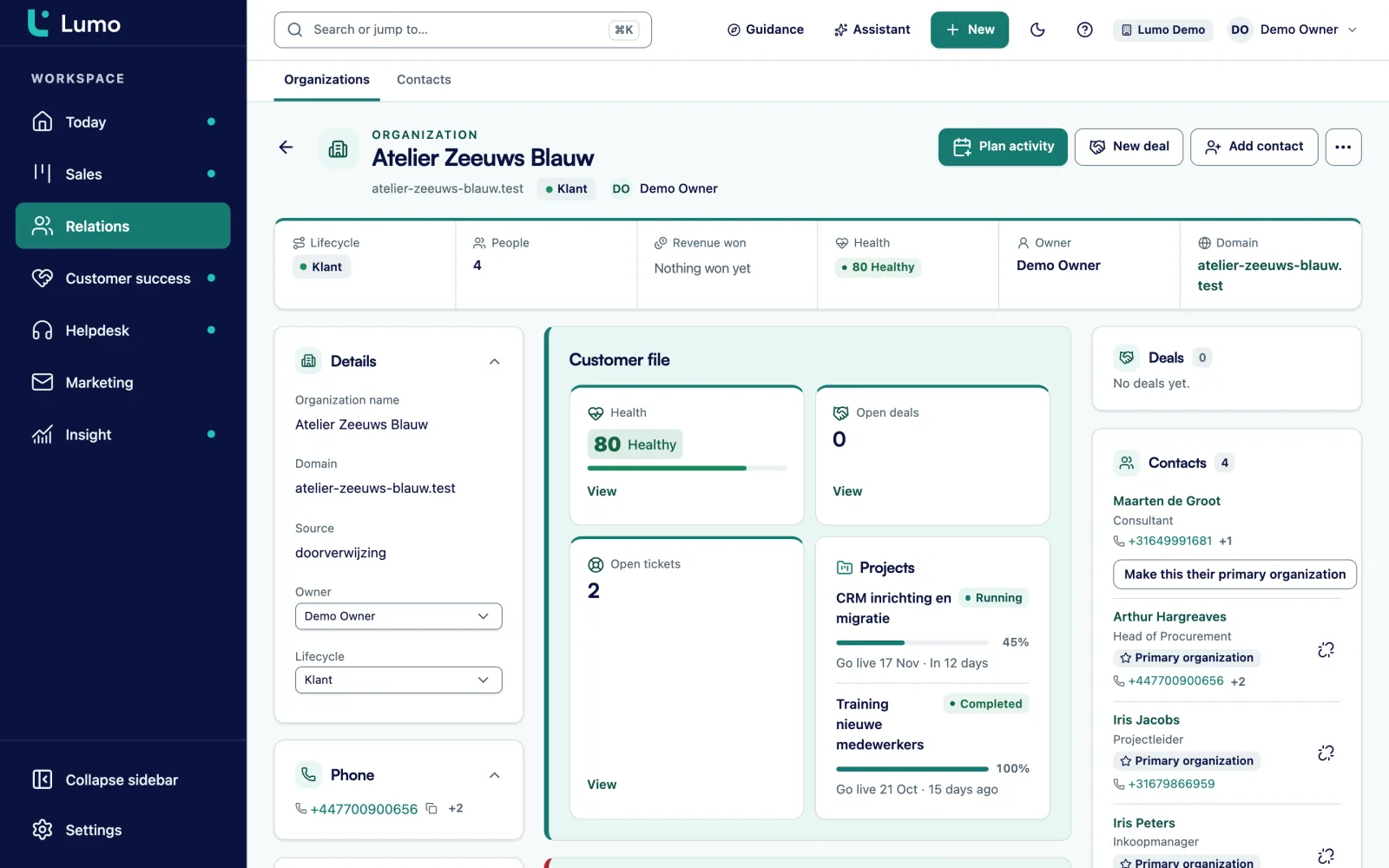
From the tickets Lumo calculates a health score from 0 to 100 per organization. Three things count: open tickets, missed targets and satisfaction, over the last 90 days. An organization is then healthy, at risk or critical. Lumo stores a snapshot every day, so you see whether a customer is getting better or worse.
The score sits on the organization, so account managers and customer success managers see it too. Before a renewal, an upsell or a quarterly review you know whether something needs fixing first. On the customer success page you see how the score comes together with running projects and blockers.
New, Open, Pending, On hold, Solved and Closed, with four priorities from Urgent to Low.
Targets for first response and resolution, a warning at 75%, business hours and holidays.
Assign tickets yourself or spread them over the colleagues who are available.
Discuss inside the ticket. The customer never sees it, not in the portal either.
Saved replies with Ctrl or Cmd + /, with actions such as status or tag after sending.
Save filters and sorting, share them with the team and update many tickets at once.
A 1 to 5 question after a ticket is solved, through a signed link.
A score from 0 to 100 per organization from open tickets, missed targets and satisfaction.
This is a made-up example to show the flow, not a customer case.
Say a software company with 300 business customers has a support team of four. Questions came in at support@ and were answered by whoever had time. Nobody knew how long customers waited, and account managers asked in chat every week whether anything was open for their accounts.
They set up the helpdesk in Lumo. Urgent tickets get a first response within an hour and resolution within one business day. Normal tickets get a first response within four hours and resolution within three business days. Business hours are weekdays from half past eight to half past five, with public holidays included. Tickets are distributed over the colleagues who are available.
On Tuesday morning an integration fails for a group of customers. Twenty-five tickets arrive within an hour. Team lead Mark selects them in the inbox, tags them outage and sets them to Urgent in one bulk action. With a macro he sends everyone the same update, and the macro puts the tickets on hold. When the outage is over, he closes them with a second macro.
Account manager Eva has a renewal call with one of the affected customers that week. On the organization she sees the health score drop from healthy to at risk, and she sees why: two missed targets and a satisfaction score of 2. She opens the call with the outage, not the renewal.
Tickets come from more places than the mailbox. Customers open them in the customer portal, where they first get articles from the knowledge base suggested. A conversation in live chat turns into a ticket with one click. Every ticket sits on the same people and organizations as your deals.
Your customer success team uses the health score from tickets on the customer success page, next to running projects and blockers. Working in a support team? Lumo for customer service shows what a day in Lumo looks like.
The support mailbox is set up for your workspace. The mail service behind it has not been chosen yet, and receiving through a real mailbox still has to be tested in your workspace. That is why we set it up together at the start and send test emails first. Which email client your team uses, Outlook, Gmail or anything else, makes no difference here.
There is no AI chatbot that answers on its own, and no channel for WhatsApp, social media or phone. You log a phone call by creating a ticket yourself. Reports on tickets are on the roadmap. Reports currently cover deals, contacts, leads and activities, and the inbox and the organization record show the numbers per ticket and per customer.
From your workspace support mailbox, from the customer portal, from a chat you escalate to a ticket, or you create one yourself.
New, Open, Pending, On hold, Solved and Closed. Use Pending when you wait on the customer and On hold when you wait on someone inside your company.
Per priority you set a target for first response and for resolution. At 75 percent of the time Lumo warns, after that the target shows as missed. Business hours and holidays count.
No, never. Not in the customer portal either.
Yes. Lumo can distribute tickets over the colleagues who are available. You can also assign them yourself.
After a ticket is solved the customer gets a question with a score from 1 to 5 and room for a comment. That satisfaction counts toward the organization's health score.
Yes. The support mailbox is set up for your workspace and you forward your support address to it. Which email client your team uses does not matter for that.
No. Replies come from your team, with macros for questions that keep coming back.
Ticket reports are on the roadmap. Today you see the SLA status per ticket and the health score and satisfaction per organization.
In the demo we create a ticket, answer it with a macro, solve it and look at what happens to the customer health score.